
This guide compares the four best AI video podcast generation tools available in 2026: Podcastor AI, JoggAI, HeyGen, and RevidAI. The focus is on tools capable of generating the podcast video itself, rather than merely editing scripts or repurposing existing shows into short form clips (Shorts). This ranking is based on a combination of official product research and standardized testing, evaluating criteria such as source content fidelity, host presentation, audio quality, visuals, editing quality, and pricing.
Quick answer: Which AI video podcast generator is best?
This is a narrower comparison than a general AI video list. Every product below must be able to create the podcast video itself, or have an explicit official video-podcast workflow. AI podcast editors and short-clip tools are excluded because they solve a different problem.
| Rank | Tool | Best for | Start Pricing |
|---|---|---|---|
| 1 | PodcastorAI | Full AI-hosted video podcasts from source content | $26/mo |
| 2 | JoggAI | Branded podcast video and marketing variations | $29/mo |
| 3 | HeyGen | Avatar-led podcast video | $29/mo |
| 4 | Revid.ai | Direct topic-to-video-podcast generation | $39/mo |
Pricing note: All prices were checked on August 6, 2026, and may change as products update their plans.
What is an AI video podcast generator?
An AI video podcast generator turns a topic, script, article, PDF, URL, audio file, or other approved source into a podcast-style video. The output may include AI hosts, avatars, cloned voices, two-person layouts, captions, multilingual dubbing, or platform-ready exports.
The category has four useful types:
-
Source-to-episode tools create the script and video podcast from source content.
-
Marketing video tools create branded presenter videos, trailers, sponsor segments, and social variations around podcast content.
-
Avatar video platforms turn an approved podcast script or audio track into a presenter-led video.
-
Topic to video tools build the episode from a prompt or script with AI voices and visual scenes.
How we tested the four tools
This comparison uses the same podcast script as the input and evaluates each product based on its core use case, rather than forcing every tool into the same workflow.
Shared test script
To ensure a fair comparison, all four tools were tested with the same podcast script based on the topic “Why Do We Dream? The Science Behind Our Nightly Stories.”
The script was designed to evaluate different aspects of AI video podcast generation, including:
-
Content generation: Can the tool create a coherent and engaging podcast conversation?
-
AI host performance: How natural are the voices, emotions, and interactions between hosts?
-
Visual presentation: How well does the tool transform a podcast script into an engaging video experience?
-
Editing & customization: What level of control does the user have over avatars, layouts, scenes, and output formats?
Input source:
https://docs.google.com/document/d/1VDXWZ1IHeWiK29e65szwDLYbO4TMcoV-PmBgPY0mI-Y/edit?usp=sharing
4 Best AI Video Podcast Generator
#1 PodcastorAI
After uploading my script, I found that PodcastorAI provides flexibility depending on how much control I want over the final content. If you want to keep your original script unchanged, your can chose upload script.
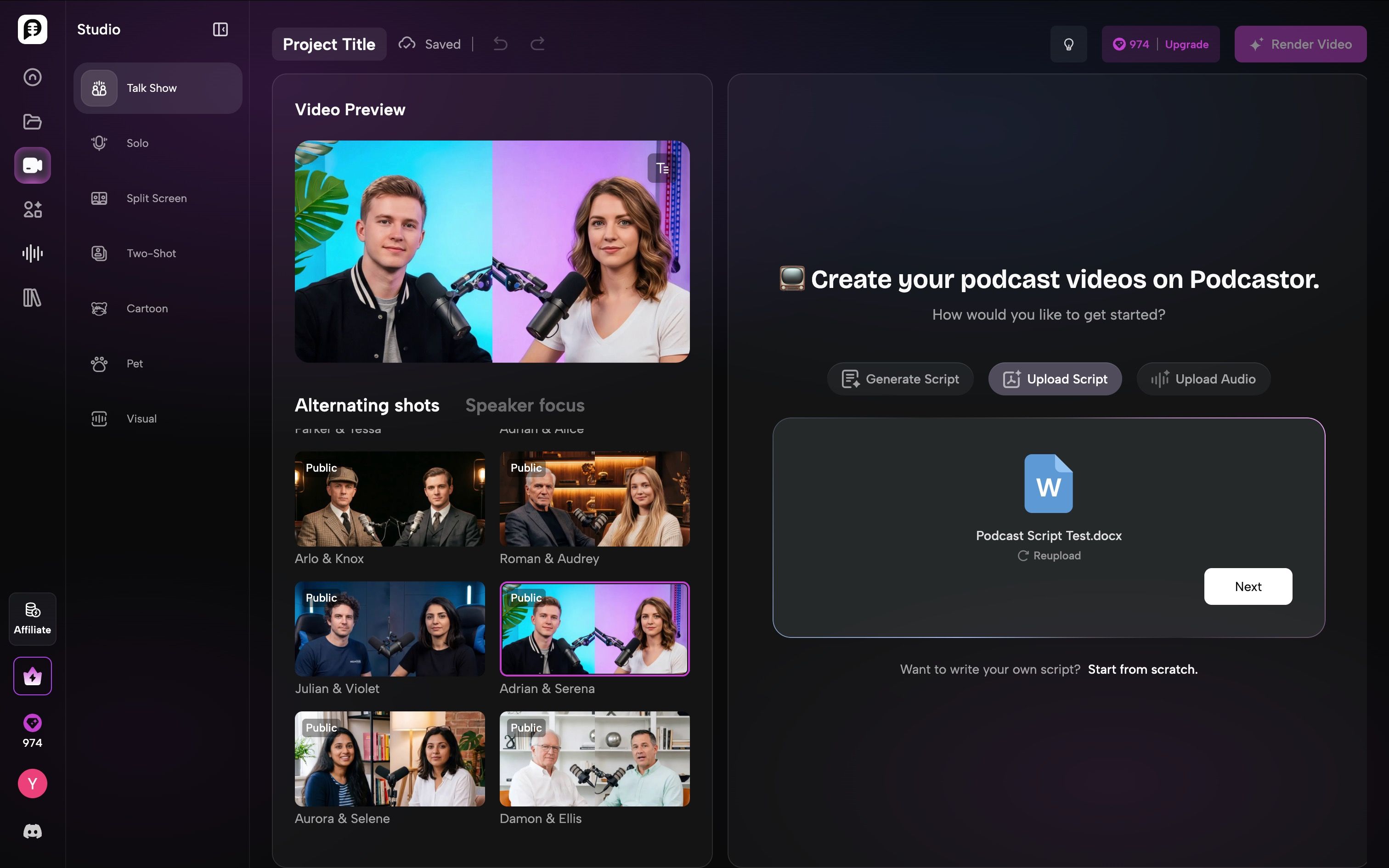
However, when your script is still in an early draft stage, PodcastorAI can help refine it by condensing the content, extracting the key points, and restructuring the script into a more natural podcast conversation. That’s mean you should chose generate script.
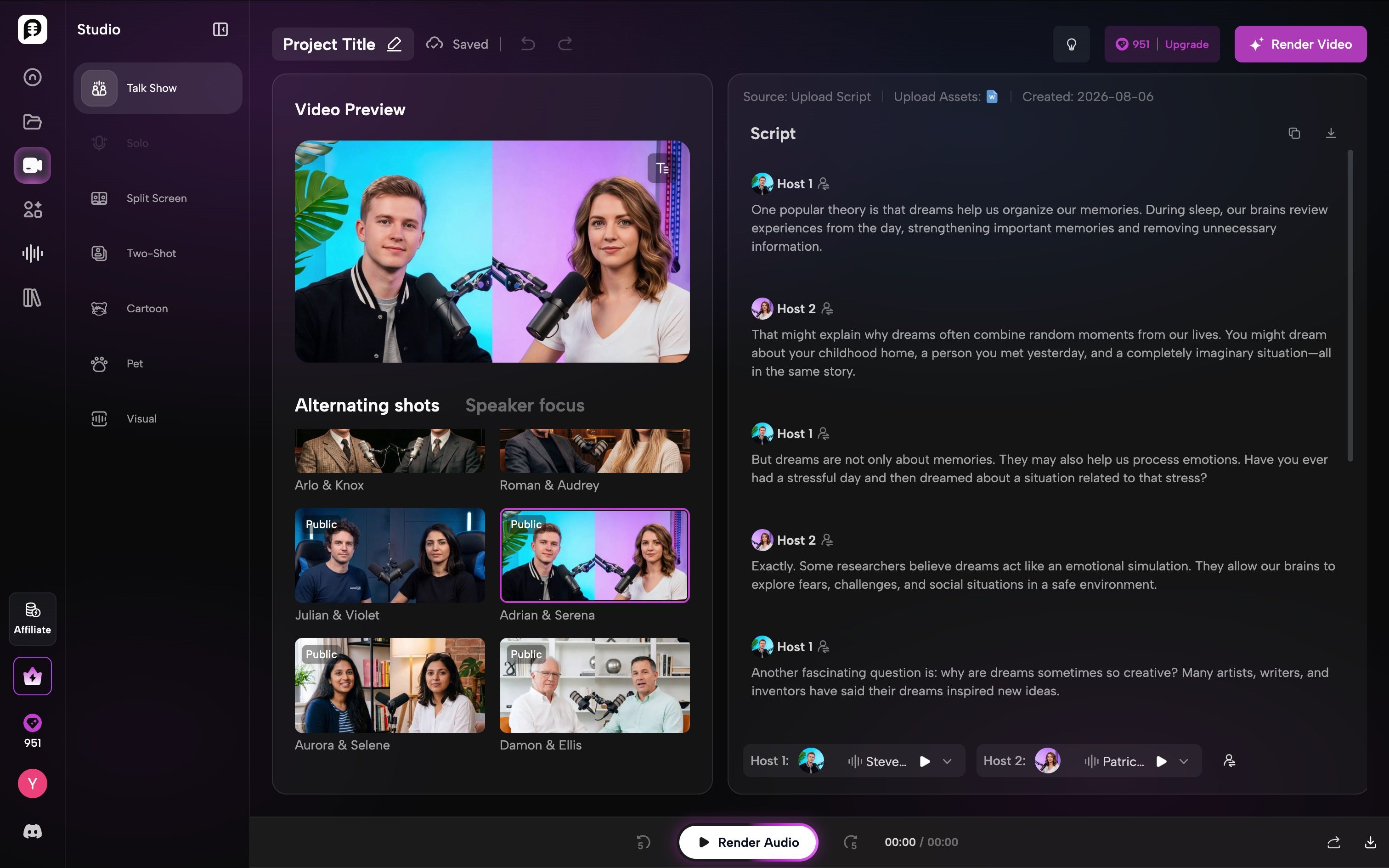
From testing experience, one thing that surprised me about PodcastorAI is its rich AI voice library. Users can narrow down voices based on specific use cases, such as narrative, conversational, entertainment, or educational content. They can also filter voices by different voice providers, including MiniMax and ElevenLabs, making it easier to find the right voice style for different podcast formats.
This approach makes the voice selection process more efficient and gives creators more control over the overall tone and listening experience of their podcast.
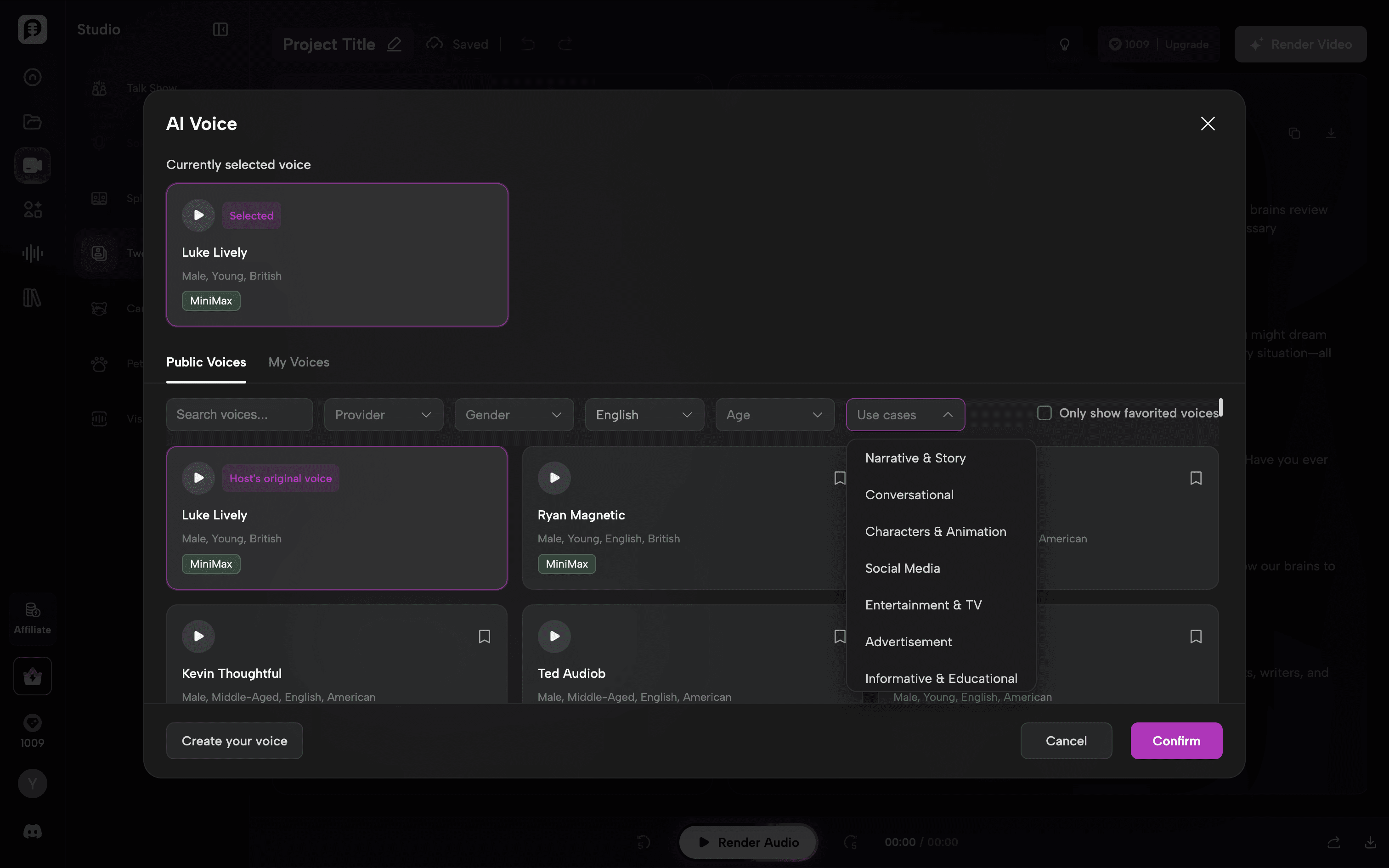
When it comes to video podcast creation, PodcastorAI provides multiple formats, including Talk Show, Solo, Split Screen, Two-Shot, Cartoon, Pet, and Visual modes.
For my test, I selected the Talk Show format and used the AI hosts from the public avatar library. The available avatar options make it easy to quickly create a professional-looking podcast setup without needing to prepare your own assets.
Beyond the public avatar library, PodcastorAI also allows users to upload their own images to create a unique AI host.
Let’s take a look at the video podcast results:
Most importantly, the 50 free credits provided to new users after registration are enough to complete one full video generation.
#2 JoggAI
During my test, I found that Jogg provides a smooth and beginner-friendly workflow for creating AI video podcasts. The process is divided into three simple steps: Generate Script → Generate Audio → Generate Video Podcast.
After entering a topic, Jogg automatically generates a conversation between AI hosts, and I can review and edit the script before moving to the audio stage. Then, I can choose different AI voices for each host and preview the generated audio before creating the final video.
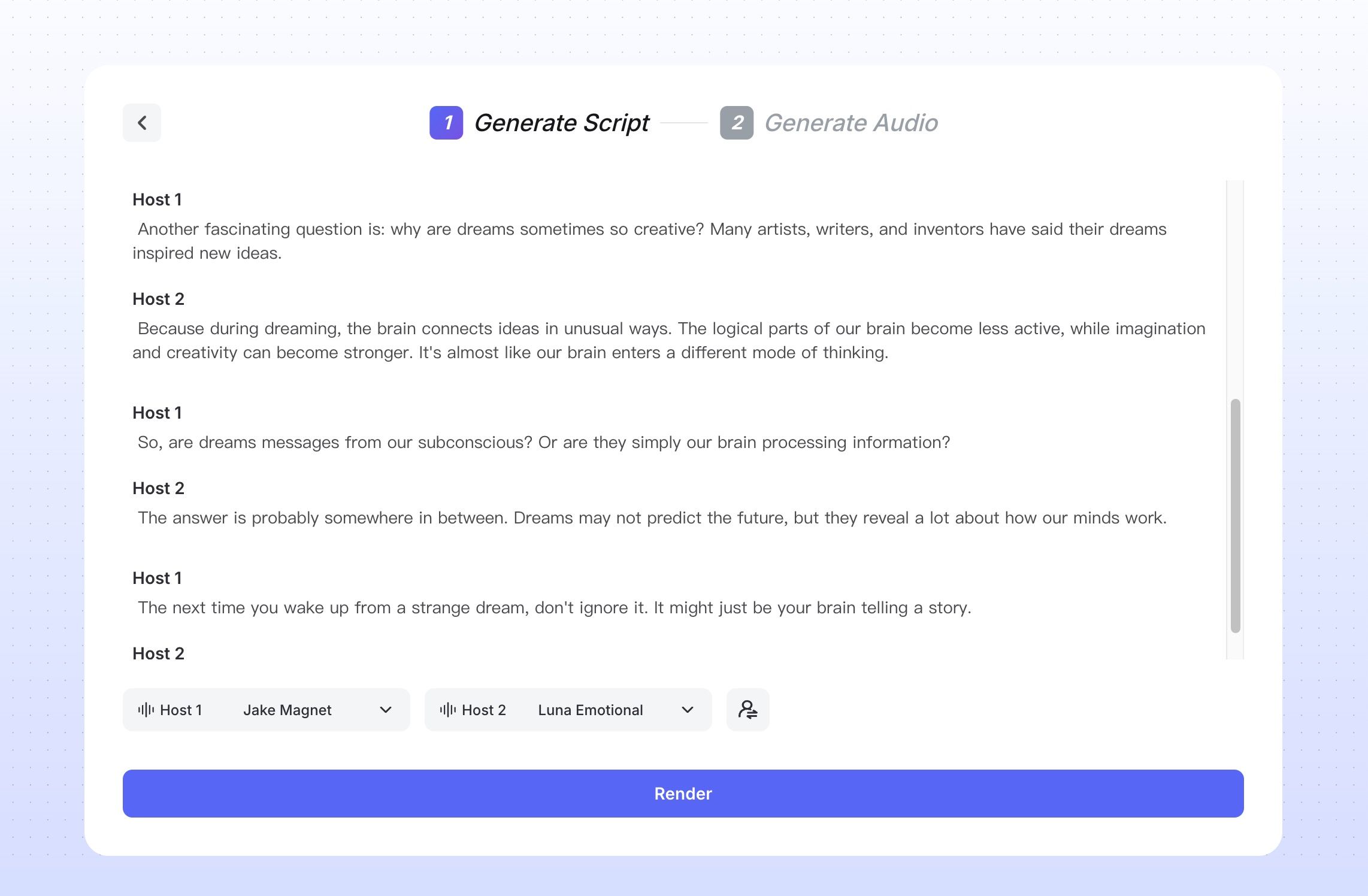
When generating the audio, I could directly download it for use. What surprised me was that Jogg automatically included a podcast cover image with the audio file, which made it feel more like a finished podcast episode ready for distribution, rather than just a simple AI-generated audio track.
For the video generation part, Jogg offers multiple styles, including realistic talk shows, pet podcasts, and cartoon podcasts. I selected the realistic talk show format.
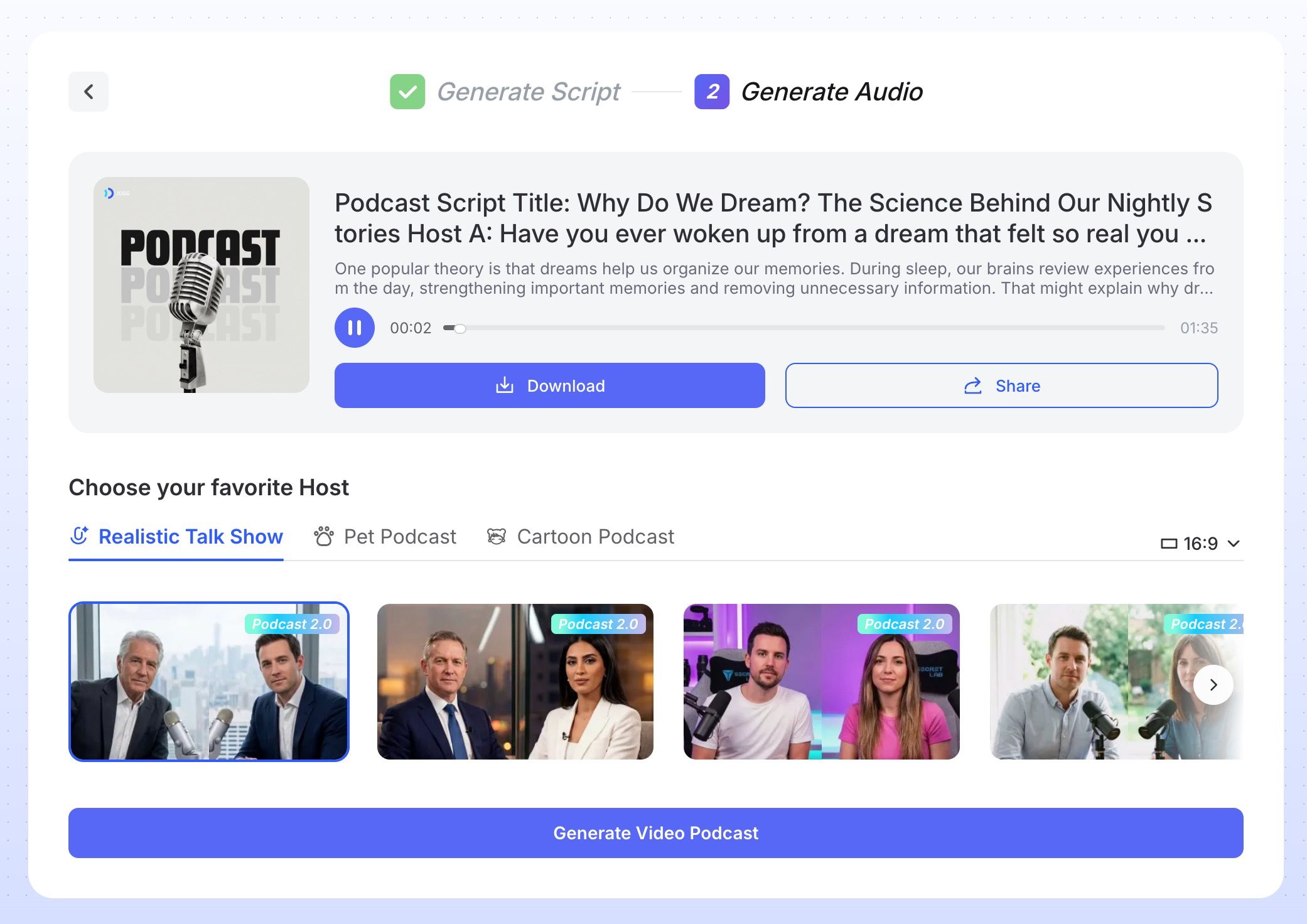
Overall, the biggest advantage I found with Jogg is its simplicity. It reduces the complexity of podcast production and allows beginners to create a complete AI video podcast without recording equipment, cameras, or professional editing skills.
Let’s take a look at the video podcast results:
#3 Heygen
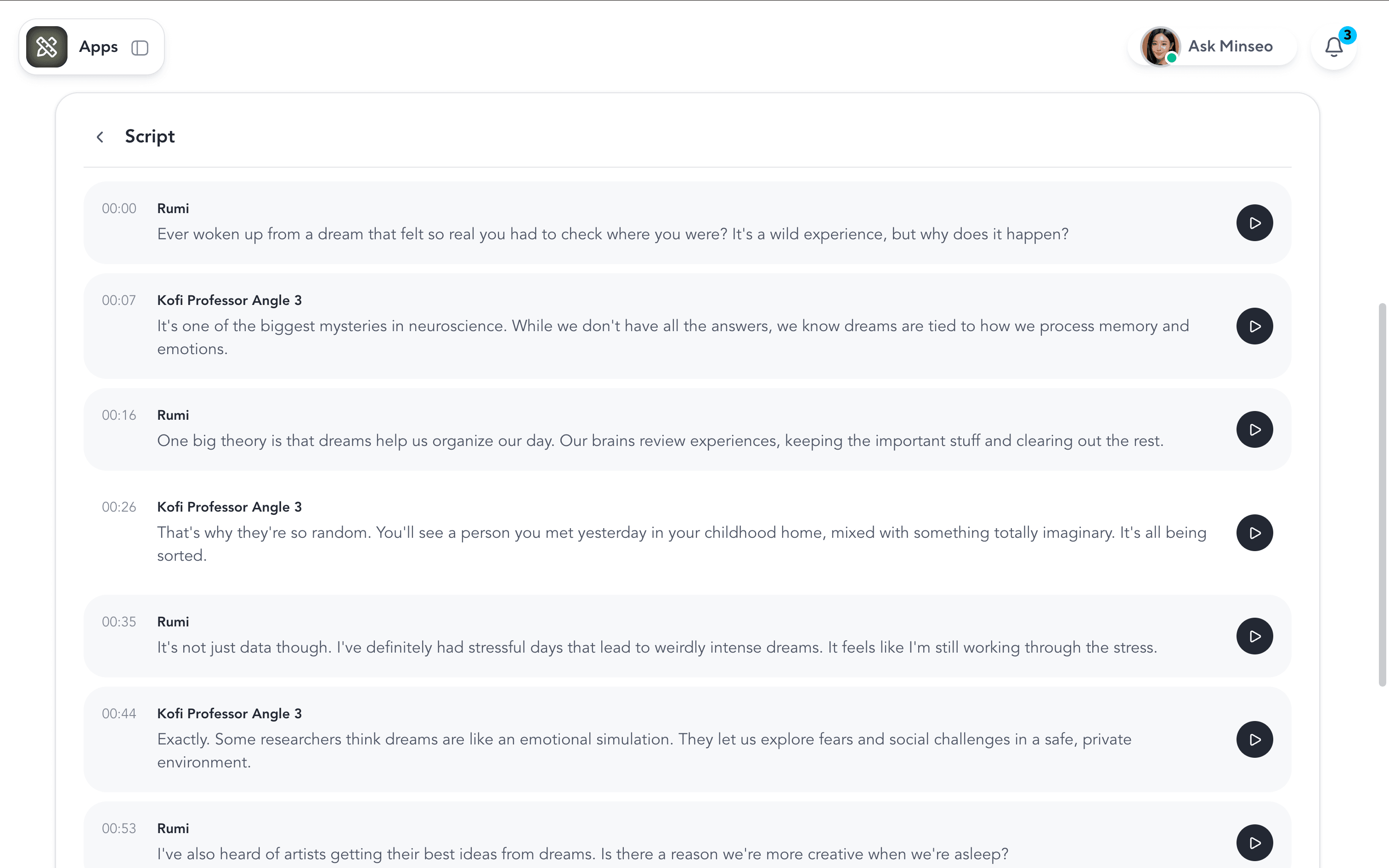
During my test, I found that HeyGen provides a clean workflow for creating AI video podcasts, but the editing flexibility could be improved. After uploading the script, I couldn’t easily go back to adjust previous settings. For example, changing the avatar’s voice required returning to an earlier step, which caused the generated script to be lost and required additional credits to regenerate.
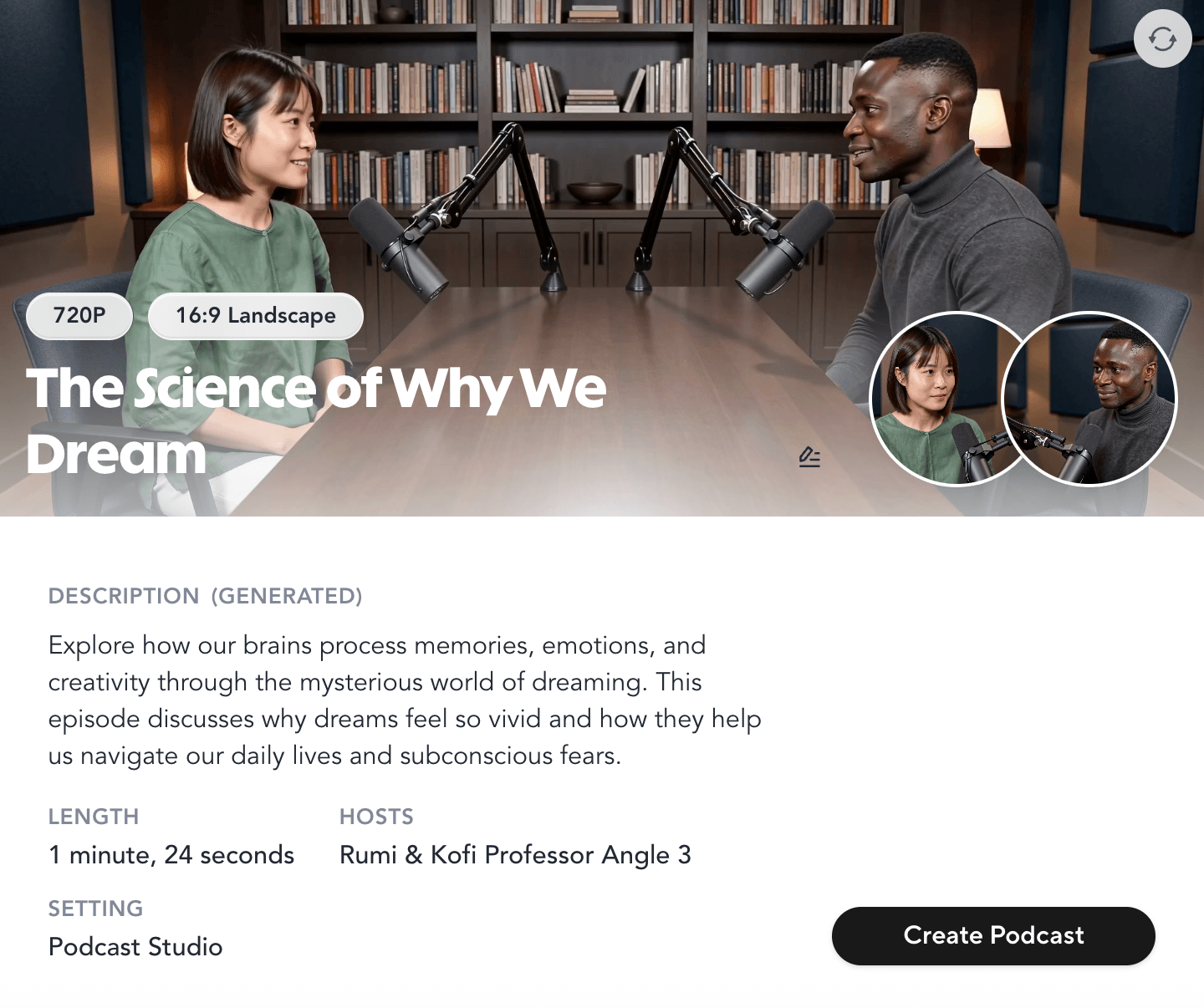
One thing that surprised me was HeyGen’s automatically generated cover and summary page. The design looks polished and professional, and the cover feels ready for podcast promotion.
However, the final video output still has some limitations. The avatar mainly shows lip-sync and facial movements, while body and hand movements are limited, which makes the overall video feel less natural compared with a real podcast recording.
Considering the relatively high cost of HeyGen’s avatars, these limitations also make the overall experience feel less cost-effective compared with other AI video podcast tools.
#4 RevidAI
During my test, I found that RevidAI focuses more on quickly transforming ideas or scripts into short-form video content. The workflow is simple, allowing users to generate videos with AI voices and visual elements without needing complex editing skills.
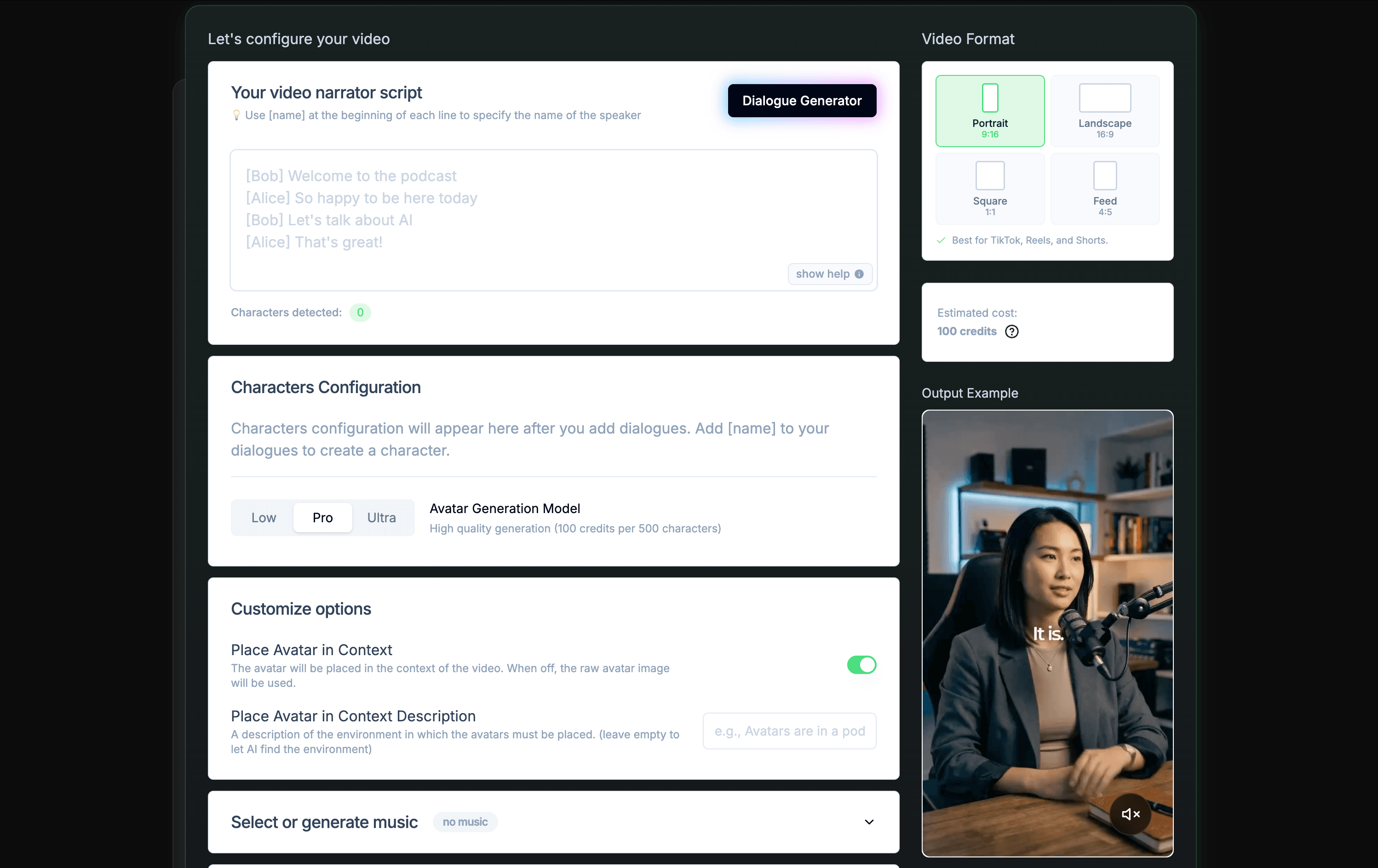
Compared with tools that focus on full podcast production, RevidAI feels more suitable for creators who want to turn podcast content into social media clips or short videos for platforms like TikTok and Reels.
However, for creating a complete video podcast experience, I found that RevidAI provides fewer customization options for hosts, layouts, and podcast-style conversations. The final output feels more like an AI-generated content video rather than a traditional two-host podcast recording.
Which tool should you choose?
| Tool | Best For | Choose This If You… |
|---|---|---|
| PodcastorAI | Best overall AI video podcast generator | Want to turn scripts, PDFs, URLs, or other sources into complete video podcasts with AI hosts, voice customization, and flexible editing options. |
| JoggAI | Best for beginners and quick podcast creation | Want the simplest workflow to go from an idea to a complete AI video podcast without complicated production steps. |
| HeyGen | Best for spokesperson video | Need high-quality AI avatars and professional-looking presenter videos, but don’t require frequent script or voice revisions. |
| RevidAI | Best for short-form content creation | Want to quickly repurpose ideas or podcast content into social media videos and short clips. |
Frequently asked questions
Can AI generate a complete video podcast?
Yes. AI video podcast generators like PodcastorAI can transform a topic, script, PDF, URL, or other source materials into a complete podcast-style video. The process typically includes script generation, AI voices, host avatars, podcast layouts, and video export, allowing creators to produce podcast content without recording equipment.
What is the best AI video podcast generator?
The best tool depends on your workflow. PodcastorAI is a strong choice for creators who want to turn existing content into complete AI-hosted video podcasts. It supports source-based generation, AI hosts, customizable voices, multiple podcast layouts, and flexible editing options.
Can I create a podcast from a PDF or URL with AI?
Yes. PodcastorAI allows users to transform different types of source content, including PDFs, URLs, and scripts, into podcast conversations. For users who already have knowledge materials or articles, this makes it easier to convert existing content into engaging podcast episodes.
Can I customize AI podcast hosts?
Yes. PodcastorAI provides multiple AI host options and allows users to customize their podcast identity. In addition to selecting avatars from the library, creators can also upload their own images to create a more personalized AI host.
What is the cheapest AI video podcast generator?
PodcastorAI currently shows a free trial and a $9.99 monthly Audio Creator plan. Compare credits, video minutes, watermarks, and export settings before choosing on price.
Do I need video editing skills to create an AI podcast?
No. PodcastorAI is designed to simplify the production workflow. Users can start with a script or source material and generate a complete video podcast with AI hosts, voices, and layouts without needing professional recording equipment or editing experience.