
This guide walks through how to turn your study notes into an AI podcast step by step.
If you already have class notes, lecture slides, PDFs, screenshots, or exam review materials, you already have the starting point for a study podcast. The same workflow can also work for meetings, reports, and other source materials.
With PodcastorAI Notes to Podcast, you can add your notes, set a clear study goal, choose how the episode should be structured, generate a podcast script, select AI voices or hosts, and create an audio or video podcast from the same material.
What Does It Mean to Turn Notes Into a Podcast?
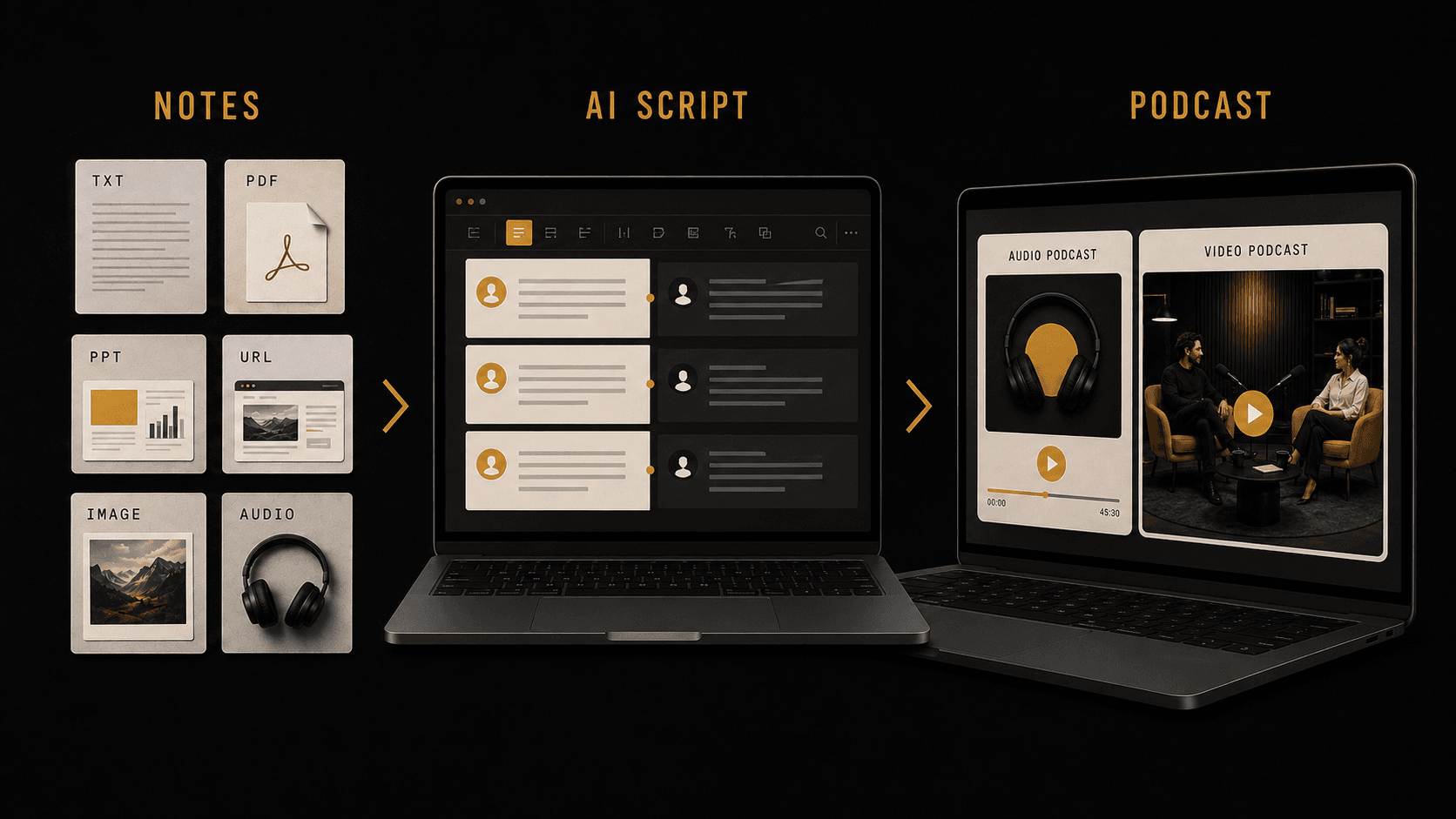
Turning notes into a podcast means taking written or recorded source material and reshaping it into a spoken episode. The goal is not to read every line of your notes aloud. A good podcast needs an opening, a clear structure, natural transitions, examples, and a conclusion.
PodcastorAI helps with that structure. It identifies the key ideas in your notes, turns scattered information into a script, and lets you choose the format, length, language, voices, hosts, and final output.
Step 1: Prepare One Focused Set of Notes
Start with one topic. If your notes cover several unrelated ideas, split them into separate episodes. For students, one lecture, chapter summary, or exam topic usually works better than a large mixed folder of notes.
Before adding your notes, write one sentence that defines the goal:
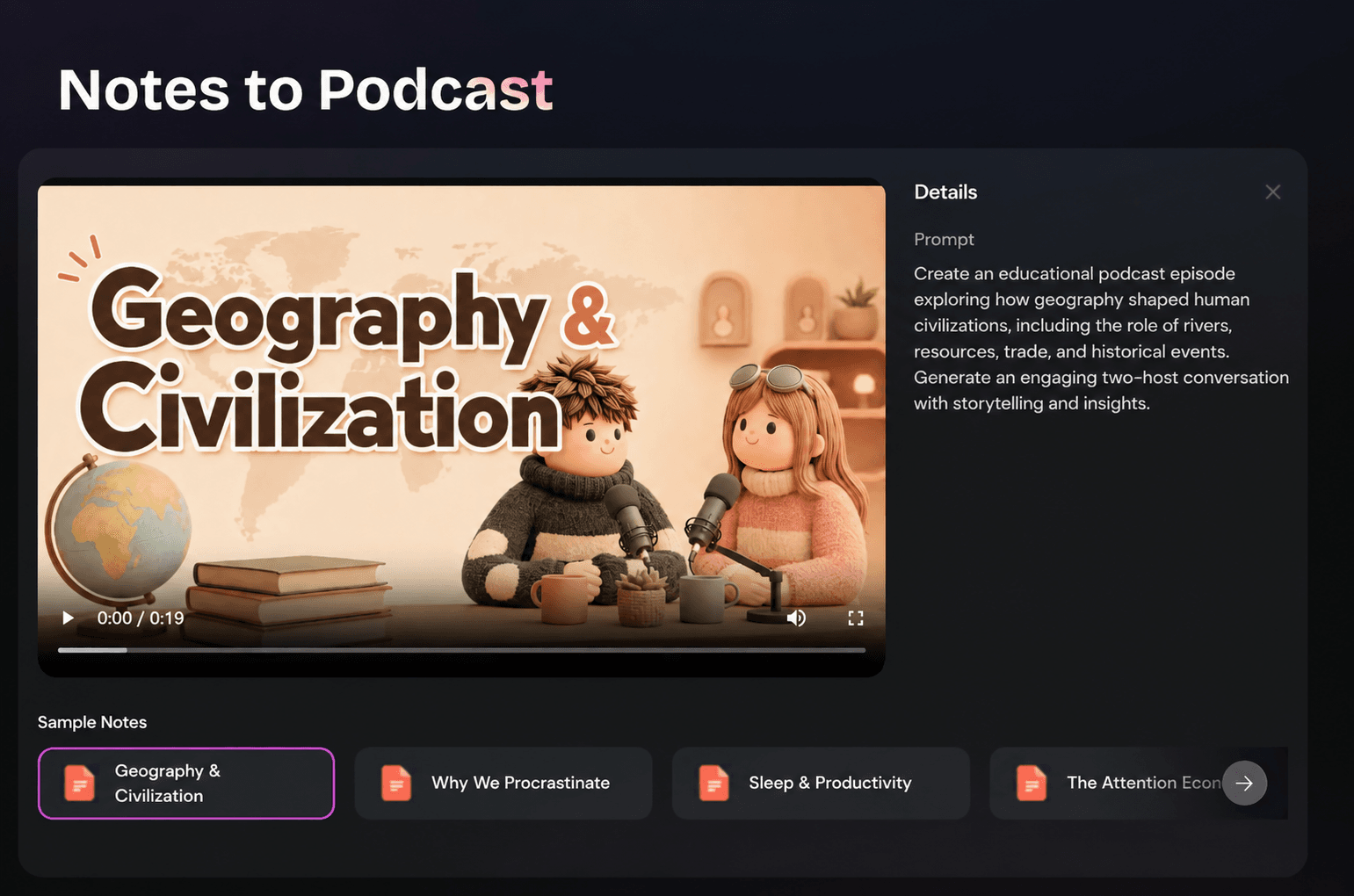
Example: Create an educational podcast episode exploring how geography shaped human civilizations, including the role of rivers, resources, trade, and historical events. Generate an engaging two-host conversation with storytelling and insights.
If you are not sure what material to use, start from a real source you already trust. These examples can help:
| What You Can Start With | Where to Find or Organize Material | Podcast Result | Format Reference |
|---|---|---|---|
| Study or lecture notes | MIT OpenCourseWare Cornell Note Taking System |
A study recap, lesson review, or educational explainer for students | TED Talks Daily |
| News or article URLs | NPR topic pages BBC News |
A short news explainer or daily briefing | NPR Up First BBC Global News Podcast |
| Research papers or reports | Google Scholar arXiv PubMed |
A deep-dive episode that explains findings and context; for students, this can also become a guided paper review | Nature Podcast |
| Business documents or data | SEC EDGAR company filings Our World in Data charts |
A business briefing, market analysis, or data explainer | HBR IdeaCast McKinsey Podcast |
| Trend ideas | Google Trends Explore | A creator episode based on what people are searching for | Today, Explained |
Step 2: Add Your Notes or Source Material
Open PodcastorAI Notes to Podcast and add the material you want to turn into a podcast. You can paste notes directly or upload source files.
PodcastorAI supports several input types, so you can start from the format you already have. This is useful when study materials are spread across slides, PDFs, screenshots, handwritten notes, and class recordings.
-
Public URLs: PodcastorAI reads the page and extracts key points, which works well for articles, course pages, blogs, and reference materials.
-
PDF, Word, TXT, PPT, and Excel: You can upload up to 10 files, 50 MB total. Students can use this for lecture slides, handouts, class PDFs, study guides, and chapter summaries.
-
Images: PNG, JPG, JPEG, WEBP, and GIF files up to 50 MB can be analyzed for screenshots, charts, posters, and photos.
-
Audio: MP3, M4A, and WAV files up to 25 MB can be transcribed first, which works for recorded lessons, class discussions, meetings, and existing podcasts.
Step 3: Choose the Podcast Structure
After you add your notes, choose how the episode should feel. This choice matters because the same notes can become very different podcasts.
| Setting | Options in PodcastorAI | When to Choose It |
|---|---|---|
| Hosts | 1 host or 2 hosts | Use 1 host for a direct explanation. Use 2 hosts when the topic benefits from questions, contrast, or discussion. |
| Podcast style | Deep Dive, Storytelling, Debate, like those in Google’s NotebookLM Audio Overviews | Use Deep Dive for dense material, Storytelling for narrative content, and Debate for trade-offs or opposing views. |
| Episode length | ~5 min, 7-12 min, 13-17 min, 18-22 min, 23-30 min | Choose a short length for quick recaps and a longer length for complex documents, research, or exam review. |
| Language | English, French, German, and more | Choose the language your audience will actually listen to. |
For a study podcast, Deep Dive works well when the topic needs explanation, Storytelling can make history or concept-based lessons easier to follow, and Debate can help students compare different viewpoints or trade-offs.
Step 4: Generate and Review the Script
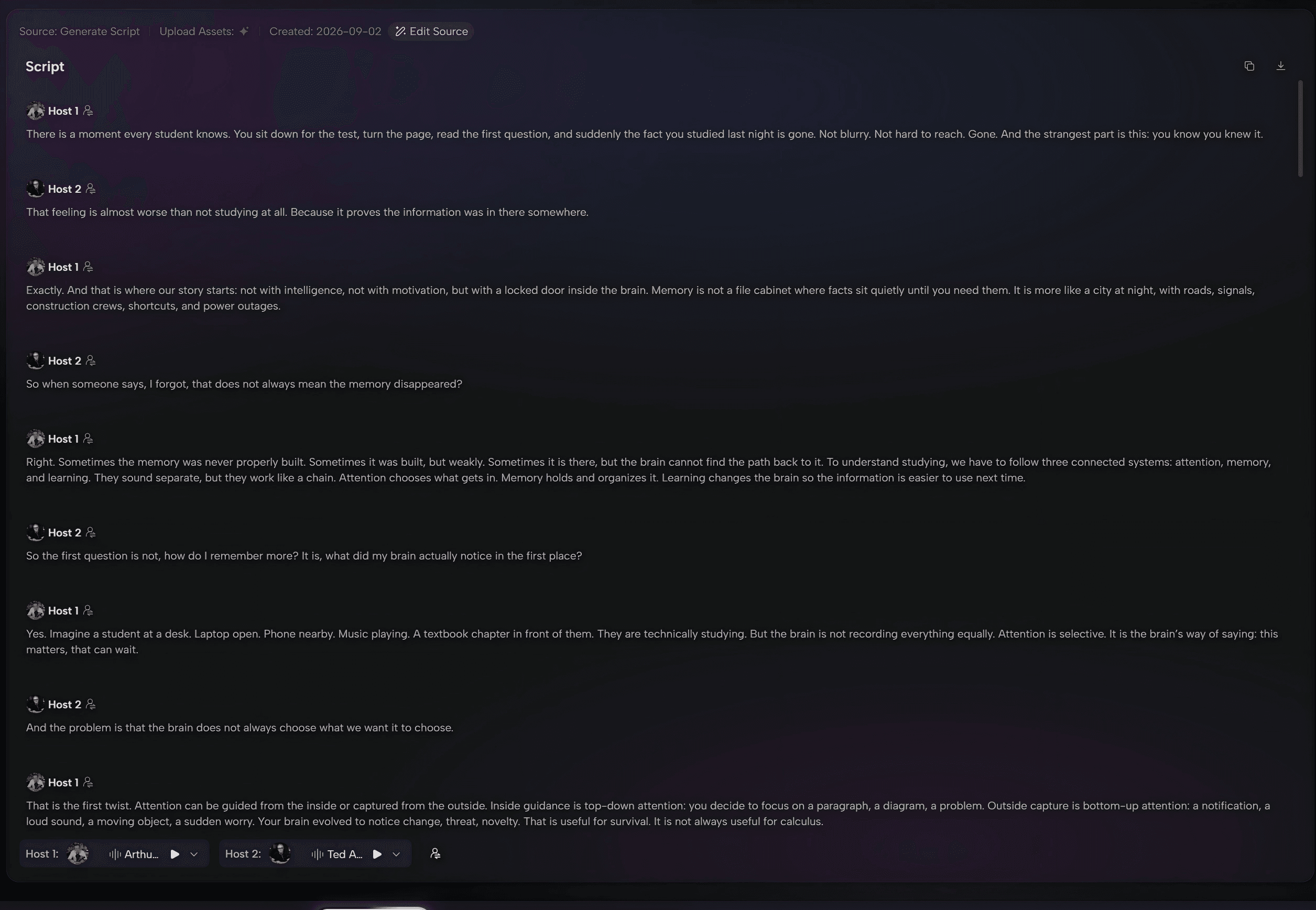
Once the structure is set, generate the script. Read through it before creating the final audio or video.
Check whether the script does five things:
-
Starts with a clear reason to listen.
-
Keeps the main points from your notes.
-
Explains details in a natural spoken order.
-
Uses questions or transitions where the listener may need help.
-
Ends with a useful takeaway.
This review step is important. AI can organize the first draft quickly, but your final check makes sure the podcast still matches your study goal. Check that definitions, examples, dates, formulas, and exam-related points are accurate.
Step 5: Choose AI Voices and Generate Audio
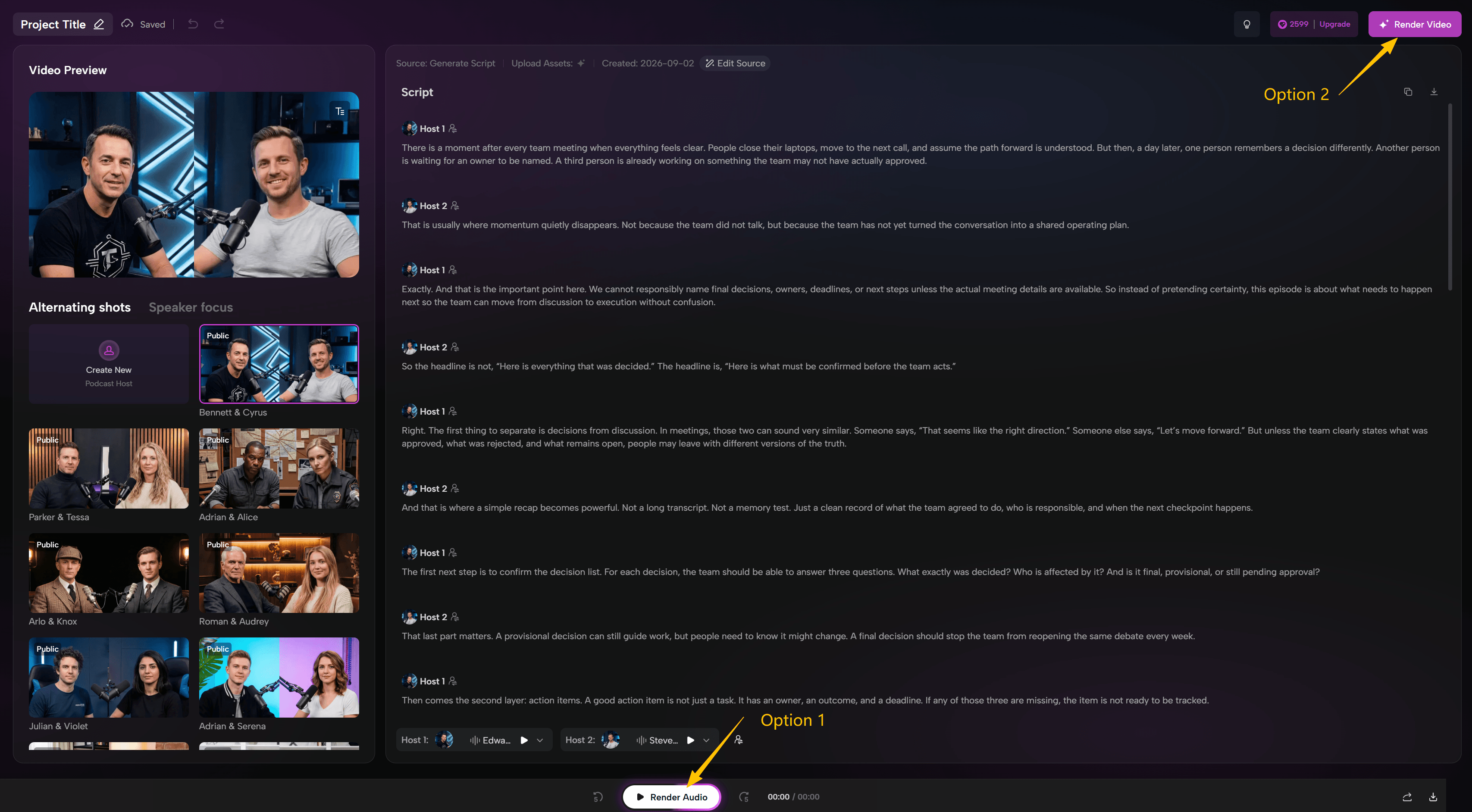
Choose AI voices that are clear and easy to follow, then generate the audio version of your study podcast. For a two-host episode, use different voices so one host can ask questions and the other can explain the topic.
If you only need a listening version, you can stop after the audio is generated. This works well for students who want to replay lecture notes, chapter summaries, or exam materials on the go.
Step 6: Choose AI Hosts and Generate Video Podcast
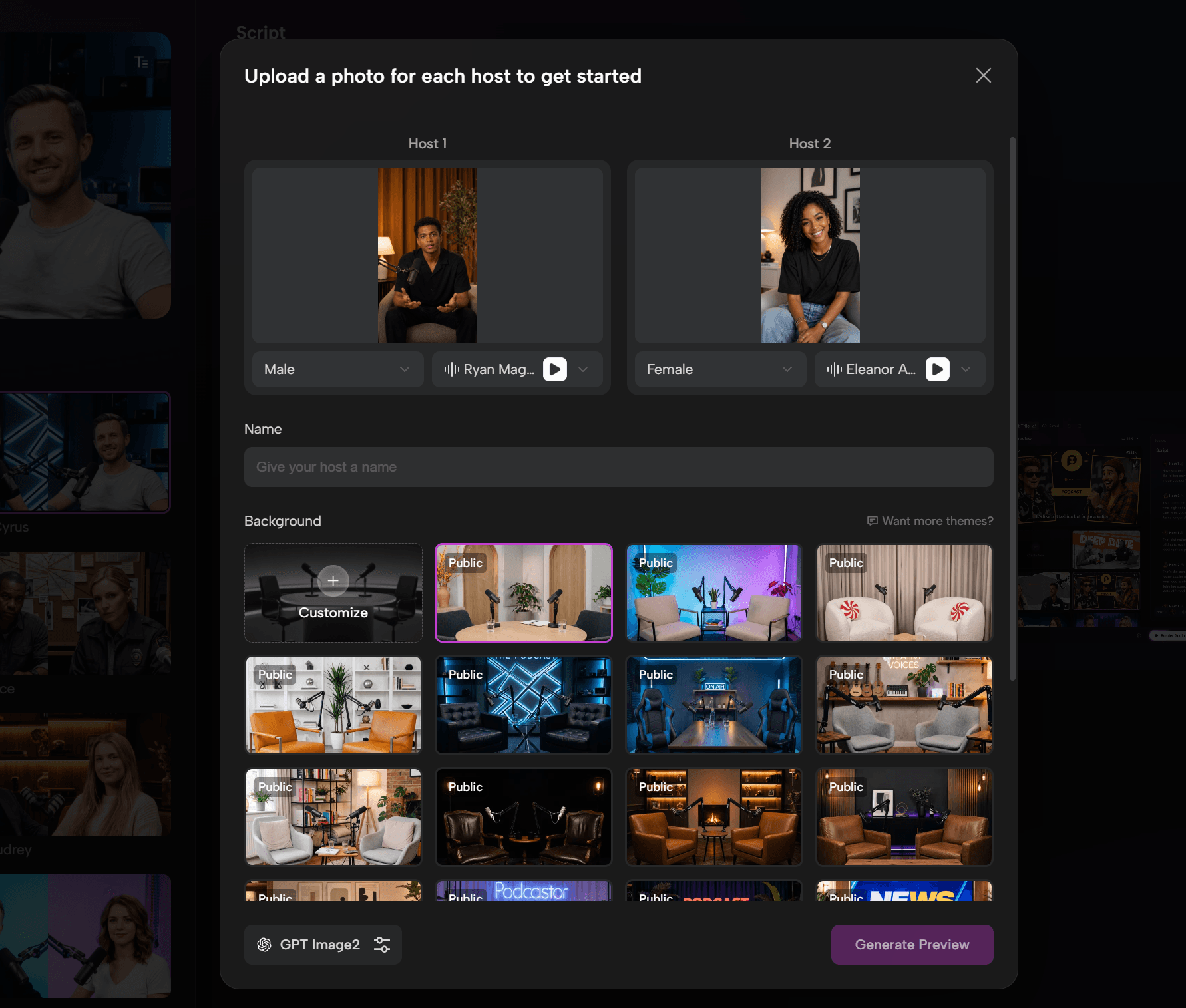
If you want a video podcast, choose the AI hosts after the audio is ready. The video AI host can be a digital presenter, an uploaded personal image, or a customized character that fits the topic and audience.
Then choose a video format such as Talk Show, Solo, Split Screen, Two-Shot, Cartoon, Pet, or Visual, and generate the final video. This helps students review the same study notes with AI voices, AI hosts, and on-screen context together. Also, this is especially useful for publishing study content on YouTube, TikTok, learning platforms, or internal training channels.
If you plan to create a study podcast series for the same course or subject, keep the number of hosts, the vocal style, and the episode structure consistent. This helps each review episode feel easier to follow.
What Makes PodcastorAI Notes to Podcast Different
Many tools stop at summarizing notes or turning text into speech. PodcastorAI Notes to Podcast is built for a bigger job: turning your existing notes into a complete podcast episode.
That means you do not have to start from a blank script. You can begin with the notes, documents, URLs, screenshots, or recordings you already have, then shape them into a podcast that is structured for listening.
-
Start from existing notes instead of writing a podcast script from scratch.
-
Turn scattered ideas into a spoken structure with a clear beginning, flow, and takeaway.
-
Choose episode styles such as Deep Dive, Storytelling, or Debate based on the material.
-
Set the language and length to match the audience and publishing goal.
-
Use AI voices, multiple hosts, and conversational formats for a more natural listening experience.
-
Create either an audio podcast or a video podcast from the same source material.
-
Reuse study, work, and creator materials as publishable content assets.
The practical value is simple: you spend less time organizing notes, writing scripts, recording voiceovers, and producing the final episode. Content that was previously buried in documents can become something people can listen to, share, and publish. For students, that means long or scattered notes can become easier to revisit before class or exams.
Tips for Better Notes-to-Podcast Results
-
Use one main topic per episode.
-
Remove private or irrelevant information before uploading.
-
Add context if your notes include shorthand or abbreviations.
-
Tell PodcastorAI who the episode is for. For example, you can specify beginners, classmates, exam reviewers, or visual learners.
-
Choose the episode style before generating the final output.
-
Review the script before creating audio or video.
This also follows Google Search Central’s helpful content guidance: the page should solve the reader’s real task clearly instead of repeating keywords without adding value.
Final Thoughts
Turning notes into a podcast is not about adding more work. It is about using the material you already have and making it easier to listen to, share, and publish.
Start with one focused set of notes, choose the right structure, review the script, and use PodcastorAI Notes to Podcast to create your audio or video podcast. If your goal is studying, start with one lecture or chapter and turn it into one clear review episode.
FAQs
Can I turn any type of notes into a podcast?
Yes. You can start with class notes, meeting notes, research documents, blog outlines, PDFs, screenshots, or audio recordings.
Do I need to write a podcast script first?
No. PodcastorAI can help turn your source material into a structured podcast script, so you do not need to start from a blank page.
Can I create both audio and video podcasts?
Yes. You can create an audio podcast for listening, or turn the same notes and script into a video podcast for platforms like YouTube, TikTok, or learning channels.
Can I choose the podcast style and length?
Yes. You can choose the structure, episode length, language, AI voices, and host format based on your content and audience.
Is this useful for exam review?
Yes. A focused set of notes can become a short exam review podcast that explains key concepts, examples, and takeaways in a more listenable format.
What study materials can I upload?
You can start with notes, PDFs, slides, screenshots, documents, or audio recordings, depending on what you already have.