
A knowledge creator’s best ideas often already exist in documents: a course guide, a research report, a whitepaper, a customer education resource, or a detailed industry brief.
These PDFs contain valuable expertise, but they often require every new audience to stop, open a file, and consume information in the same format.
A PDF to podcast workflow changes the format, not the expertise.
Audio is now a baseline output: many tools can create a spoken summary from a PDF. But PodcastorAI takes the same source further, transforming one knowledge asset into a structured script, natural AI voice audio, and video podcasts with realistic AI hosts, cartoon hosts, or pet hosts.
One approved document can become a complete set of channel-ready content without rewriting the core message from scratch.
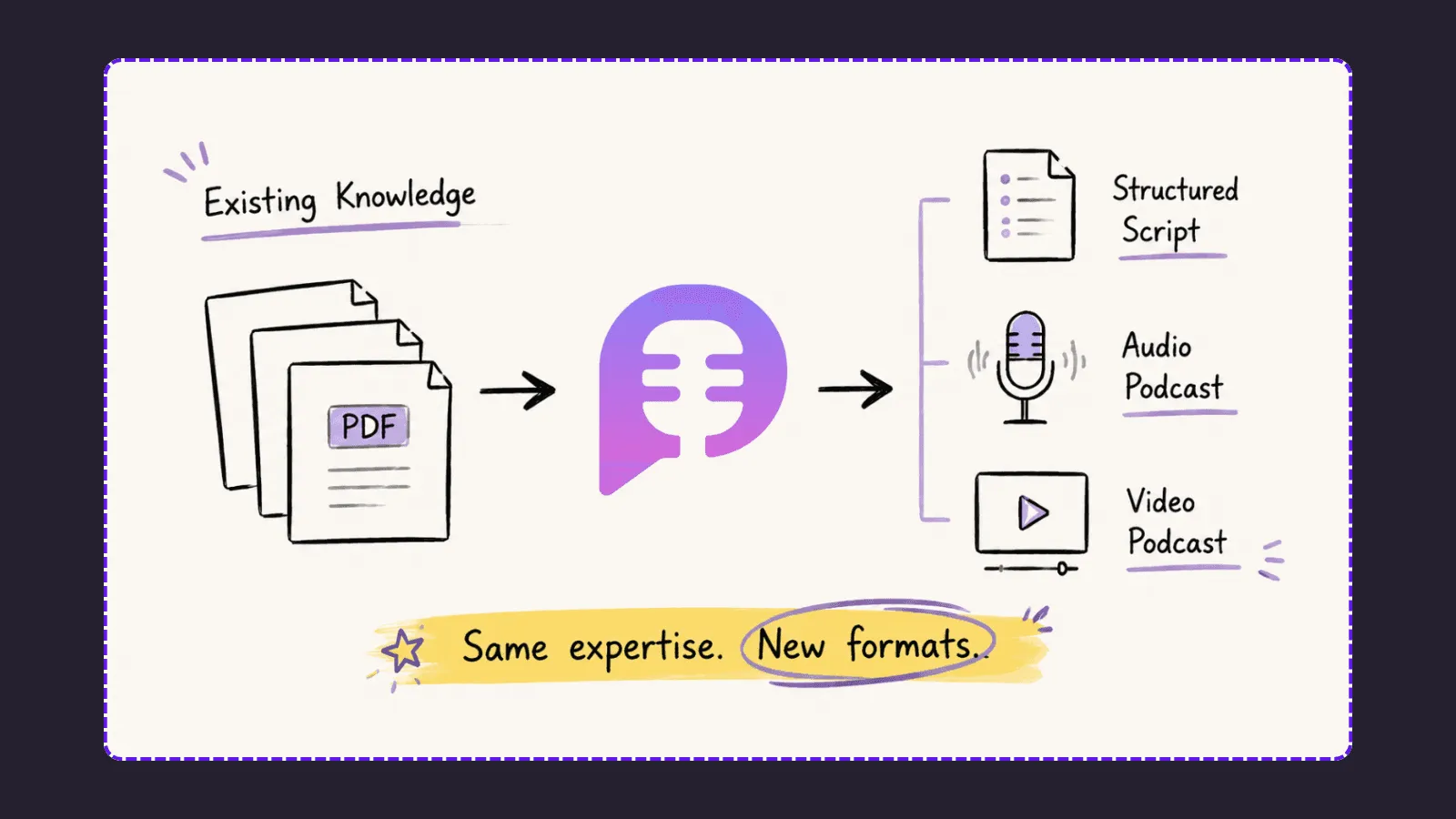
Your knowledge should not stay trapped inside PDFs.
Transform existing expertise into content formats your audience actually wants to consume.
The source stays the same. The wrapper changes.
Think of the PDF as the source of truth. Its evidence, examples, terms, and conclusions should remain consistent. What changes is how the idea enters the audience’s day: the host, runtime, visual language, opening, and distribution channel.
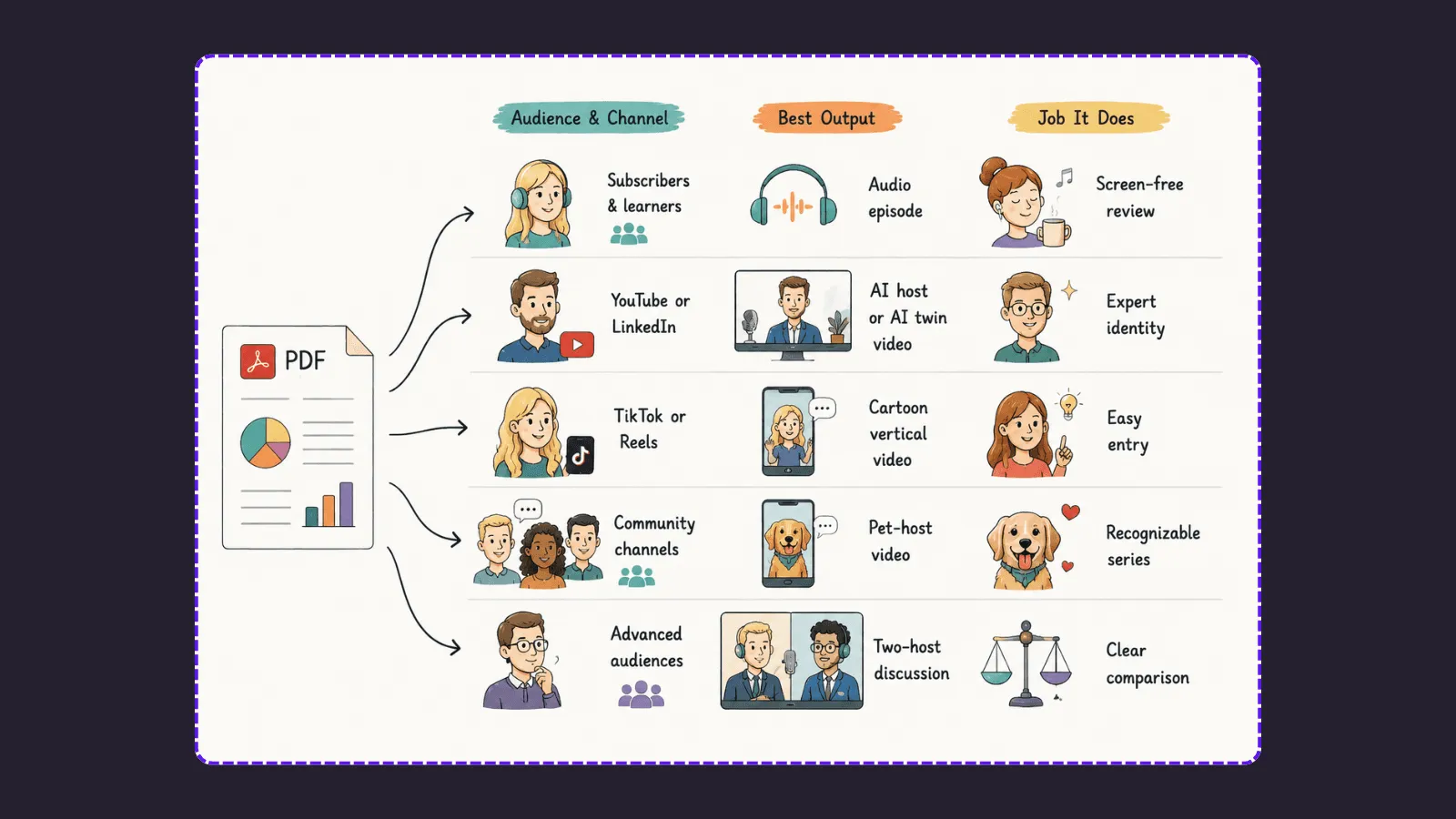
This is not five copies of the same episode. Each output should adapt its opening, length, and call to action to the people watching. The knowledge remains consistent; the delivery earns attention in the context where it appears.
| From one PDF | Audience and channel | Best output | Job it does |
|---|---|---|---|
| Full report or guide | Subscribers and learners | Audio episode | Screen-free review |
| Whitepaper or founder memo | YouTube or LinkedIn | AI host or AI twin video | Expert identity |
| Beginner concept | TikTok or Reels | Cartoon vertical video | Easy entry |
| Reminder or recap | Community channels | Pet-host video | Recognizable series |
| Framework with trade-offs | Advanced audiences | Two-host discussion | Clear comparison |
What kind of PDF should you repurpose first?
Choose a document with one useful argument. Strong starting points include a research report, whitepaper, thought-leadership guide, course reading, workshop handout, customer education guide, or policy explainer.
Avoid using a PDF that is only a collection of raw tables, status updates, or disconnected visuals. An episode needs a through-line. If the document has several themes, make a series: one PDF can yield a main explainer, a focused concept episode, a comparison, and a short social cut.
A five-step PDF to podcast workflow
1. Define the listener and the outcome
Before uploading, write four lines:
-
Listener: Who is this for, and what do they already know?
-
Outcome: What should they understand, decide, or do afterward?
-
Point of view: What is the argument the PDF makes?
-
Boundary: What must not be inferred, oversold, or omitted?
For a founder, the boundary may be: “Do not make performance claims beyond the report.”
For an educator, it may be: “Define technical terms for a first-year learner and preserve the distinction between correlation and causation.”
2. Turn the PDF into a listener-led script
Upload the document to PodcastorAI’s PDF to Podcast converter. The platform turns imported documents into a structured podcast script, which you can shape around the listener rather than the PDF’s page order.
Ask for an opening that names the listener’s problem, clear transitions, one concrete example per major point, and a close with a useful next step. Do not ask it to cover every page. A publishable episode is selective.
3. Build a format set from the approved script
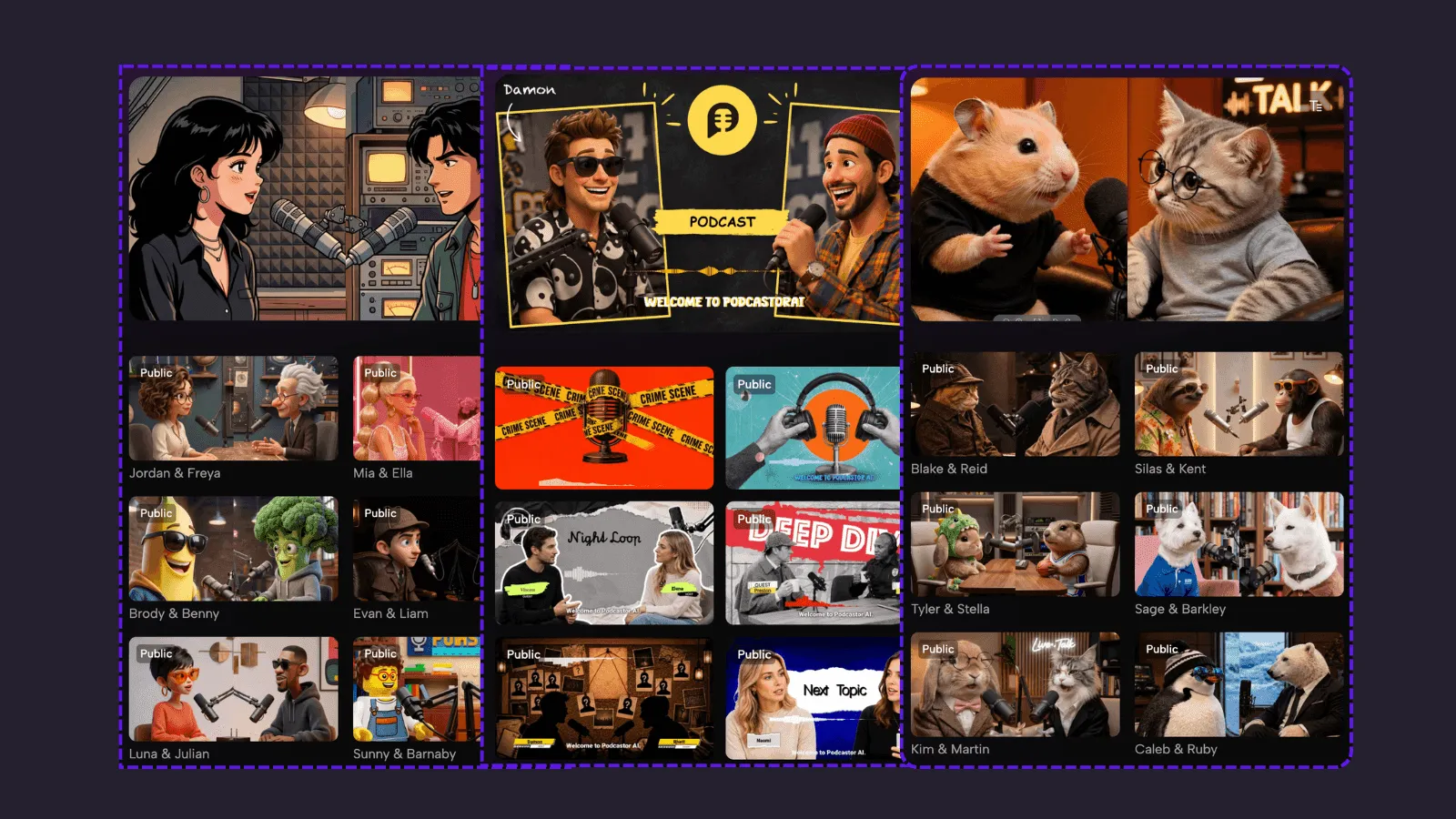
PodcastorAI supports audio and video podcasts, natural or cloned voices, AI hosts made from a photo, and solo, talk-show, split-screen, cartoon, and pet-host formats. Use those options with intent:
-
Audio-only: An evergreen lesson, founder memo, or report recap for listeners on the move.
-
Realistic AI host or AI twin: An expert point of view where trust and recognizable identity matter.
-
Two hosts: A framework that benefits from questions, contrast, or a tutor-style explanation.
-
Cartoon host: An entry-level concept or lighter social cut for a new audience.
-
Pet host: A recognizable community format for short recaps, reminders, and approachable explainers.
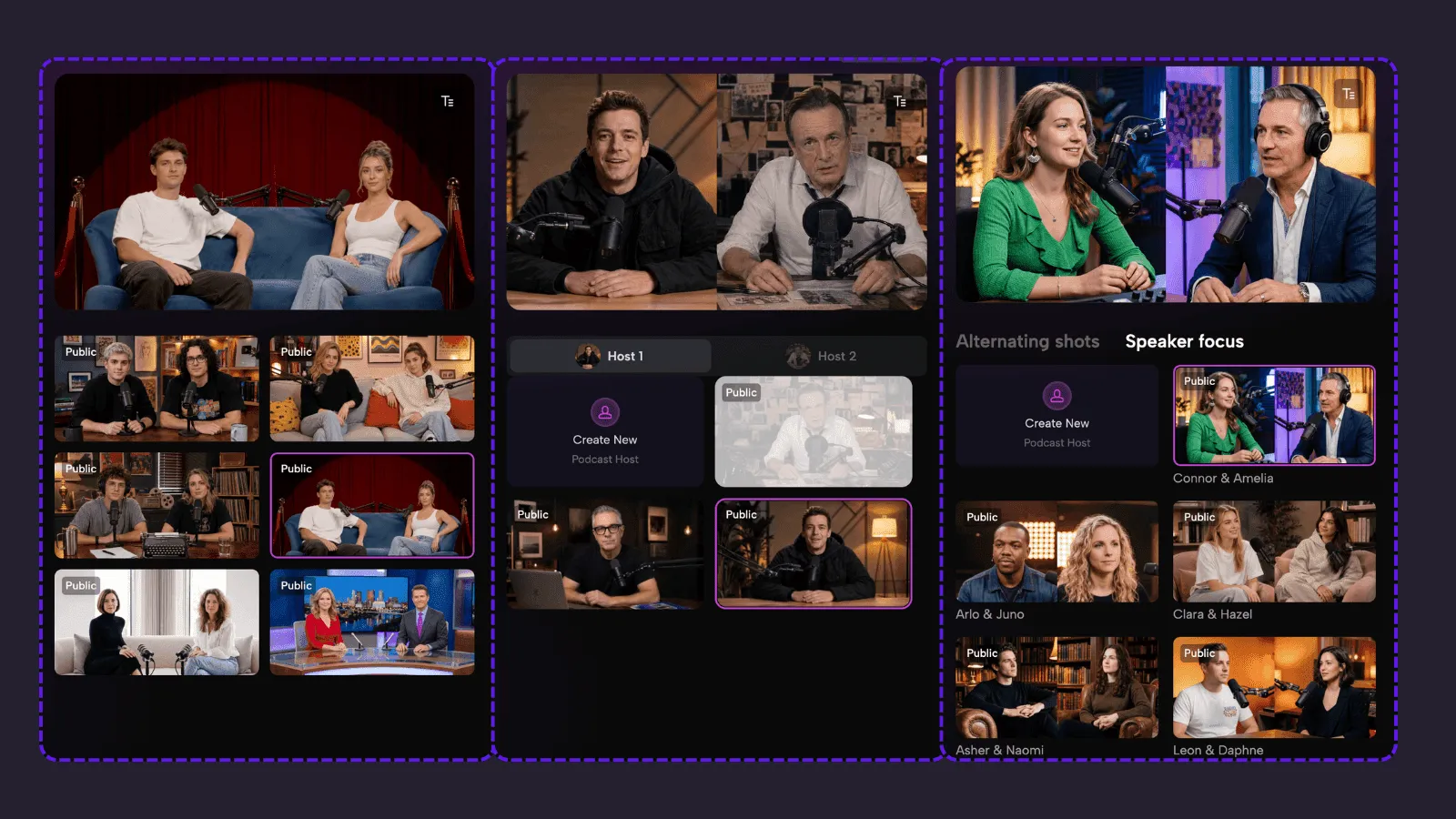
The production choice is part of distribution strategy. A cartoon host is not a substitute for evidence; it is a deliberate way to lower the barrier to an unfamiliar idea.
4. Match each version to its channel
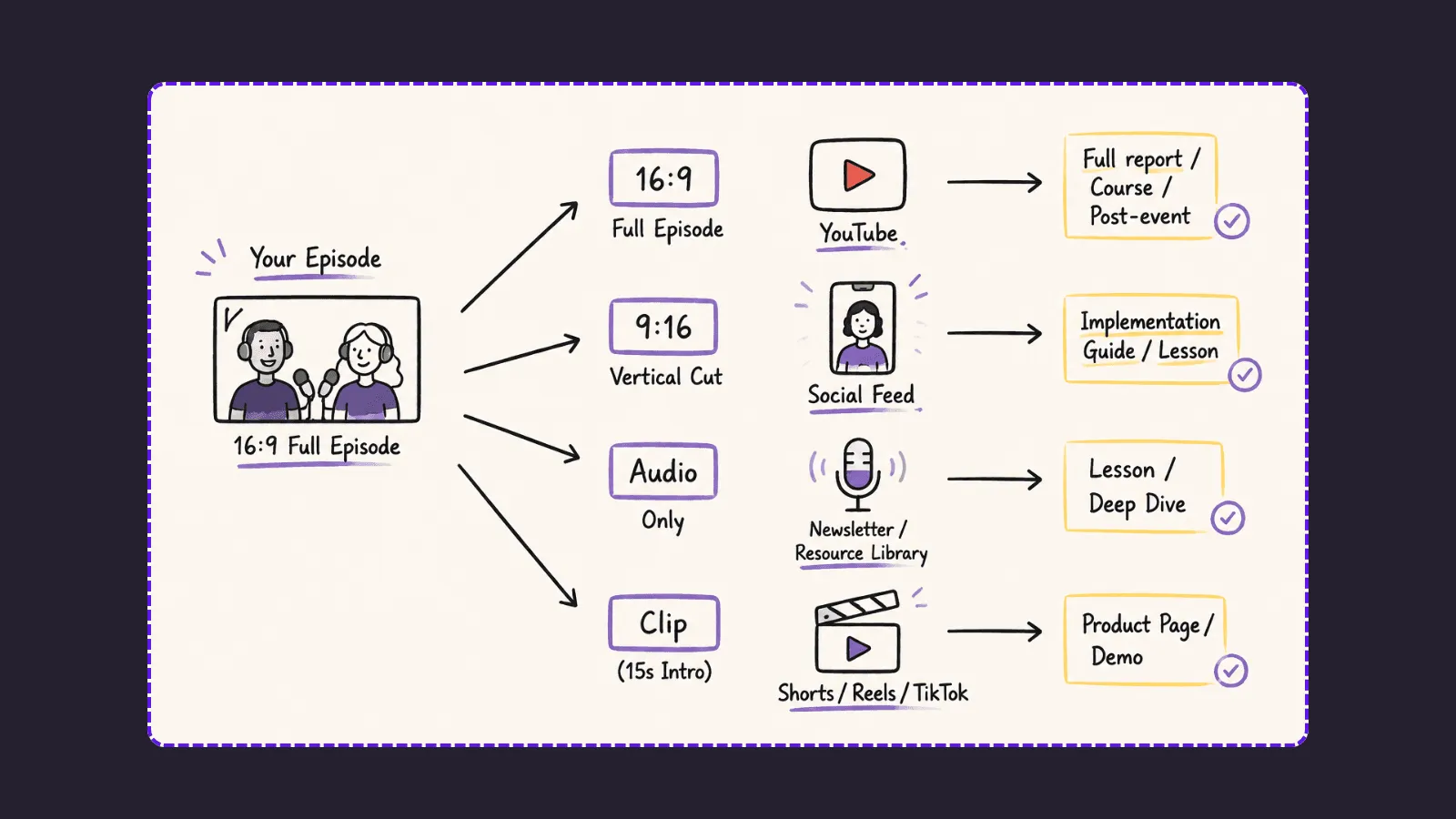
Use a longer 16:9 episode for YouTube, a course hub, or a post-event follow-up. Use a vertical 9:16 cut for a social feed. Publish an audio version for a newsletter or resource library.
PodcastorAI supports these outputs, along with captions and platform-ready layouts.
Do not export one identical video everywhere. Rewrite the first 15 seconds for the channel, set a useful runtime, and send every version toward one relevant destination: the full report, an implementation guide, a lesson, a product page, or a demo.
5. Keep the content system coherent
Create a simple source record: PDF title, approved claims, chosen examples, source links, target audience, and destination. This makes it possible to reuse the asset next month without drifting away from the original research or repeating content work that is already done.
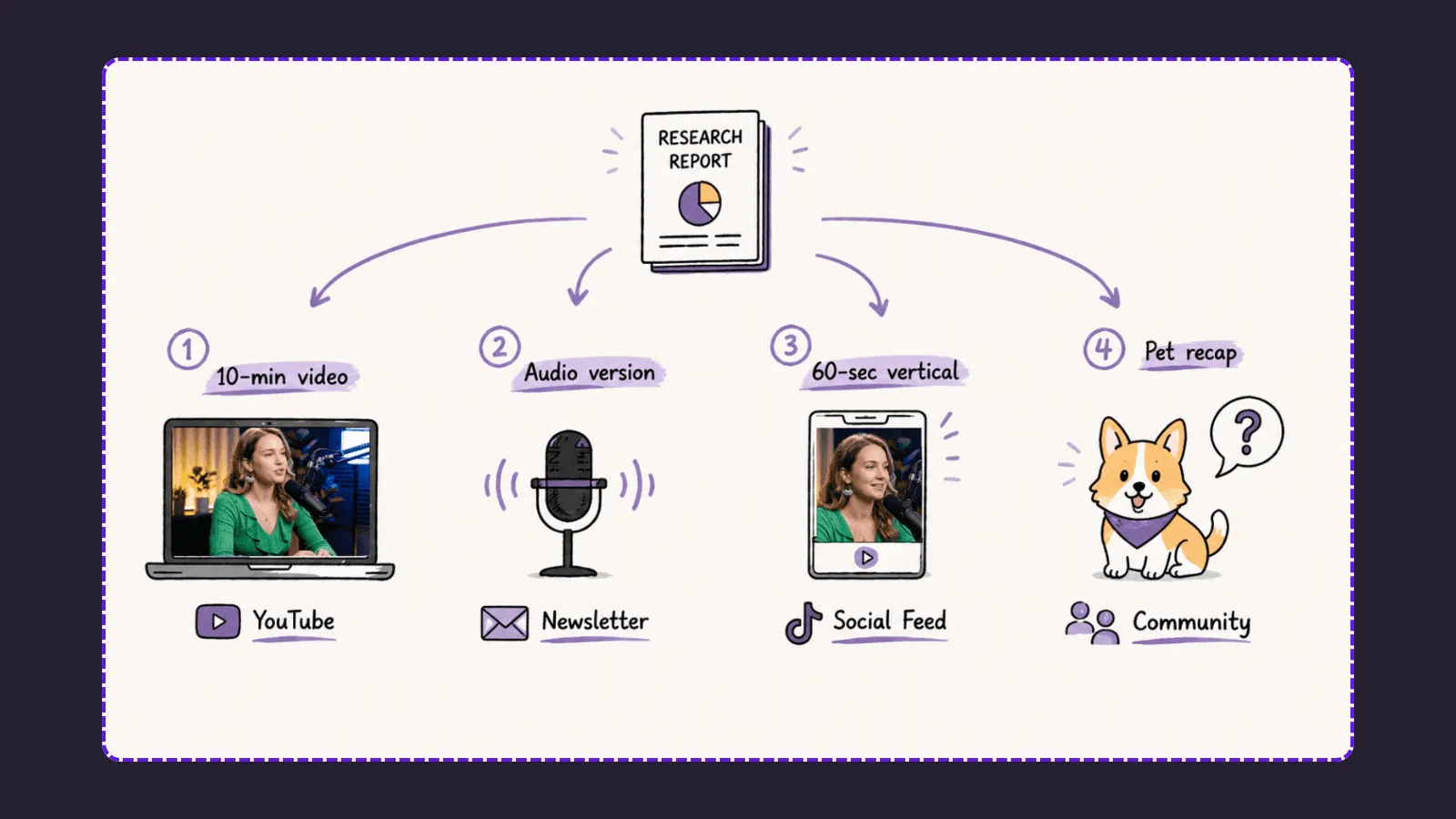
Example: one research report, four useful assets
A founder publishes a report on the cost of manual reporting for operations teams. Instead of making a generic narrated PDF, they create:
-
A 10-minute realistic-host video for YouTube that explains the problem and the report’s core framework.
-
An audio version for newsletter subscribers who want the argument without a screen.
-
A 60-second cartoon-host vertical video that defines one operational term for new followers.
-
A pet-host community recap that points to the complete report and invites readers to discuss one question.
The core claims are approved once. Each format changes the wrapper and distribution context, then links back to the full report. The founder gains a coherent content set without recording the same explanation four times.
Why PodcastorAI fits this use case
NotebookLM Audio Overviews are useful for source-grounded AI discussions. Descript is built around recording and text-based editing of multitrack audio.
PodcastorAI is differentiated here by its end-to-end source-to-assets path:
Import the PDF, generate and edit a script, choose or clone a voice, select realistic, cartoon, or pet hosts, render a video layout, add captions, and export audio or video. That matters when the goal is not only to make a summary. It is to turn one existing knowledge asset into several channel-ready forms without stitching together separate production tools.
Start with the PDF you already trust
Start with the report, guide, or whitepaper you send most often. Upload it to PodcastorAI, define the audience, approve the core script, and build the first two formats around a single distribution goal.
FAQ
Can I turn a PDF into a podcast without recording my own voice?
Yes. PodcastorAI can transform a PDF into a structured podcast script and generate audio using AI voices. You can choose natural AI voices or clone your own voice to create content without recording sessions.
What types of PDFs can I convert into podcasts?
PodcastorAI works well with knowledge-based documents such as research reports, whitepapers, course materials, customer education guides, industry briefs, and thought-leadership content. The best source documents contain a clear idea, argument, or explanation that can be adapted for an audience.
Can I create different content formats from the same PDF?
Yes. One approved PDF can become multiple content assets, including audio podcasts, realistic AI host videos, cartoon explainer videos, pet-host videos, solo episodes, or two-host discussions. Each format can be adapted for a different audience and channel while keeping the core message consistent.
How is PDF to podcast different from simply reading a PDF aloud?
A strong podcast is not a page-by-page narration of a document. PodcastorAI helps restructure the material into a listener-focused script with clearer openings, transitions, examples, and explanations designed for spoken content.
Can I use PDF to podcast for content marketing?
Yes. Knowledge creators, founders, educators, and businesses can repurpose existing reports, guides, and research materials into content for YouTube, newsletters, social media, communities, and other distribution channels.
Can I create video podcasts from PDFs without filming?
Yes. PodcastorAI allows you to create video podcasts using AI hosts generated from photos, different host styles, voices, captions, and video layouts without requiring traditional recording equipment.