
Quick answer
To become a YouTube influencer, choose a specific audience and problem, create a recognizable content format, publish consistently, study viewer behavior, and build trust before you focus on sponsorships. You do not need expensive equipment or millions of subscribers. You need a repeatable way to make useful videos for the same kind of viewer.
For creators who work from interviews, research, or existing documents, PodcastorAI can support that system by turning source material into podcast scripts, audio episodes, and AI-hosted video formats. The creator still owns the point of view and final review; the tool helps move an idea from source to publishable draft faster.
What is a YouTube influencer?
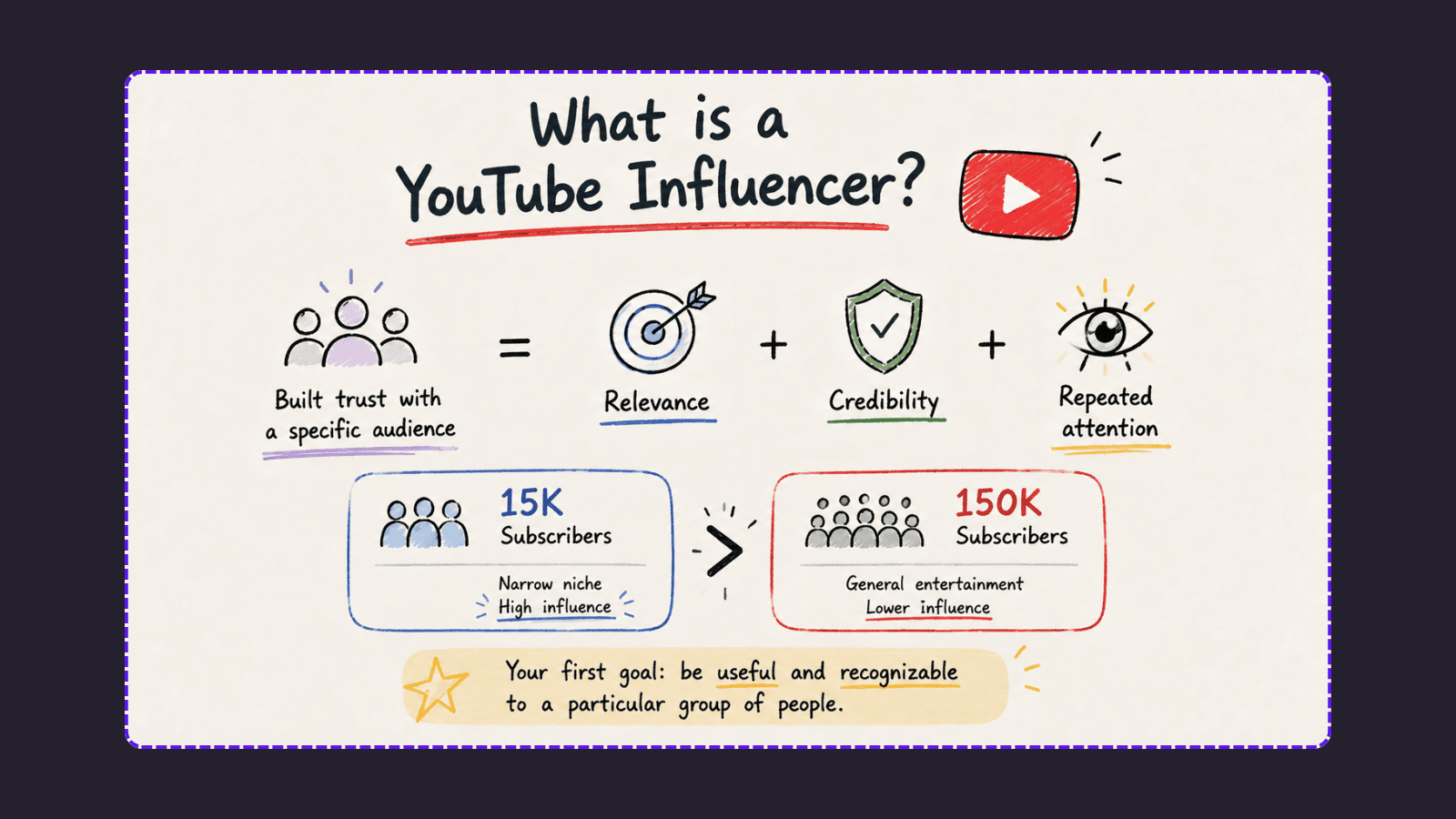
A YouTube influencer is a creator who has built enough trust with a defined audience to shape what people watch, buy, learn, or talk about. Influence does not come from subscriber count alone. It comes from relevance, credibility, and repeated attention.
For example, a creator with 15,000 subscribers may have more influence in a narrow category than a general entertainment channel with 150,000 subscribers. A focused audience is often more valuable to brands because the creator understands that audience’s decisions and can explain a product in context.
This distinction matters when you start. Your first goal is not to look famous. It is to become useful and recognizable to a particular group of people.
1. Choose a niche with a real audience problem
“Lifestyle” or “business” is usually too broad for a new channel. Start with a narrower intersection of:
-
What you know or are willing to learn deeply
-
What a specific audience wants to improve
-
What you can talk about for at least a year
-
What businesses, products, or communities already exist in the category
Instead of “fitness,” consider “strength training for people who work from home.”
Instead of “tech,” consider “simple software workflows for small creative teams.”
Your niche should be narrow enough that a viewer immediately understands why they should subscribe, but broad enough to support multiple content series.
Use a one-sentence positioning statement
Complete this sentence:
I help [specific audience] achieve [specific outcome] through [your content approach].
For example:
I help early-stage founders explain complex ideas through practical video and podcast workflows.
This sentence is not a slogan you must publish. It is a filter for deciding which ideas belong on your channel.
2. Define three to five repeatable content pillars
Content pillars prevent a channel from becoming a random collection of uploads. They also make ideation faster.
For a creator education channel, the pillars might be:
| Content pillar | Viewer need | Example videos |
|---|---|---|
| Strategy | Know what to do | How to plan a weekly YouTube workflow |
| Tutorials | Learn how to do it | How to turn an interview into five videos |
| Case studies | See proof and examples | How one creator repurposed a podcast episode |
| Tools | Choose the right setup | My simple creator stack for beginners |
| Opinion | Understand trade-offs | Why posting more is not always better |
The best mix combines searchable content, timely ideas, and personal perspective. Searchable tutorials can bring in new viewers. Opinions and stories help those viewers remember you.
3. Create a recognizable video format
You do not need a completely original topic. You need a clear point of view and a format that viewers can understand quickly.
A useful format might include:
-
A specific opening that names the viewer’s problem
-
A clear promise about what the video will help them do
-
Three to five useful points, examples, or steps
-
A change of pace, visual, or story every few minutes
-
One simple next step at the end
For example, a weekly series could be called “One Idea, Five Assets.” Each episode starts with one source idea, shows how to develop it into a YouTube video, then turns the same idea into Shorts, audio, and a newsletter paragraph.
A useful PodcastorAI workflow for YouTube creators
Creating a YouTube channel requires more than having great ideas. Creators also need a repeatable workflow to turn their knowledge, interviews, and research into engaging videos.
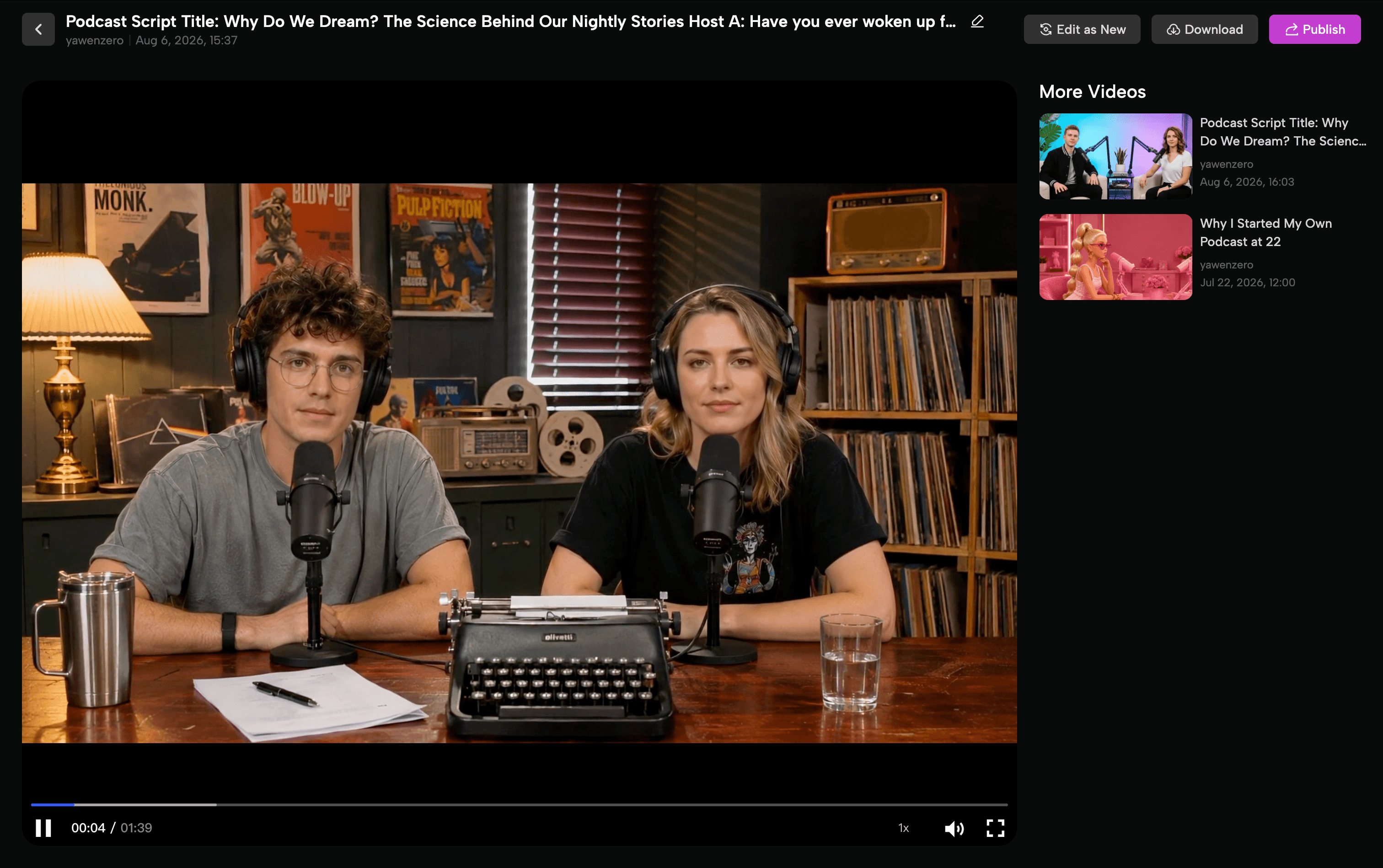
PodcastorAI helps creators transform existing content sources into complete video podcasts with AI Hosts. Here is a simple workflow:
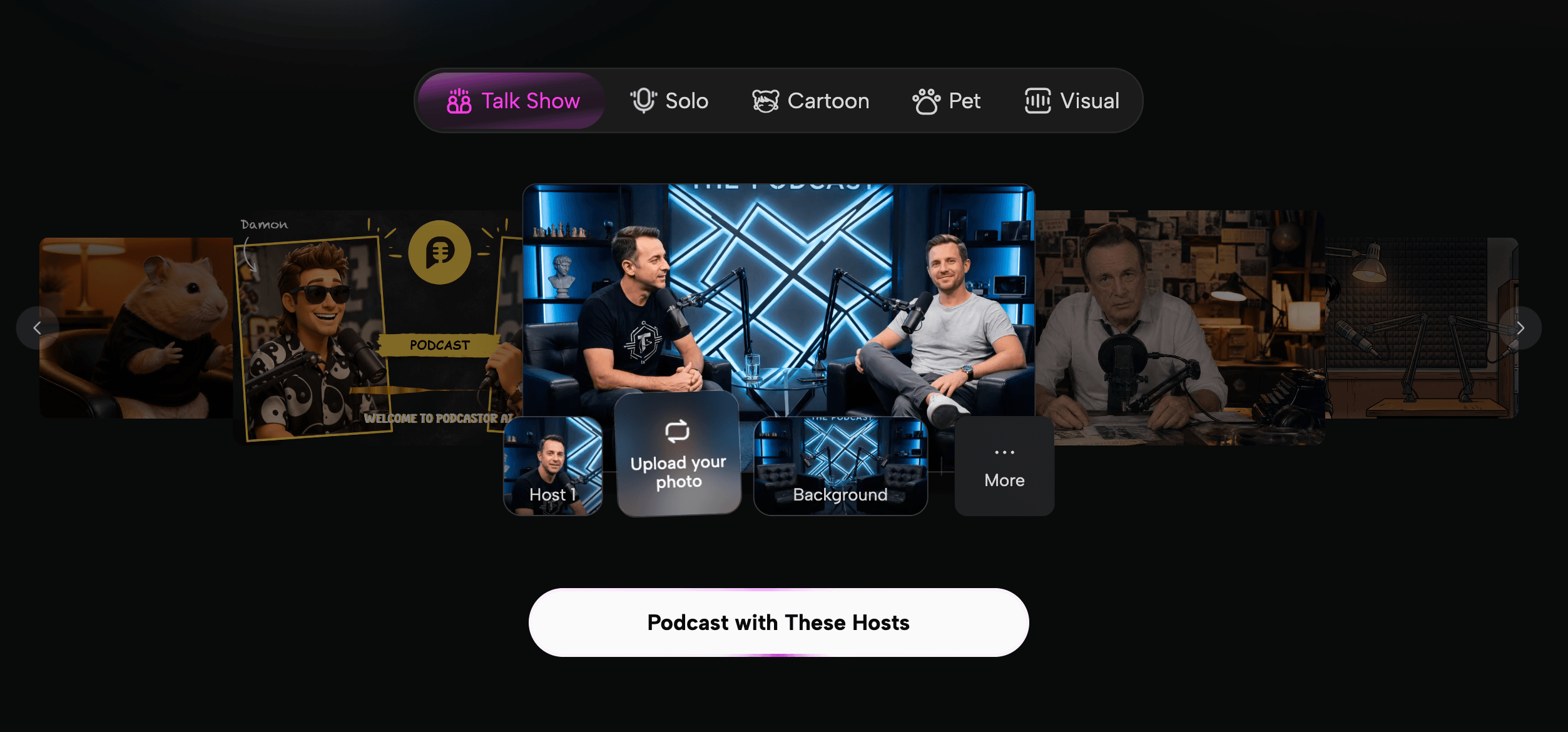
Step 1: Create Your AI Host
Start by creating your AI Host, which will become the main character of your video podcast.
You can upload your own image and voice to create a personalized AI Host that represents you, or choose from the AI Host library to get started quickly.
Your AI Host can be reused across different episodes, helping you maintain a consistent visual identity without recording yourself for every video.
Step 2: Upload Your Content Sources
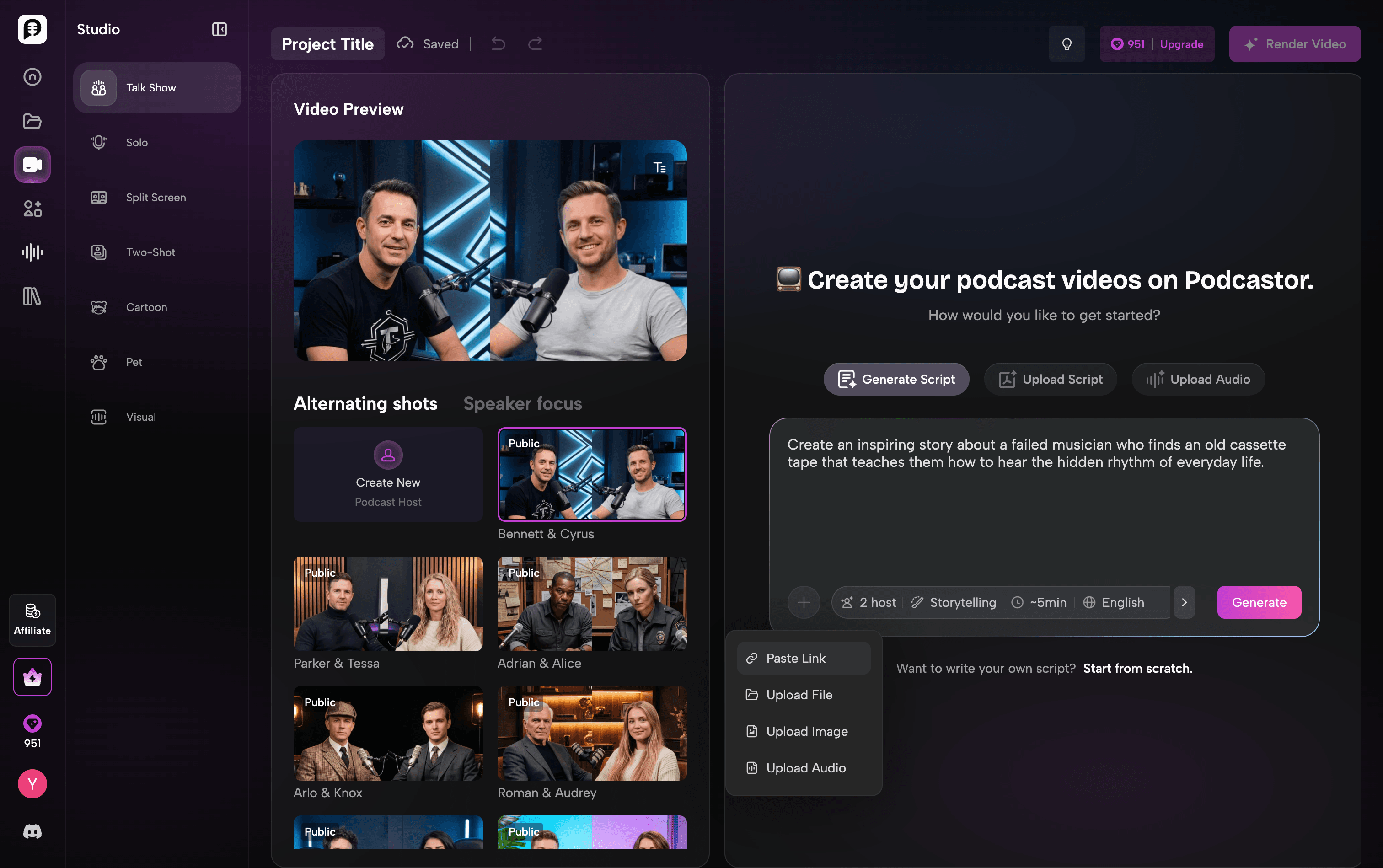
After creating your AI Host, upload the content you want to turn into a podcast episode.
PodcastorAI supports different types of content sources, including:
-
PDFs
-
Documents
-
Scripts
-
Audio files
If you already create audio podcasts with tools like NotebookLM, you can also reuse those episodes. Instead of leaving your content as audio only, PodcastorAI helps transform your existing audio into a more engaging video podcast with AI Hosts.
This allows creators to repurpose existing knowledge and reach audiences who prefer video content.
Step 3: Render Your Video Podcast
Once your content is ready, PodcastorAI transforms it into a complete video podcast.
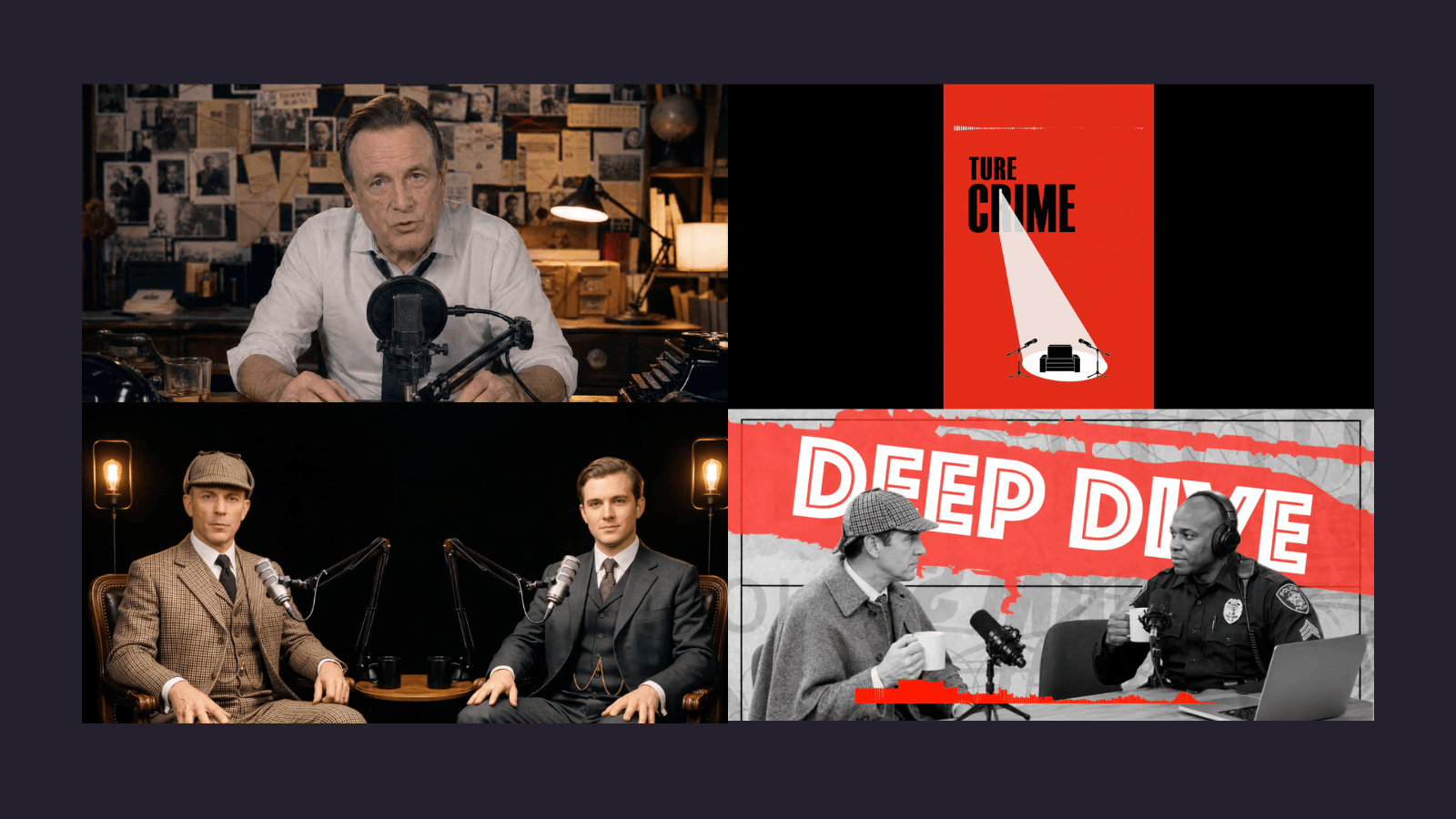
Creators can choose different podcast formats and layouts depending on their content style, including:
-
Talk Show
-
Solo
-
Split Screen
-
Two-Shot
-
Cartoon
-
Pet
-
Visual
Whether you want to create an interview style show, an educational podcast, or a faceless YouTube channel, you can select a format that matches your content and audience.
With this workflow, creators can go from an idea or existing content source to a publish-ready video podcast faster.
Ready to turn your ideas into engaging video podcasts? Try PodcastorAI and create your first AI-hosted episode.
4. Build a sustainable publishing workflow
Turn one podcast into multiple content formats
PodcastorAI helps creators turn one script or source material into multiple video podcast formats. Creators can customize each version with different layouts, aspect ratios, and instructions based on where they want to publish.
For example, the same podcast episode can be transformed into:
-
A 16:9 YouTube video podcast
-
A 9:16 vertical video for Shorts, TikTok, and Reels
-
Different podcast formats, such as Solo, Talk Show, or Two-Shot
-
Multiple laungage versions with PodcastorAI
Creators can reuse the same core content while generating different outputs instead of rebuilding every episode from scratch.
The goal is not simply to duplicate content everywhere, but to adapt one idea into formats that fit different platforms and audience preferences.
Common mistakes new YouTube influencers make
Choosing a niche only because it seems profitable
A profitable category will not help if you run out of useful things to say. Choose a problem you can stay close to and learn about continuously.
Copying a large creator’s style exactly
Study structure, pacing, and audience language. Do not copy the personality or promise. Your advantage is the experience and perspective that a bigger creator does not have.
Publishing without reviewing performance
Consistency matters, but repetition without learning is just volume. Spend a short, scheduled block of time reviewing each upload.
Making every video about yourself
Your story matters when it helps the viewer understand a problem or possibility. Lead with the viewer’s outcome, then bring in your experience as evidence.
Adding too many tools to the workflow
A complicated stack creates more maintenance. Start with the smallest process that lets you research, record, edit, publish, and learn.
A realistic 90-day plan
Days 1-30: Find the promise
Choose your audience, write your positioning statement, define three content pillars, and publish four to eight videos. Focus on learning which problems produce the strongest responses.
Days 31-60: Improve the format
Keep the topics that show evidence of demand. Test different openings, titles, thumbnails, and video lengths. Build one repeatable series so viewers know what to expect.
Days 61-90: Build the content system
Turn your strongest long-form ideas into Shorts, audio, email, or community posts. Create a simple content calendar. Start a small collaboration or partnership with a creator who serves a complementary audience.
At the end of 90 days, you may not have a massive channel. You should have something more useful: evidence about your audience, a clearer format, and a process you can continue.
Final takeaway
Learning how to become a YouTube influencer is less about chasing a viral video and more about earning repeated attention from a specific audience. Choose a focused problem, make the value obvious, publish on a sustainable schedule, and use performance data to improve the next video.
Once you have a strong source idea, turn it into a small content set instead of starting from zero every time. With PodcastorAI, you can develop source material into scripts, audio, and AI-hosted video formats, then adapt each version for the channel where your audience is most likely to find it.
FAQ
How can I become a YouTube influencer without showing my face?
With PodcastorAI, creators can build video podcasts with AI Hosts, allowing them to create engaging YouTube content without recording themselves for every Podcast.
Can AI help me create YouTube content faster?
Yes. PodcastorAI helps turn content sources such as PDFs, documents, scripts, and audio files into structured podcast scripts and AI-hosted video podcasts. Creators can also generate different formats from the same content, such as horizontal YouTube videos or vertical short-form videos.
How can PodcastorAI help a YouTube influencer?
PodcastorAI helps creators transform ideas and existing content into complete video podcast.Creators can upload scripts, documents, PDFs, or audio files, create AI Hosts, choose different podcast formats, and generate videos for YouTube.
Can AI help me grow a YouTube channel?
AI can help with research organization, scripting, repurposing, captions, and production speed. It cannot replace subject-matter judgment, fact-checking, original experience, or a genuine relationship with viewers.