
The best AI podcast generator is not necessarily the one with the longest feature list or the most impressive 30-second demo. What matters is what happens after generation: Can I edit the script? Choose the hosts? Export the file? Turn the result into a show I can keep publishing?
Those differences became obvious when I gave five tools the same English language-learning script. One expanded it into a 19-minute research discussion. Another gave me a detailed audio timeline. Two focused on visual hosts. One stopped at a 60-second public preview.
I created a new account for each product, followed the most direct podcast workflow I could find, and recorded what I could edit, render, download, and publish before paying. This guide is the result of that test.
Quick Answer
-
PodcastorAI was the best overall fit for building a recurring audio or video show around reusable AI hosts.
-
Gemini Notebook, formerly NotebookLM, worked best for turning sources into a grounded discussion for research and listening.
-
Wondercraftworked best for refining podcast audio with line-level editing, multiple voices, music, and sound effects.
-
Jellypod is designed for creators who want generation, hosting, scheduling, and distribution in one platform. In my test, its no-payment workflow ended with a 60-second public preview.
-
HeyGen was the clearest option for producing a short, avatar-led podcast video.
Editorial disclosure: PodcastorAI is our product and publishes this comparison. I tested all five products in August 2026 using the same source script and new accounts. I report the workflows, outputs, and limits I reached firsthand, and checked current product and pricing details against official sources before publication.
Best AI Podcast Generator Tools at a Glance
| Tool | Best for | What stood out in my test |
|---|---|---|
| PodcastorAI | Recurring audio and video podcasts with reusable hosts | Editable dialogue, voice selection, host-led layouts, and B-roll in one workflow |
| Gemini Notebook | Source-grounded audio discussions and listening practice | Expanded the source into a 19:25 two-host discussion and let me join through Interactive Mode |
| Wondercraft | Producing and reviewing podcast audio | Strong line-level editing plus voices, pauses, music, and sound effects |
| Jellypod | Built-in hosting, scheduling, and distribution | Automatically rewrote the script into a lively two-host exchange |
| HeyGen | Short avatar-led podcast videos | Created a polished visual composition with two on-screen avatars |
What Is an AI Podcast Generator?
An AI podcast generator turns an idea, script, document, webpage, notes, or recording into spoken podcast content. Depending on the product, it may summarize the source, rewrite it as a conversation, assign speakers, generate voices, create an audio file, render visible AI hosts, or continue into hosting and distribution. The main difference is where the workflow ends: with a private summary, an editable audio project, a host-led video, or a publishable show.
How I Tested These Tools
I used the same script file and started from a new account wherever registration was required. I followed the standard route presented to a first-time user and compared five practical points:
-
Source handling: Did the tool preserve, summarize, or rewrite the script?
-
Editing: Could I change dialogue, speakers, pronunciation, pacing, pauses, or individual clips?
-
Voices and hosts: Could I choose voices, create reusable hosts, or control the visual presentation?
-
Final output: Did I end with audio, video, a preview, or a publishing workflow?
-
Free completion: What could I genuinely render, download, or share before entering payment details?
PodcastorAI: Best for Personalized AI-Hosted Video Podcasts
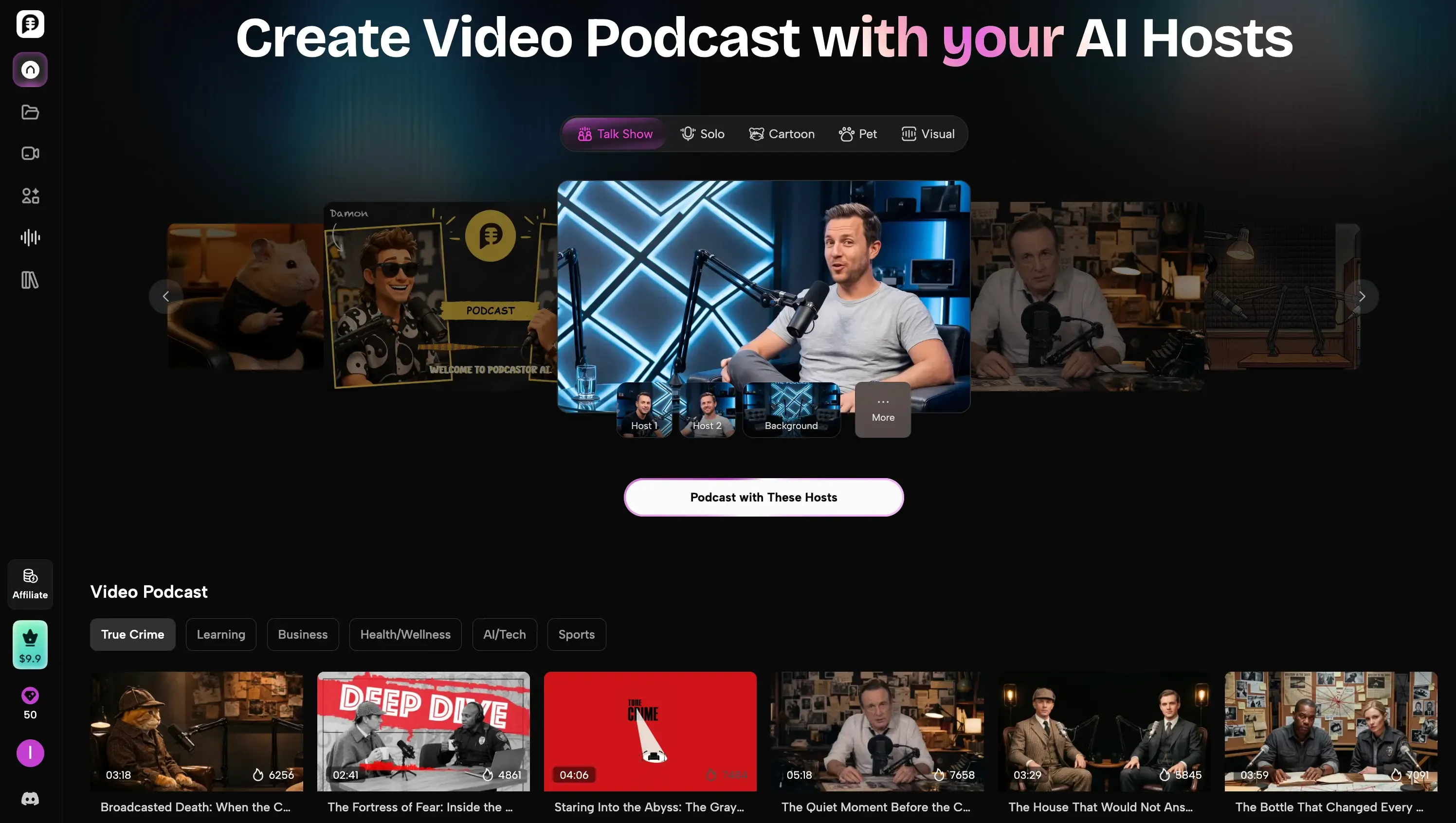
PodcastorAI is a podcast-focused production studio. Instead of beginning with a generic text box, it starts with the show itself: I choose a solo or two-person host setup, import the content, edit the dialogue, generate the audio, and then prepare the same project for video.
My new account included 50 trial credits. I selected Create with these hosts, chose a Talk Show scene, and uploaded the same two-person script used in the other tests. The file was recognized quickly. Because the speakers were labeled clearly, PodcastorAI assigned each line to the correct host and preserved the dialogue structure.
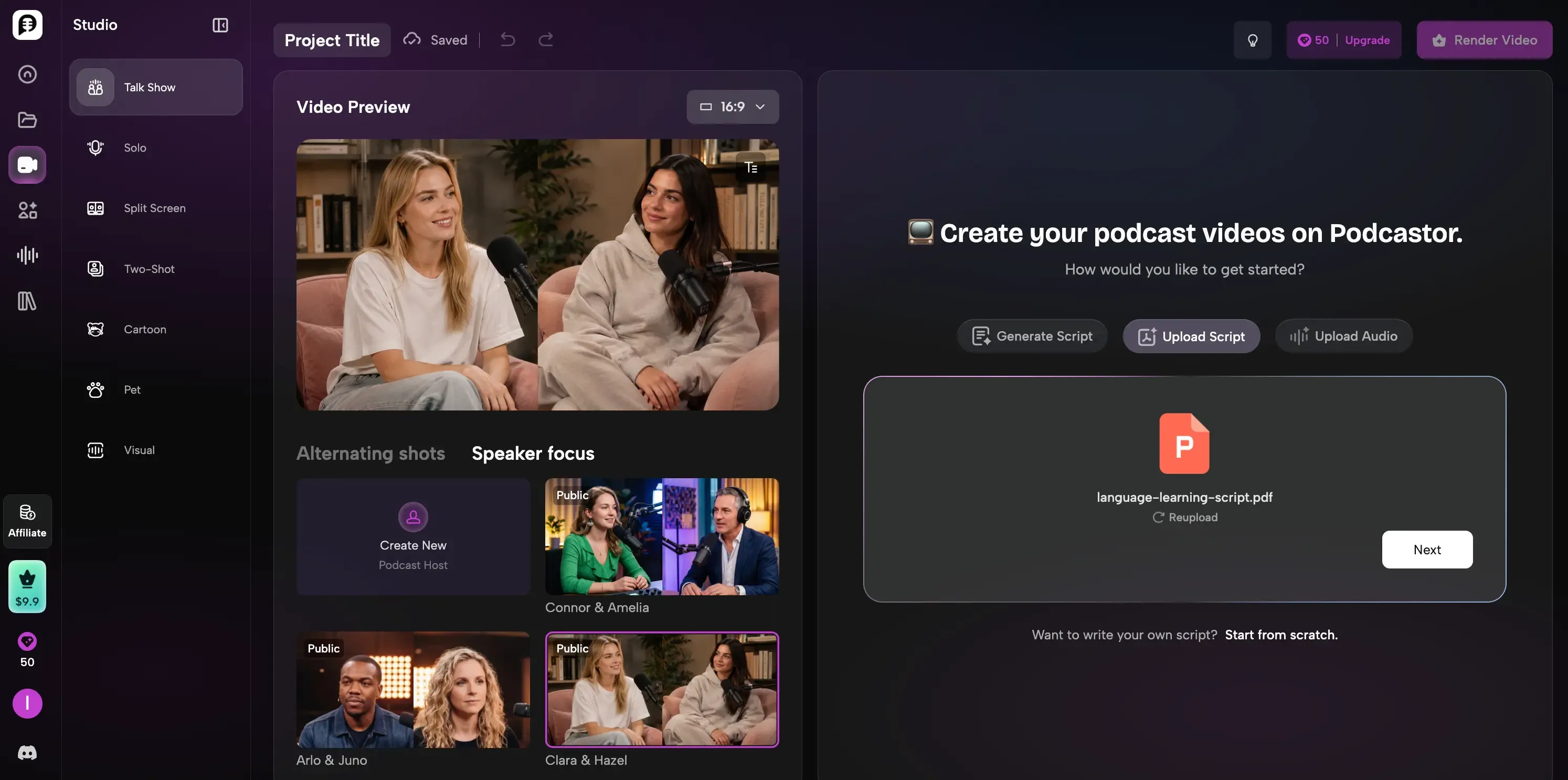
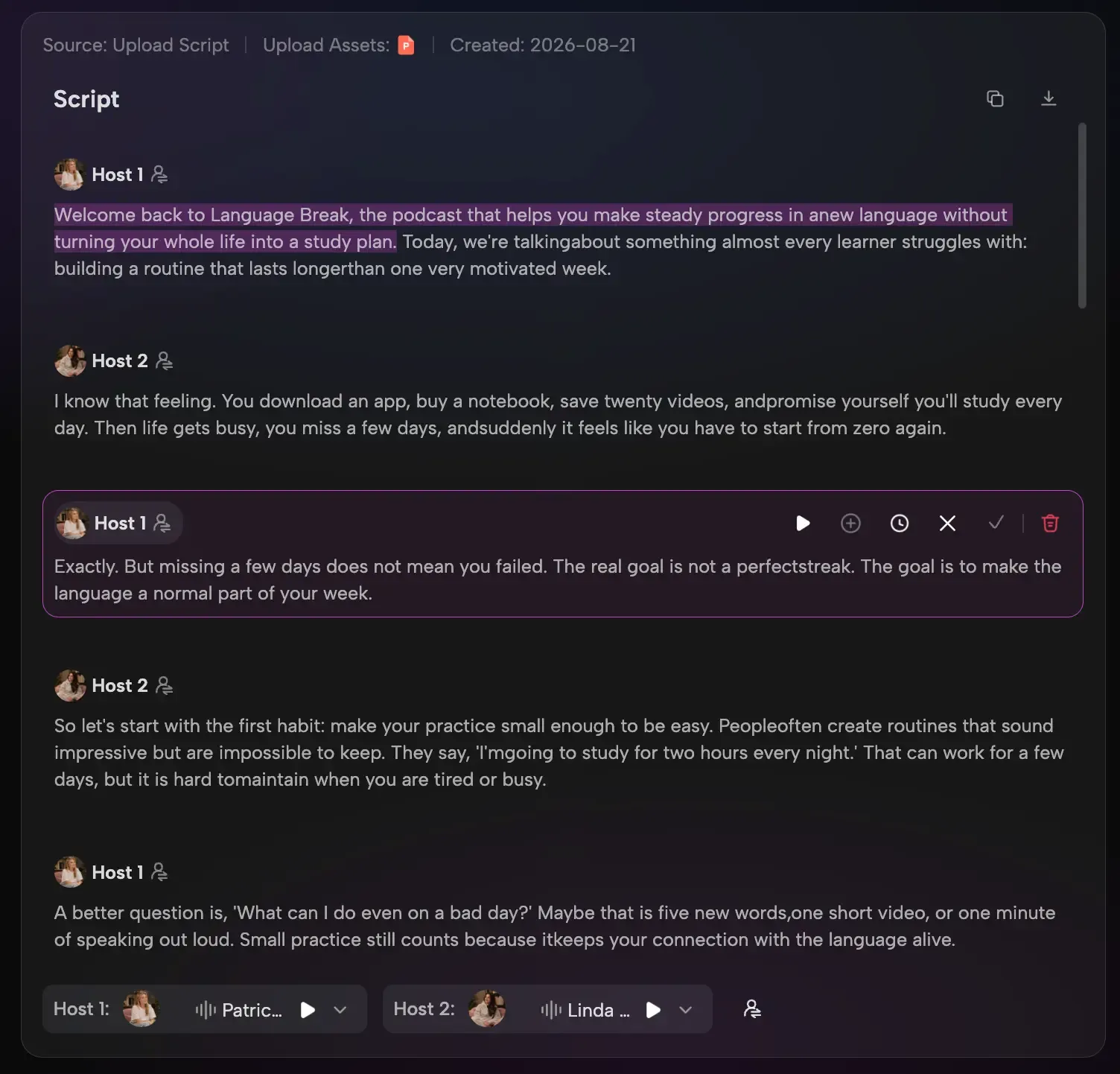
The full transcript remained editable before rendering. I could revise a line, insert a pause where the exchange felt rushed, and assign a different voice to each host. The voice picker included MiniMax and ElevenLabs options, with availability depending on the selected plan.
Rendering used 28 of my 50 credits. I downloaded a complete audio episode that was 5 minutes and 39 seconds long. The output stayed close to my prepared script instead of expanding it into a much longer explanation.
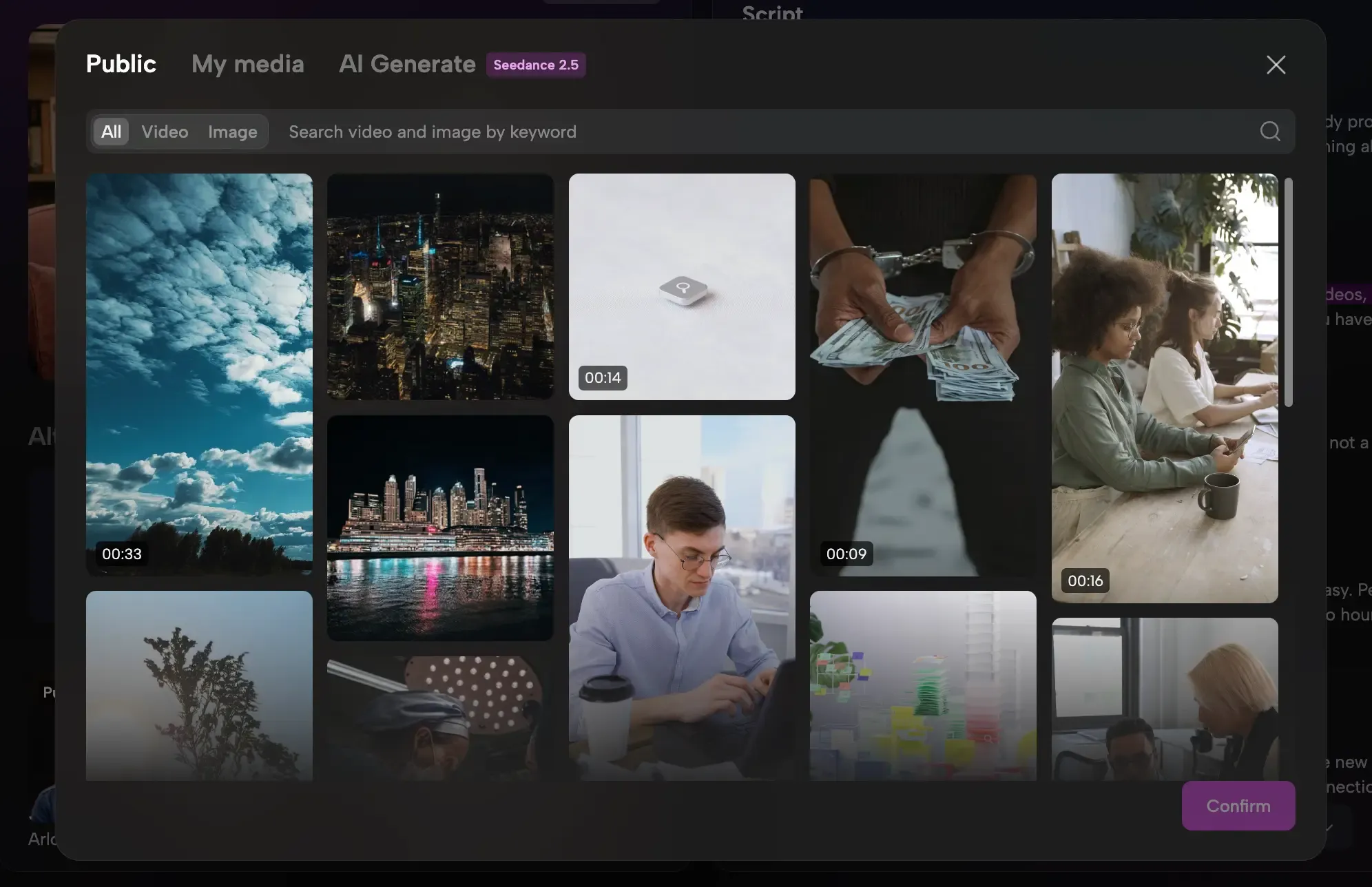
The video controls were the clearest difference from the audio-first tools. The studio preview showed the selected hosts in the Talk Show layout. From the script editor, I could add a public clip, upload my own footage, or generate a supporting visual, then trim it to the relevant part of the conversation.
The trial allowed video creation but limited each video to two minutes. Because my full episode was longer, I could test the video preview and B-roll workflow but only export the complete audio. Longer host-led video episodes require a paid plan.
PodcastorAI pricing
-
Trial: $0. My test account received 50 credits. The current pricing page estimates up to 12 minutes of audio or five minutes of video creation, with a two-minute maximum per video.
-
Audio Creator: $9.99/month with 300 monthly credits and access to all listed TTS models.
-
Video Starter: $26/month with 600 monthly credits and custom host creation for supported layouts.
-
Creator Pro: $49.99/month with 1,500 monthly credits, faster generation, and longer video limits.
Pros & Cons
| Pros | Cons |
|---|---|
| Reusable solo and two-host show formats | Trial videos are limited to two minutes per render |
| Editable dialogue, voice selection, pauses, and B-roll | Custom host creation starts with Video Starter |
| Complete 5:39 audio export within my trial credits | Best results require a clearly labeled speaker script |
My take: PodcastorAI was the strongest fit for building a recognizable, repeatable show without filming. It combined reusable hosts, editable dialogue, voice choice, audio generation, video layouts, and B-roll in one podcast-focused workflow. The AI video podcast generator is the most direct starting point; existing source material can also enter through the PDF to podcast or URL to podcast workflows.
Gemini Notebook: Best for Source-Grounded Audio Overviews
Gemini Notebook, formerly NotebookLM, is closer to a research and learning assistant than a conventional podcast studio. Its Audio Overview feature turns uploaded sources into an AI-hosted discussion rather than reading the original text aloud.
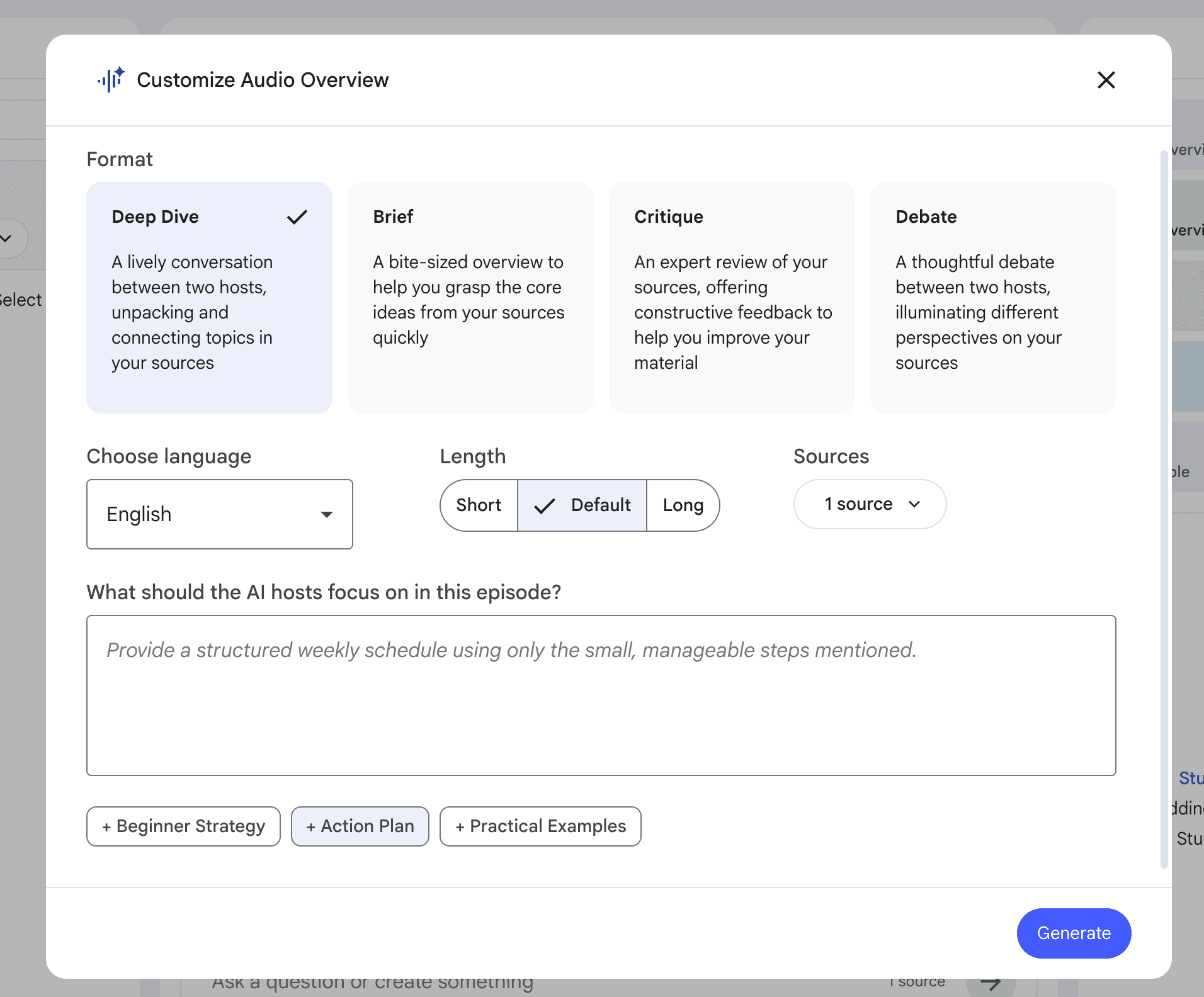
I uploaded the same language-learning script, opened Audio Overview, selected the default Deep Dive format, and clicked Generate. After a few minutes, the source had become a 19-minute, 25-second two-host discussion. It did not preserve the script word for word; it expanded and reorganized the material while staying close to the original topic.
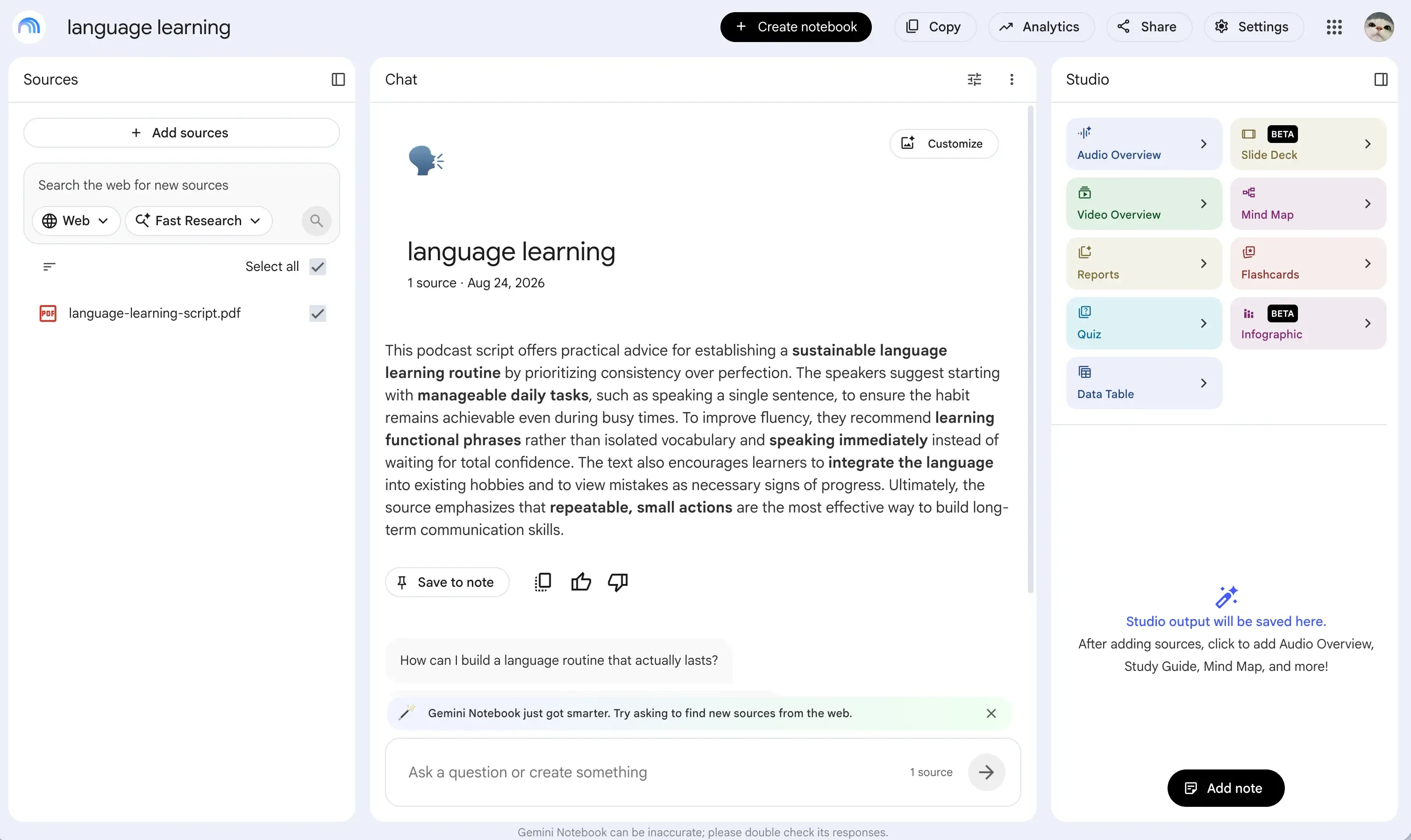
The most useful extra was Interactive Mode. I could use my microphone and join the two AI hosts while the discussion was playing, which made the result feel more like a study session than a finished public podcast.
The complete workflow I tested, including generation and download, was free. Control was more limited after generation: I could choose the format, language, length, and a custom prompt before it started, but I could not rewrite individual lines or replace the preset voices. Google’s Audio Overview documentation currently lists Deep Dive, Brief, Critique, and Debate formats.
Gemini Notebook pricing
-
Standard: Free with a Google account, with up to three Audio Overviews per day.
-
Google AI Plus: $4.99/month in the US, with up to six Audio Overviews per day.
-
Google AI Pro: $19.99/month in the US, with up to 20 Audio Overviews per day. See the official Gemini Notebook limits and Google AI plans.
Pros & Cons
| Pros | Cons |
|---|---|
| Generated and downloaded a long two-host Audio Overview for free | Did not preserve my script word for word |
| Interactive Mode let me join the AI-hosted discussion | No line-by-line script editing or custom host voices |
| Strong fit for learning from an uploaded source | No editable two-host video podcast workflow in my test |
My take: Choose Gemini Notebook when the goal is to understand, review, or listen to existing material. I would not use it when exact script control, reusable hosts, or a publish-ready video format matters more.
Wondercraft: Best for Shaping Produced Podcast Audio
Wondercraft combines script generation, AI voices, music, sound effects, and timeline editing inside a wider audio and video studio. Its current workflow is increasingly centered on Wonda, an AI assistant that builds projects through chat.
My new account included 150 credits. I started a video project, uploaded the same script, and asked Wonda to create a two-person video podcast. Wonda explained that Convo Mode, the continuous natural two-host workflow, required a paid plan. It offered to arrange the two speakers as sequential clips on the free plan instead.
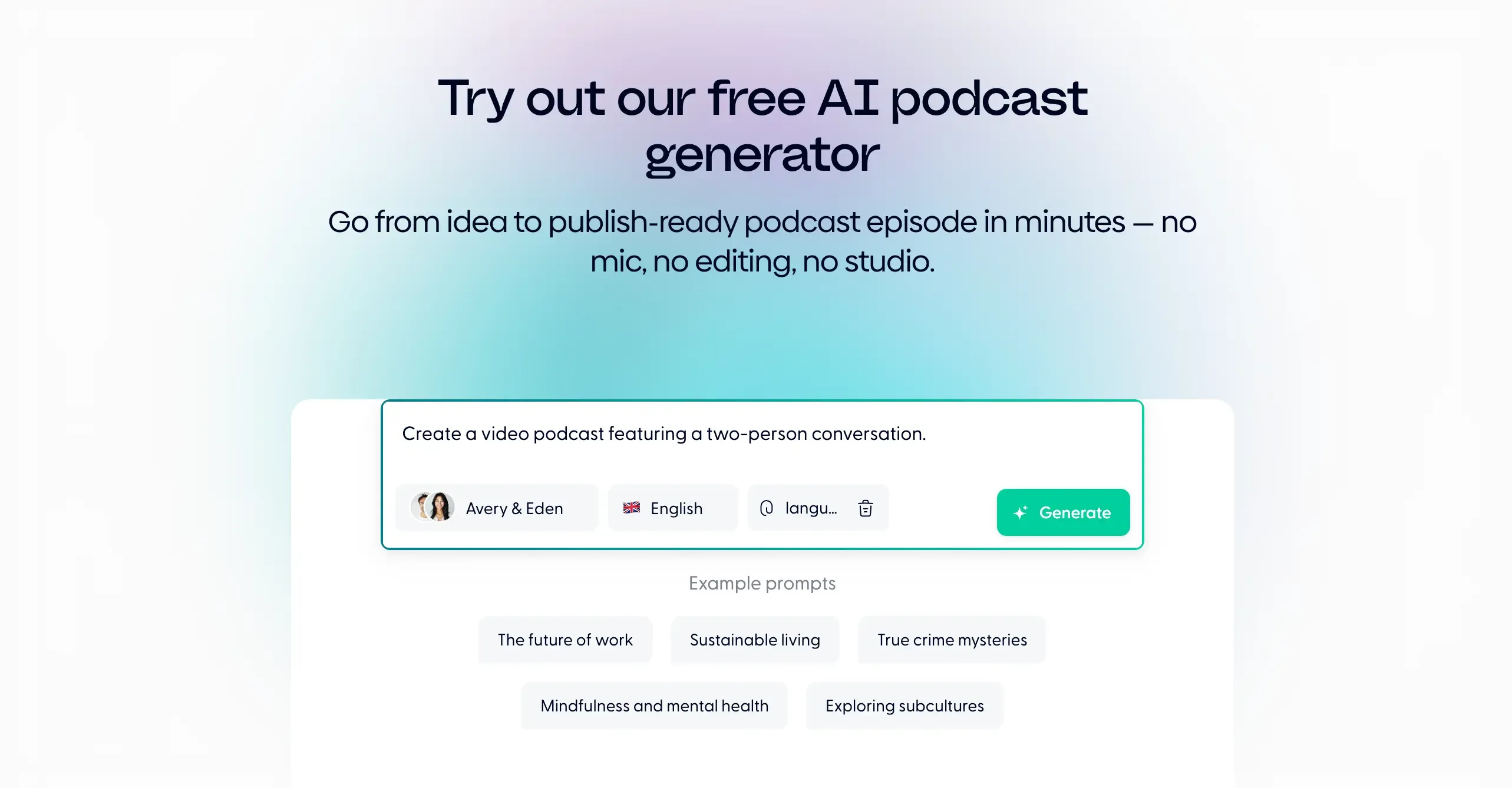
I also used Wondercraft’s public AI Podcast Generator. In the version I tested, it accepted one PDF of up to 100 pages and offered six languages and five host pairs. After sign-in, it produced a draft of about two minutes. The result rewrote and shortened the uploaded dialogue instead of preserving it exactly. The interface showed roughly 3.4 credits used, with Wonda messages and generated speech metered separately.
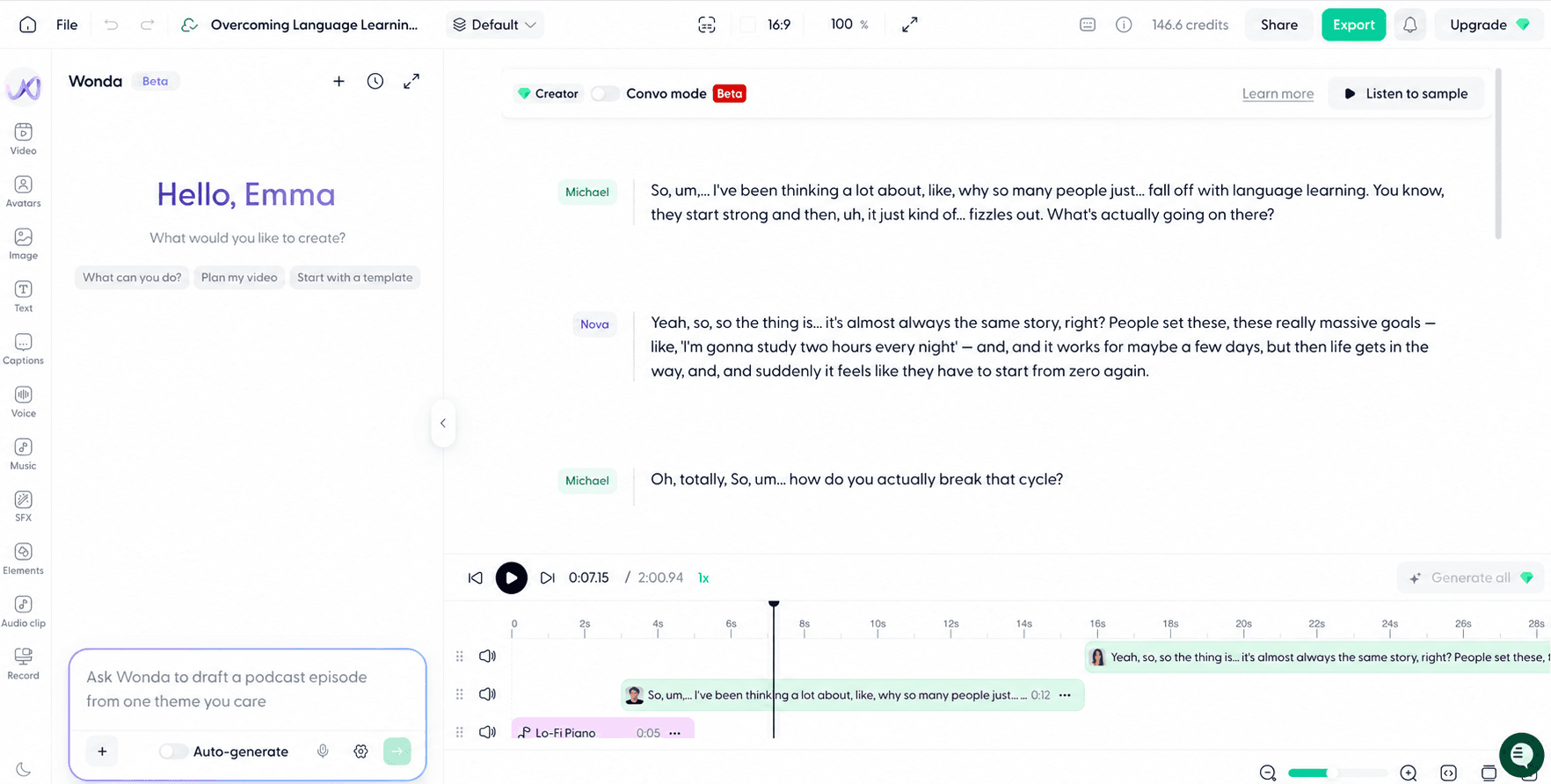
The editor was the strongest part of the test. I could rewrite or delete a line, regenerate an individual clip, insert pauses, switch voices, and adjust speaking speed. Music and sound effects could be placed directly on the timeline. Parrot Mode, Director Mode, avatars, and some voices required an upgrade, and the free account did not let me download the finished audio.
For users who already have a formatted transcript, Wondercraft’s ++script-import guide++ provides a more direct route through a blank Text only production. Its ++Convo Mode guide++ confirms that the natural two-host mode is available to Creator subscribers and above.
Wondercraft pricing
-
Free: $0 with 150 credits, limited model access, all video editing tools, and export up to 720p. Audio download was blocked in my podcast test.
-
Creator: $25/month, or about $21/month when billed yearly, with 1,000 credits, premium models, commercial rights, and Convo Mode.
-
Pro: $45/month with team collaboration for up to three users, advanced editing, and up to 4K export. See Wondercraft pricing.
Pros & Cons
| Pros | Cons |
|---|---|
| Useful timeline for editing speech, pauses, music, and sound effects | The Wonda-first workflow was less direct than I expected |
| 150 credits were enough to explore several generation and editing tools | Convo Mode, Parrot Mode, Director Mode, and avatars required paid access |
| Individual lines and voices could be adjusted after generation | I could not download the finished audio on the free account |
My take: Wondercraft made the most sense after the first draft existed. I would choose it when I expect to keep shaping the audio on a timeline, but its free plan was more useful for evaluating the editor than completing a podcast.
Jellypod: Best for Hosting and Recurring Distribution
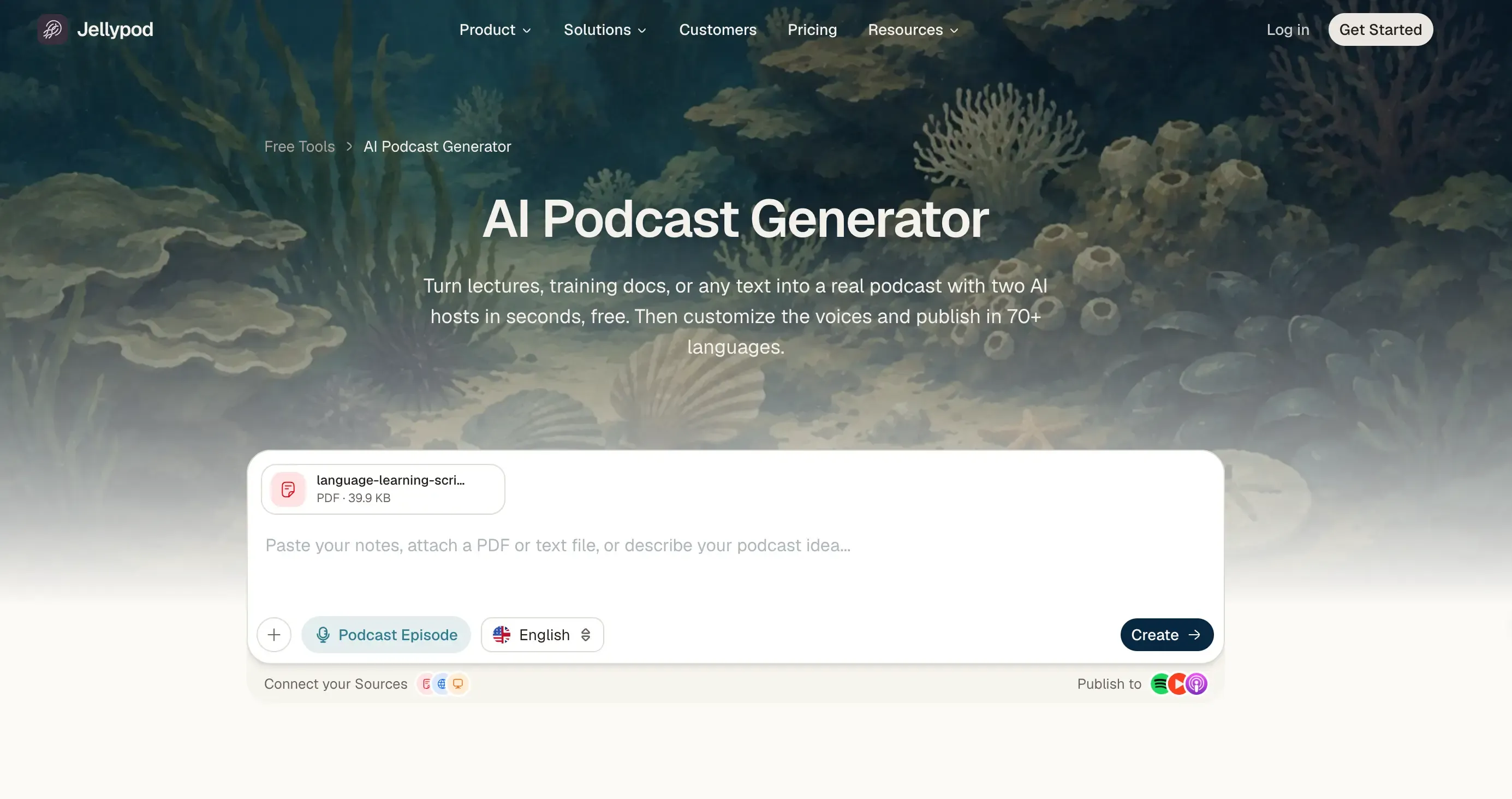
Jellypod positions itself as an end-to-end podcast platform. Its current pricing page lists editable scripts, more than 100 voices across 70+ languages, a hosted podcast website, scheduling, and distribution to Spotify, YouTube, and Apple Podcasts.
My account experience was narrower. After registration, every attempt to continue in Studio prompted me to select a subscription. I returned to Jellypod’s public AI Podcast Generator and uploaded the same script without starting the seven-day trial.
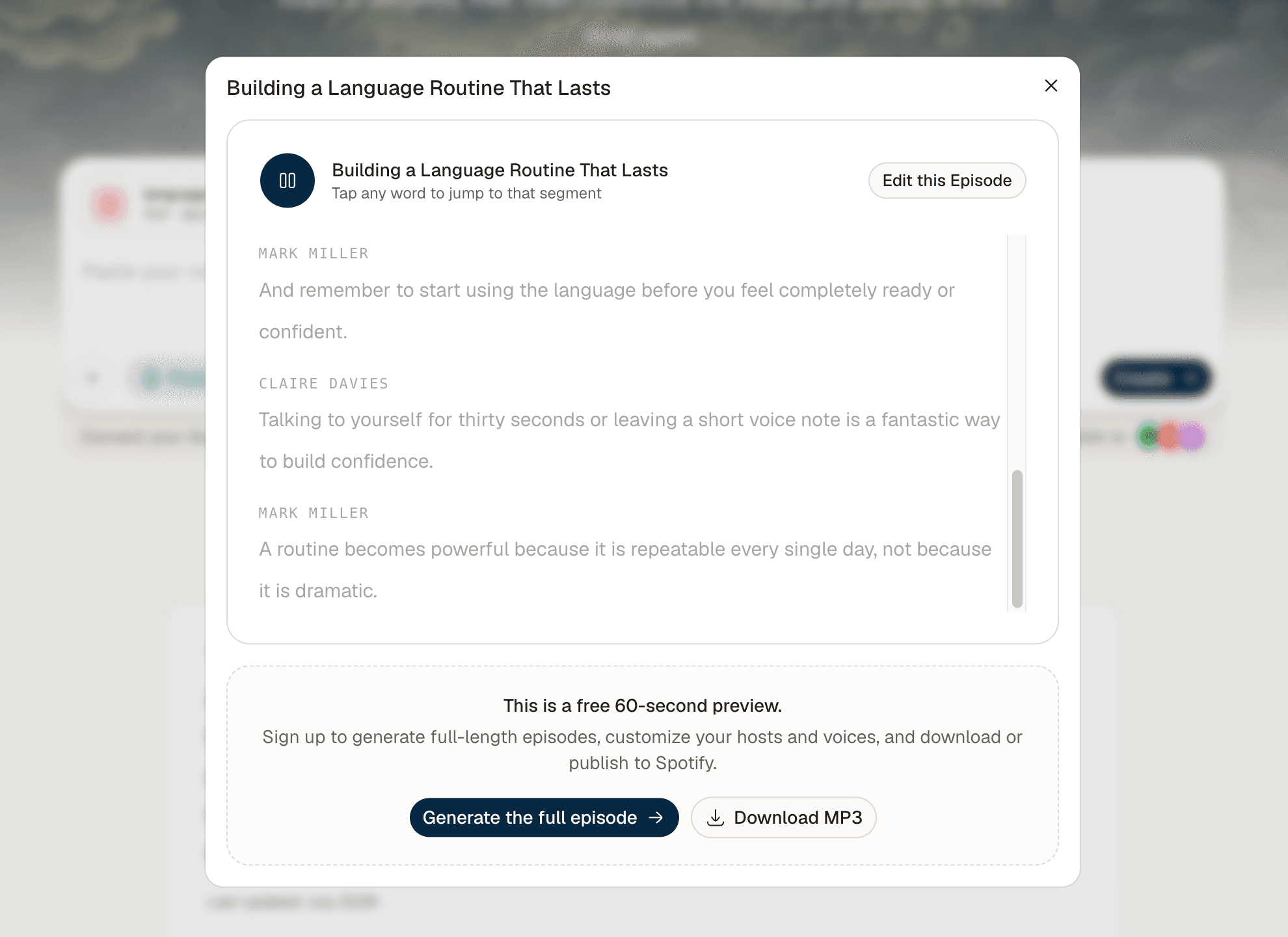
The public tool produced a 60-second two-host preview without requiring an account. It rewrote the material into a shorter exchange and paired the dialogue with two voices automatically. The pacing and changes in tone sounded lively, but one minute was not enough to judge long-form consistency or editing quality.
Jellypod’s public page says drafting and editing are free, while credits are used when an episode is published, downloaded, or rendered. Its ++credit documentation++ also says an active subscription or plan is required to create and publish. In my test, the only no-payment output I completed was the public 60-second preview.
Jellypod pricing
-
Public preview: Free, no account required, limited to 60 seconds in my test.
-
Starter: Starts at $25/month when billed yearly, with 5,000 monthly credits.
-
Creator: Starts at $50/month when billed yearly, with 11,000 monthly credits.
-
Business: Starts at $125/month when billed yearly, with 30,000 monthly credits.
Pros & Cons
| Pros | Cons |
|---|---|
| Free 60-second preview worked without an account | Full Studio was blocked by a subscription prompt in my test |
| Automatically created a lively two-host exchange | Rewrote the source instead of preserving the existing script |
| Official plans combine creation with hosting and distribution | One minute was too short for a full quality evaluation |
My take: Jellypod is relevant when hosting and distribution matter as much as generation. Its public preview was useful for hearing the concept, but the no-payment experience was too short to evaluate a complete episode workflow.
HeyGen: Best for Short Avatar-Led Podcast Videos
HeyGen’s AI Podcast Generator applies HeyGen’s avatar-video workflow to podcast-style conversations. The tool accepts text, PDFs, or URLs and can produce audio or video, but the visual host setup was the defining part of my test.
I created a new account and chose two hosts. HeyGen offered to use my camera to create a digital version of me, but I uploaded an existing digital avatar instead. The stock library was large, although many characters and environments felt more corporate than creator-led.
I used a stock voice and uploaded the same script as a Word document. HeyGen interpreted the file and generated a production prompt rather than placing every line into a transcript editor. After Generate Preview, it created a polished podcast-style layout with the two avatars on screen.
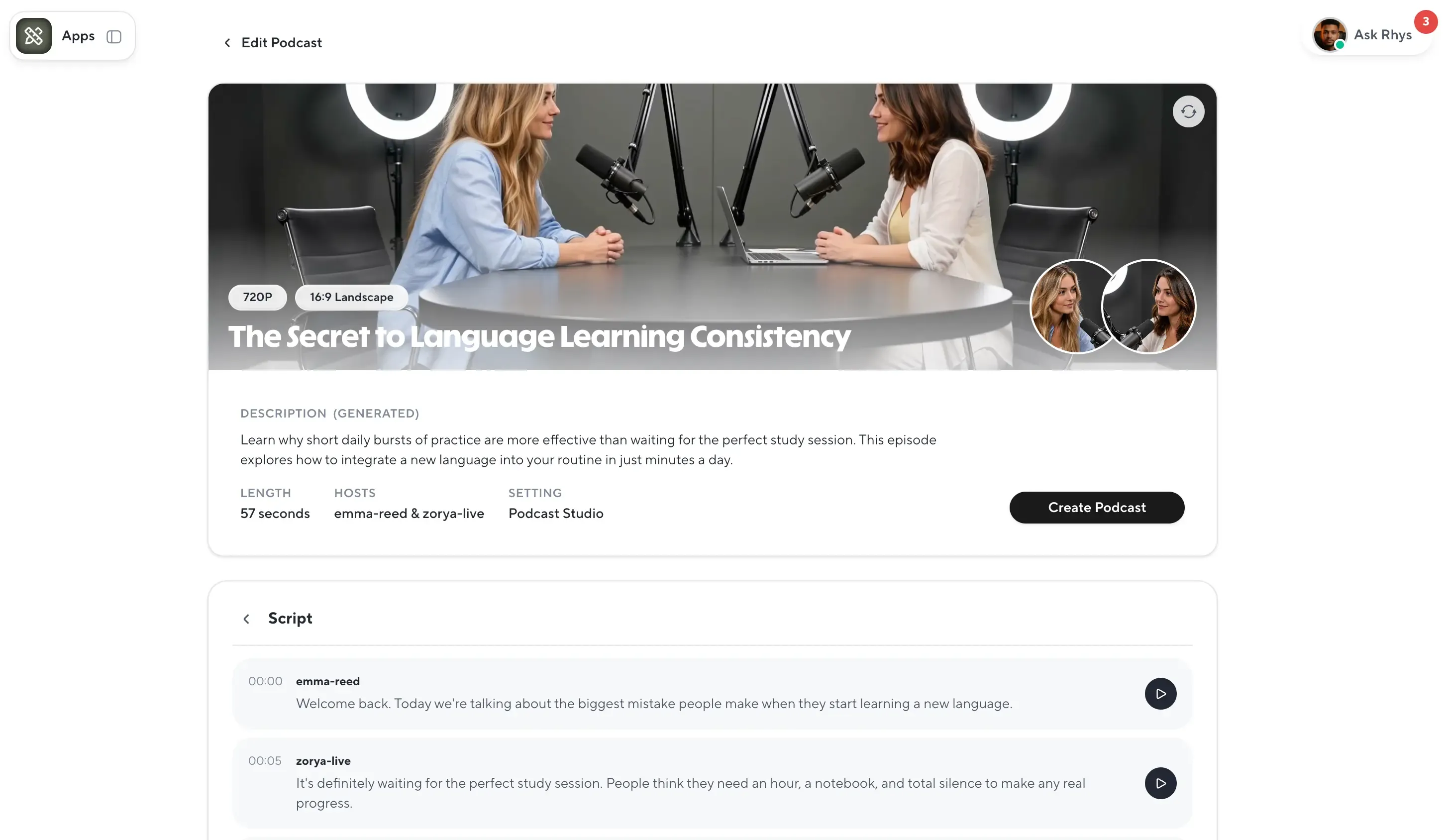
The AI Podcast Generator workflow limited my free result to a one-minute, 720p video. The two avatars appeared to look toward each other, which helped sell the conversation. Their facial presentation was clean, but the body gestures looked relatively stiff in my result.
HeyGen pricing
-
Free: $0 with three videos per month, videos up to one minute, and 720p output.
-
Creator: $29/month with 600 credits, videos up to 30 minutes, 1080p export, voice cloning, and watermark removal.
-
Pro: Starts at $49/month with 1,000 credits and up to 4K export.
Pros & Cons
| Pros | Cons |
|---|---|
| Large avatar library and the option to use a custom digital avatar | Many stock avatars felt oriented toward business content |
| Automatically created a polished podcast-style visual layout | Free output was limited to one minute at 720p |
| The two avatars made eye contact in the generated preview | Body gestures looked relatively stiff in my result |
My take: HeyGen was the clearest fit for a short avatar-led video rather than an audio-production workflow. It made the visual concept easy to judge, but the free podcast render was too short for a complete episode.
What Is the Best Free AI Podcast Generator?
The word “free” described very different levels of access in this comparison:
| Free option | What I completed | Important limit |
|---|---|---|
| Gemini Notebook Standard | Generated and downloaded a 19:25 Audio Overview | No editable script, custom hosts, or podcast publishing workflow |
| PodcastorAI trial | Generated and downloaded the complete 5:39 audio episode | Trial videos are limited to two minutes, so the full episode required a paid video plan |
| Wondercraft Free | Generated and edited a short podcast project | Convo Mode and audio download required an upgrade in my test |
| Jellypod public generator | Generated a 60-second two-host preview without an account | Full Studio repeatedly prompted me to subscribe |
| HeyGen Free | Generated a one-minute, 720p avatar podcast video | Short duration and limited resolution |
Gemini Notebook gave me the most complete free listening workflow, while PodcastorAI provided the most useful free starting point for a reusable audio or video show.
Frequently Asked Questions
What is the best AI podcast generator in 2026?
PodcastorAI was the best overall fit for a recurring show with reusable hosts, editable dialogue, and audio or video output. Gemini Notebook was better for source-based listening, Wondercraft for detailed audio editing, HeyGen for short avatar videos, and Jellypod for built-in hosting and distribution.
Is there a completely free AI podcast generator?
Gemini Notebook offered the most complete free audio workflow in my test, including generation and download. PodcastorAI’s 50-credit trial also covered a complete 5:39 audio export and short video tests. The other tools applied tighter download, subscription, or duration limits.
Can I turn notes, PDFs, or URLs into a podcast with AI?
Yes. PodcastorAI accepts notes, PDFs, URLs, documents, scripts, and recordings for editable host-led episodes. Gemini Notebook creates explanatory Audio Overviews, while Wondercraft and HeyGen add production or visual controls. If the source needs a stronger conversation structure first, a podcast script generator can help prepare the dialogue before voice generation.
Which AI podcast generator has the most realistic voices?
Voice realism depends on the selected model, voice, language, and script. PodcastorAI gave me the most host-level voice control because I could assign separate MiniMax or ElevenLabs voices. Gemini Notebook also produced a natural two-host discussion, but its voices were preset.
Can I create a solo podcast with AI?
Yes. PodcastorAI offers a Solo format for creating audio or video episodes with one AI host, while Wondercraft lets you produce a script with a single speaker. Gemini Notebook is more focused on AI-generated discussions.
Final Recommendation
After testing the same material in all five tools, PodcastorAI offered the most complete podcast-specific production workflow. I could set up reusable hosts, import and edit a two-speaker script, choose voices, adjust pauses, add B-roll, download the full audio, and prepare the same project for video.
That does not make it the best tool for every task. Gemini Notebook was stronger for turning sources into long-form listening material. Wondercraft provided more detailed audio editing. HeyGen made a short avatar-led video easy to produce. Jellypod placed more emphasis on hosting and distribution, although its free public output was limited to one minute.
For podcasters and content creators who want to build a recurring host-led show without filming every episode, PodcastorAI offered the best overall balance in this comparison.
Try PodcastorAI with your own material and see whether the host-led workflow fits the show you want to create.