
If you’re searching for a free Adobe Podcast generator, you may be looking for an easier way to create professional podcast content. However, different creators have different needs. Some creators need to improve an existing recording with better audio quality. Others want to transform ideas, articles, PDFs, or online sources into complete podcast episodes.
Adobe Podcast and PodcastorAI solve different parts of the podcast workflow. Adobe Podcast focuses on recording enhancement, voice cleanup, and audio quality improvement. PodcastorAI focuses on turning source materials into complete podcast content, including scripts, AI voices, audio podcasts, video podcasts, captions, and content repurposing.
This guide compares Adobe Podcast and PodcastorAI to help you choose the right tool based on your podcast creation workflow.
Adobe Podcast vs PodcastorAI: Quick Verdict
| Your Goal | Better Choice | Why |
|---|---|---|
| Improve an existing recording | Adobe Podcast | Built for voice enhancement and audio cleanup |
| Remove background noise | Adobe Podcast | Focuses on improving recording quality |
| Turn a PDF, article, URL, or notes into a podcast | PodcastorAI | Designed for source-to-podcast workflows |
| Generate podcast scripts with AI | PodcastorAI | Creates structured podcast scripts from inputs |
| Create AI-hosted podcasts | PodcastorAI | Supports AI hosts and voice generation |
| Create video podcasts | PodcastorAI | Supports audio, video, captions, and exports |
| Repurpose content into multiple formats | PodcastorAI | Extends podcast content into additional formats |
Adobe Podcast may be the better choice when your main problem is poor recording quality.
PodcastorAI may be the better choice when your main problem is turning information or ideas into a complete podcast.
What Is Adobe Podcast Generator?
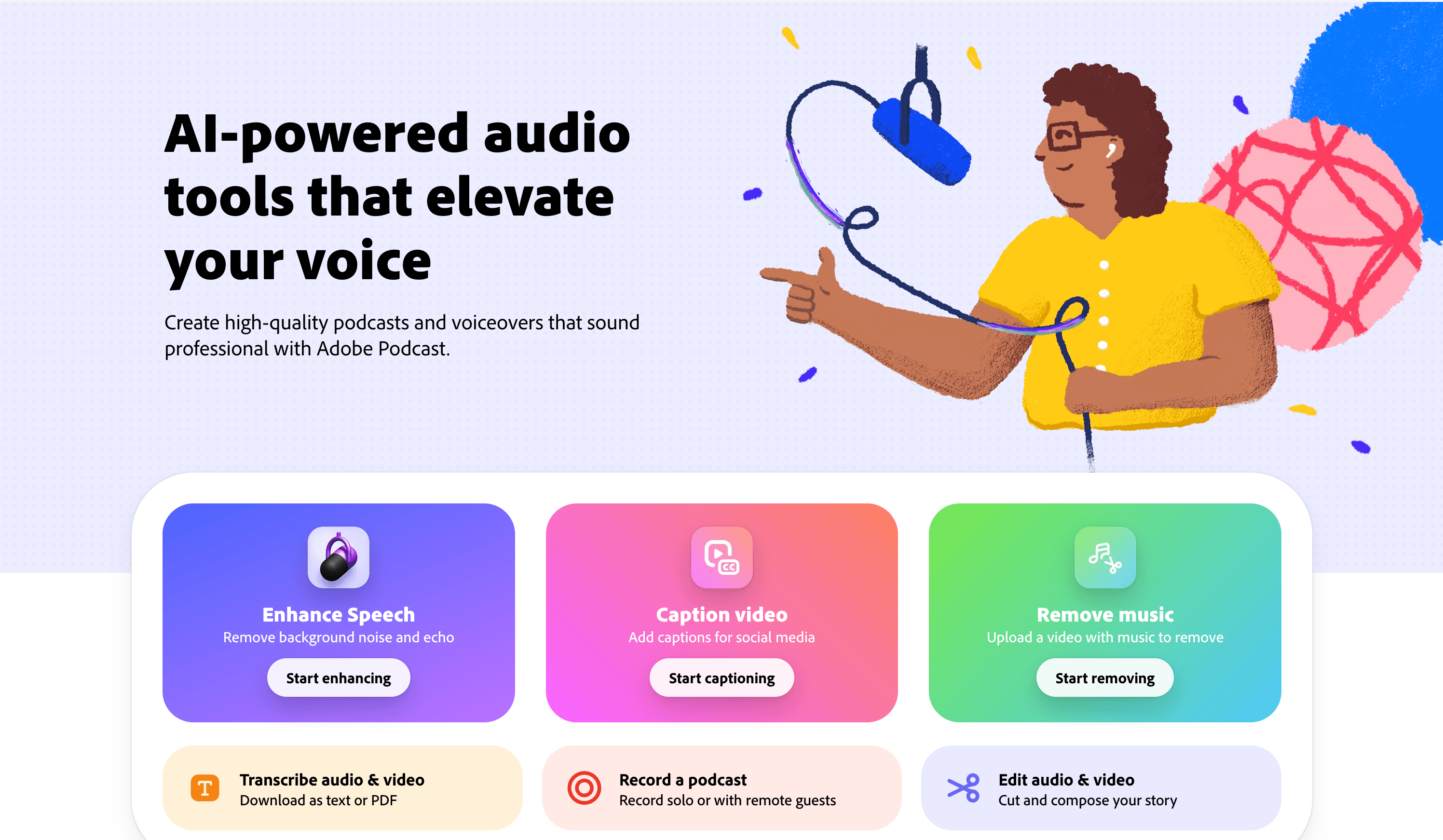
Adobe Podcast is an AI-powered audio tool designed to help creators improve podcast recording quality.
It focuses on tasks such as:
-
Enhancing voice clarity
-
Reducing background noise
-
Improving recording quality
-
Checking microphone performance
-
Preparing audio for publishing
For creators who already have podcast recordings and want better sound quality without complex audio editing software, Adobe Podcast can be a useful solution. However, Adobe Podcast is mainly designed for improving existing audio. It does not focus on turning a document, article, or idea into a complete podcast episode.
How To Use Free Adobe Podcast Generator
If you’re looking for a free Adobe Podcast generator alternative, PodcastorAI provides a complete workflow to turn your ideas, documents, and online sources into podcast episodes.
Instead of only improving existing recordings, PodcastorAI helps you go from source material to a finished podcast with AI-generated scripts, voices, audio, and video.
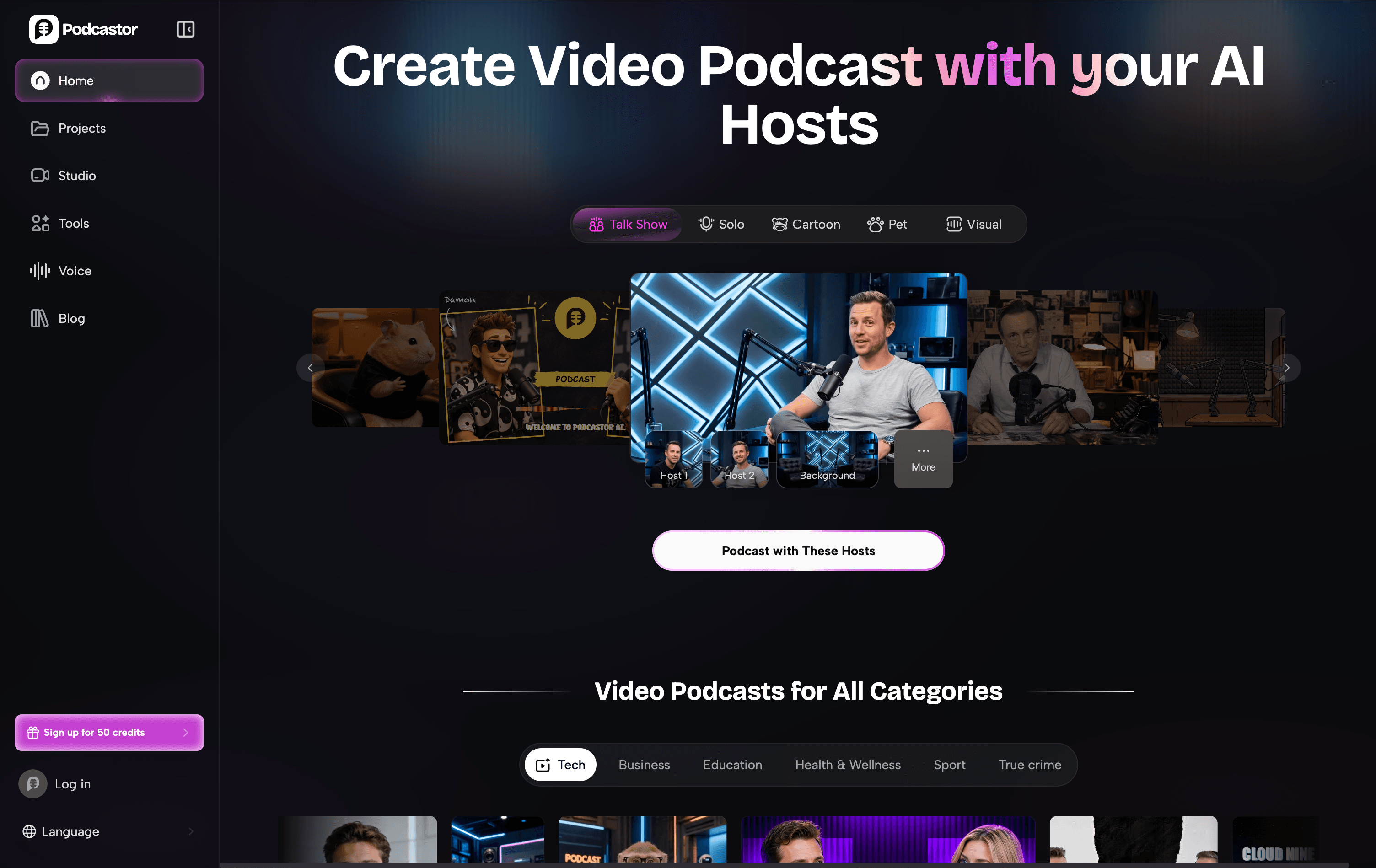
Step 1: Add Your Podcast Content
Start with any content you already have.
You can:
-
Enter a podcast topic or idea
-
Upload documents such as PDF, DOCX, or TXT files
-
Paste a URL or article
-
Upload existing audio files
PodcastorAI analyzes your content and extracts the key information to prepare a structured podcast script.
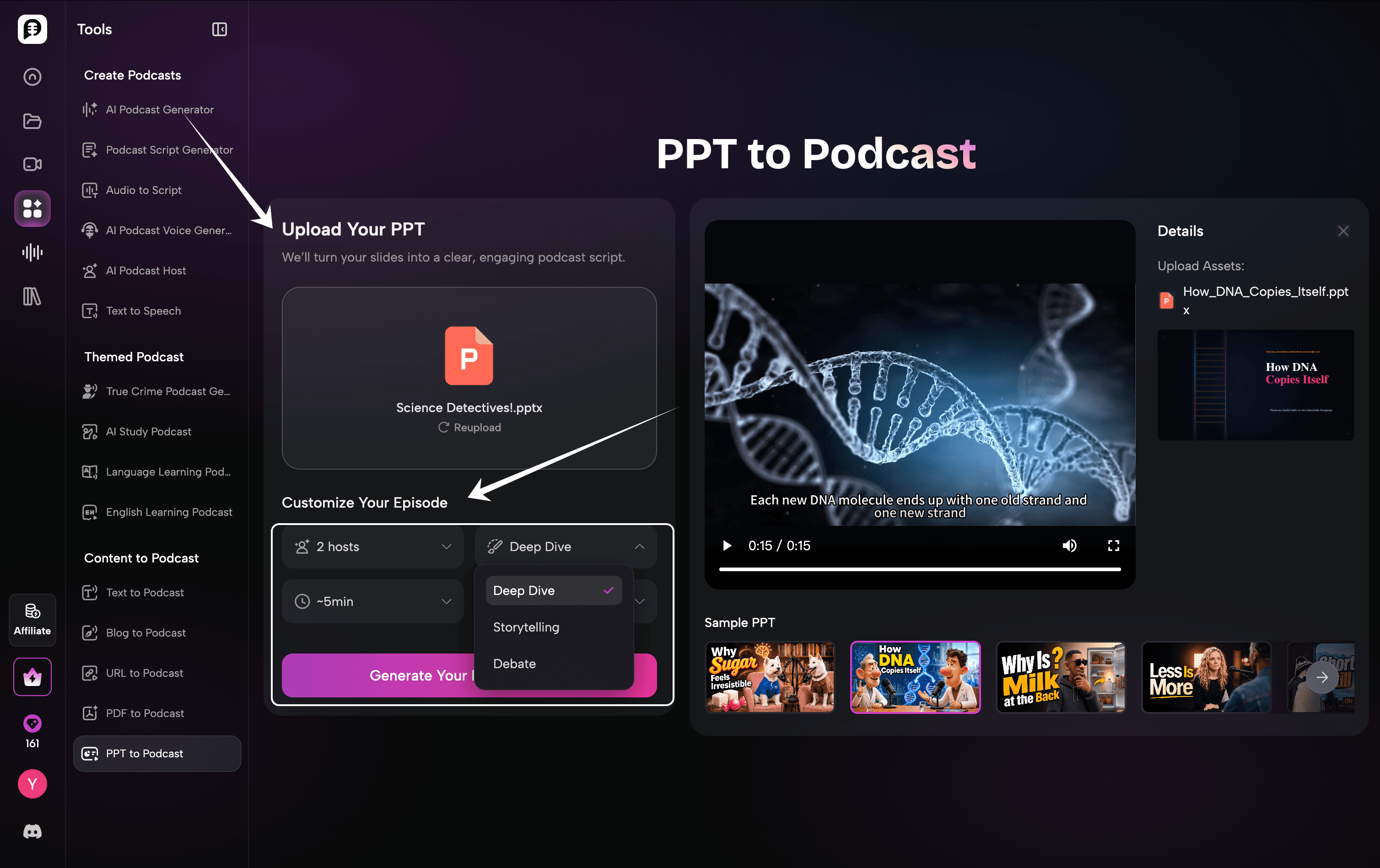
Step 2: Customize Your Podcast Episode
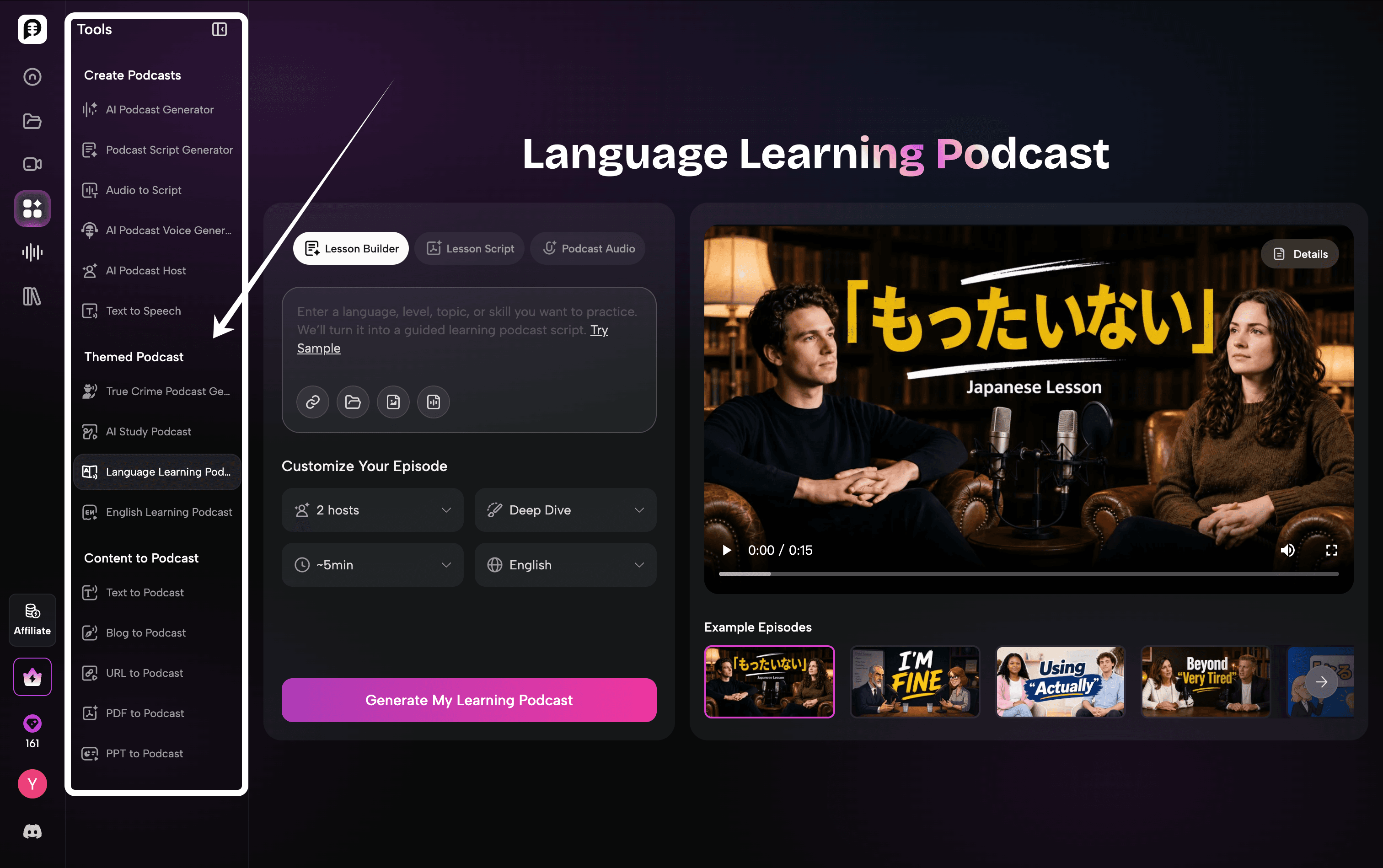
After uploading your content, customize how your podcast will be generated.
Choose the number of AI hosts, conversation style, and podcast length based on your needs. PodcastorAI supports different formats, such as deep dives, storytelling, and debate-style discussions, helping you create a podcast that matches your preferred tone and audience. Before generating your episode, adjust these settings to control the structure and style of your AI podcast.
Step 3: Preview the Format for Your Podcast
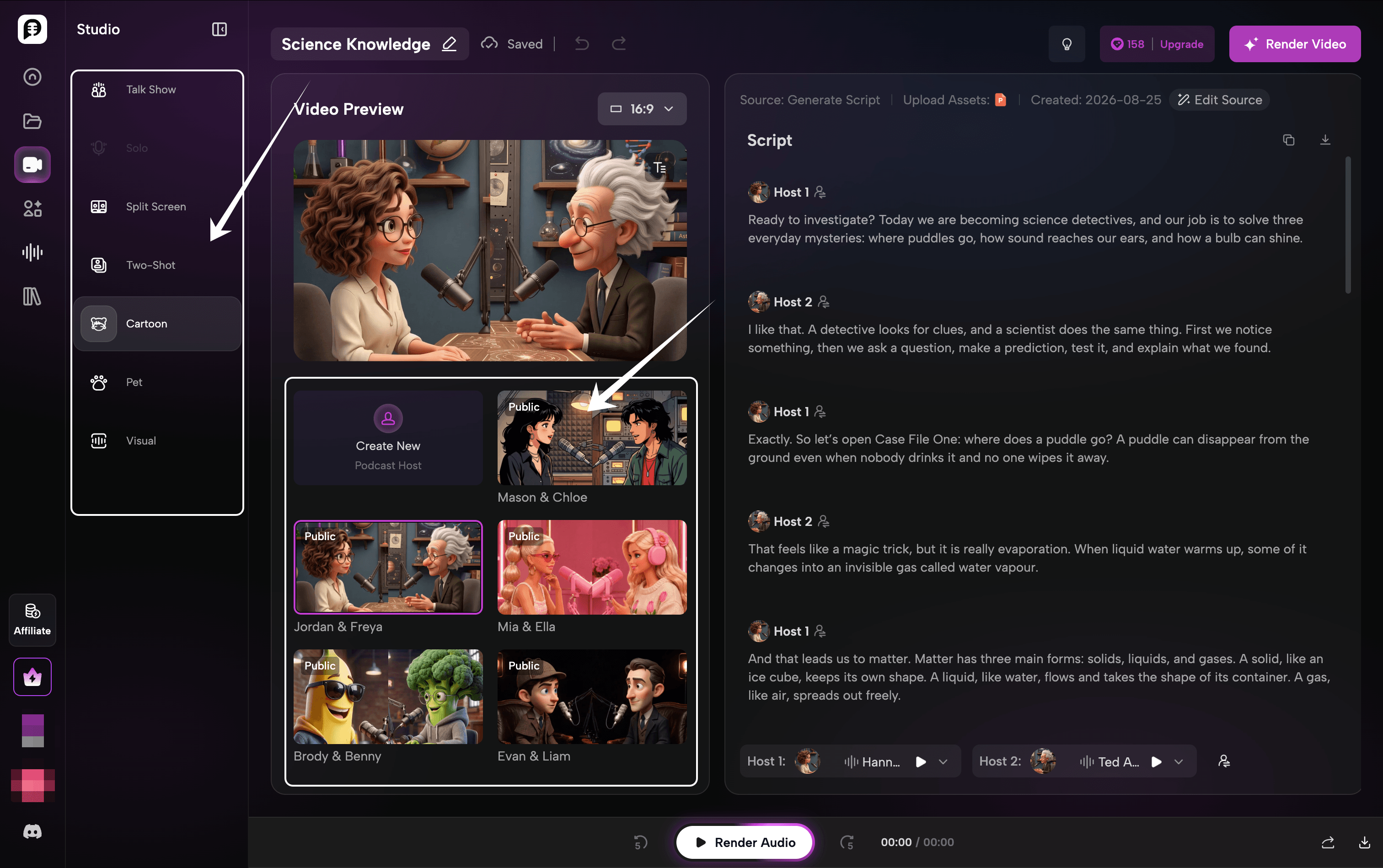
After generating your podcast draft, enter the Studio to review and customize your episode.
You can preview the generated podcast video, choose different presentation formats, and switch between layouts such as:
-
Talk Show
-
Solo
-
Split Screen
-
Two-Shot
-
Cartoon
-
Pet
-
Visual podcast
Step 4: Customize Your AI Podcast Host
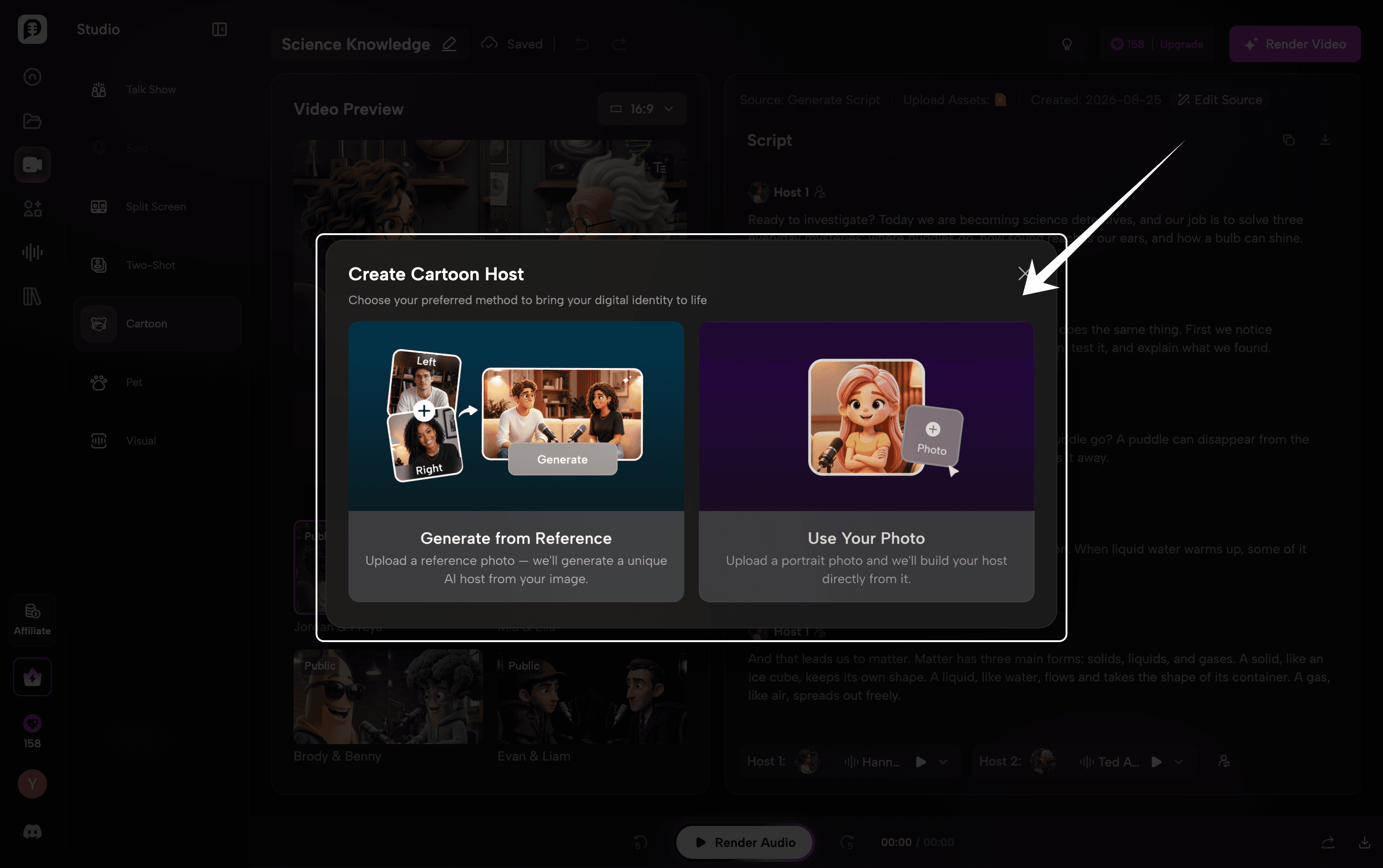
Personalize your podcast experience by creating a unique AI host.
PodcastorAI provides two ways to customize your host:
-
Generate from Reference: Upload reference images and create a unique AI host based on your preferred style.
-
Use Your Photo: Upload your own portrait photo and transform yourself into an AI podcast host.
Whether you want a fictional character, a branded virtual host, or a digital version of yourself, PodcastorAI helps you create a personalized podcast identity.
Step 5: Edit and Refine Your Podcast Script
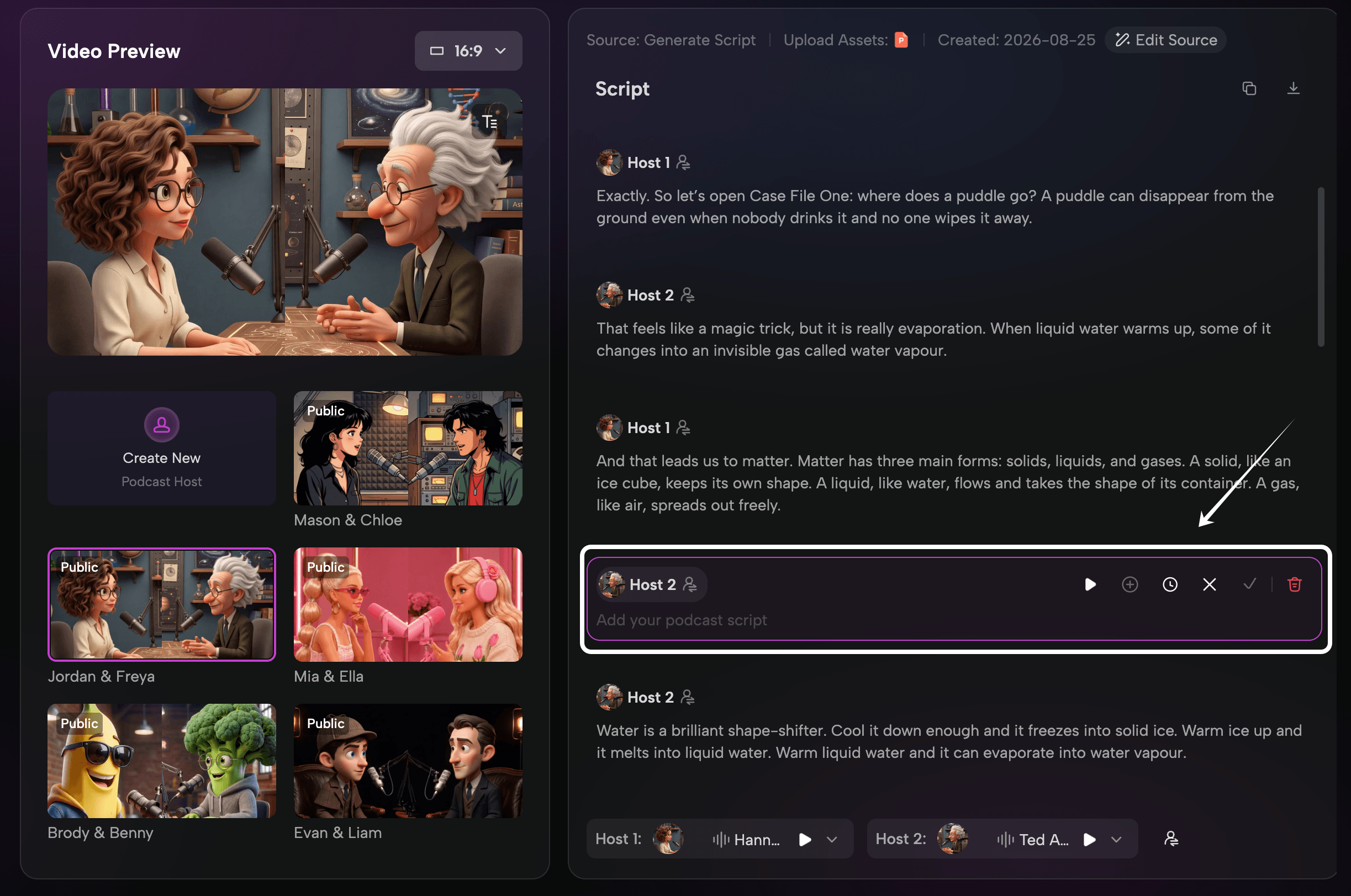
Before rendering your final podcast, you can review and edit the AI-generated script directly in Studio.
PodcastorAI automatically creates a structured conversation based on your source material, but you can still customize the content by:
-
Adding new dialogue
-
Removing unnecessary sections
-
Revising the conversation flow
-
Adjusting the tone and key points
This gives you full control over the final episode while keeping the efficiency of AI-generated content.
Step 6: Render and Export Your Audio&Video Podcast
Once your script, AI hosts, and visual style are ready, render your final podcast.
PodcastorAI combines your edited script, AI voices, hosts, and visual elements into a complete podcast episode. You can generate the final audio or video version and prepare it for publishing across different platforms.
Before exporting, review the final result to make sure the conversation flow, visuals, and audio quality meet your expectations.
When Should You Choose Adobe Podcast?
Adobe Podcast is a good choice if you:
-
Already have recorded podcast episodes
-
Want cleaner voice quality
-
Need simple audio enhancement
-
Do not want to learn complicated editing software
For example, a podcast host who recorded an interview with background noise may use Adobe Podcast to improve the final audio before publishing.
When Should You Choose PodcastorAI?
PodcastorAI is designed for creators who want to create podcasts from ideas or existing content.
A typical workflow includes:
-
Upload source materials(Articles、PDFs、URLs、Research materials、Scripts、Notes)
-
Generate a podcast script
-
Select AI hosts and voices
-
Create audio or video podcast episodes
-
Export and repurpose content
This makes it useful for creators, educators, marketers, and businesses that want to turn existing knowledge into podcast content.
Frequently Asked Questions
Is Adobe Podcast an alternative to PodcastorAI?
Adobe Podcast can be an alternative to PodcastorAI for part of the workflow. It is more closely aligned with recording, audio cleanup, and editing for existing audio. PodcastorAI is more closely aligned with turning source material or an idea into a script, audio podcast, video podcast, captions, and repurposed content. If your problem is sound quality, test Adobe Podcast first. If your problem is source-to-episode production, test PodcastorAI first.
Is PodcastorAI better than Adobe Podcast for AI podcasts?
PodcastorAI is the more relevant first when you need to turn a PDF, article, URL, notes, or script into an AI-assisted podcast with voices or hosts. Adobe Podcast is the more relevant first test when you already have a recording and need to improve the voice quality. The final decision should come from source fidelity, manual edits, review time, and export conditions on your own material.
Can PodcastorAI work with existing recordings?
Existing recordings can be part of a PodcastorAI workflow. For example, you can use Audio to Script to turn an audio file into a transcript, then use the content for script editing, audio, video, or shorter formats. File types, duration, credit usage, and export capabilities should be checked in the current product flow and account state.
Does PodcastorAI have a free plan?
Yes. PodcastorAI offers a free plan that allows new users to try the AI podcast creation workflow before upgrading.
Which tool should I try first?
Use the episode you actually want to publish. If you already have a recording, test Adobe Podcast enhancement and export. If you only have source material, a script, or an idea, try PodcastorAI. Save the first draft, record the manual edits, and export the result. That will answer the question faster than reading another feature list.