
NotebookLM made document based podcasts popular, but NotebookLM podcast alternatives matter when you need a podcast you can publish. An audio overview is not the same as a publishable podcast.
This guide compares five free NotebookLM podcast alternatives: PodcastorAI, Heygen, Wondercraft, ElevenLabs, and Descript. The goal is not to find the best tool with the longest feature list. It is to find the tool that best matches the way you want to make and publish a podcast.
If you want to create Podcast for YouTube, Spotify, or social media, you may need more control over the script, voices, music, captions, video, and export videos. That is where NotebookLM alternatives become useful.
The Best Free NotebookLM Alternatives at a Glance
| Tool | Best for | Start Pricing |
|---|---|---|
| PodcastorAI | AI video podcasts | $9.9/mo |
| HeyGen | AI avatar videos | $29/mo |
| Wondercraft | AI audio podcasts | $25/mo |
| ElevenLabs | AI voice generation | $6/mo |
| Descript | Podcast video editing | $24/mo |
Pricing information was checked on August 12, 2026, and may change as plans are updated.
How We Are Comparing These Tools
For a fair comparison, each tool should receive the same source material and the same production brief. Our protocol uses a long-form article, a short PDF-to-podcast workflow, and the same request for a two-host podcast episode across all five tools.
The comparison should follow the same workflow for every tool:
-
Source to script
-
Script to audio
-
Audio to video or short-form content
-
Export and publishing review
The final test records source accuracy, script quality, voice naturalness, generation time, free-plan limits, export formats, watermarks, and commercial-use restrictions.
Test source file: GoogleDoc
5 Best Free NotebookLM Alternatives
1. PodcastorAI
The free credits provided to new users are enough to generate one video podcast.
Best for publish-ready audio and video podcasts
PodcastorAI is the most direct fit for creators who want to move from an idea or source document to a finished podcast workflow. The Podcast Script Generator and AI podcast generator are designed around more than text-to-speech. A podcast project may include script generation, AI podcast hosts, voice, audio, video, captions, and content repurposing.
That broader workflow matters when the output needs to leave the editor and reach an audience. A research summary can be useful as audio, but a public podcast may also need a video version, a thumbnail, captions. PodcastorAI video podcast generator and AI podcast voice generator are relevant when the same source needs to become branded audio and video content.
How PodcastorAI handled our test
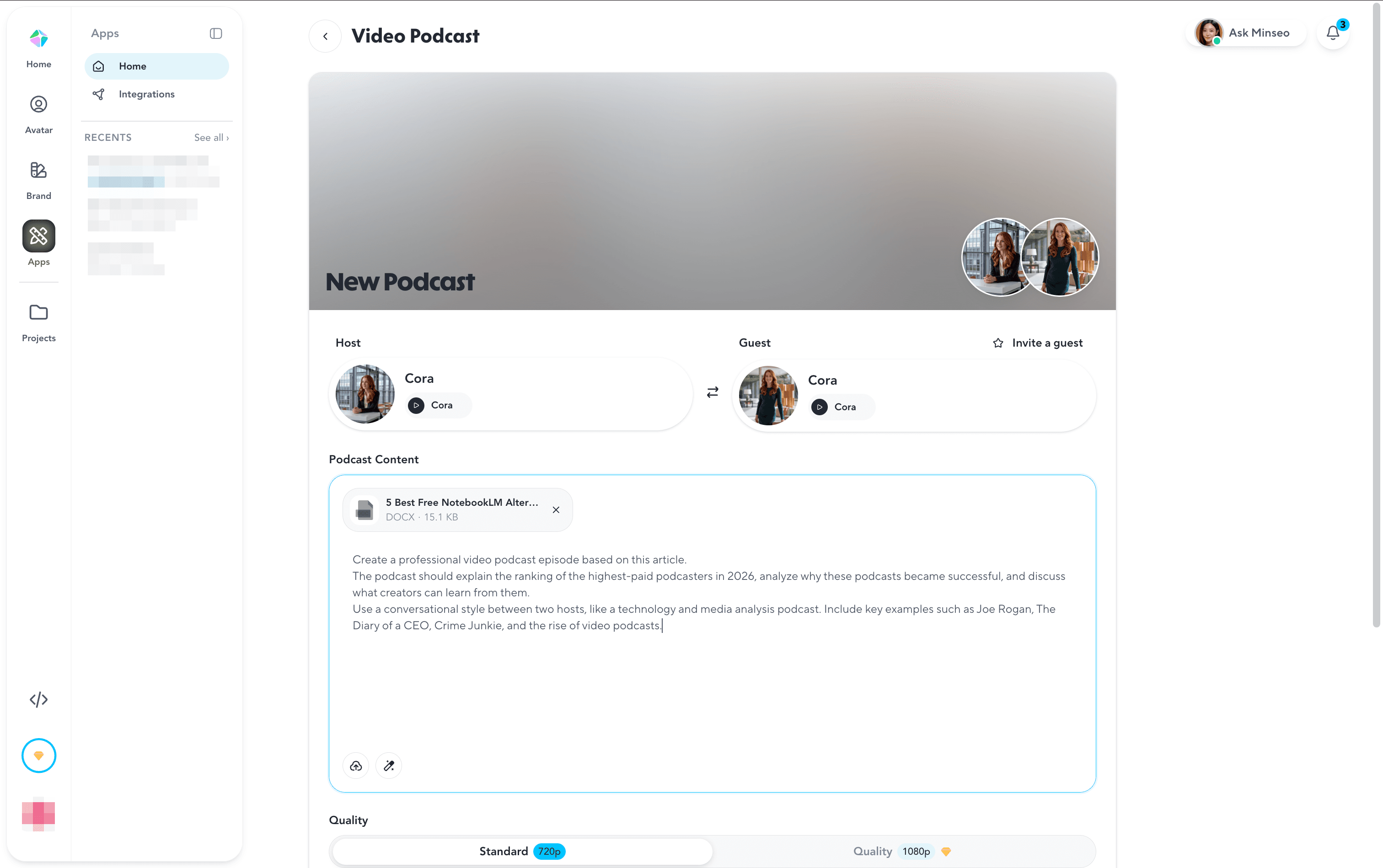
PodcastorAI made the whole workflow surprisingly simple. We uploaded the article directly, and it automatically transformed the content into a structured podcast script. When the source material was limited, the built-in web search could help enrich the topic with additional information.
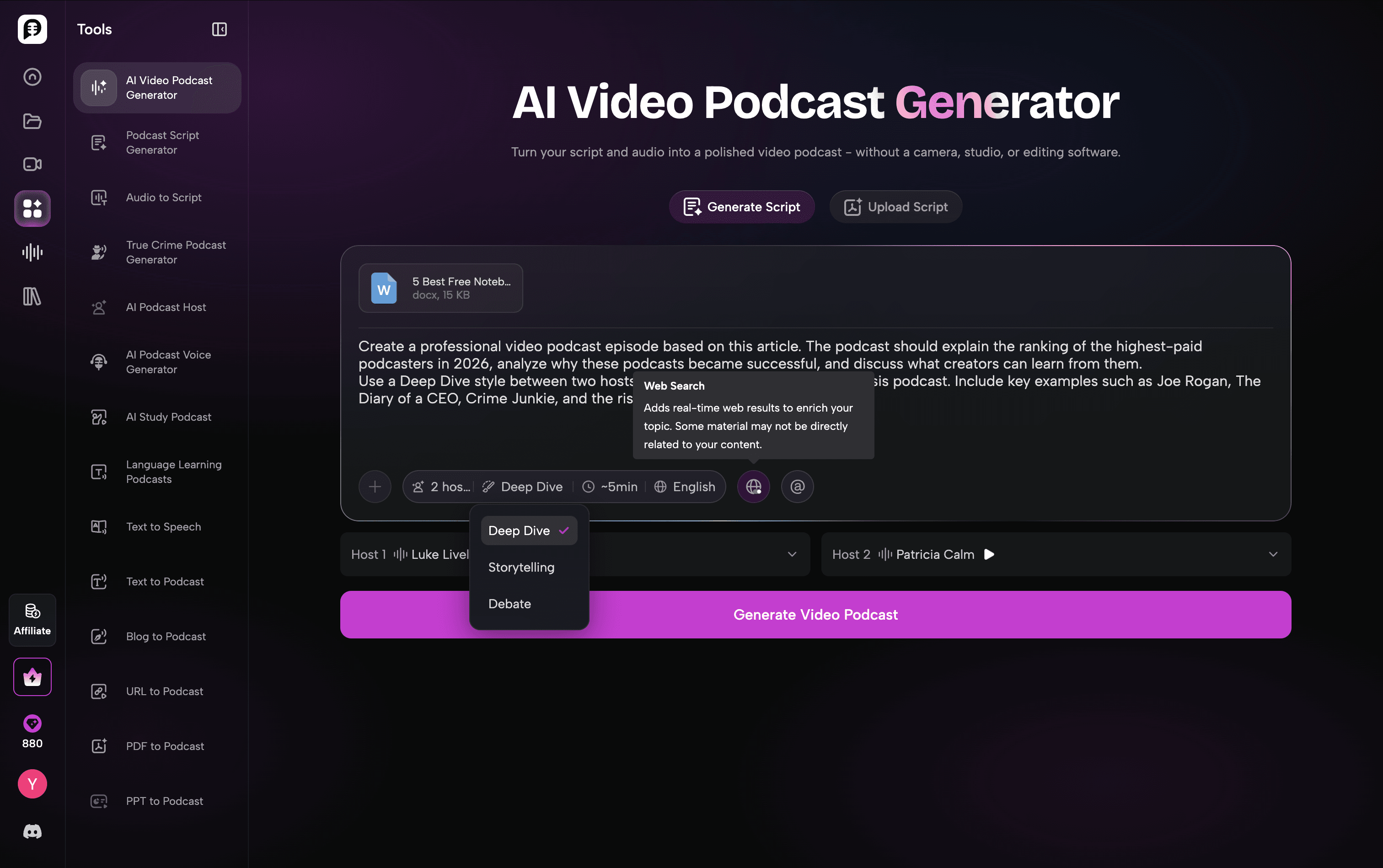
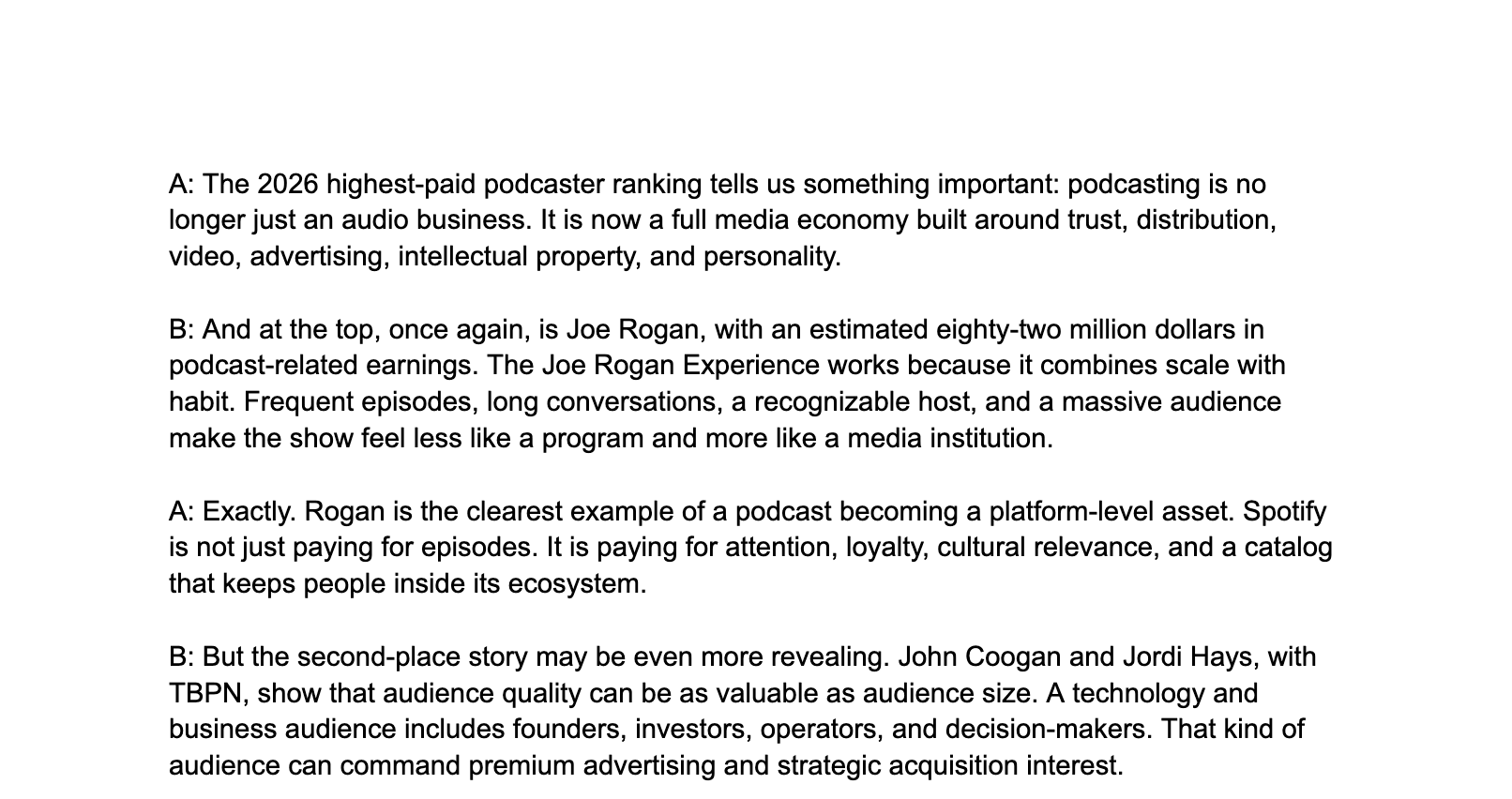
The generated script was one of the strongest parts of the experience. Instead of simply summarizing the article, PodcastorAI turned it into a natural two-host conversation with clear transitions and deeper discussions, making it feel closer to a real podcast episode.
This is the script file generated by podcastorAI.
https://docs.google.com/document/d/14Lq6iFpatVp9csYbVtT_P7R6YVvbixTMOvsywaSl8q4/edit?usp=sharing
The platform also offers plenty of customization options. Users can choose different podcast formats, including Talk Show, Two-Shot, Split Screen, Cartoon, Pet, and Visual styles. For hosts, there is a built-in avatar library, and creators can also upload their own photos to create personalized AI hosts.
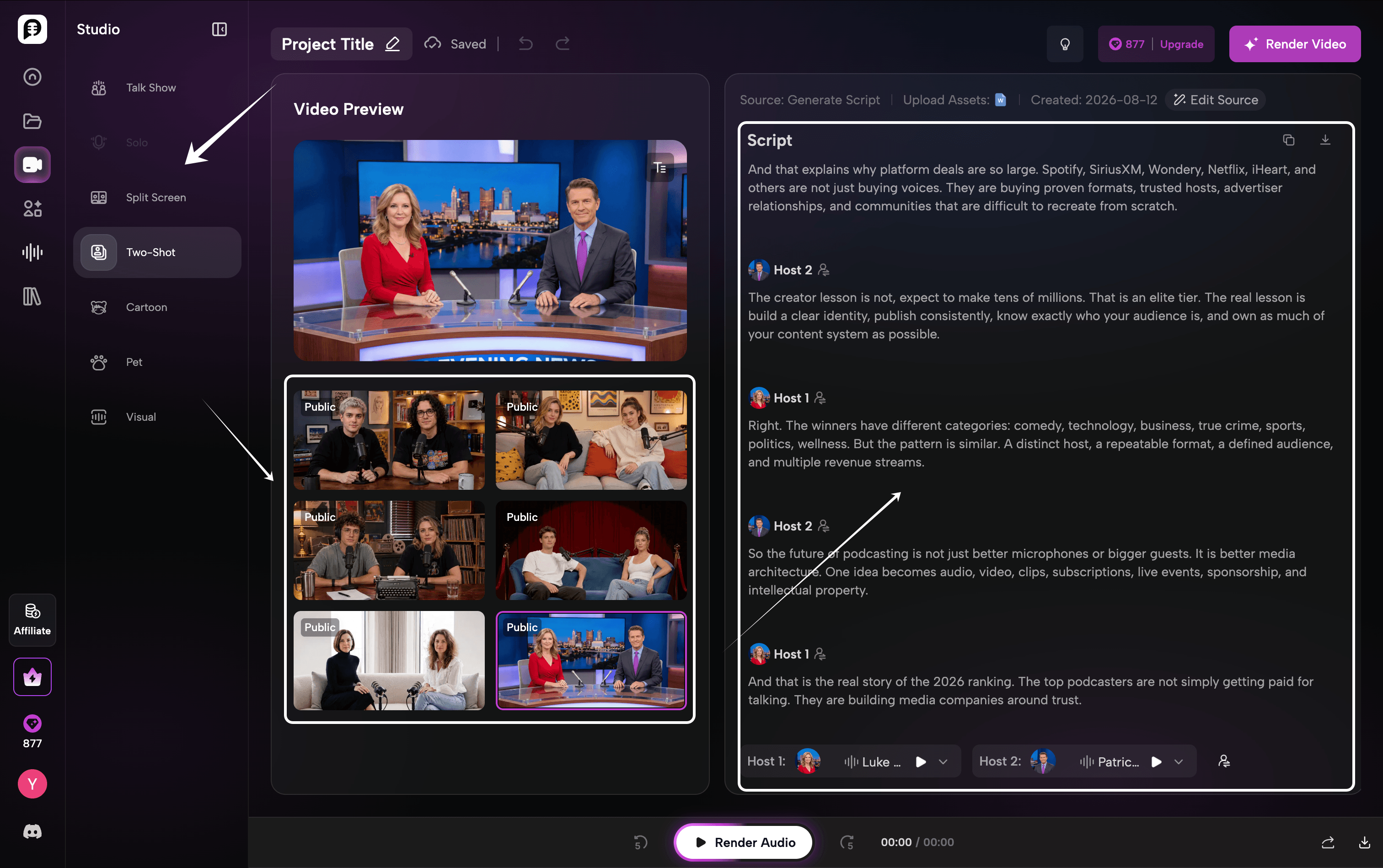
For voice generation, PodcastorAI supports voices from leading AI providers such as ElevenLabs and MiniMax, giving creators more flexibility in choosing the right tone for their shows.
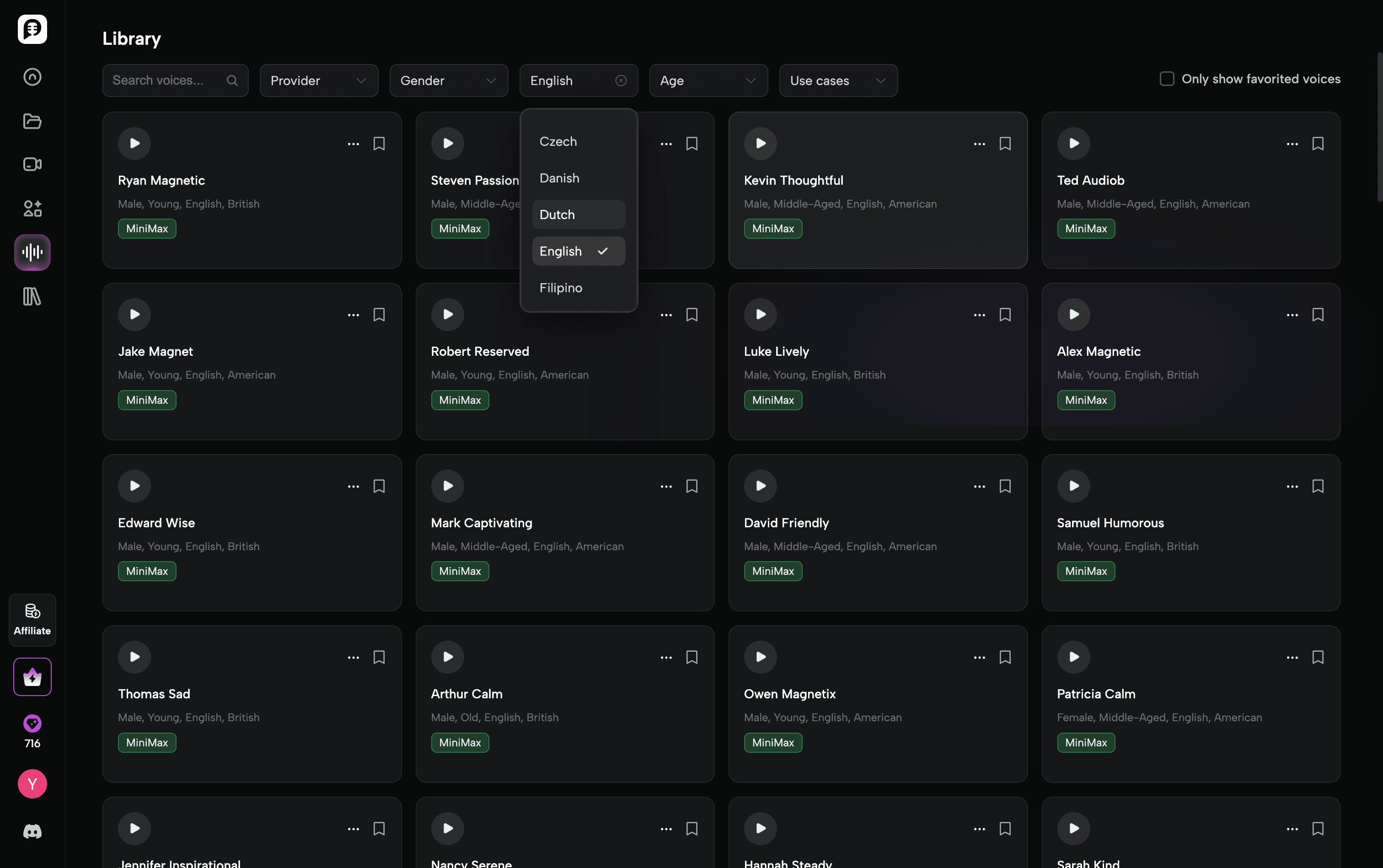
After rendering, the final video looked polished and production-ready. The AI hosts, voice synchronization, and overall studio-style presentation successfully transformed a written article into a complete video podcast without recording equipment or complex editing.

However, like most AI video podcast tools today, there are still some limitations. While the voice and lip-sync quality are impressive, the AI hosts could feel more natural in terms of body language and small movements, such as hand gestures and spontaneous reactions. For a truly human-like podcast experience, these details still have room for improvement.
Use PodcastorAI if…
-
You want a complete video podcast workflow, not just audio generation.
Create scripts, AI hosts, voices, and videos in one place -
You want more flexibility in podcast formats.
From realistic talk shows and two-host conversations to cartoon, pet, and visual podcast styles, PodcastorAI gives creators more ways to present their content. -
You want AI hosts that feel more personalized.
Besides the built-in avatar library, PodcastorAI allows users to upload their own photos and create custom AI hosts for consistent branding. -
You already have content and want to repurpose it quickly.
Transform articles, documents, and scripts into podcast episodes. -
You want more control over the final production quality.
With voices from providers like ElevenLabs and MiniMax, customizable hosts, and editable scripts, creators can fine-tune the final podcast experience.
Pricing
The free credits provided to new users are enough to generate one video podcast.
The Free plan starts at $0/month, followed by Audio Creator at $9.9/month, Video Starter at $26/month, and Creator Pro at $49/month. Users can choose between audio-focused creation and full video podcast production depending on their workflow.
2. HeyGen
The free credits provided to new users are not enough to generate a complete video podcast.
Best for teams and businesses with a higher budget
HeyGen is ideal for companies looking for high-quality AI avatar videos. Its premium avatar technology comes with a higher cost, making it a better choice for teams with dedicated content production budgets.
How HeyGen handled our test
HeyGen delivered one of the most realistic AI avatar experiences in our test, with strong lip-sync and polished presenter quality. The workflow is also fairly easy once the script is ready.
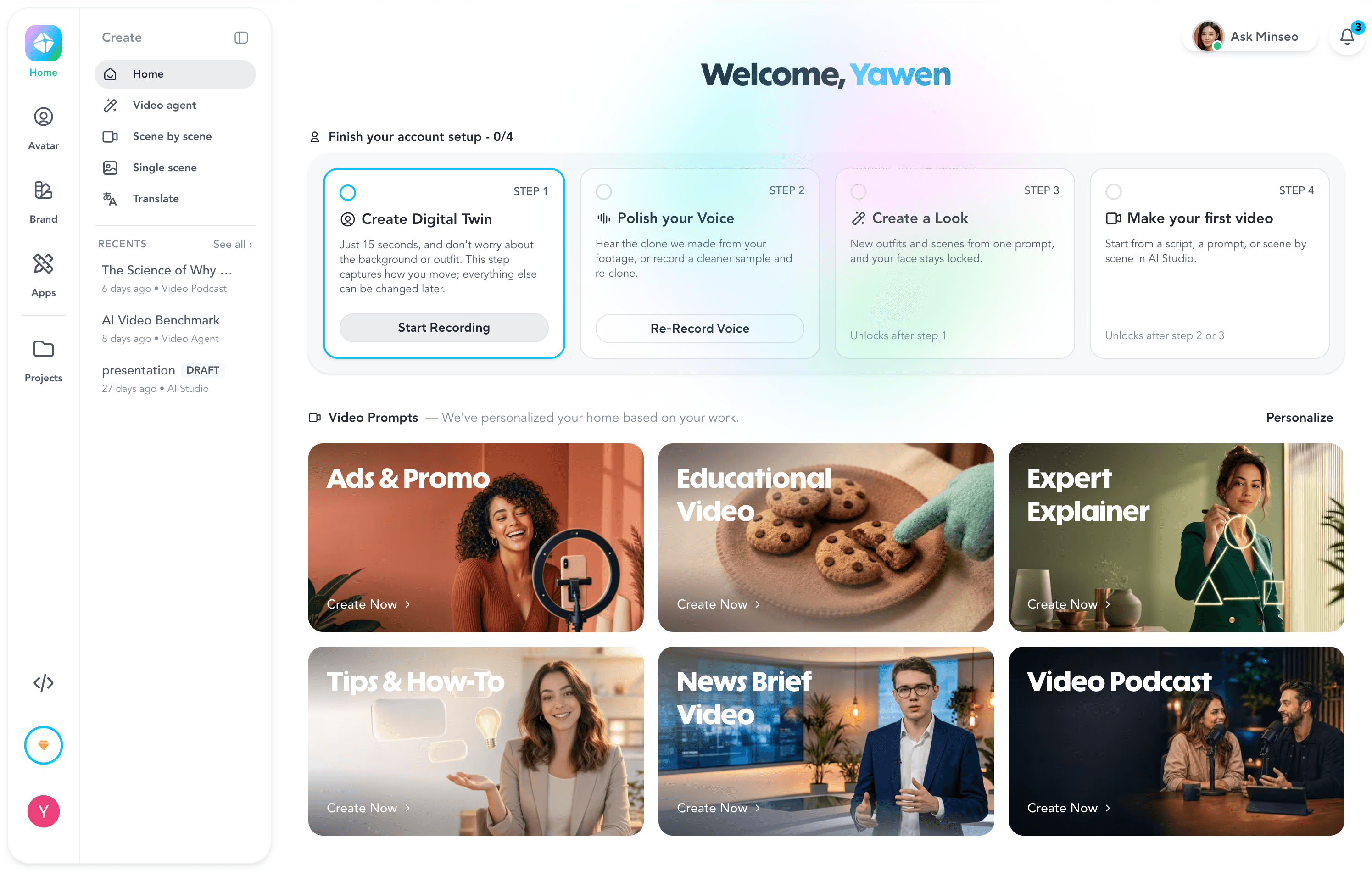
However, the experience becomes less smooth when you need multiple revisions. The first generation may require extra prompting or re-rendering, while credits can be consumed during repeated attempts. And question is slower rendering, limited preview control, and avatar movements that can still feel slightly unnatural. However, this is a common problem for all blog-type products.
Overall, HeyGen performs very well for polished AI presenter videos, but the higher cost and credit-based workflow make it more suitable for teams with larger production budgets.
Use HeyGen if…
-
You prioritize highly realistic AI avatars.
-
You already have a finished script and mainly need a presenter video.
-
You care more about polished presenter quality than a full podcast workflow.
HeyGen Pricing
The free credits provided to new users are not enough to generate a complete video podcast.
The free plan is available at $0/month, followed by Creator at $29/month and Pro at $49/month.
3. Wondercraft
Best for creators who want to produce high-quality AI audio content
Wondercraft is designed for creators, marketers, and teams who want to quickly turn ideas, documents, or scripts into polished audio content with realistic AI voices.
How Wondercraft handled our test
The strongest part of Wondercraft is its audio production quality. It provides a wide range of AI voices, voice customization options, and tools for adjusting delivery, making the final podcast sound more polished and natural.
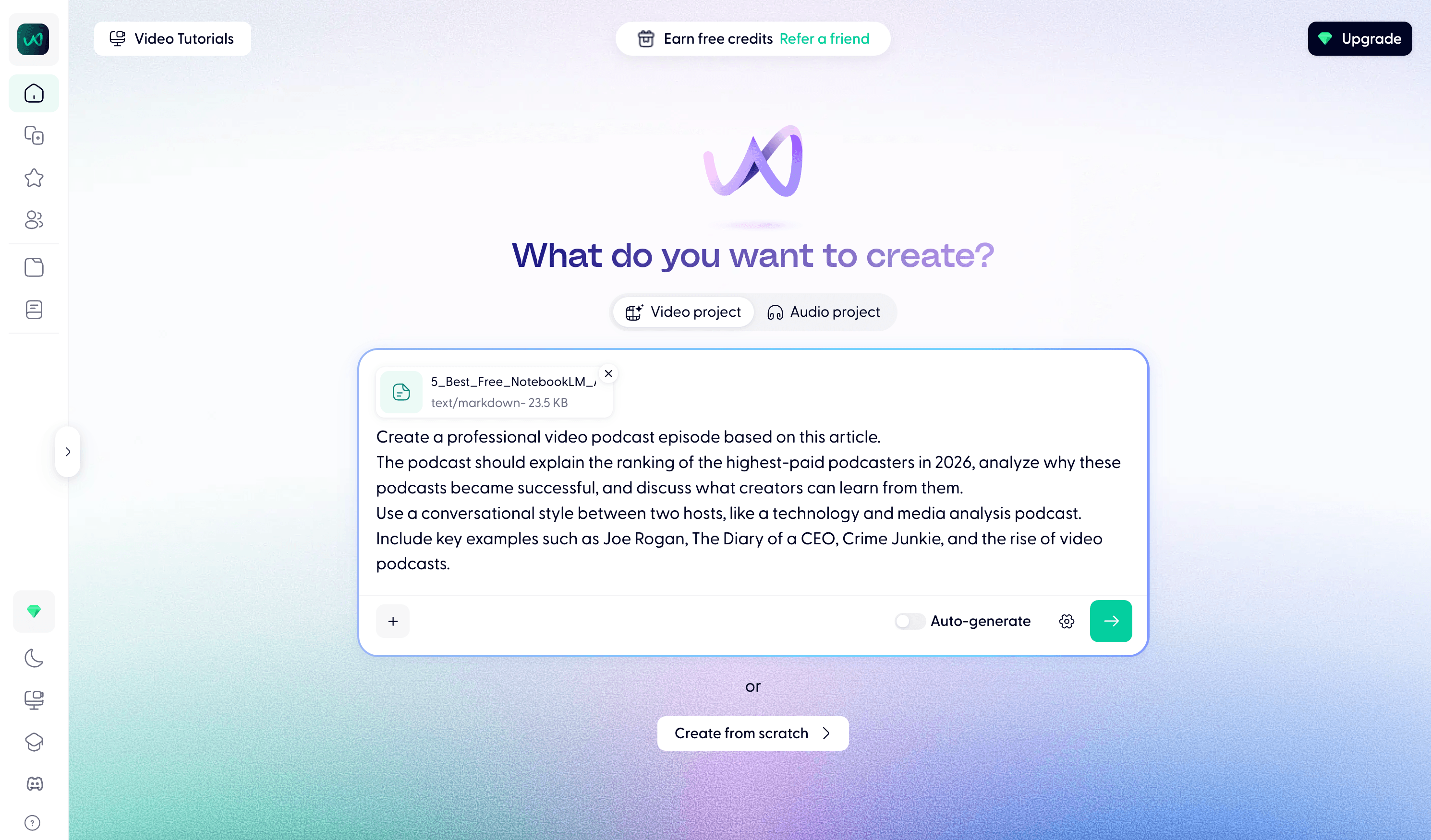
However, compared with tools built specifically around video podcast creation, Wondercraft focuses more on the audio experience. Users who want AI hosts, visual layouts, and a complete video podcast workflow may need additional video creation tools.
Use Wondercraft if…
-
You prioritize AI voice quality and audio production.
-
You want to turn articles, scripts, or ideas into audio podcasts quickly.
Wondercraft Pricing
The free at $0/month, Creator at $25/month, Pro at $50/month, and Enterprise with custom pricing.
4. ElevenLabs
Best for creators who need the most realistic AI voices
ElevenLabs is one of the strongest AI voice platforms for creators, developers, and businesses who prioritize natural-sounding speech, voice cloning, and multilingual voice generation.
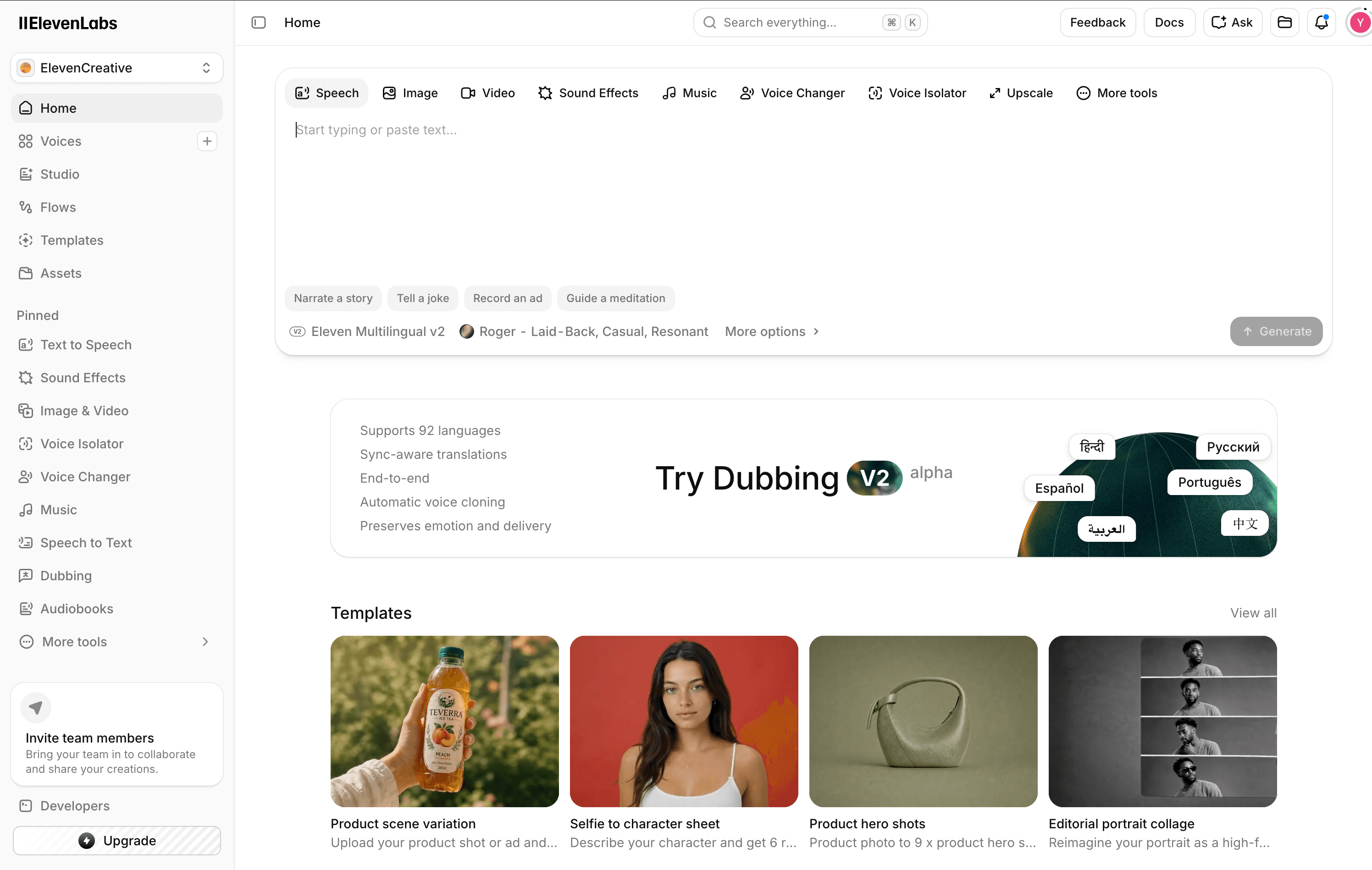
How ElevenLabs handled our test
For our test, we used ElevenLabs to generate AI voices for the same podcast content. The platform stood out with its highly realistic voice quality, natural pacing, and emotional expression.
Compared with many AI voice tools, ElevenLabs provides more control over voice styles, pronunciation, and delivery. Its voice cloning feature also allows users to create personalized voices for different content scenarios.
However, ElevenLabs is primarily a voice generation platform rather than a complete podcast production tool. Users still need additional tools for script generation, AI hosts, video layouts, and final video production.
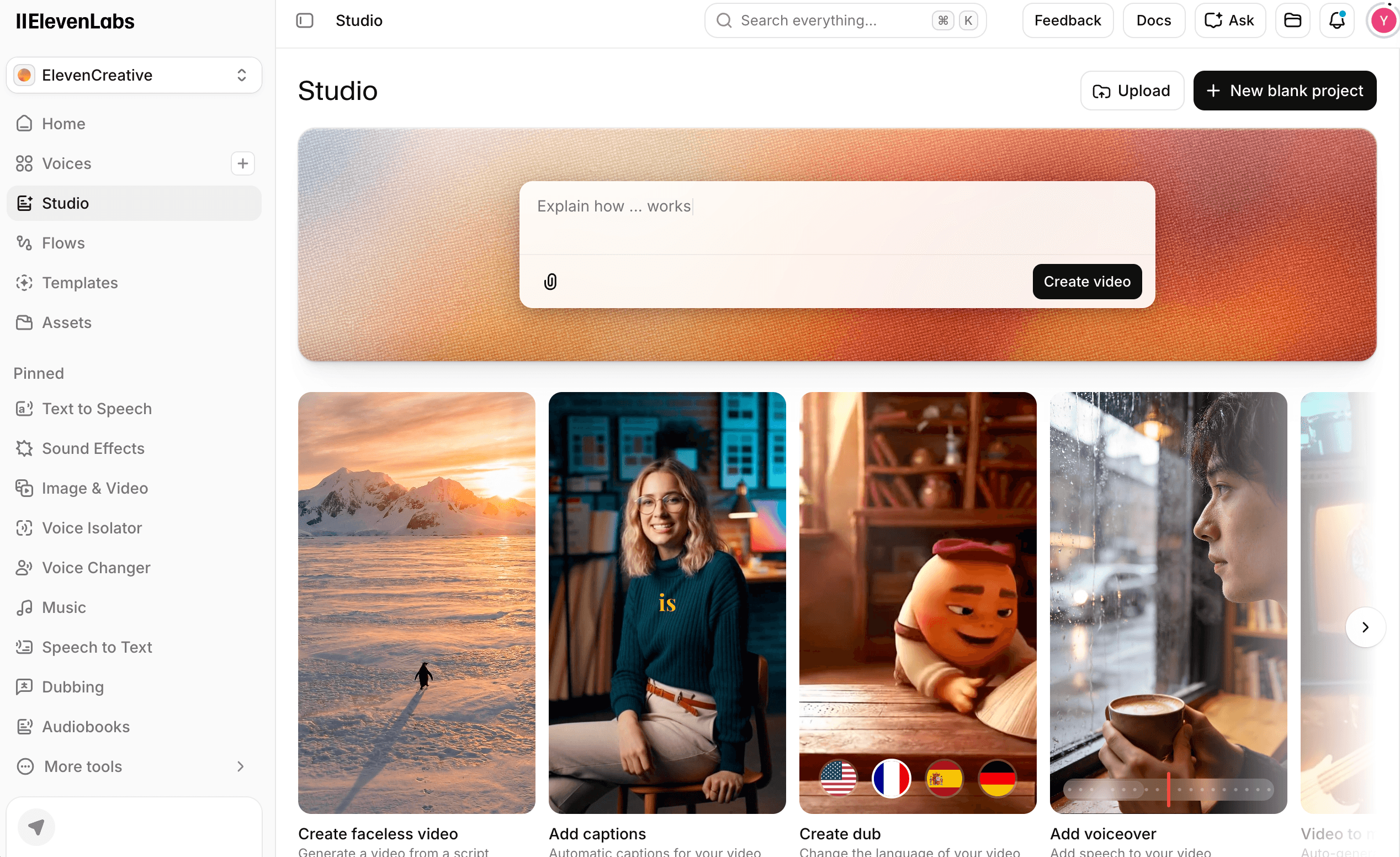
Overall, ElevenLabs is an excellent choice for creators who already have a production workflow and need premium AI voices, but it may require combining with other tools to create a complete video podcast.
Use ElevenLabs if…
-
You need the most natural AI voice generation.
-
You want realistic voice cloning and customization.
-
You create audiobooks, podcasts, videos, or voice-based content.
ElevenLabs Pricing
Free at $0/month, Starter at $6/month, Creator at $11/month, and Pro at $99/month.
5. Descript
Best for editing and repurposing podcasts
Descript is best suited for creators, podcasters, and teams who already record content and need an easier way to edit, transcribe, and repurpose their videos and audio.
How Descript handled our test
For our test, we tried to transform the same article into podcast content. Unlike AI podcast generators that directly create a full episode from documents, Descript works more like an AI-powered editing studio.
One limitation we encountered is that Descript does not directly support uploading DOCX files for this workflow. We had to convert the document into PDF before importing the content.
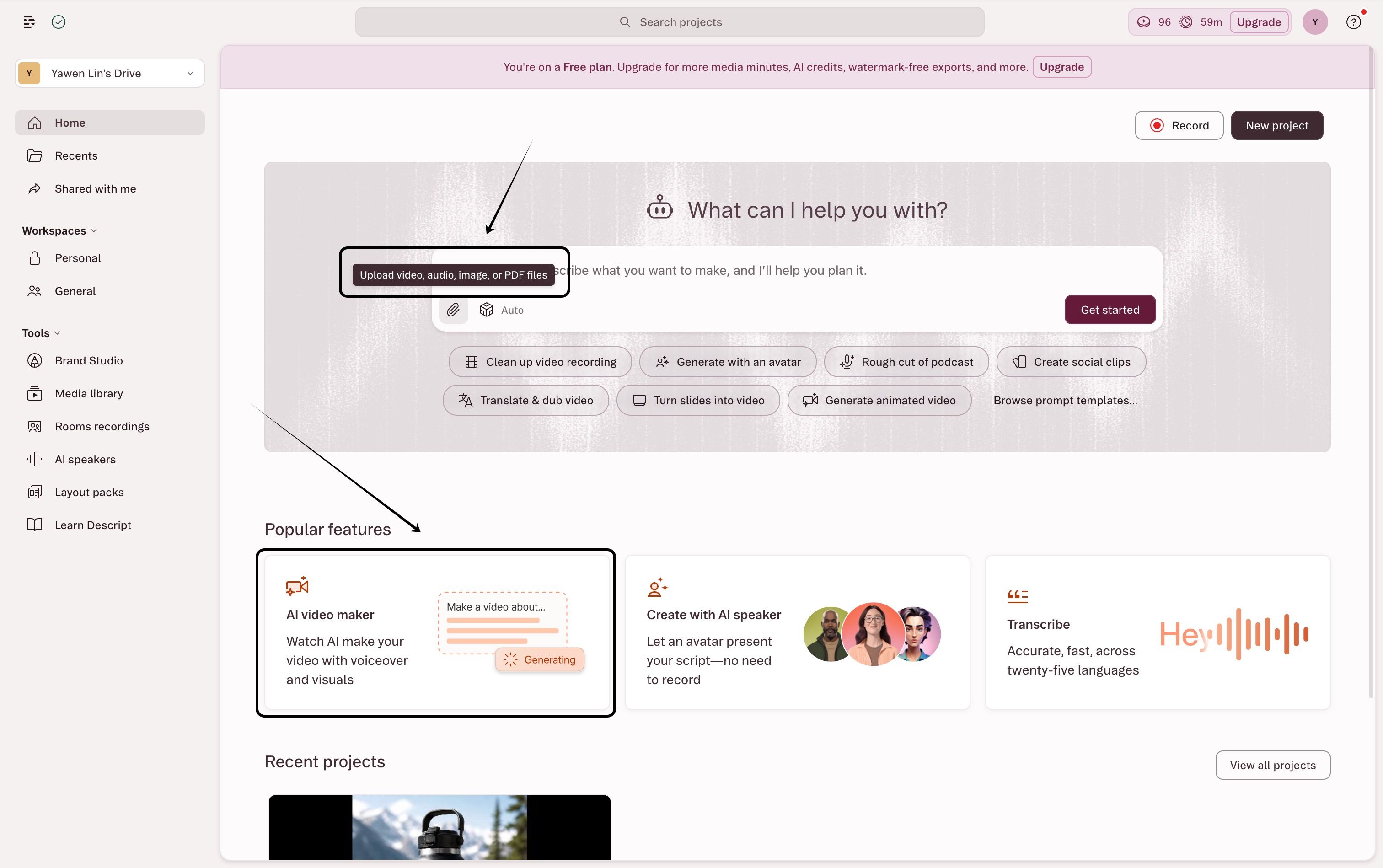
Descript’s biggest strength is its editing experience. By turning audio and video into editable text transcripts, users can edit their content as easily as editing a document. It is especially useful for removing filler words, refining scripts, and repurposing existing recordings.
However, Descript is less focused on fully automated podcast generation. Users still need more manual input compared with AI podcast tools that can directly transform articles into complete episodes.
Use Descript if…
-
You already have recorded podcasts or videos to edit.
-
You want an easier alternative to traditional video editing software.
-
You need transcript-based editing and content repurposing.
Pricing
Descript paid plans start at $16 per person per month when billed annually, or $24 monthly for the Hobbyist plan. See the official Descript pricing page for current media hours, AI credits, and export limits.
NotebookLM vs. Podcast Production Tools
NotebookLM is primarily a research and listening tool. It is useful when you want to ask questions about a document or create a quick private audio overview.
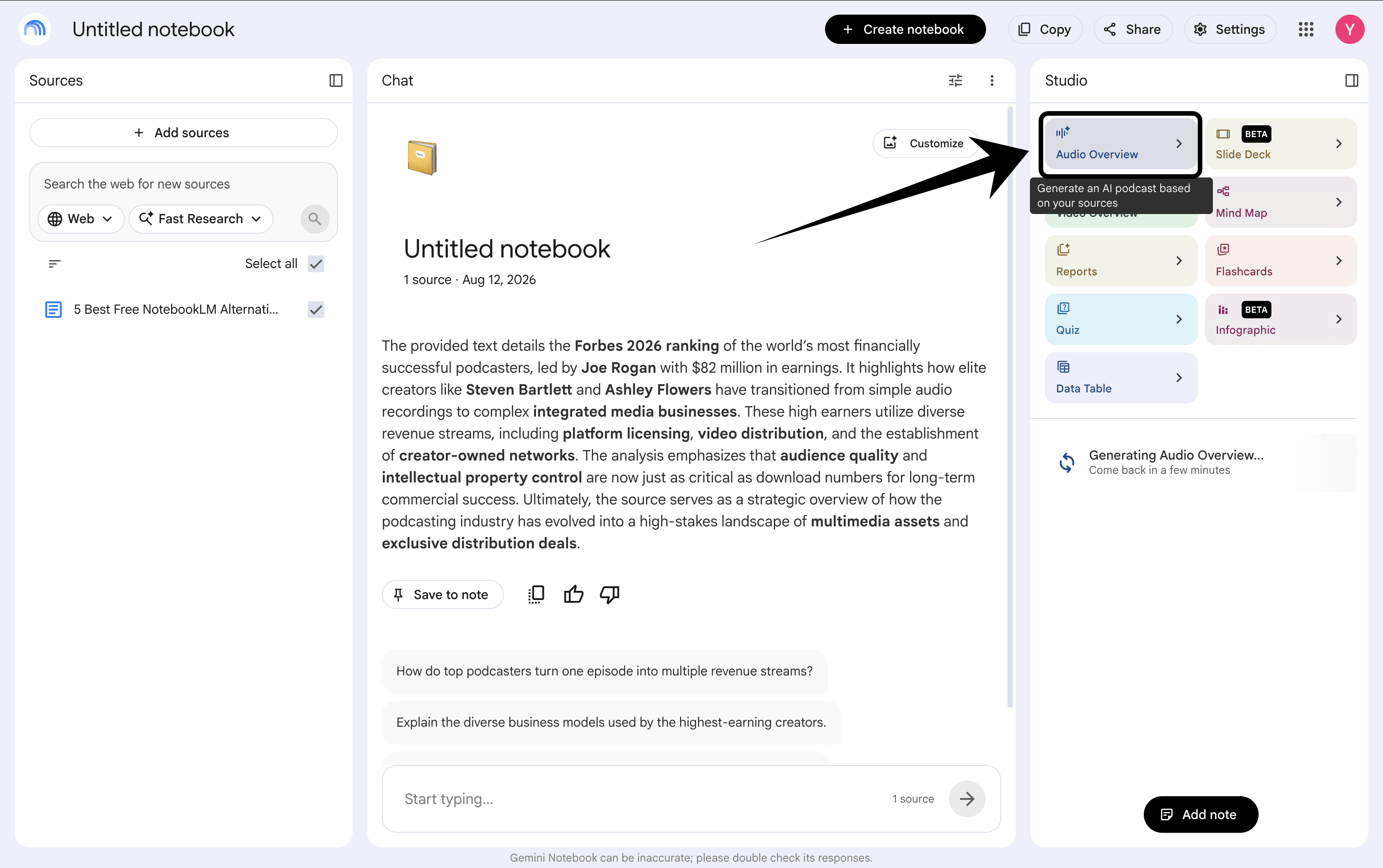
PodcastorAI is built around the next step: turning source material into content you can shape, export, and publish. You can move from a PDF, URL, note, or recording to a podcast script, then continue into audio, video, captions, and platform-ready formats.
That distinction is the most important one in this comparison. NotebookLM helps you consume information. PodcastorAI is designed to help you turn information into a repeatable podcast workflow.
| If your goal is… | Best starting point | Where PodcastorAI fits |
|---|---|---|
| Understand a document privately | NotebookLM | Use it for research, then move the final episode into PodcastorAI |
| Create an audio and video podcast | PodcastorAI | Source, script, hosts, audio, video, captions, and export in one workflow |
| Create presenter-style video content | Heygen | Useful for video packaging; PodcastorAI is the stronger podcast-first workflow |
| Control scripts, tracks, music, and effects | Wondercraft | A production-focused alternative to the PodcastorAI workflow |
| Generate natural AI narration | ElevenLabs | Useful as a voice specialist; PodcastorAI connects voice to a broader podcast workflow |
If your goal is only to listen to a summary, NotebookLM may be enough.
If you want to publish consistently, the more useful question is whether the tool supports the complete path from source to finished podcast.
Which Free NotebookLM Alternative Should You Choose for Your Podcast?
Start with the output you want to publish. If you need a private audio summary, NotebookLM remains a simple option. If you want to create a branded audio or video podcast from articles, PDFs, URLs, notes, or recordings, PodcastorAI is the best starting point in this comparison.
Choose PodcastorAI when you want one connected workflow for source-to-script generation, AI hosts, podcast audio, video podcasts, captions, and repurposed content. It is the most complete choice for creators who do not want to assemble every episode across separate tools.
Choose Heygen when your priority is presenter-style video content for social platforms. It may fit a video-first workflow, while PodcastorAI is more focused on building a repeatable podcast episode from source material.
Choose Wondercraft when you want detailed control over scripts, host tracks, music, and sound effects before rendering an episode. PodcastorAI is a better fit when you also need the workflow to continue into video and repurposing.
Choose ElevenLabs when you already have a finished script and voice quality is the main priority. PodcastorAI is more useful when voice generation is only one part of the larger podcast production process.
Choose Descript when you already record podcasts and need transcript editing, audio cleanup, captions, and short clips. PodcastorAI is better suited to creators who want to start with a document, URL, idea, or recording and build the episode from there.
The practical rule is simple: use NotebookLM to understand source material, and use PodcastorAI when the goal is to turn that material into something your audience can watch or listen to.
Final Verdict
NotebookLM is still one of the simplest ways to turn source material into a quick audio conversation. But it is not the only way to create a podcast, and it may not be the right tool when the goal is public distribution.
The best free NotebookLM alternative depends on the job. PodcastorAI is designed for a broader podcast workflow. Start with the format you want to publish, then choose the tool that supports that format. If you are repurposing an existing article, the Blog to Podcast workflow is a practical place to start. If you need a complete path from source to audio to video, try PodcastorAI as the first option in your workflow.
Frequently Asked Questions
What is the best free NotebookLM alternative for podcasts?
The best choice depends on whether you want to consume or publish. NotebookLM is a strong option for private, document-based audio summaries. PodcastorAI is the strongest fit when you want to turn source material into a publishable audio or video podcast with scripts, AI hosts, captions, and export options.
Can I turn a PDF into a podcast for free?
Yes. PodcastorAI can start with source material such as a PDF, URL, note, or recording and move it into a podcast workflow. Other tools may accept documents or text as well, but free plans can limit sources, audio minutes, video output, export resolution, or commercial usage. Check the current limits before publishing.
Is NotebookLM or PodcastorAI better for making public podcasts?
NotebookLM is useful for research and quick audio prototyping. PodcastorAI is a better fit when you need to turn that material into a branded podcast with custom hosts or voices, audio and video output, captions, and platform-ready exports. The right choice depends on whether the final product is for private listening or public distribution.
Which tools can create video podcasts?
Video support varies by tool and plan. PodcastorAI is the most direct option in this comparison for creating a complete video podcast from source material. JoggAI is relevant for presenter-style video content, while Wondercraft and Descript may support video-related production or editing. Check the exact output, watermark, resolution, and free-plan limits before choosing.
Does PodcastorAI have a free plan?
Yes. PodcastorAI offers a free plan, while the exact credits, audio and video minutes, and export limits may change. Check the official PodcastorAI pricing page for the current plan details before starting a project.
Should I use ElevenLabs or PodcastorAI for an AI podcast?
Use ElevenLabs when you already have a script and need a voice-generation specialist. Use PodcastorAI when you want to go from source material to script, hosts, audio, video, captions, and repurposed podcast content in one workflow.
Can I publish AI-generated podcast audio commercially?
Not always. Commercial rights can depend on the tool, voice, plan, stock assets, and the type of generated content. Check the current terms for every tool before using free-plan output in a monetized podcast, advertisement, course, or client projec