
Wondercraft can turn an idea, script, document, or URL into a produced podcast with AI voices, music, and sound effects. It has also expanded beyond audio into a broader AI video studio. That makes it a capable creative platform, but it also makes the choice less straightforward for someone whose main goal is to create podcasts.
PodcastorAI takes a more podcast specific route. It connects source import, script generation, voice selection, AI hosts, captions, and audio or video rendering in one episode workflow.
This Wondercraft review compares the two products by what actually happens between adding a source and exporting the result. It also explains when PodcastorAI may be the better Wondercraft alternative.
Quick answer: Wondercraft or PodcastorAI?
Choose Wondercraft if you want a broad creative studio for podcasts, audio ads, narration, and several kinds of AI generated business video. Its timeline editor, music and sound effects tools, model library, and collaboration features give creators room to assemble different media formats.
Choose PodcastorAI if you primarily want to turn a topic, URL, PDF, document, script, or recording into an audio or video podcast. It is especially useful when you want visible AI hosts, podcast specific layouts, captions, and multiple output styles without rebuilding the episode in a general video editor.
The important distinction is not that one product supports video and the other does not. Both now work with audio and video. The difference is what each workflow is designed to help you publish.
What is the Wondercraft AI Podcast Generator?
The Wondercraft AI Podcast Generator is part of Wondercraft’s larger AI creative platform. It can start from an idea, script, notes, a document, or a URL, generate a podcast script, assign AI voices, and add music or sound effects. Users can then refine the project in a timeline editor and download, embed, or distribute the episode.
Wondercraft is no longer positioned only as an audio platform. Its current product also includes AI video models, avatars, generated visuals, voice tools, and structured workflows for training, onboarding, educational, product, and promotional videos.
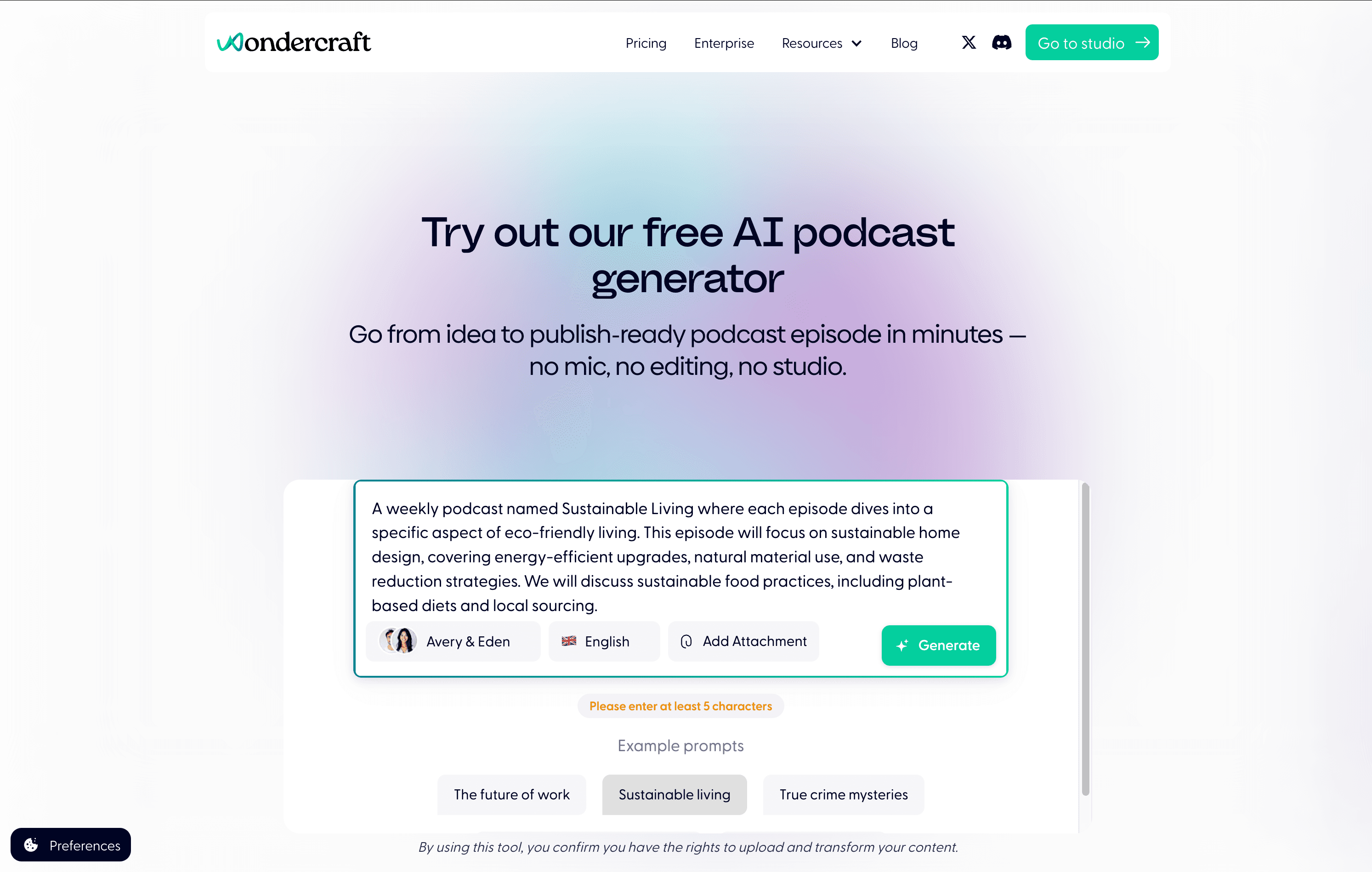
Wondercraft strengths
-
AI script and voice generation inside the same project
-
A timeline editor for arranging voice clips, music, and sound effects
-
Voice selection, voice design, and custom voice options
-
Support for multiple languages
-
A library covering video, avatars, images, music, sound effects, and voices
-
Collaboration and approval features for teams
-
Broader workflows beyond podcast production
Wondercraft is therefore a strong fit for teams that want one creative environment for several types of media, rather than a tool dedicated only to podcasts.
PodcastorAI as a Wondercraft alternative
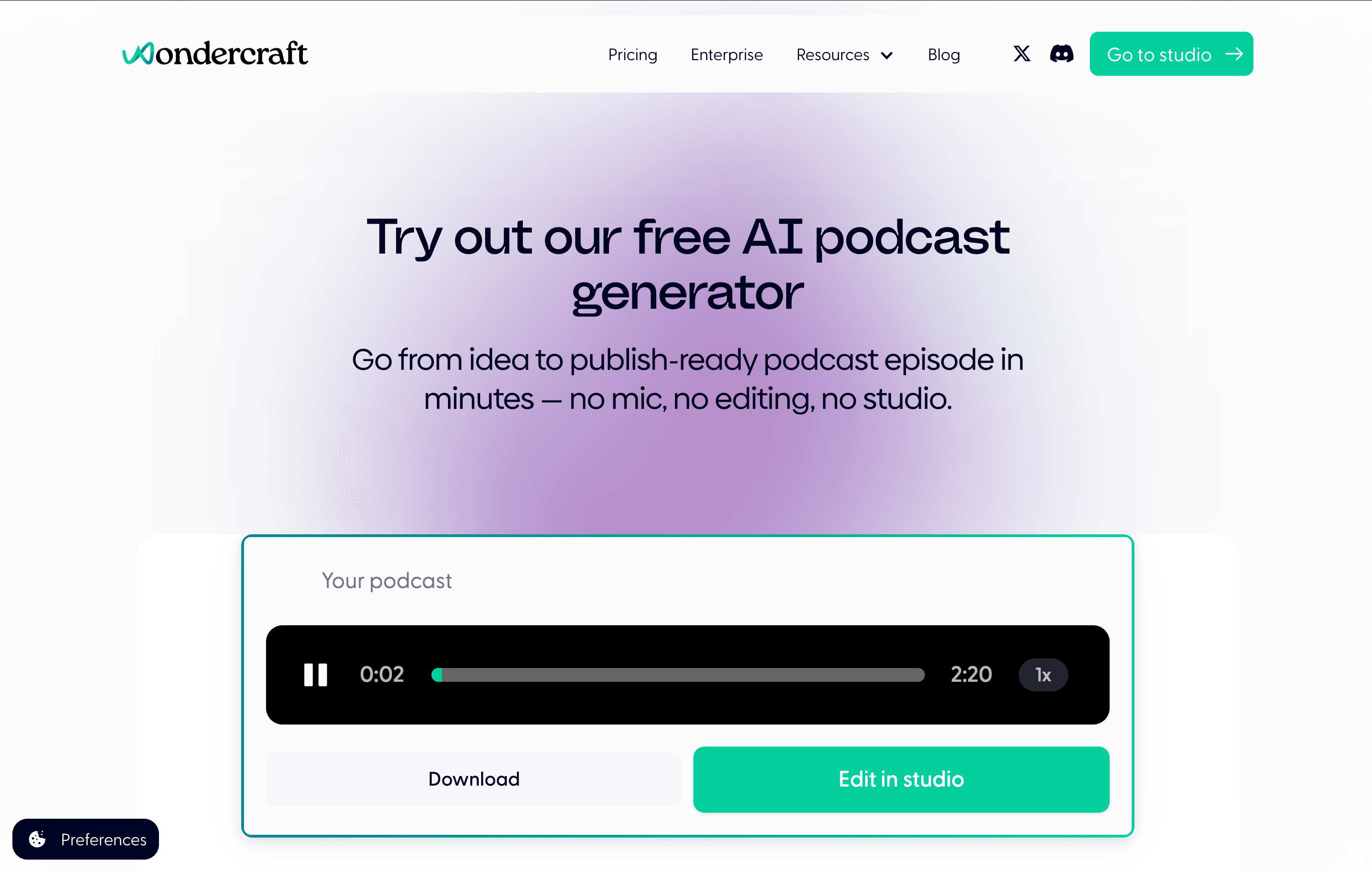
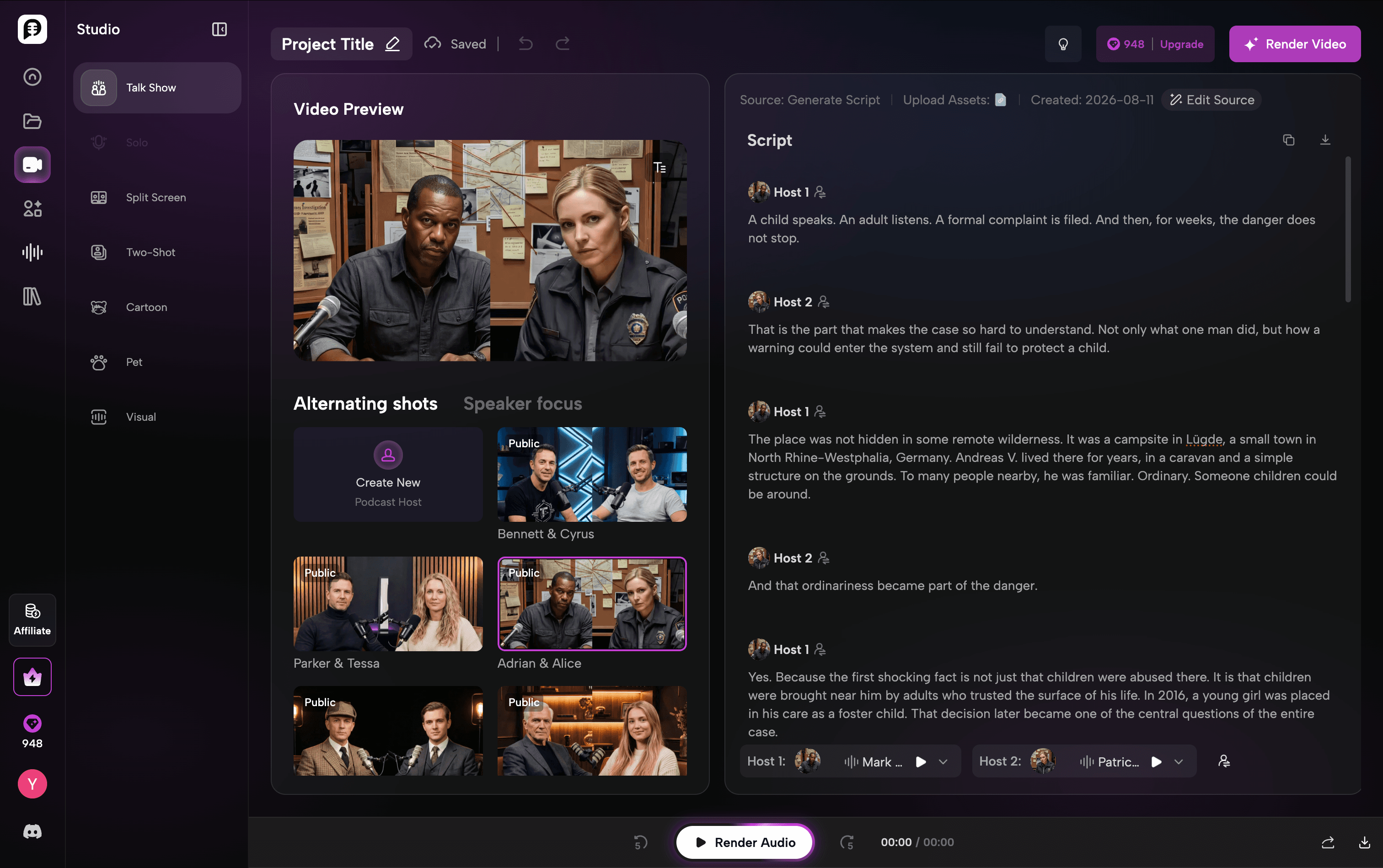
PodcastorAI is an AI podcast studio built around the path from source material to a finished episode. A creator can begin with a topic, URL, PDF, document, notes, script, or audio, then develop the script, assign voices, and choose an audio or video format in the same project.
Its main difference is the video podcast layer. Instead of treating video as a separate creative category, PodcastorAI connects the approved podcast script and audio to formats designed for spoken episodes.
These include:
-
Solo host
-
Talk show
-
Split screen
-
Two-shot conversation
-
Visual podcast with imagery, waveform, and captions
-
Realistic, custom, cartoon, or pet AI hosts
This makes PodcastorAI useful for creators, educators, and marketing teams that want a repeatable podcast format without appearing on camera.
Wondercraft vs PodcastorAI: feature comparison
| Feature | Wondercraft | PodcastorAI |
|---|---|---|
| Core positioning | Broad AI video and audio creative studio | Podcast-first audio and video studio |
| Starting material | Ideas, scripts, notes, documents, URLs, and existing podcasts | Topics, URLs, PDFs, documents, notes, scripts, and audio |
| Script generation | Yes | Yes |
| Script editing | Yes | Yes, with transcript-based review before rendering |
| AI voices | Voice library, voice design, and custom voice options | 1,000+ voices across 32+ languages, plus voice design and cloning |
| Music and sound effects | Strong timeline-based audio tools and AI SFX features | Podcast audio generation, with the workflow centered more on voices and episode formats |
| Audio podcast output | Yes | Yes |
| Video creation | Broad AI-generated video workflows and editing | Video podcasts tied directly to the episode script and audio |
| AI hosts | Avatars and custom AI characters | One- or two-host podcast formats, plus custom, cartoon, and pet hosts |
| Podcast layouts | Built through its wider video creation environment | Solo, talk show, split screen, two-shot, and visual podcast formats |
| Team features | Collaboration and approvals, especially on higher plans | Best suited to creators and teams producing podcast episodes |
| Best fit | Multi-format creative and business video production | Repeatable audio and host-led video podcast production |
Why look for a Wondercraft alternative?
A good platform can still be the wrong fit for a particular production process. Creators usually look for a Wondercraft alternative because they want a more direct answer to one of these questions:
-
Can I turn the same source into both an audio podcast and a host-led video podcast?
-
Can I choose a podcast layout without designing the video scene from scratch?
-
Can I use one or two visible AI hosts without filming myself?
-
Can I review the conversation before spending credits on the final render?
-
Can I make different podcast styles for YouTube, courses, social media, or internal learning?
If these are the main requirements, a podcast-first tool may feel more direct than a broad AI video studio.
Workflow: what happens after you add a source?
PodcastorAI workflow
A typical PodcastorAI project follows a narrower episode path:
-
Add a topic, link, PDF, document, script, or recording.
-
Generate or import the podcast script.
-
Select one or two voices and generate the audio.
-
Keep the episode as audio or add AI hosts, captions, backgrounds, and a podcast layout.
-
Render the finished episode for audio or video publishing.
The script remains the center of the project. That is useful when the creator wants to approve what will be said before generating the more expensive audio or video layer.
Video podcasts and AI hosts
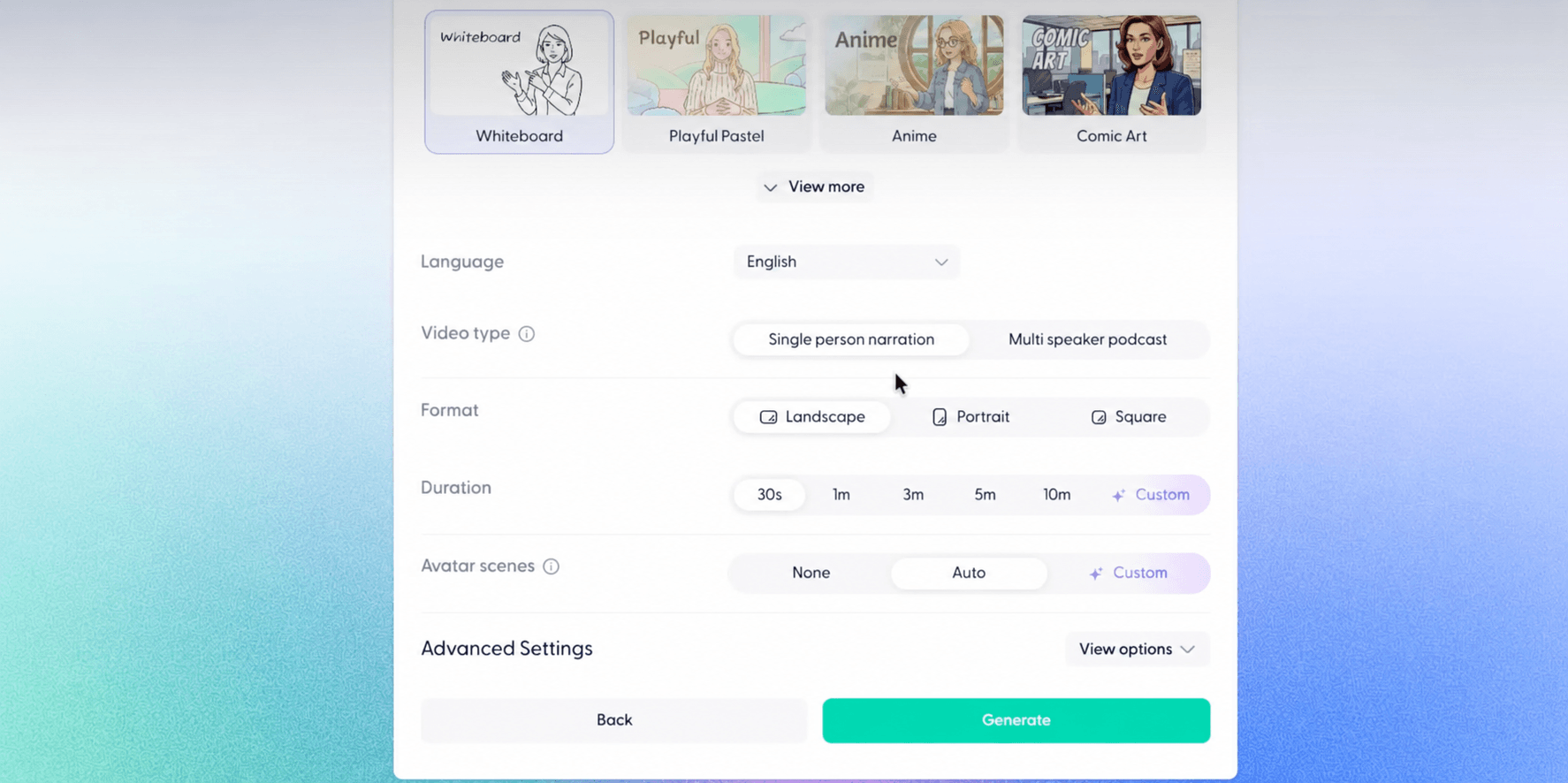
Wondercraft now supports AI video, avatars, custom characters, generated visuals, and a real timeline editor. It can create much more than static audio and is a serious option for business video production.
PodcastorAI’s video capability is more specific. Its AI Video Podcast Generator is designed to turn podcast dialogue into a watchable episode. Creators can choose a solo host, two-person arrangement, split-screen layout, talk-show scene, or visual podcast. They can also use premade or custom hosts and add captions and backgrounds.
The choice comes down to the desired output:
-
Choose Wondercraft when you want to create and edit many types of AI video inside a flexible creative studio.
-
Choose PodcastorAI when the finished product should clearly look and behave like a podcast episode.
Wondercraft vs PodcastorAI pricing
The official pricing pages were checked on September 9, 2026. Both tools use credits, but a credit does not represent the same amount of output across platforms. Compare the deliverable you can produce, not the credit number alone.
| Product and plan | Monthly price | Published allowance or key limit |
|---|---|---|
| Wondercraft Free | $0 | 150 credits, limited AI model access, up to 720p exports |
| Wondercraft Creator | $25/month | 1,000 credits, premium models, one custom AI character, commercial rights, and no watermark |
| Wondercraft Pro | $45/month | Selectable credit capacity, collaboration for up to three users, unlimited custom AI characters, advanced editing, and up to 4K upscaling |
| PodcastorAI Trial | $0 | 50 credits, approximately 12 minutes of audio or 5 minutes of video |
| PodcastorAI Audio Creator | $9.90/month | 300 credits, approximately 75 minutes of audio or 30 minutes of video |
| PodcastorAI Video Starter | $26/month | 600 credits, approximately 150 minutes of audio or 60 minutes of video |
| PodcastorAI Creator Pro | $49/month | 1,500 credits, approximately 375 minutes of audio or 150 minutes of video |
Wondercraft Creator includes a wider library and general creative tooling at $25 per month. PodcastorAI starts lower for creators who mainly need podcast production, while its $26 Video Starter plan is the closest price point for regular video podcast creation.
Which AI podcast generator should you choose?
Choose Wondercraft if:
-
You create podcasts alongside training, promotional, onboarding, or other business videos.
-
Music, ambience, and sound effects are important parts of your work.
-
You want access to a broad collection of AI media models and assets.
-
You need collaboration and approval features for a team.
Choose PodcastorAI if:
-
Your main deliverable is an audio or video podcast.
-
You want one source to become a reviewed script, audio episode, and video episode.
-
You need one or two AI hosts without recording on camera.
-
You want ready-made podcast layouts rather than designing every scene manually.
-
You create educational, faceless, interview-style, or recurring podcast content.
-
You want a lower-cost entry plan focused on podcast output.
Final verdict
Wondercraft is not simply an audio podcast generator. It has developed into a broad AI video and audio studio with a real editor, multiple media models, sound-design tools, avatars, and team features. For creators and businesses producing several kinds of content, that range is valuable.
PodcastorAI is the more focused Wondercraft alternative for people building podcasts as the primary output. It keeps the source, editable script, speaker voices, audio, AI hosts, captions, and podcast layouts connected in one production chain.
If you need a general AI creative studio, start with Wondercraft. If you need a repeatable path from source material to an audio episode and host-led video podcast, start with PodcastorAI.
Turn your next source into an audio or video podcast
Your next episode may already exist inside a PDF, article, lesson, recording, or set of notes. Try PodcastorAI to turn that source into a reviewable script, distinct AI voices, and an audio or video podcast with the format and hosts that fit your audience.
Frequently asked questions
What is the best Wondercraft alternative for video podcasts?
PodcastorAI is a useful alternative when you want a podcast-first workflow with editable scripts, AI voices, one- or two-host video formats, captions, and audio and video output in the same project.
Can PodcastorAI create audio-only podcasts?
Yes. PodcastorAI can generate an audio podcast without adding AI hosts or video. The same script and voices can later be reused for a video podcast if needed.
Does PodcastorAI support AI podcast hosts?
Yes. PodcastorAI supports premade and custom AI hosts, including realistic, cartoon, and pet options. Depending on the selected format, an episode can use one host, two hosts, split-screen presentation, or hostless visual podcast elements.
Which tool is better for teams?
Wondercraft has stronger published collaboration and approval features, particularly for teams producing different types of business media. PodcastorAI is better aligned with teams whose repeated deliverable is an audio or video podcast. The right choice depends on whether broad media collaboration or a specialized podcast workflow saves more time.