
TL;DR
Choose Speechify for read-aloud listening and personal productivity. Choose PodcastorAI for a source-to-podcast workflow that you can review, edit, and extend into audio or video. If you are comparing Speechify alternatives because you need a publishable show rather than a spoken document, PodcastorAI is the more relevant product to test first.
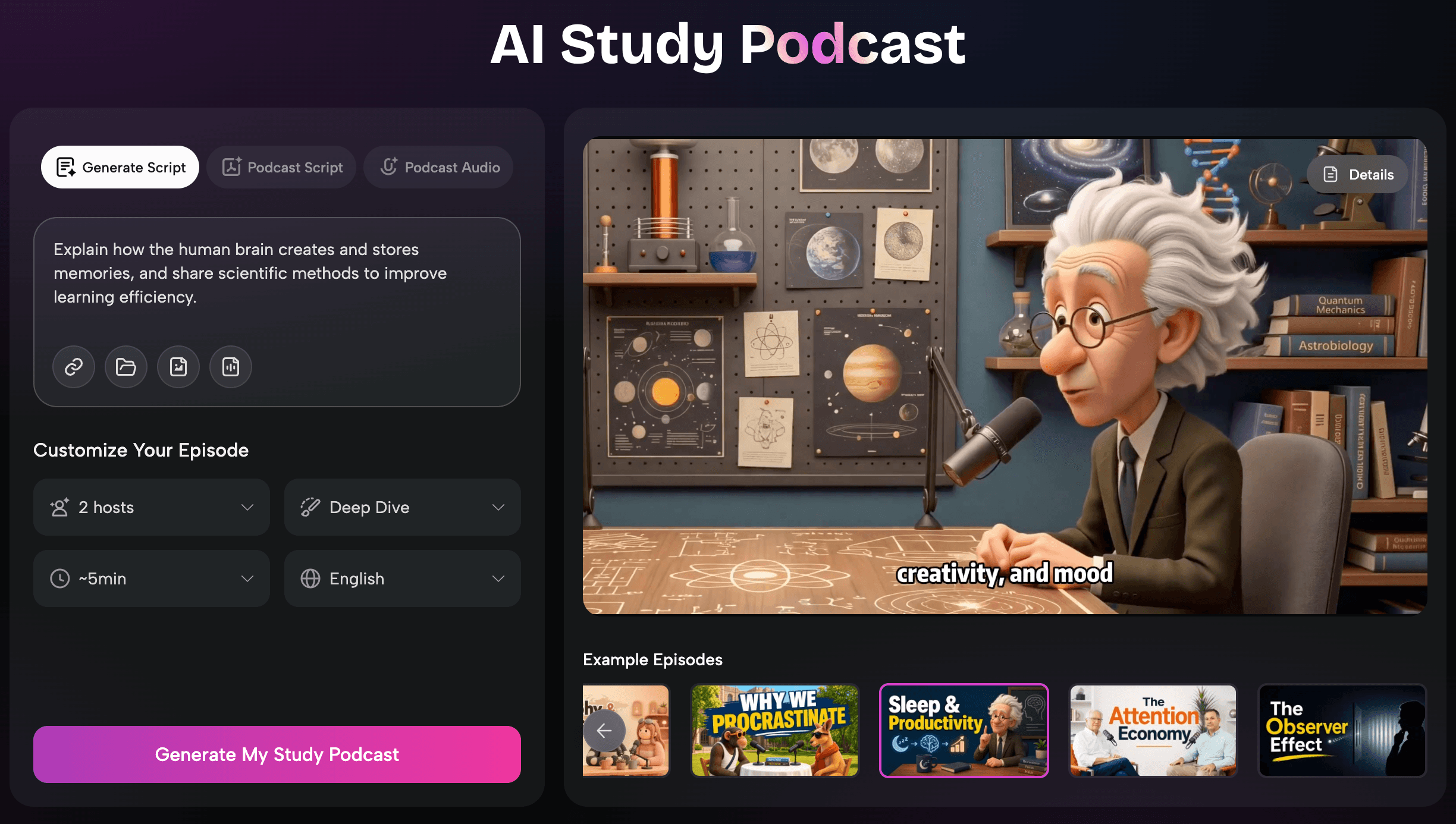
PodcastorAI is the better starting point when your main job is turning source material into an episode. It accepts PDFs, documents, URLs, notes, scripts, and recordings, then connects script generation with AI voices, hosts, audio, video, captions, and podcast layouts. The difference is not simply voice quality. It is where each product sits in the production chain.
Speechify vs PodcastorAI at a glance
| If your starting point is… | Better first try | Why |
|---|---|---|
| A web page, PDF, book, email, or document you want to hear | Speechify/PodcastorAI | Both can be useful here: Speechify reads the source aloud, while PodcastorAI can turn it into a structured audio or video podcast. |
| A PDF, URL, note, script, recording, or rough idea you want to shape into an episode | PodcastorAI | Its official workflow connects source import, script generation, AI voices or hosts, and podcast output. |
| A solo show, talk show, or video podcast | PodcastorAI | You can evaluate the script, host, layout, captions, audio, video, and export as one chain. |
The practical distinction is read aloud versus produce a Podcast. A text-to-speech reader can be excellent at making a document accessible while still being the wrong tool for episode structure, host roles, video layouts, and publishing review.
What does PodcastorAI add to the workflow?
PodcastorAI adds a production layer between your source material and the final output.
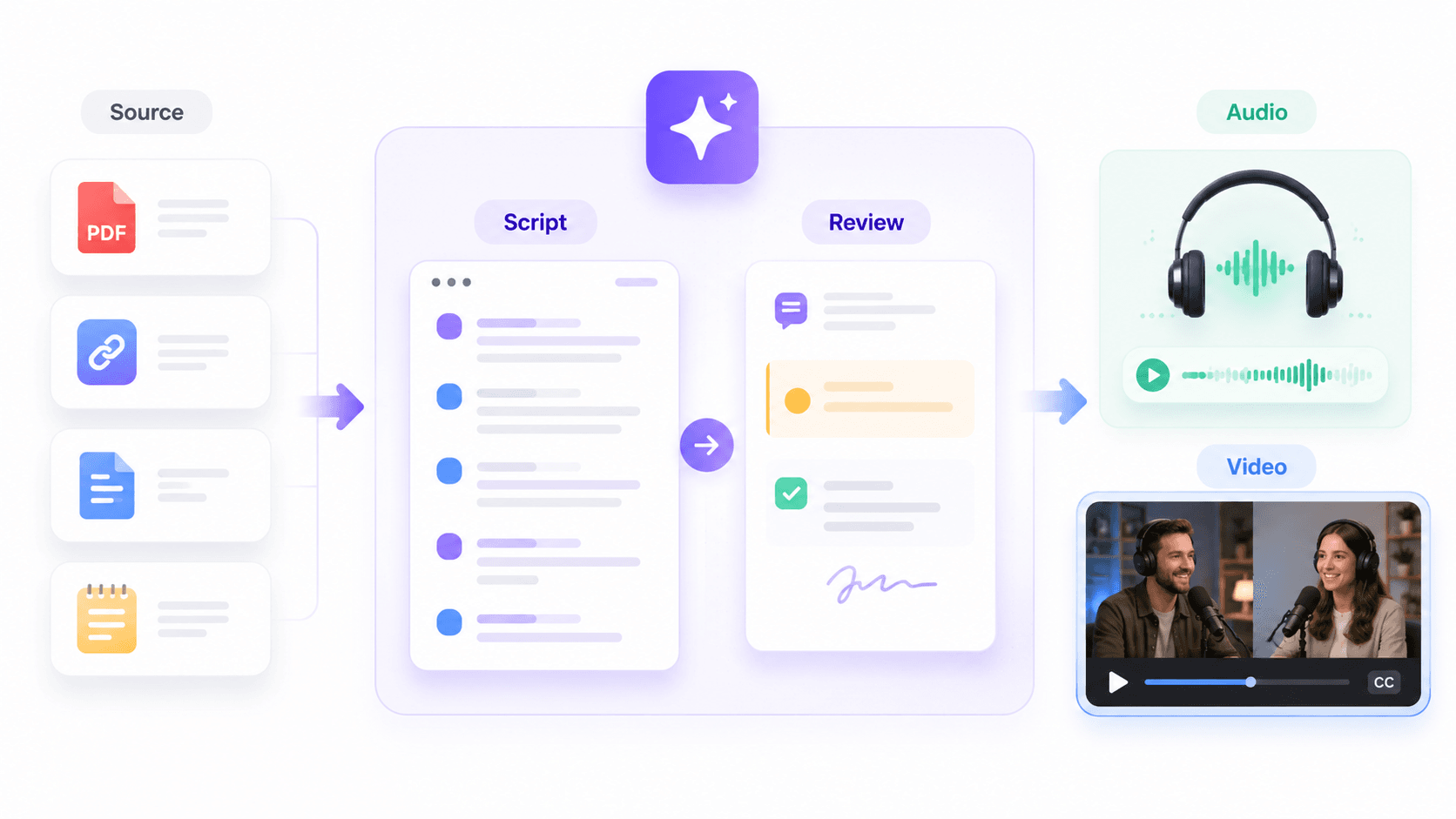
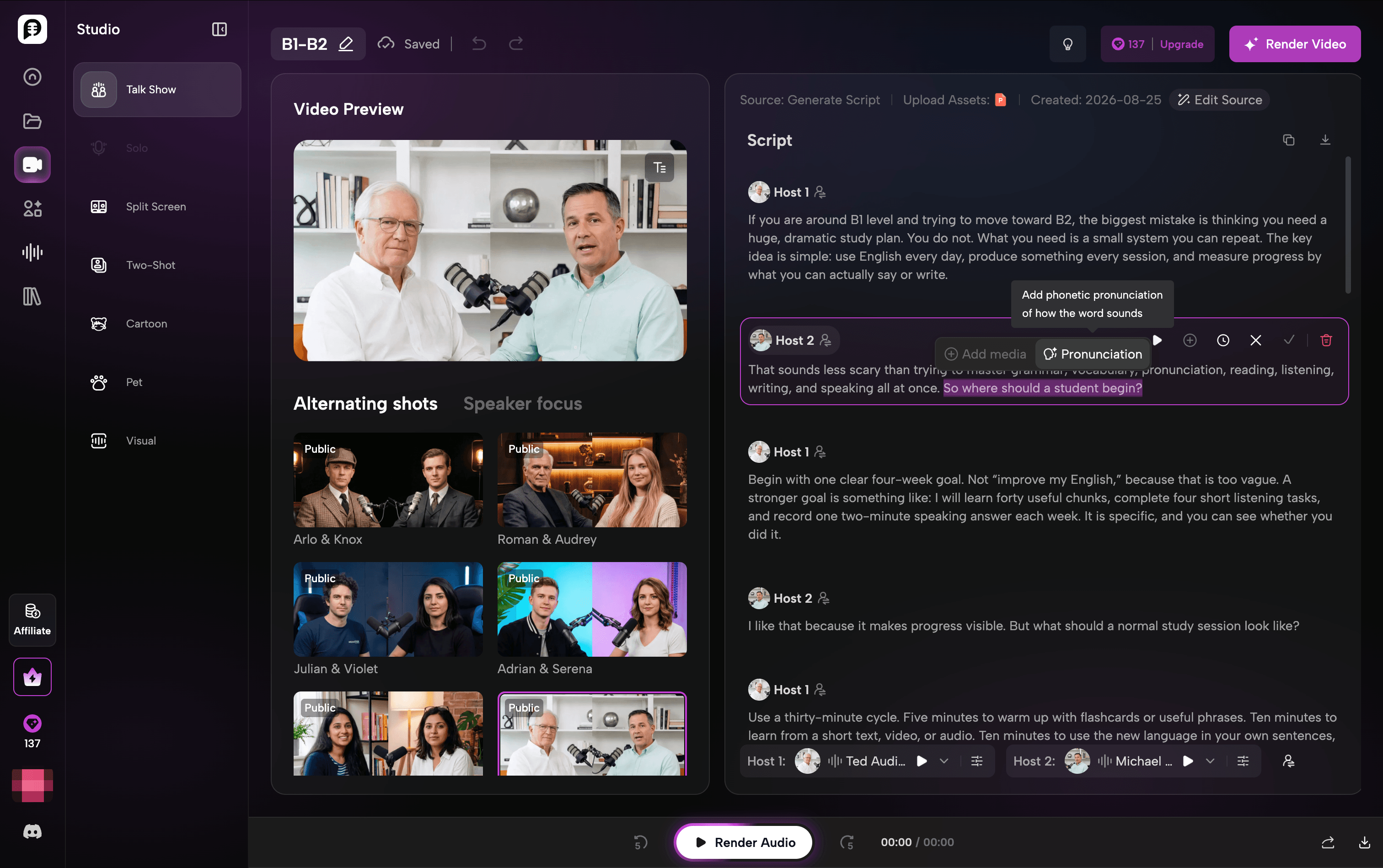
Instead of simply reading a PDF, URL, document, or note aloud, it can first turn that material into a structured podcast script. From there, you can review the content, choose AI voices or hosts, and continue into an audio or video podcast.
That distinction matters when your goal is not just to consume information, but to reshape it into content for other people to watch or listen to.
For example, a research PDF does not have to remain a spoken version of the original document. It can become a shorter educational episode, a solo explanation, a multi speaker discussion, or a video podcast with captions and a visual layout.
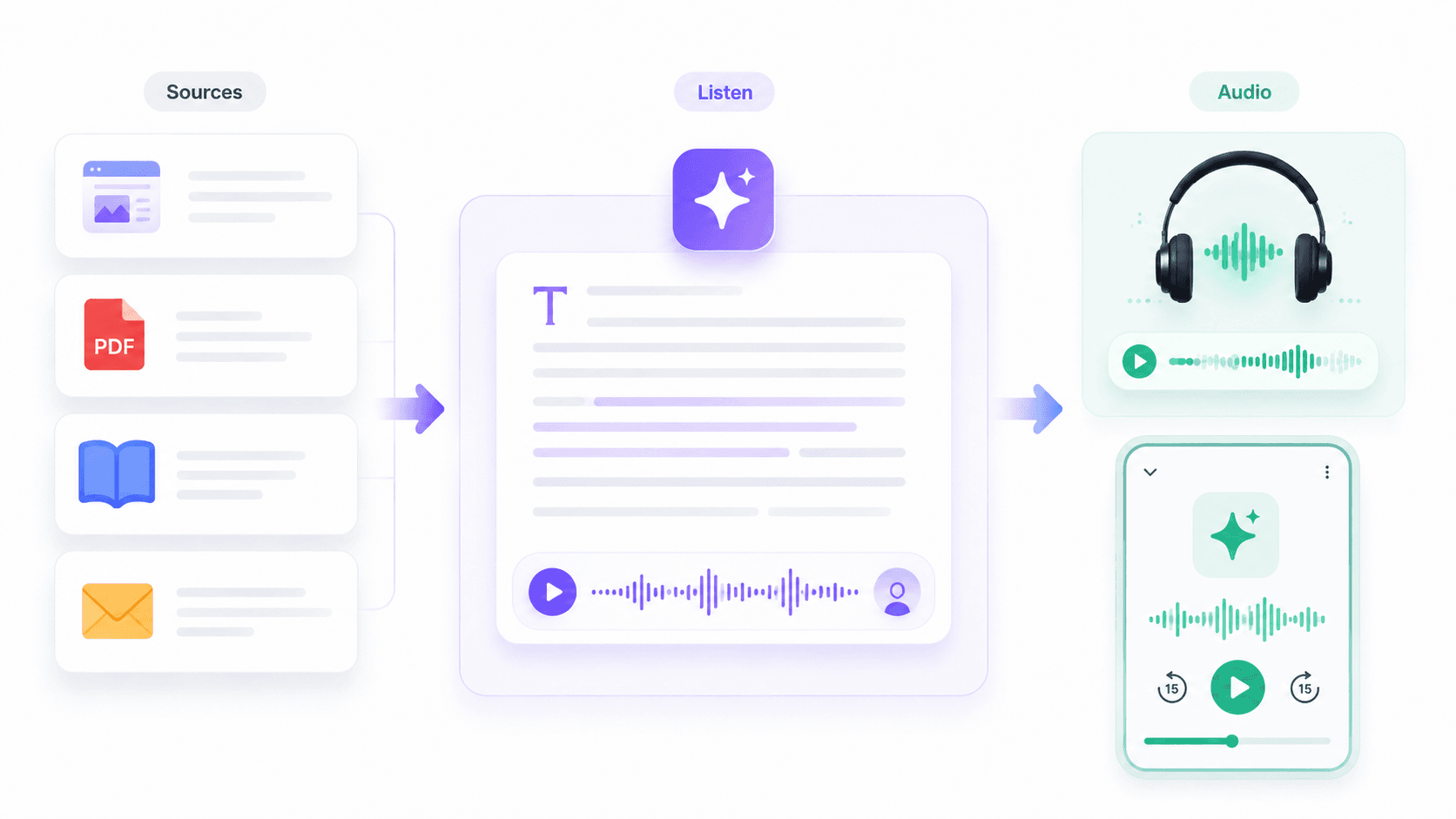
In other words, PodcastorAI moves the workflow from: Source → Listen
to: Source → Script → Review → Audio or Video Podcast
PodcastorAI strengths
-
Turns source material into a new podcast structure. Start with PDFs, URLs, documents, notes, scripts, recordings, or other source material rather than writing every episode from scratch.
-
Connects scripting directly to podcast production. Once the content is approved, the same workflow can continue into AI voices, hosts, audio, and video instead of requiring separate tools for each stage.
-
Supports different ways to present the same material. Depending on the content, creators can use solo, talk-show, split-screen, two-shot, cartoon, or pet podcast formats.
-
Works well for content repurposing. Existing educational material, research, articles, marketing content, or creator assets can be turned into a new format instead of simply being read aloud.
PodcastorAI trade-offs
-
If you only want to listen to a document privately, a source-to-podcast workflow may be more than you need.
-
AI generated scripts still need human review for names, numbers, claims, quotes, context, and uncertainty.
What is Speechify actually optimized for?
Speechify is primarily built around consuming existing written content through audio. Instead of changing the structure of a source, its core value is making articles, PDFs, books, emails, webpages, and other text easier to listen to.
That makes Speechify particularly useful when the content already exists in the form you want and the main problem is how to consume it, rather than how to turn it into a new piece of content.
Speechify strengths
-
Makes existing written content easier to consume through text-to-speech.
-
Works well when you already have an article, PDF, book, webpage, email, or study material and simply want to listen instead of read.
-
Supports faster listening speeds, which can be useful for studying, reviewing documents, or getting through long-form material.
-
Requires relatively little production setup when the goal is personal listening rather than publishing.
Speechify trade-offs
-
Reading a source aloud is different from restructuring that source into a podcast episode with an introduction, sections, transitions, host roles, or a conclusion.
-
Users who want to create a publishable podcast may still need separate tools for scripting, editing, host selection, video layouts, captions, and final production.
-
Its workflow is less directly aligned with creators whose end goal is to repurpose one source into multiple podcast-ready formats.
-
If your main question is “How do I turn this material into a show?” rather than “How do I listen to this material?”, a podcast-generation workflow may be the more natural starting point.
Speechify vs PodcastorAI by production stage
1. Starting material
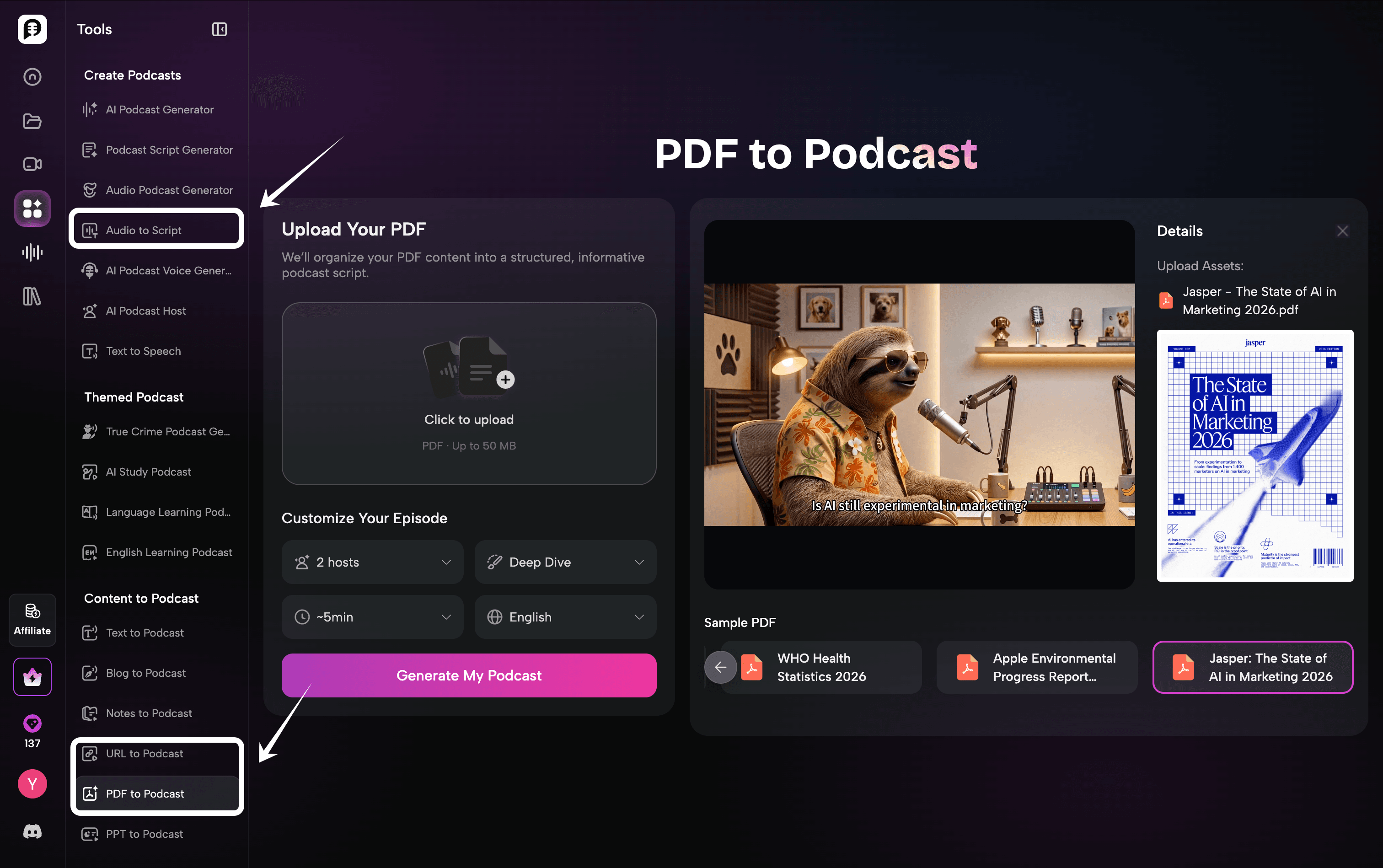
Speechify wins the first stage fit when you already have readable content and want to hear it. PodcastorAI wins the first stage fit when you have source material that needs to become an episode. The right choice depends less on the brand name than on the file or idea sitting on your desk.
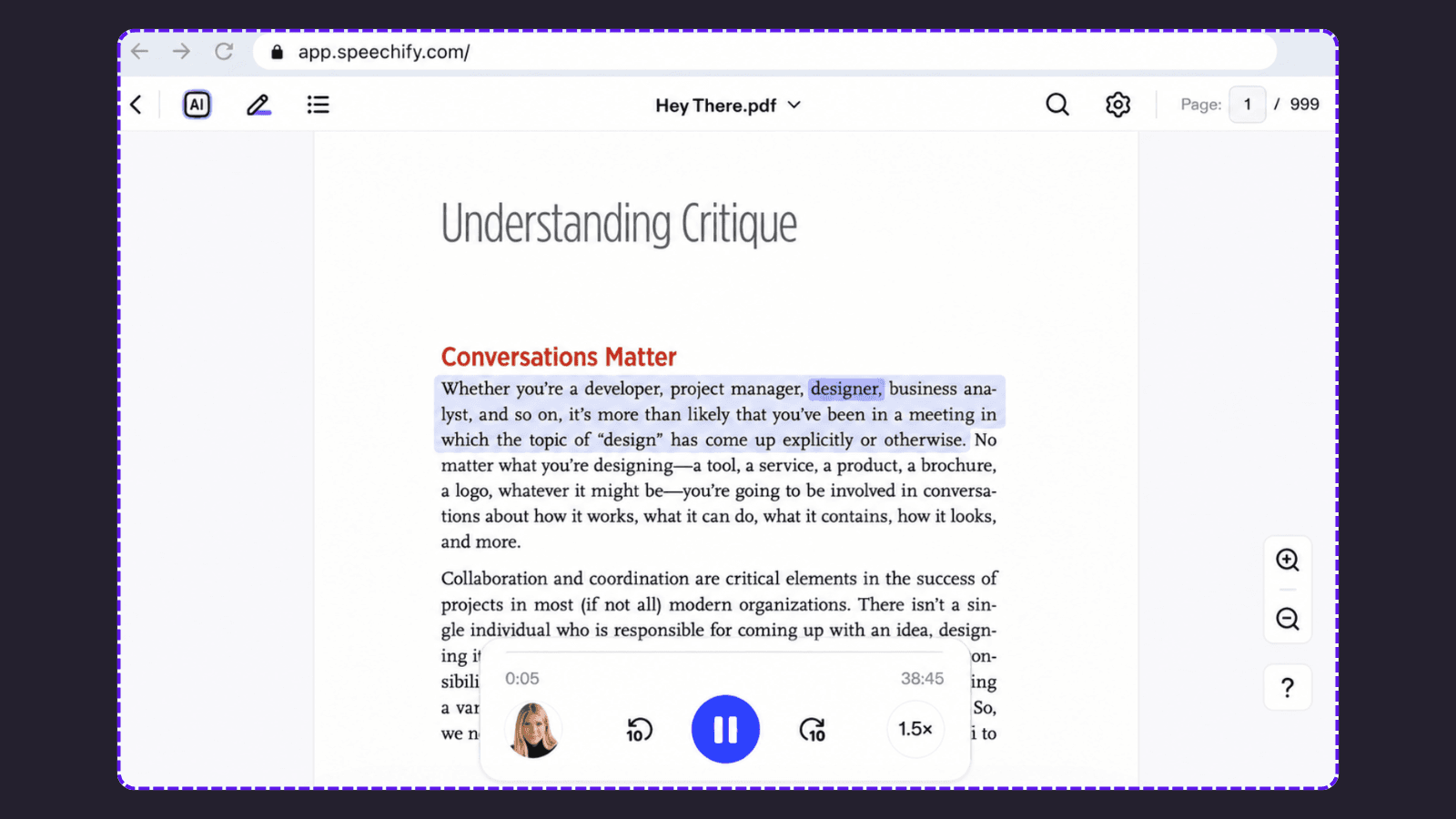
For a research PDF, start with PDF to Podcast if the goal is a structured episode. For a public web page, compare the URL to Podcast flow with Speechify’s read aloud experience. For a recorded interview, test Audio to Script if you need a transcript and a new episode structure.
2. Script and editorial control
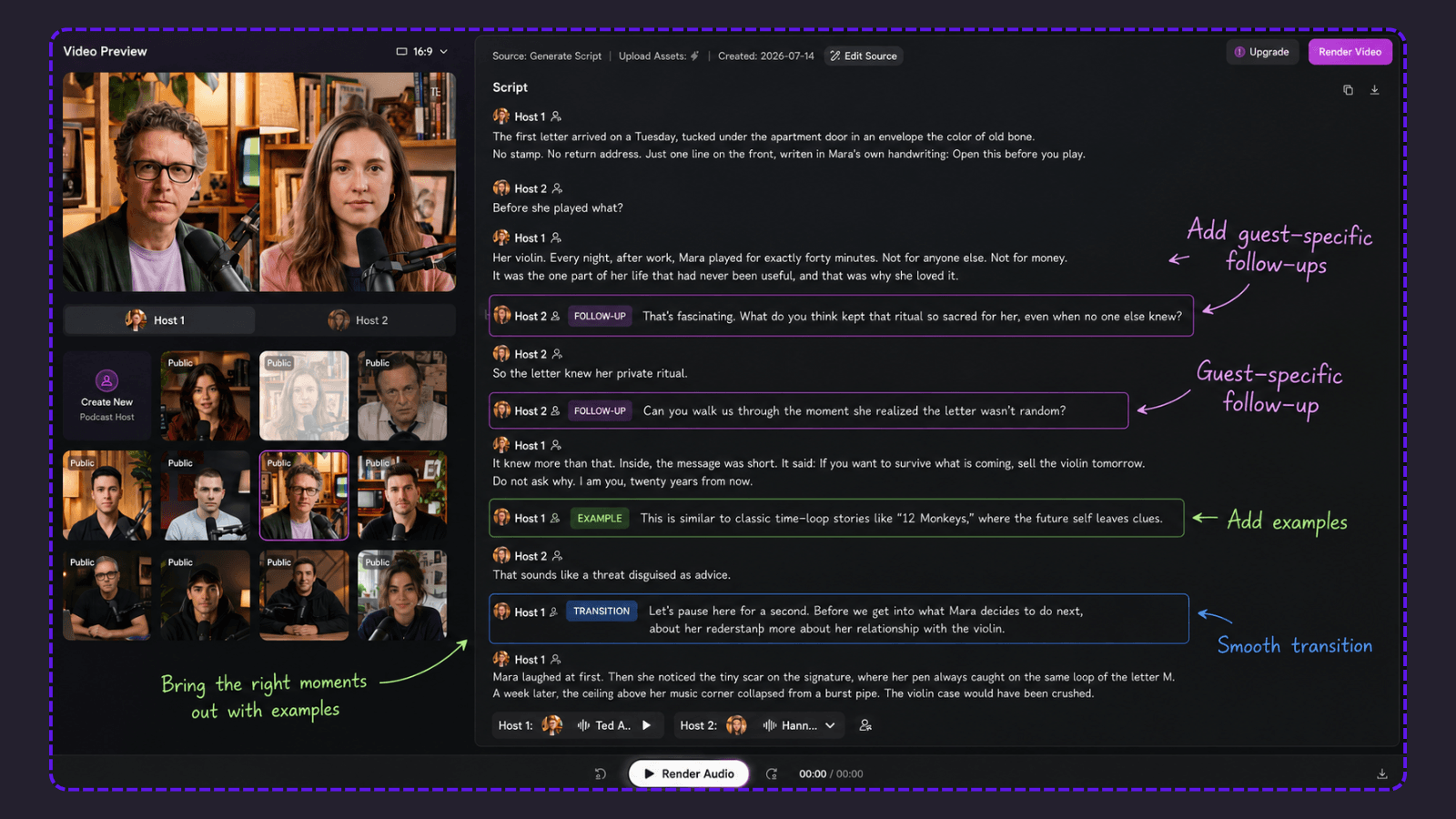
This is where the difference between text-to-speech and podcast generation becomes more visible.
With a read aloud workflow, the source itself remains the main script. The system primarily changes the way you consume it: text becomes spoken audio.
PodcastorAI adds another layer between the source and the final audio. A PDF, URL, note, recording, or idea can first be transformed into a podcast style script, which gives the creator an opportunity to review the structure before rendering.
That matters when the source was never written to sound natural as a podcast.
For this reason, creators should compare not only how accurately a tool can generate speech, but also how much control they have before that speech becomes the final output.
3. Voices
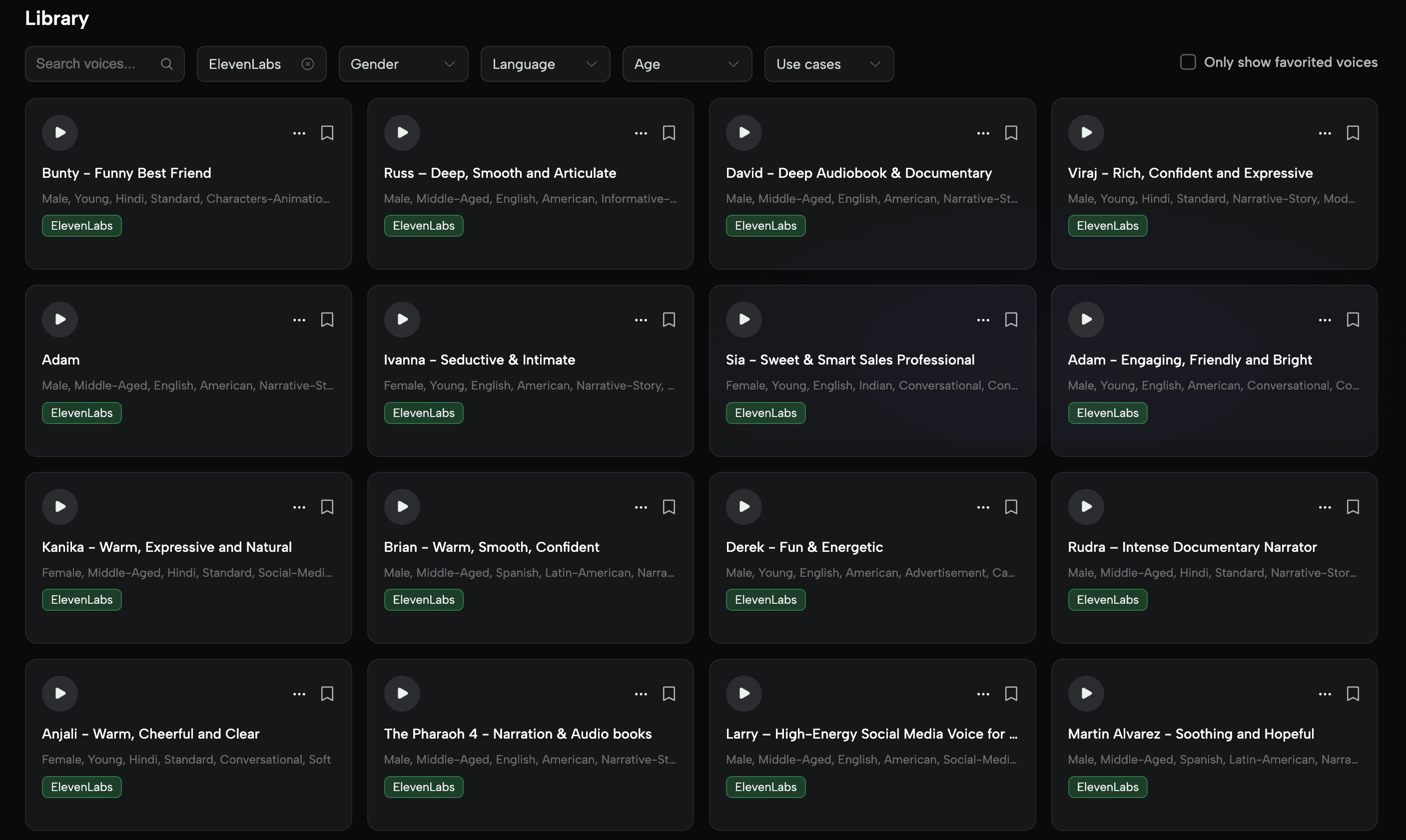
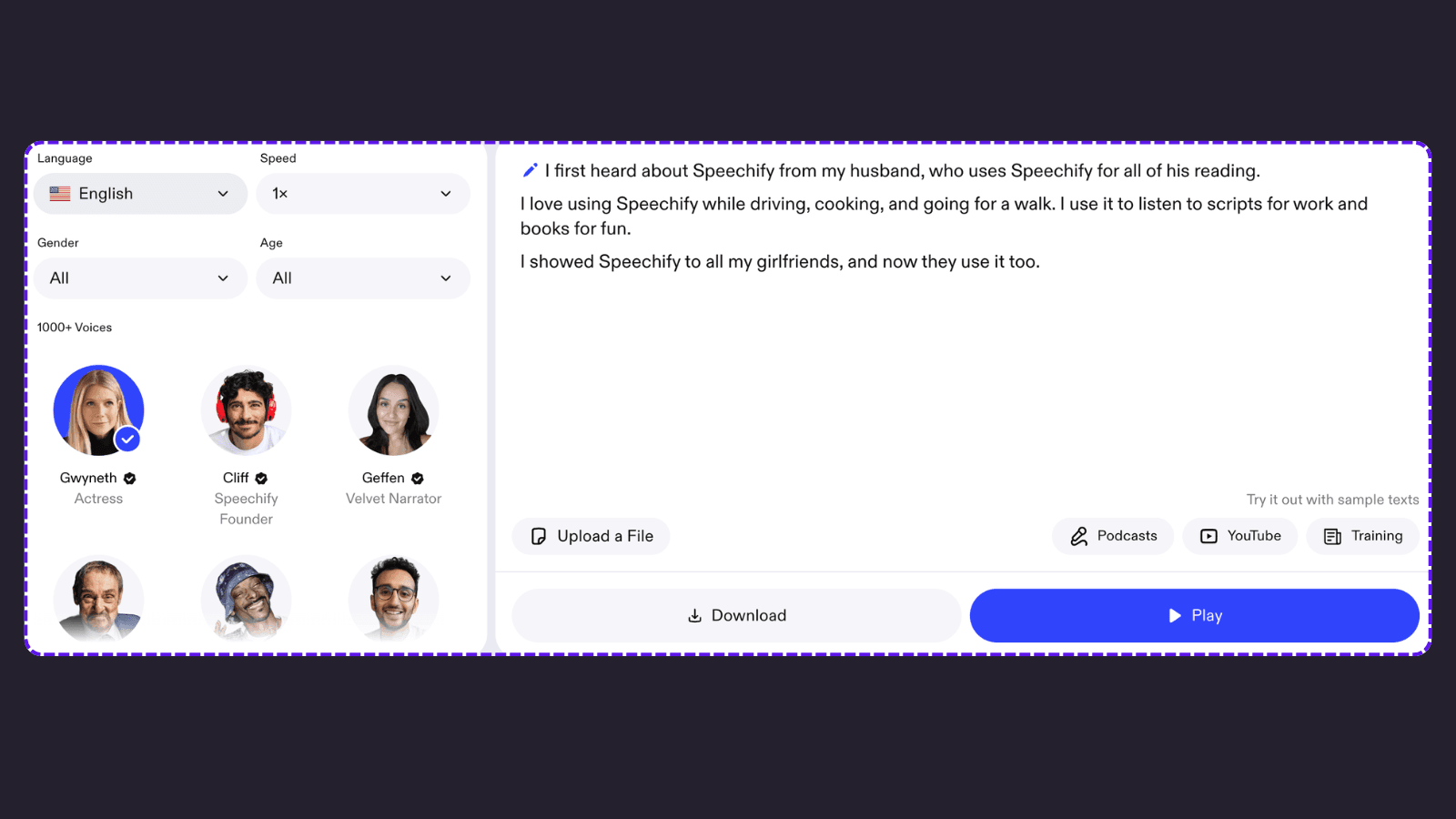
Both tools offer a wide range of AI voices, but they organize them around slightly different goals.
Speechify focuses more on the listening experience, with controls for language, speed, gender, and age. PodcastorAI also lets users filter voices by language, gender, and age, while adding use-case-based options for narration, documentaries, social media, conversations, and other podcast styles.
The difference is less about the number of voices and more about how you plan to use them.
Speechify helps you find a voice to listen to. PodcastorAI helps you choose a voice that fits the role and format of the episode.
From there, PodcastorAI can continue into both audio and video podcast creation.
4. Audio and video podcasts output
Speechify is primarily useful when the final experience is listening. PodcastorAI extends further into content production.
After the script is reviewed, PodcastorAI can continue into audio or video podcast creation using AI voices or hosts.
Depending on the type of content, creators can use formats such as:
-
solo podcasts
-
talk shows
-
split-screen videos
-
two-shot layouts
-
cartoon podcasts
-
pet podcasts
This makes the workflow more relevant for users whose end goal is not simply to hear a document, but to create something that can be shared with an audience.

5. Repurposing and publishing
The biggest workflow difference becomes clear when the same source needs to serve more than one purpose. With PodcastorAI, the workflow can look like: Source → Script → Review → Audio Podcast → Video Podcast
This makes it especially useful for content repurposing. Educational material can become a study podcast. Research can become an explanatory podcast. A webpage or article can become a discussion. Existing creator or marketing content can be reshaped into a format designed for listening or watching.
The value is not simply generating more formats. It is reducing the manual work between the original source and the content you actually want to publish.
Pricing: compare the workflow, not just the monthly number
Here is the clearest price comparison from the official pages checked on September 3, 2026:
| Product and plan | Monthly price | Included output or allowance |
|---|---|---|
| PodcastorAI Free trial | $0 | 50 credits, approximately 12 minutes of audio or 5 minutes of video |
| Speechify Free | $0 | Text-to-speech features only; listening up to 1.5x |
| PodcastorAI Audio Creator | $9.99 | 300 credits, approximately 75 minutes of audio or 30 minutes of video |
| PodcastorAI Video Starter | $26 | 600 credits, approximately 150 minutes of audio or 60 minutes of video |
| Speechify Premium | $29 | 1,000+ voices, 60+ languages, up to 5x listening, and AI Podcasts listed on the page |
| PodcastorAI Creator Pro | $49.99 | 1,500 credits, approximately 375 minutes of audio or 150 minutes of video |
How Much Did It Cost to Generate a 4-Minute-30-Second Audio Podcast?
In a recorded PodcastorAI test, we uploaded one PDF and generated a 4-minute-30-second audio episode. The run used 18 credits. This is a first-hand usage result from the supplied test screenshot, not a guaranteed rate for every PDF, model, voice, or revision.
Using the $9.90 monthly price shown on the Audio Creator plan card and 300 included credits, one credit costs about $0.033. Eighteen credits therefore cost $0.594, or approximately $0.59 for that 4:30 audio episode.
Which tool should you choose?
Choose PodcastorAI when…
-
You want to turn a PDF, URL, document, note, script, recording, or idea into a podcast.
-
You need a generated script that a human can review before rendering.
-
You need audio and video podcast outputs from the same approved source.
-
You want AI hosts, solo or multi-speaker formats, captions, and podcast layouts.
-
You are repurposing educational, research, marketing, or editorial content into a repeatable show workflow.
Choose Speechify when…
-
You want to listen to articles, PDFs, books, emails, or study material.
-
Your source is already written and you do not need a new episode structure.
Frequently Asked Questions
Is PodcastorAI a good alternative to Speechify?
It depends on what you are trying to create. Speechify is mainly designed to help users listen to written content through text-to-speech. PodcastorAI is designed to turn source material such as PDFs, URLs, documents, notes, and recordings into structured podcast episodes. If you need a reading tool, Speechify may be the better fit. If you need scripts, AI hosts, audio, video, captions, and podcast layouts, PodcastorAI is the more relevant alternative.
Can PodcastorAI turn a PDF into a podcast?
Yes. PodcastorAI’s PDF to Podcasts feature allows users to turn documents and prompts into podcast-style audio.
Is Speechify’s AI Podcast feature unlimited?
Speechify’s public pricing and product pages do not explicitly promise unlimited AI Podcast generation. They list AI Podcasts as a Premium feature, but do not publish a monthly episode limit, audio-minute allowance, or credit quota. For that reason, the $29/month Premium price should be treated as a subscription fee, not as proof of unlimited podcast creation.
How much does PodcastorAI cost?
PodcastorAI offers a free trial with 50 credits. Its Audio Creator plan is displayed at approximately $9.90 to $9.99 per month and includes 300 credits. Video Starter is listed at $26 per month with 600 credits, while Creator Pro is listed at $49.99 per month in the comparison table with 1,500 credits. Prices, credits, and plan conditions should be confirmed on the PodcastorAI pricing page before purchase.
How much does it cost to create a 4-minute-30-second audio episode?
In one PodcastorAI test, we uploaded a PDF and generated a 4-minute-30-second audio episode using 18 credits. Based on the $9.90 Audio Creator plan and 300 included credits, that output cost approximately $0.59. This is an observed result from one test, not a guaranteed price for every file, voice, model, or revision.
Can PodcastorAI create both audio and video podcasts?
Yes. PodcastorAI connects source import, script generation, AI voices or hosts, audio creation, video rendering, captions, and podcast layouts in one workflow. The available video length, credits, voices, watermarks, storage, and export options depend on the selected plan.
Which tool is better for content repurposing?
PodcastorAI is a better fit when you want to transform that material into a podcast episode and continue into audio, video, captions, or other content formats. For a publishing workflow, the most useful comparison is not only voice quality or monthly price, but also script review, editing effort, export options, and commercial-use terms.
Conclusion
Speechify and PodcastorAI overlap, but they are built for different goals.
Speechify is a strong choice when you want to turn written content into something you can listen to. PodcastorAI makes more sense when you want to transform that source into a new piece of content, with a structured script, AI voices or hosts, and audio or video output.
So if you are looking for a Speechify alternative, start with the outcome you actually need: better listening, or a podcast you can create and share. For the first, Speechify may be enough. For the second, PodcastorAI is worth trying.