
Introduction
Many new creators assume podcast production only means recording one single first‑episode. In reality, podcast production covers the full end‑to‑end lifecycle: pre‑production planning, scripting, recording or AI narration, post‑editing, and multi‑platform distribution, which may demand substantial time and budget investment.
To produce a podcast, you need to select a focused topic and target audience, plan a reusable episode structure, write a script for the first episode, and record your voice or generate an AI-generated narration. After reviewing the final cut, create the episode cover art and description, then publish it via a podcast hosting platform or video platform.
A well-established podcast production workflow gives you full control over your show’s theme, update schedule, and creative direction. This guide will walk you through the entire production process for your first podcast episode, including hands-on live recording and how to use the PodcastorAI podcast generator to create AI-voiced audio or video podcasts based on your ideas and reference materials.
What Is Podcast Production?
Podcast production refers to the entire process, from brainstorming topics, organizing materials, and writing scripts to recording voiceovers, editing, designing cover art, and publishing and distributing the podcast. It can be completed independently by a single person or through collaboration among multiple people; the resulting content can take the form of educational content, opinion pieces, storytelling, book reviews, or Q&A sessions with listeners.
A well-structured podcast production workflow helps creators maintain control over their content, narrative pacing, and publishing schedule. Podcasting has also become an important way for audiences to access information. According to a 2025 Pew Research Center survey, 54% of U.S. adults had listened to a podcast in the past year, highlighting the growing reach of podcast content.
Traditional podcast production may involve separate tools for scripting, recording, editing, and video creation. AI-assisted workflows such as PodcastorAI can reduce repetitive tasks by bringing script drafting, narration, and audio or video creation into one process.
What You Need to Prepare for Podcast Production
Before producing your first episode, consider the practical requirements alongside your creative plan:
-
Equipment: A phone or laptop, headphones, and a quiet space are enough for a basic recording test. A USB microphone and pop filter are optional upgrades, not prerequisites.
-
Time: Allow time for research, outlining, recording, editing, review, and publishing. A heavily researched interview may take much longer than a short solo explainer; track the time spent on your first episode to set a realistic schedule.
-
Budget: You can start with equipment you already own and free editing software. Costs depend on microphone upgrades, optional software, artwork, and hosting; check current provider pricing before setting a budget.
-
Topic and audience: Pick a specific subject and identify the listeners who will benefit from it.
-
Research and show template: Keep source links and dates in one place, and choose a repeatable episode structure.
-
Production route: Decide whether to record your own voice or use AI-assisted narration. If recording yourself, test your sound before the full session. If using PodcastorAI, prepare a topic, script, or materials you have permission to use, and review generated output before publishing.
Define Your Podcast Topic and Target Audience
The most important creative decision is selecting a specific topic you can sustain over the long run. A focused topic simplifies research and planning, and makes it easier to brainstorm future episode ideas.
Narrow down broad interests into real audience needs. Here are some directions for reference:
-
Share productivity tips for students balancing academics and part-time jobs
-
Deliver practical experience for newcomers to remote work
-
Briefly explain historical inventions and how they transformed daily life
-
Share book reflections for specific reading communities
-
Language-learning stories set in everyday scenarios
-
Industry observations for creative or professional fields
-
Lessons learned from your personal projects, trials and career experience
Before committing to a topic, draft three possible episode titles for the same audience. If each addresses a distinct, useful question, the topic is likely focused enough for a recognizable show while leaving room for future episodes.
Clarify three things: Who your listeners are, what each episode helps them understand, and which topics are not suitable for your show. Your viewpoints can come from personal experience, research or hands-on practice. Make sure to state your stance clearly in the opening and show description.
Example of a clear show positioning: Spend roughly 12 minutes per episode helping new remote workers solve a real workplace problem, paired with practical cases and actionable advice.
This positioning guides your topic selection, shapes your show format and gives listeners reasons to keep tuning in. After locking in the general direction, use a podcast name generator to brainstorm show titles based on your theme, audience and style. Check existing shows on platforms to avoid duplicate names.
Choose a Sustainable Show Format
Pick a format that fits both your material library and available time. For beginners, keep your first episode between 10–20 minutes; shorter standalone episodes also work for narrow topics.
Four common formats suitable for podcast production:
-
Educational Explainer: Break down concepts, workflows or events. Pose a clear core question and support it with multiple examples to help audiences follow along.
-
Personal Story & Reflections: Share real-life experiences and insights. Use specific scenes and details to enrich the narrative.
-
Review & Opinion Commentary: Analyze books, works, tools or industry trends. Build your own evaluation criteria and back up every opinion with relevant examples.
-
Listener Q&A: Answer questions submitted by your audience. Before you receive listener submissions, prioritize common beginner questions within your niche.
For new creators, simple educational explainers or short personal stories are easiest to structure and replicate. Estimate the time required for research, writing, production and review, then set a weekly or biweekly release schedule.
Each format has its own logic for organizing materials: explain processes sequentially, tell stories around turning points, and separate personal opinions from factual source information. A distinctive fixed structure greatly reduces the difficulty of podcast production and creates a smoother listening experience.
Organize Notes and Reference Materials
Maintain a simple source log to store your notes, original links, publication dates and planned examples. Link every key factual statement to its source, which not only helps script writing but also provides references for your show description.
Sources should match your theme: Check official documentation for product feature details; refer to original papers for research claims; use museum and archive resources for historical content. When conflicting information appears across sources, verify publication dates, definitions and applicable scope, and accurately present these discrepancies.
When writing, distinguish sourced facts, personal experience and subjective interpretation. Use phrases like “According to the report” and “In my experience” to help listeners trace information origins. Double-check names, data and citations against original texts. Save the source log once your script is finalized for future updates and revisions.
Plan Your First Podcast Episode
Pick one specific question that can be fully resolved within a single episode. A focused question sets a clear goal for the opening and helps you filter content for your script.
For example, for a show targeting new remote workers, the premiere question could be: How to prepare for your first weekly team meeting? Content may cover what to review before the meeting, how to share work progress concisely, and key questions to raise.
If you choose human recording: Using your finished script or outline, find a quiet room with soft sound-absorbing decor. Keep your microphone at a consistent distance and wear headphones to monitor audio.
-
Record a short test clip: Speak at your normal volume, watch for background noise, echo and audio distortion. Adjust your environment and equipment before formal recording.
-
Record in segments: Follow your outline and pause briefly before re-recording lines. Separate intro, main body and ending for simpler edits later.
-
Edit and review the finished file: Remove retakes and verbal slips, balance volume and ensure smooth transitions between sections. The free tool Audacity can handle editing and mixing.
Before publishing, listen through the full episode on headphones, computer speakers and mobile speakers. Confirm vocals are clear and the opening matches the promise in your title.
Complete Podcast Production with PodcastorAI
Want to create a podcast without spending hours recording and editing? PodcastorAI helps you turn your ideas, scripts, and research materials into finished audio or video podcasts. Whether you’re a beginner working on your first episode or a solo creator looking to save time, you can manage the production process in one place.
New users receive 50 free credits, which can be used to try generating podcast audio or a short video before committing to a paid plan.
Step 1: Choose Your AI Podcast Host
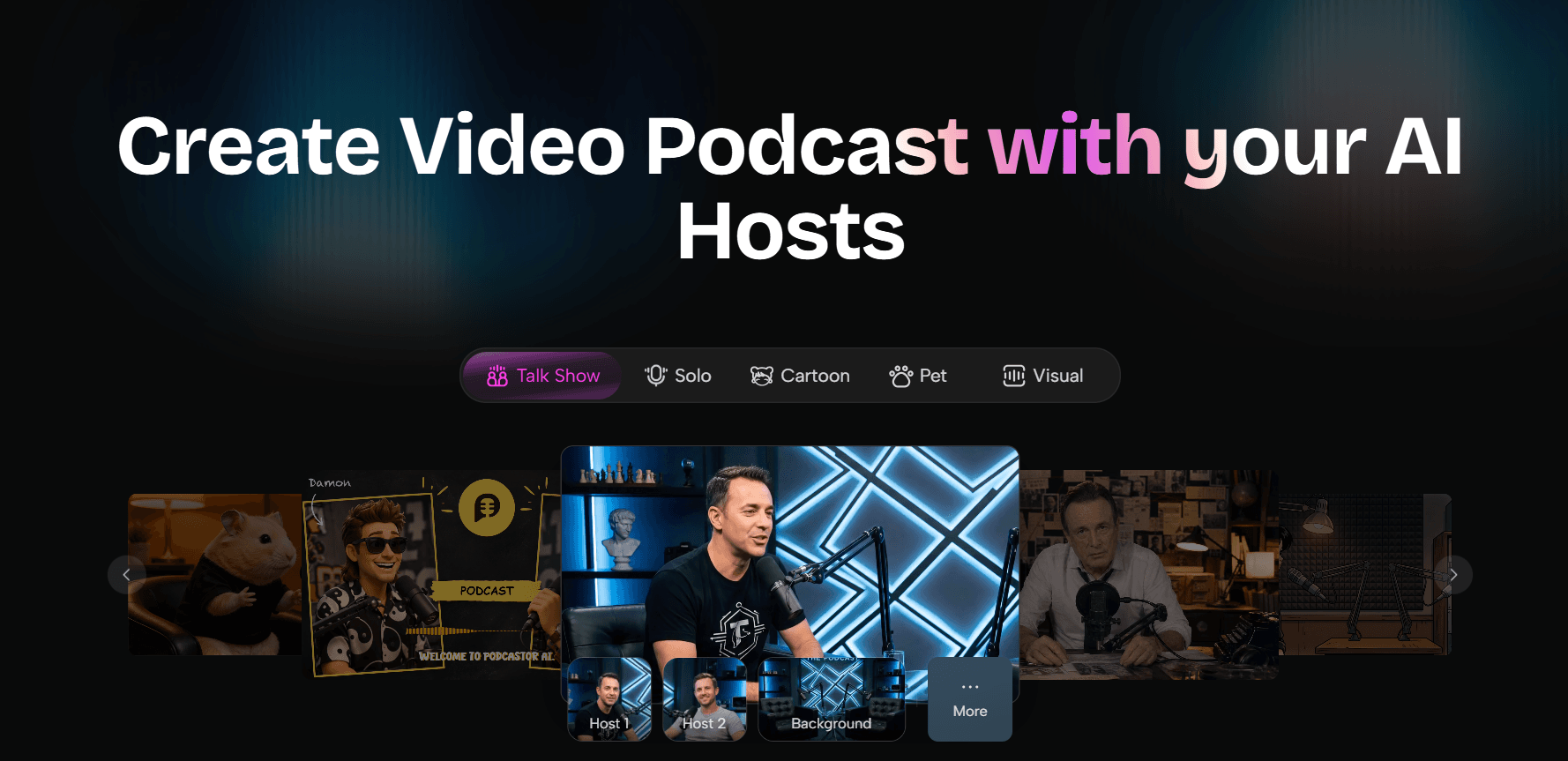
Start by choosing an AI podcast host that matches your show’s topic and style. If you’re creating a video podcast, select a virtual host whose appearance fits your content. Consider whether you want a professional presenter for educational topics or a more casual host for storytelling and discussions.
For audio-only podcasts, you can focus on selecting a suitable narration style without setting up a video host.
Step 2: Enter Your Topic or Upload Your Materials
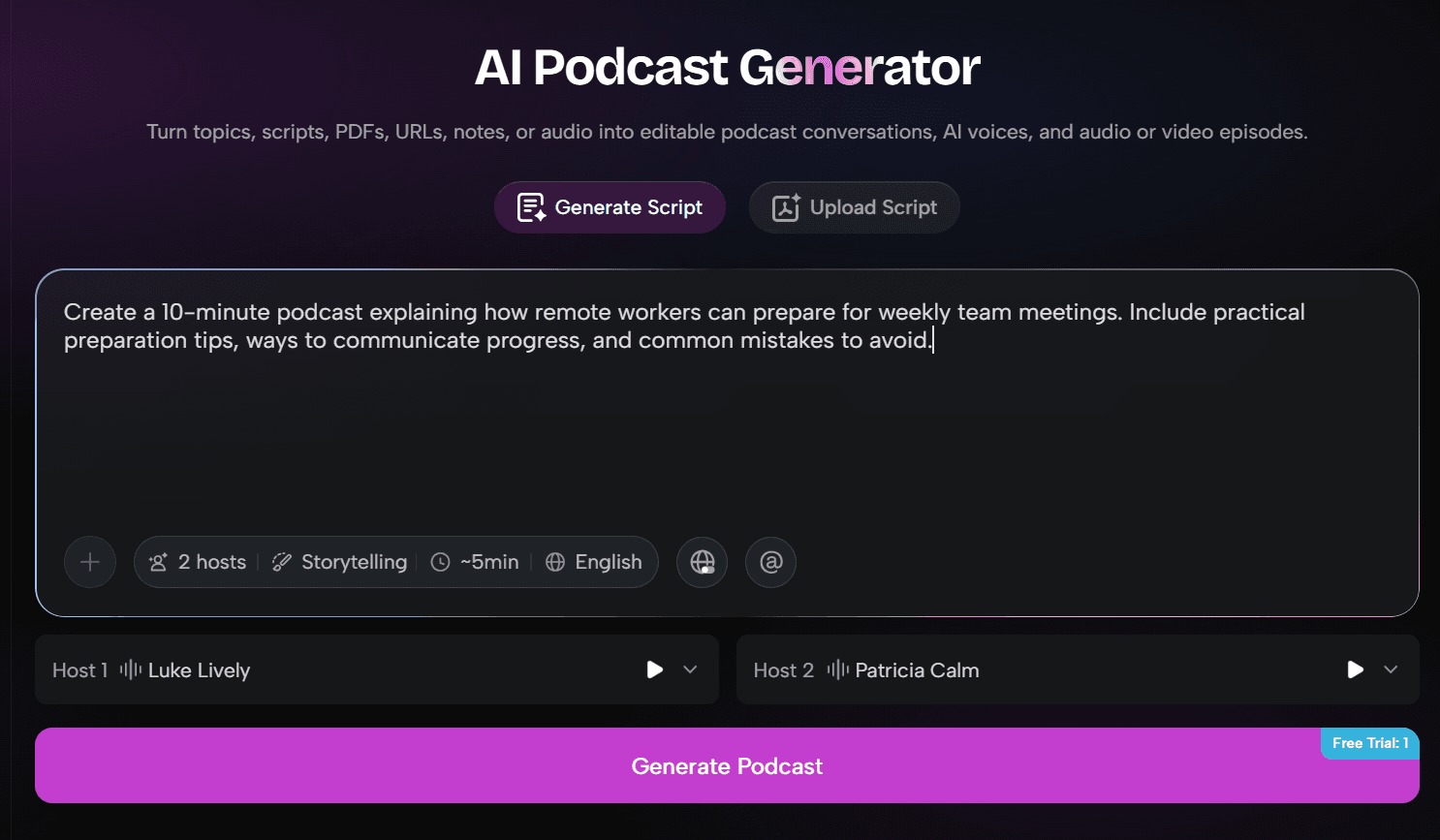
Next, provide the content for your episode. You can enter a topic or prompt, upload research documents, PDFs, or notes, or add a script you’ve already written.
For example, if you’re creating a podcast about remote work, you could enter:
Create a 10-minute podcast explaining how remote workers can prepare for weekly team meetings. Include practical preparation tips, ways to communicate progress, and common mistakes to avoid.
If you already have a complete script, upload it directly instead of generating a new one. This gives you more control over the episode’s content and structure.
Step 3: Review Your Script and Generate Audio
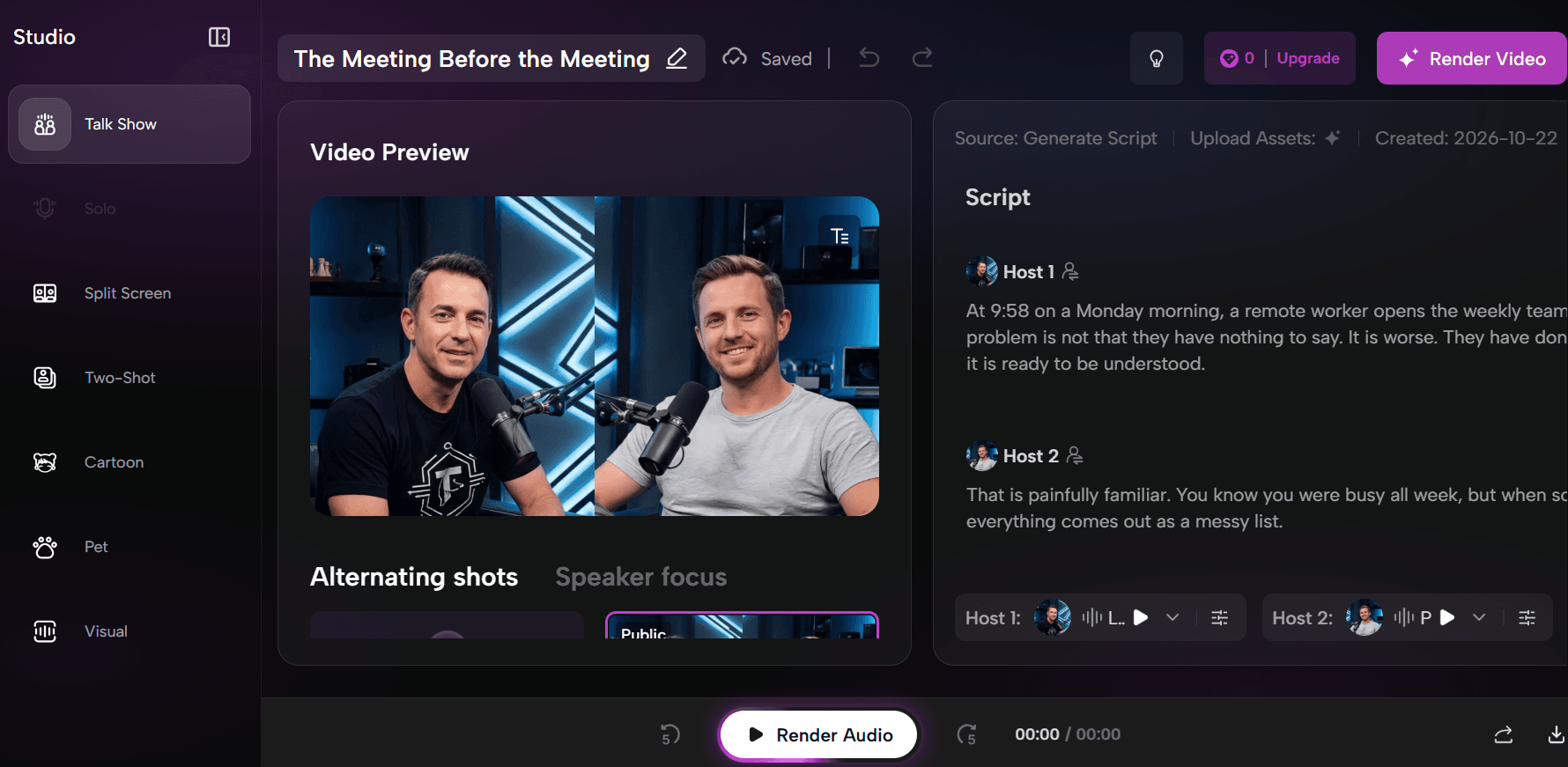
If you start with a topic or research materials, PodcastorAI can generate a podcast script based on your input. Review the draft, adjust the wording, and add personal examples to make the content more engaging.
Check factual details, names, and pronunciation before moving forward. Once you’re satisfied with the script, choose an AI voice that fits your podcast’s tone and generate the audio.
This approach is especially useful for creators who want to produce narration without recording their own voices.
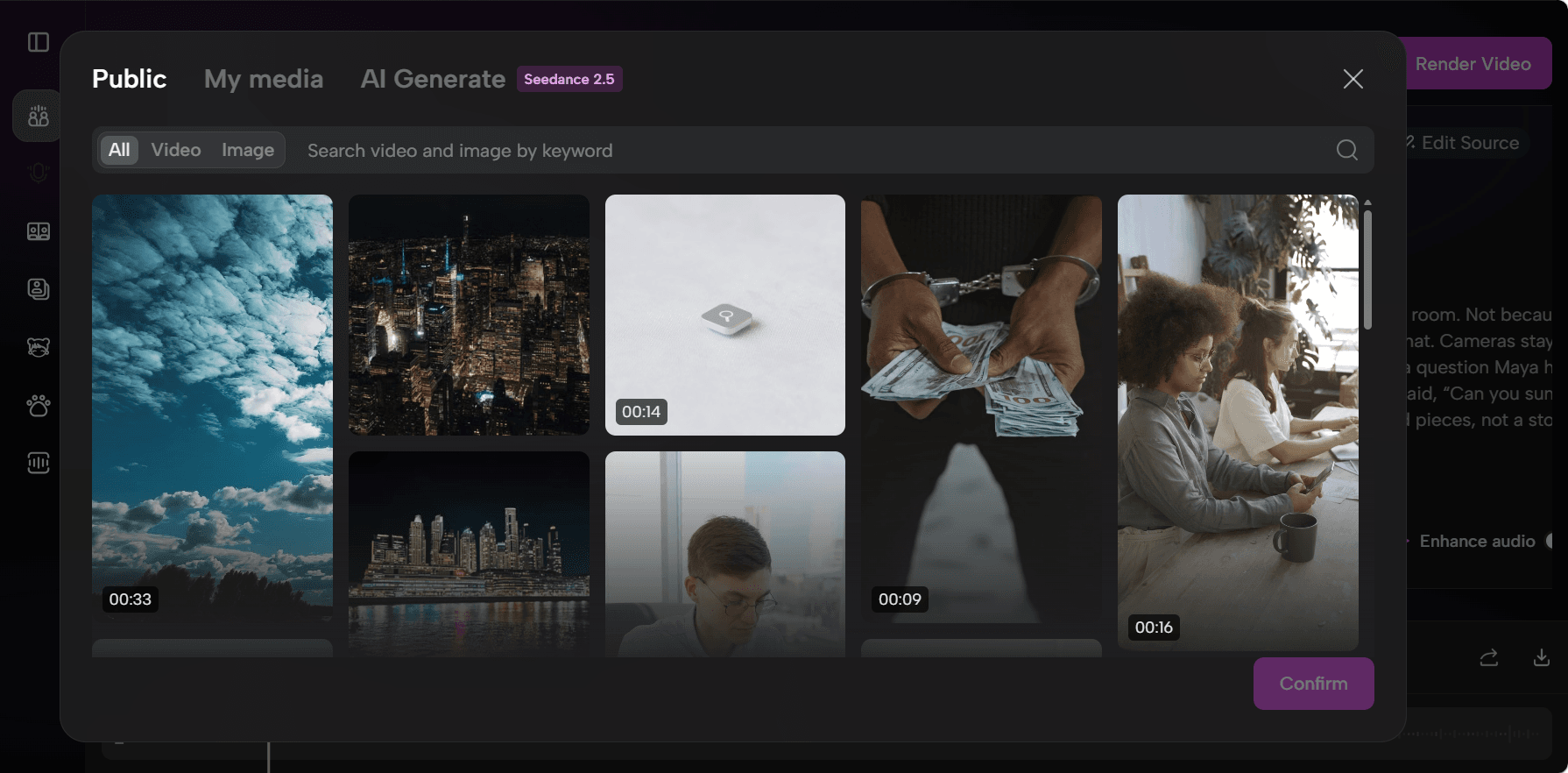
Step 4: Add B-Roll and Visual Elements
If you’re creating a video podcast, you can enhance the episode with B-roll footage and other supporting visuals.
For example, a podcast about remote work could include footage of home offices, virtual meetings, or people collaborating online. These visuals can help illustrate key points and make the video more engaging.
Review how the visuals match your narration, and make adjustments where needed.
Step 5: Render, Review, and Export Your Podcast
Once your script, narration, and optional visuals are ready, render your podcast into its final audio or video format.
Listen to the finished episode to check audio quality, pacing, pronunciation, and transitions. If you’re creating a video podcast, also review the subtitles and visual timing.
After exporting, prepare an episode title, cover art, and description before publishing to platforms such as Spotify, Apple Podcasts, or YouTube.
With PodcastorAI, you can move from an initial idea or existing script to a finished podcast without managing multiple separate production tools. Try PodcastorAI for free and use your free credits to explore the production workflow.
Repurposing Content, Secondary Distribution and Continuous Show Iteration
After finishing your first episode, complete your show assets: show name, cover art, description, category and a sustainable release schedule. You can release just one episode, or batch-produce several episodes in advance to create a buffer for future creation.
Publish Audio via Podcast Hosting Platforms
Podcast hosting platforms store audio files and generate RSS feeds containing show information and episode links. Submit and bind your RSS feed to listening platforms you want to reach. Once connected, platforms will automatically pull future audio updates.
For example, Spotify hosting generates an RSS feed after you publish your first episode. Enable the feed to distribute to other platforms. Apple Podcasts requires you to submit your RSS feed following official guidelines. See also Spotify for Creators help:
Write titles that highlight the question solved or core value of each episode. The description should include a short summary, reference sources and production information listeners need to know.
Video Versions and Short Clip Re-editing
Upload your video podcast to relevant platforms and check titles, thumbnails, subtitles and descriptions. YouTube’s podcast feature organizes video episodes into podcast playlists.
Extract complete standalone segments from full episodes to create short social media clips. Open clips with a hook and guide viewers to listen to the full episode. Consistent host avatar, cover style and voice connect short clips with full episodes.
Gradually Optimize Your Production Workflow
After release, collect listener feedback and listening retention metrics, and review time spent on production. Identify listener questions that can inspire future episodes and sections that can be improved.
Keep what works well: your show positioning, signature host avatar and mature script framework. Optimize only one variable at a time, such as opening lines, episode length or narrative rhythm. This allows steady iteration while maintaining consistent publishing.
Start Your Podcast Production Journey for Free
Lock in one audience group, one focused question and one reusable show format. Gather materials, build a clear outline, review the script, and finally produce audio or video matching your show.
Use PodcastorAI to turn ideas or existing materials into podcast scripts, select narration voices, configure AI hosts, and complete your first podcast production.Cut down your podcast production time from days to hours with PodcastorAI.