
If you’re searching for a Jellypod AI Podcast Generator, you’re probably looking for more than a tool that simply turns text into speech. You may want to turn a PDF, article, notes, or a finished script into a podcast, edit the conversation, choose the voices, and eventually publish it as audio or video.
Both Jellypod and PodcastorAI can help with that process, but they approach it differently.
Jellypod brings podcast creation together with hosting, scheduling, distribution, and recurring automation. PodcastorAI focuses more closely on the production side, giving you an editable workflow from source material to script, audio, AI hosts, and video.
So the better choice depends less on which product has the longer feature list and more on where your podcast workflow usually gets stuck.
Jellypod vs PodcastorAI at a glance
| If you need… | Start with |
|---|---|
| Editable dialogue and voice control | PodcastorAI |
| Audio and video from the same podcast project | PodcastorAI |
| Reusable AI hosts for a recurring video podcast | PodcastorAI |
| Shorts and multiple visual content styles | Jellypod |
| A podcast generated from a PDF, article, notes, or topic | Either |
| Built-in podcast hosting and RSS distribution | Jellypod |
The biggest difference appears after the first generation.
Jellypod is designed to help move a show toward publishing and distribution. PodcastorAI gives you more room to shape the episode itself before you export it, especially when video is part of the final format.
What is Jellypod?
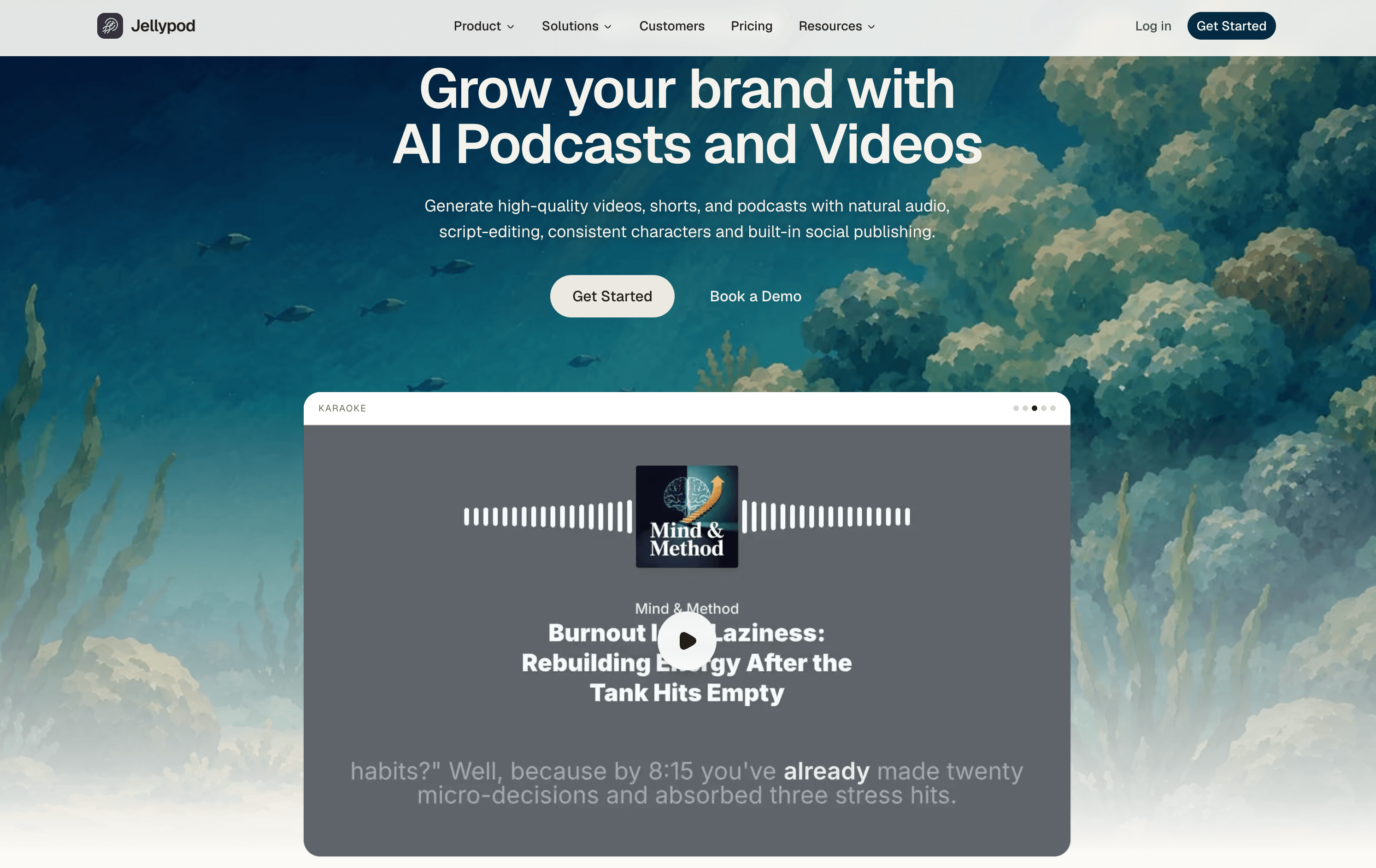
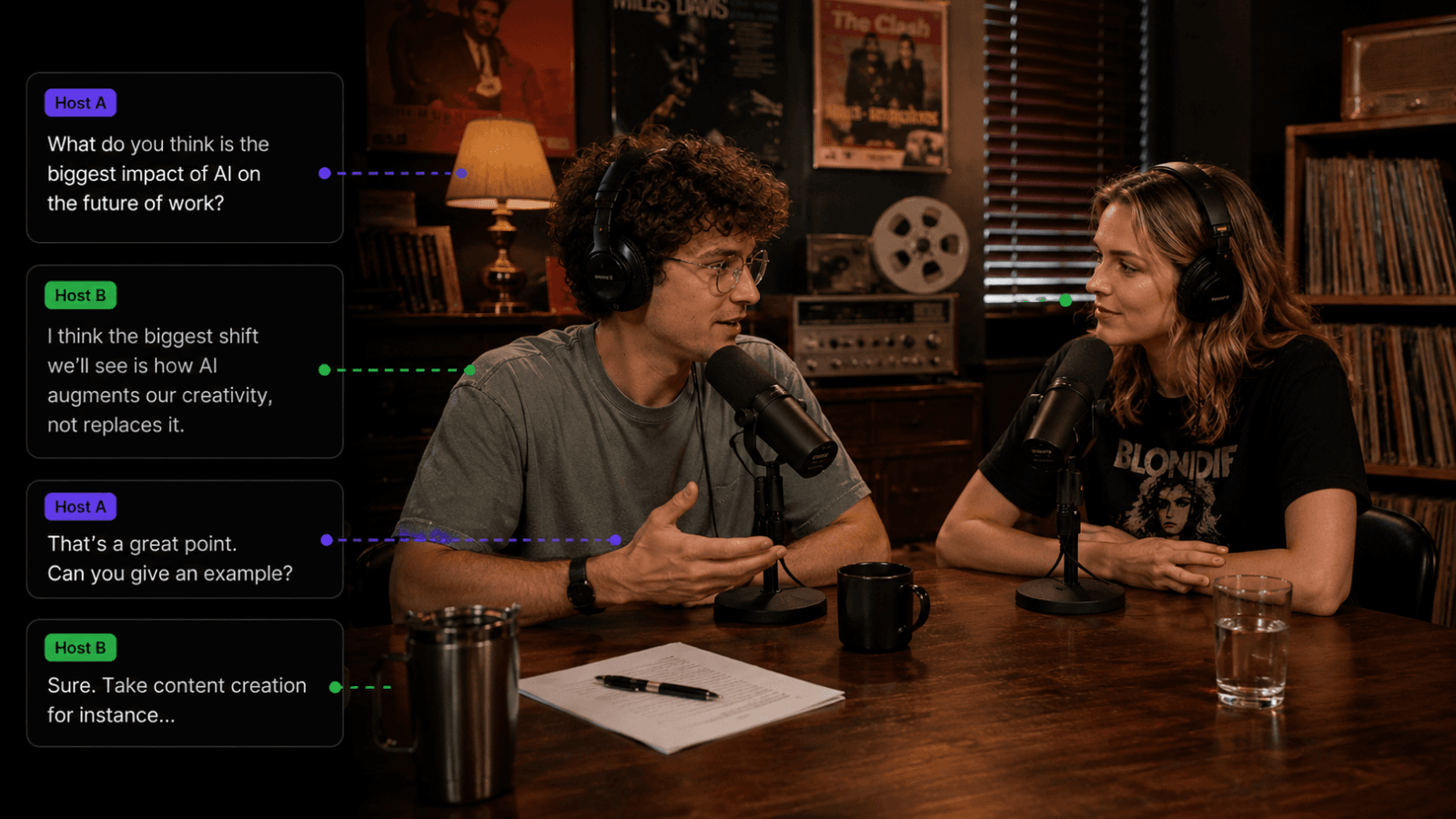
Jellypod is an AI podcast and video platform that can turn topics, PDFs, articles, slides, recordings, and notes into podcast episodes and visual content. Its product goes beyond basic audio generation. Jellypod also offers editable scripts, AI voices, voice cloning, AI characters, podcast hosting, scheduled publishing, and distribution.
That makes it particularly useful for creators and teams that want to manage an ongoing podcast without connecting several separate tools.
Built-in podcast publishing
One of Jellypod’s clearest strengths is what happens after an episode is created. Its paid plans include features such as a hosted podcast website, distribution to Spotify, YouTube, and Apple Podcasts, scheduled publishing, and an embeddable player.
For a team running a recurring show, this can reduce the number of handoffs between creating an episode and getting it in front of an audience.
Recurring automation
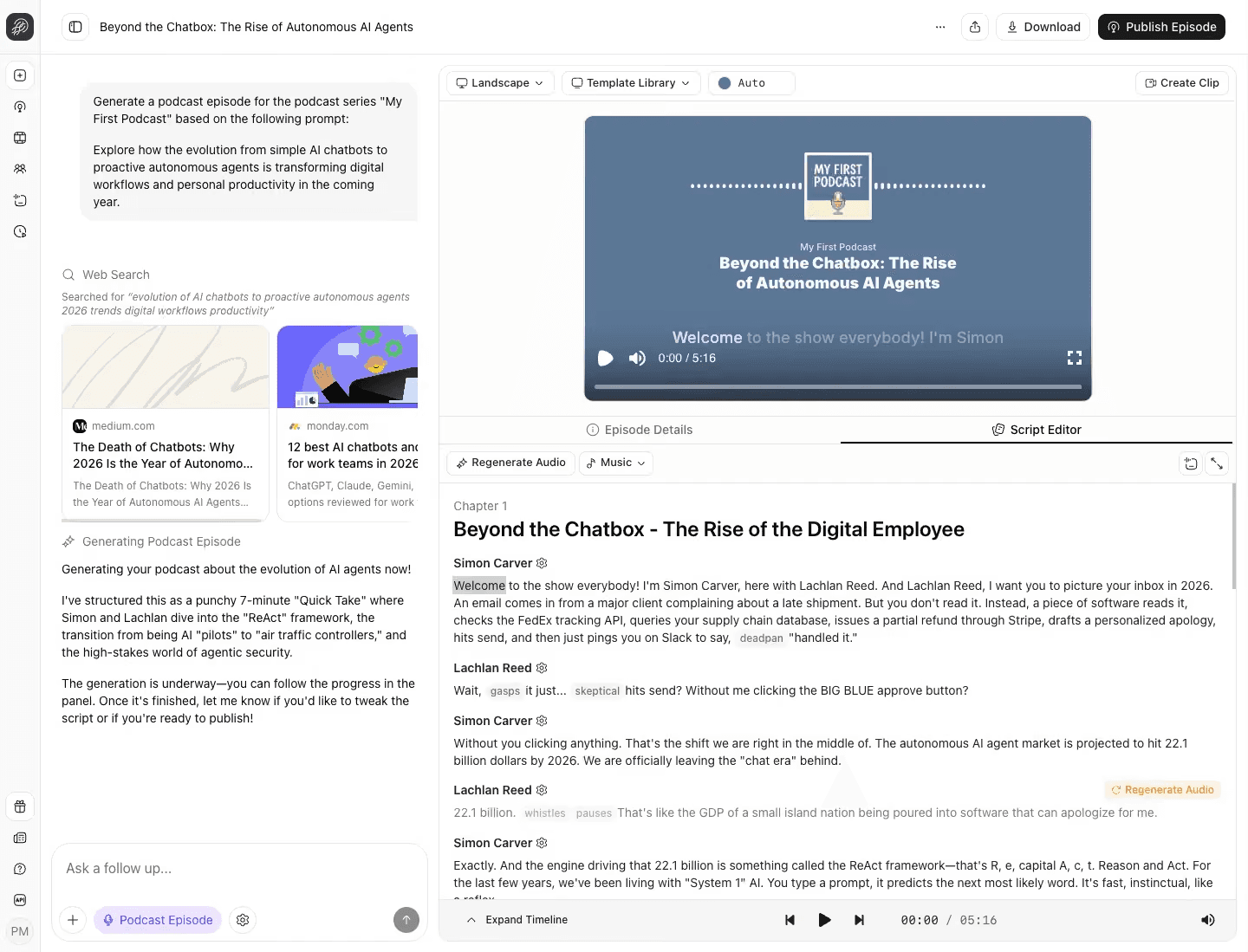
Jellypod also supports automated workflows that can research a topic, create an episode, generate voices, and publish content on a schedule.
That can be especially useful for repeatable formats such as:
-
news briefings
-
educational series
-
company updates
-
recurring industry summaries
The advantage is operational. Instead of rebuilding the same process for every episode, more of the workflow can run from a predefined structure.
Where PodcastorAI is different
PodcastorAI focuses more closely on producing and shaping the episode itself.
You can start from a topic, URL, PDF, document, notes, script, or existing recording, then continue through one connected workflow:
Source → Script → Dialogue Editing → Voice → Audio → AI Host → Video
That production path is the main reason to consider PodcastorAI as a Jellypod alternative.
The generated conversation does not have to be the final result.
Before rendering, you can continue editing the episode by changing individual lines, adjusting speakers, adding pauses, assigning voices, and previewing the audio.
From there, the same project can move into video production.
What we found in the PodcastorAI test
In our comparison, a new PodcastorAI account included 50 trial credits.
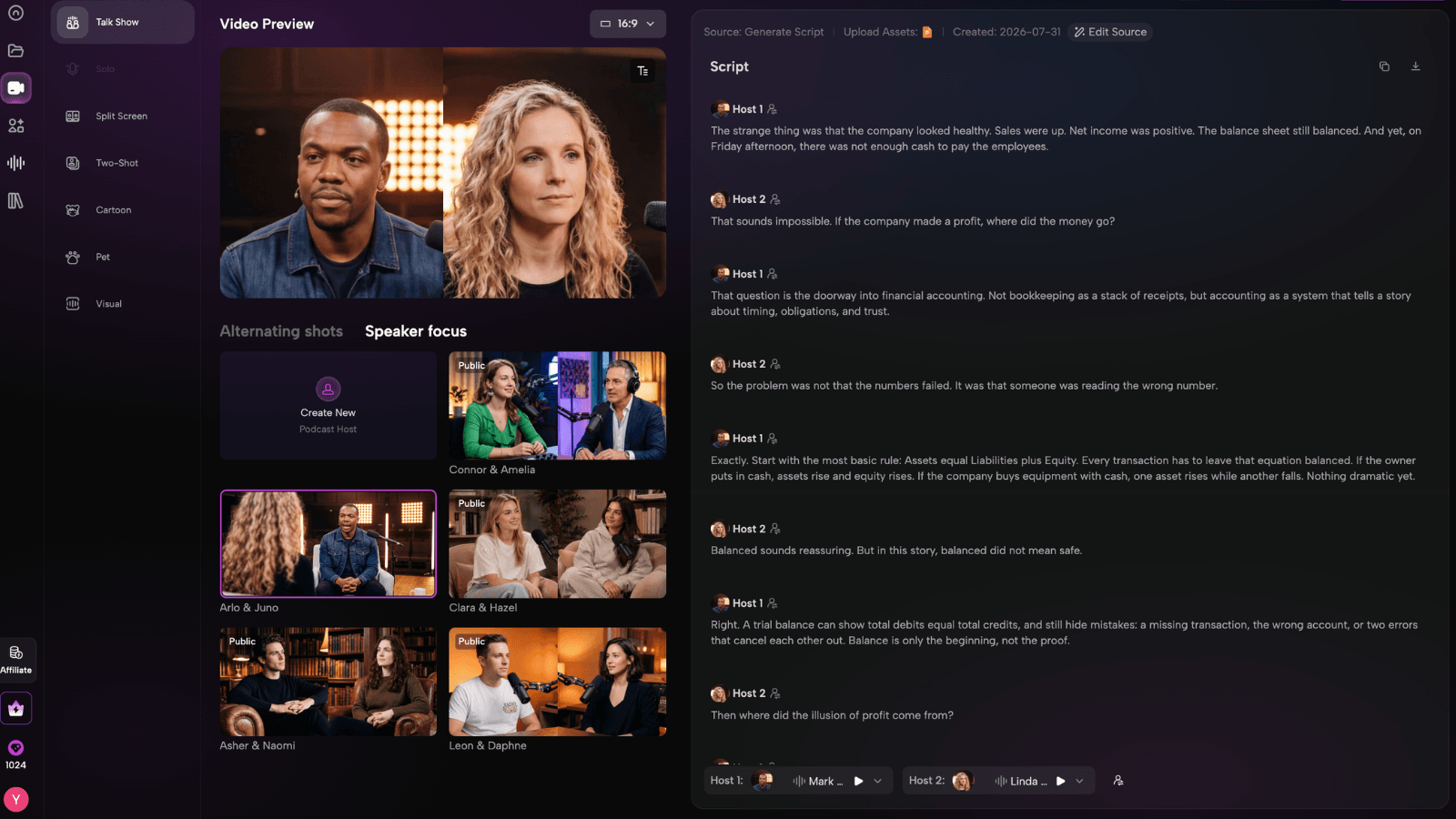
We selected a Talk Show scene and uploaded the same two person script used in the other tests.
The speaker labels were recognized, and the full dialogue remained editable before rendering.
We could:
-
revise individual lines
-
add pauses
-
assign different voices
-
preview the audio
-
continue directly into video
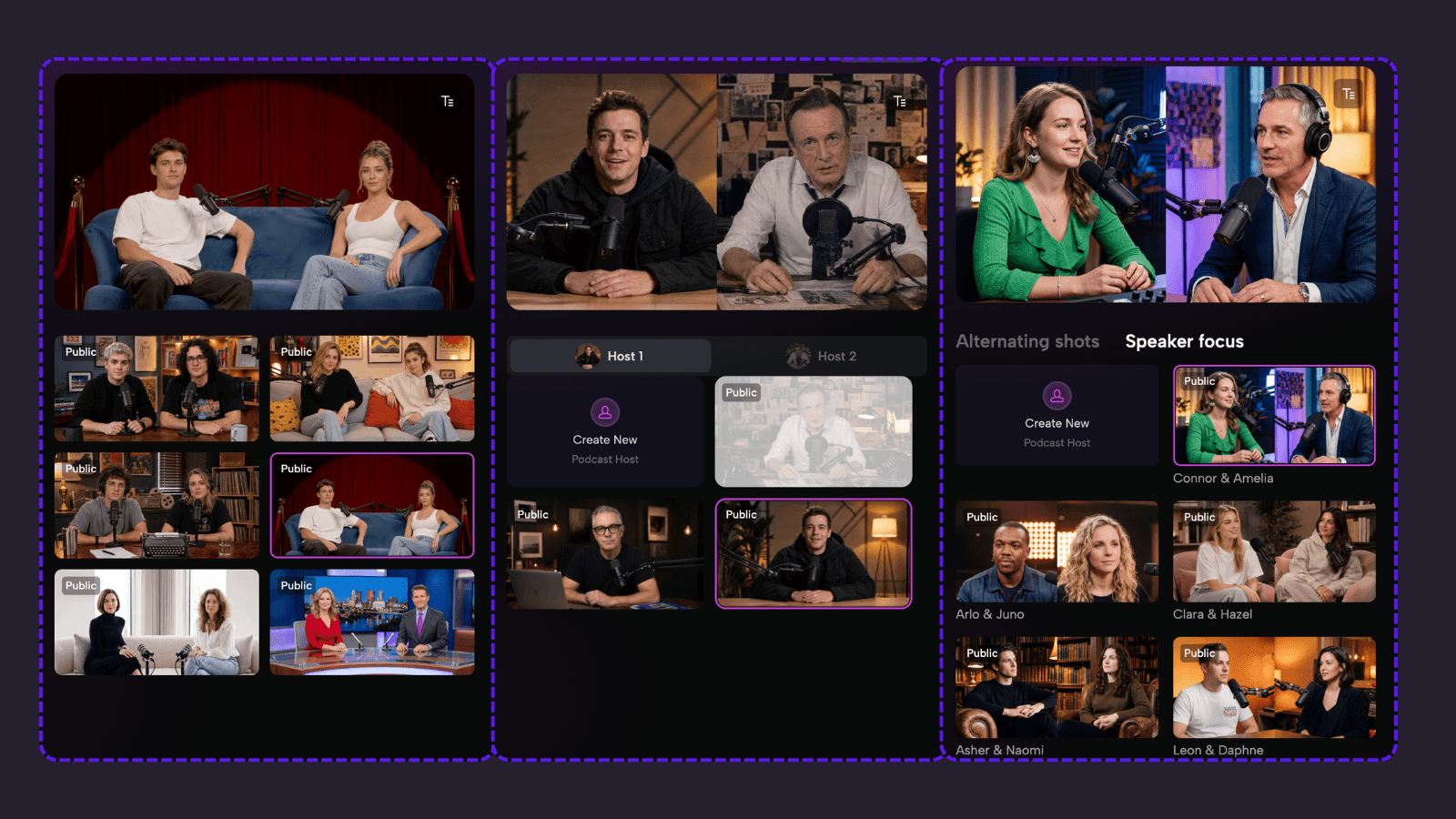
The final audio episode was 4 minutes and used 50 credits in our test. More importantly, we did not need to rebuild the episode in another tool before moving into video. That difference becomes important when audio is only one version of the content you plan to publish.
Audio and video in the same podcast workflow
Video is one of the clearest areas where PodcastorAI’s workflow becomes useful.
PodcastorAI supports multiple video podcast formats, including:
-
Solo
-
Talk Show
-
Split-Screen
-
Same-Screen / Two-Shot
-
Image + Waveform
Depending on the format, you can combine AI hosts with custom backgrounds, visuals, subtitles, or audio first layouts. Creators can use premade AI hosts or, on supported plans, create a reusable custom AI host from a photo.
That makes PodcastorAI especially relevant when your goal is not simply to generate an audio file, but to build a repeatable visual podcast format for YouTube, education, marketing, or faceless content.
Instead of recording a presenter every time, the same host style can be reused across multiple episodes.
The trade off is also clear. PodcastorAI is focused more heavily on production than on podcast hosting and automated distribution.
Jellypod vs PodcastorAI: feature comparison
| Workflow | Jellypod | PodcastorAI |
|---|---|---|
| Reusable AI-hosted video podcast workflow | Supported | Core workflow |
| Podcast hosting | Yes | Core workflow |
| Detailed control before rendering | Available | Strong |
| Start from a topic | Yes | Yes |
| Start from PDFs, articles, or notes | Yes | Yes |
| Editable scripts | Yes | Yes |
| AI voices | Yes | Yes |
| Voice cloning | Yes | Yes |
| AI hosts | Yes | Yes |
| Audio podcast generation | Yes | Yes |
| Video podcast generation | Yes | Yes |
The simplest way to think about the difference is this:
-
PodcastorAI is closer to an AI podcast production studio.
-
Jellypod is closer to an AI-powered podcast publishing system.
Jellypod and PodcastorAI pricing in 2026
Pricing changes frequently, so check the live pricing pages before subscribing.
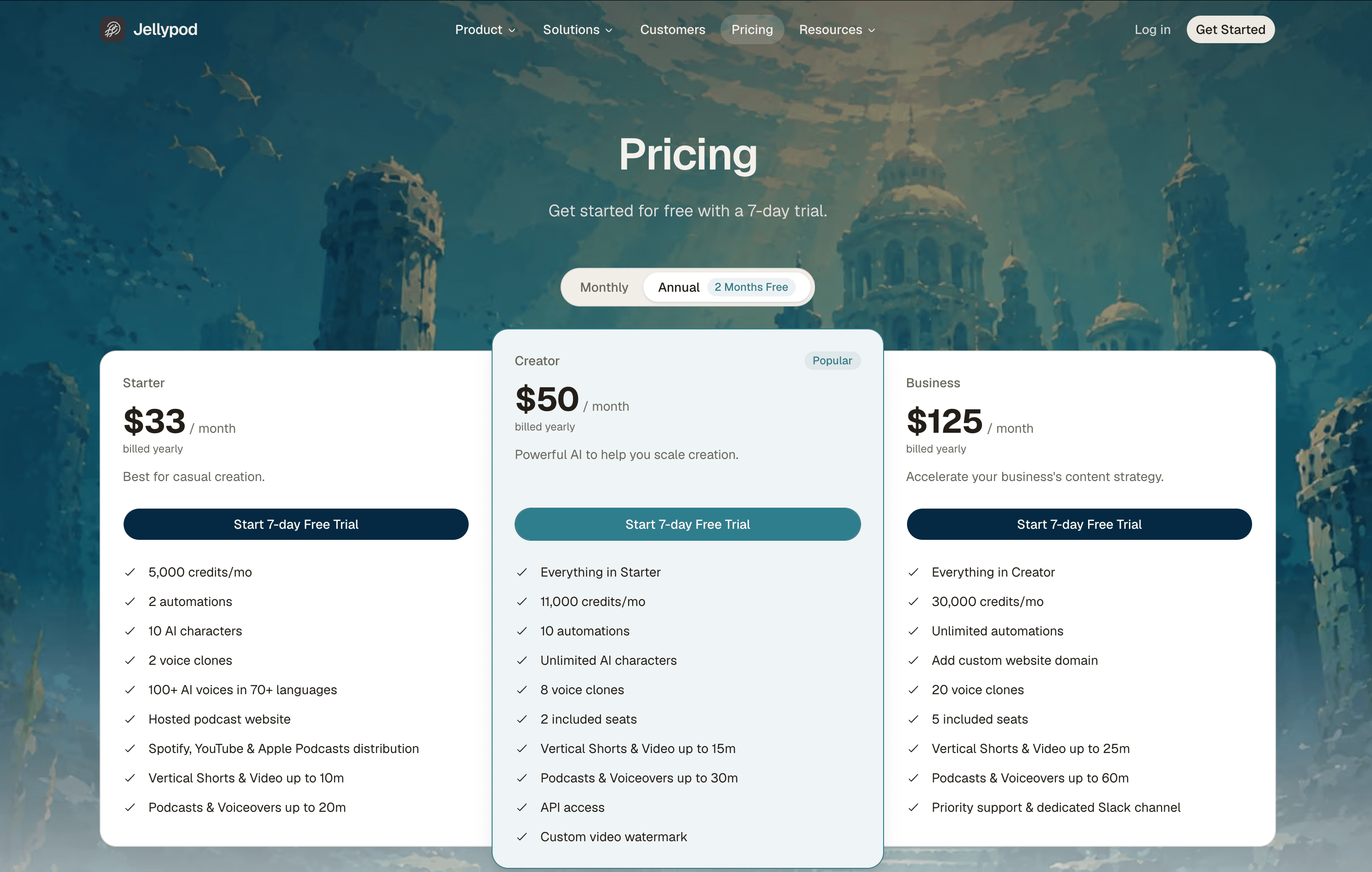
As of September 3, 2026, Jellypod’s annual billing page lists:
-
Starter: $33/month
-
Creator: $50/month
-
Business: $125/month
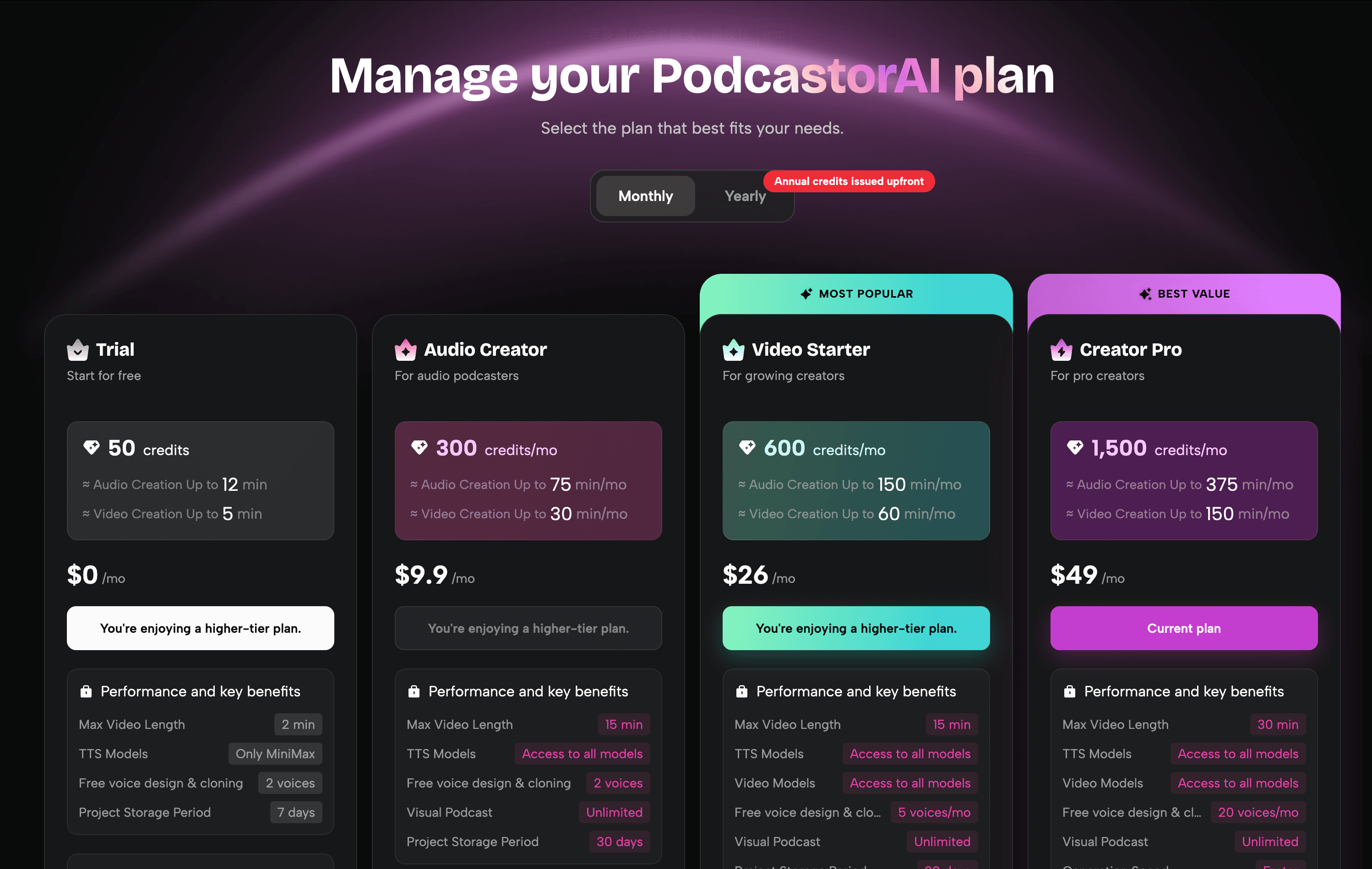
PodcastorAI currently lists:
-
Free Trial: 50 credits
-
Audio Creator: $9.99/month with 300 credits
-
Video Starter: $26/month with 600 credits
-
Creator Pro: $49.99/month with 1,500 credits
Which tool should you choose?
Choose PodcastorAI if your biggest challenge is producing the episode you actually want.
It may be the better fit if you need:
-
editable AI-generated dialogue
-
control over speakers and voices
-
reusable AI hosts
-
audio and video from the same project
-
multiple video podcast layouts
-
subtitles and custom backgrounds
-
a repeatable video show without filming every episode
For educators, marketers, creators, and faceless channels, that production control can be more important than having podcast hosting built into the same platform.
Choose Jellypod if your biggest challenge begins after the episode is created.
It may be the better fit if you need:
-
podcast hosting
-
RSS distribution
-
scheduled publishing
-
recurring automated episodes
-
built-in platform distribution
-
a broader mix of podcasts, Shorts, and visual content
Frequently asked questions
Is PodcastorAI a Jellypod alternative?
Yes. PodcastorAI is particularly relevant as a Jellypod alternative if you care about editable dialogue, AI voices, reusable hosts, audio generation, and AI video podcast production.
Which tool is better for AI video podcasts?
If you want to create a recurring AI-hosted video podcast, PodcastorAI is the better first test because video podcast production is built directly into its workflow. You can move from the same source or script into audio, AI hosts, subtitles, and different video layouts without rebuilding the episode in another tool.
Can PodcastorAI turn PDFs or articles into podcasts?
Yes. PodcastorAI support source-based podcast creation from materials such as PDFs, articles, notes, and similar content.
Are AI-generated podcasts ready to publish immediately?
Usually, they still need review. Before publishing, check names, claims, numbers, pronunciation, captions, source accuracy, voice permissions, and the final call to action. This is especially important for automated or source-based podcast workflows.
Final verdict
Jellypod and PodcastorAI overlap, but they are strongest at different stages of podcast creation.
PodcastorAI makes more sense when you want more control over the episode before it is published. Jellypod makes more sense when you want content creation and podcast operations in one system.
So the final decision comes down to one question: Is your bottleneck publishing the show, or producing the show you actually want?
If it is publishing, start with Jellypod. If it is production, especially when you want both audio and AI-hosted video, start with PodcastorAI.