
Starting a podcast should not require a microphone, a quiet room, three editing apps, and a budget before you know whether the idea is worth pursuing.
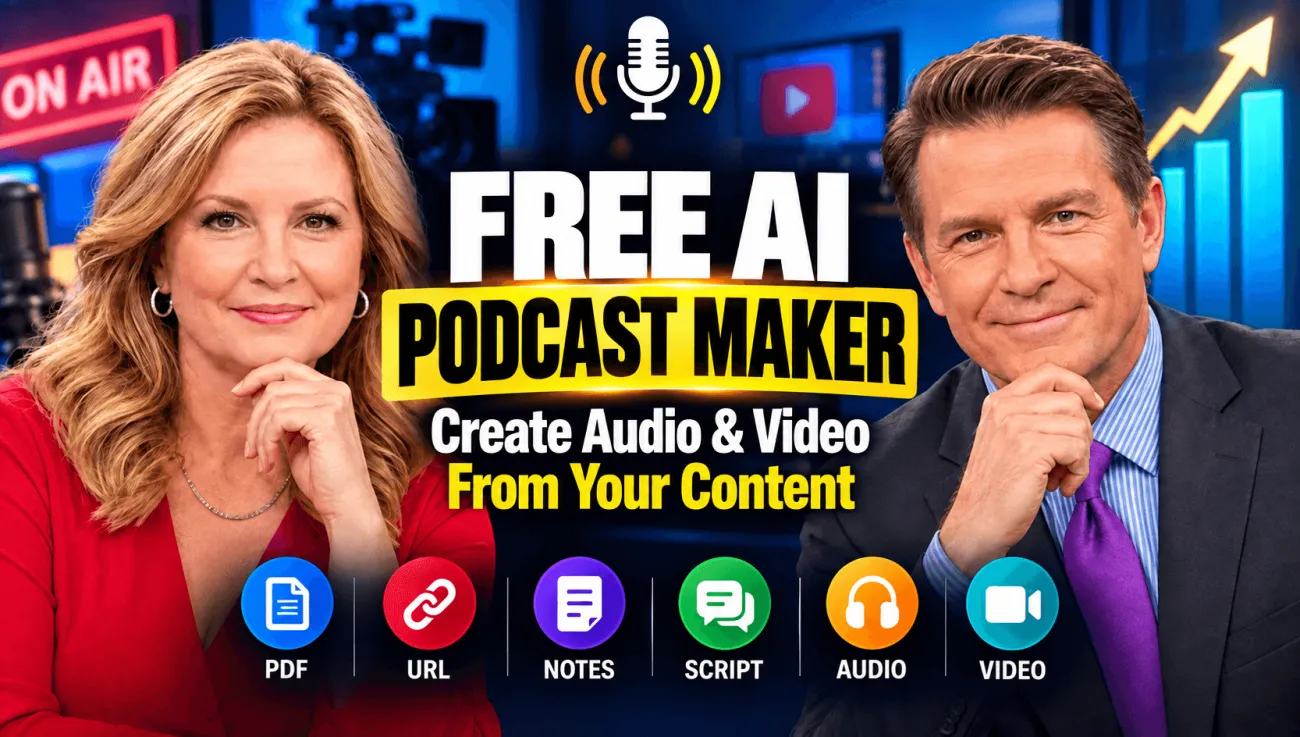
A free AI podcast maker gives you a faster way to test the idea first. With PodcastorAI, you can begin with a topic, PDF, URL, document, notes, script, or recording, turn that material into an editable podcast script, assign AI voices, and create an audio or video podcast in one connected workflow.
The important word is begin. PodcastorAI is free to try, not an unlimited free production service. The current trial includes 50 credits, and its limits are clearly explained below. That makes it useful for creating a short pilot, comparing solo and two speakers formats, or deciding whether an AI assisted workflow fits your show before paying for a plan.
TL;DR
-
PodcastorAI is a free AI podcast maker for turning topics and existing material into editable scripts, AI-voice audio, and optional video podcasts.
-
A free account currently includes 50 trial credits approximately 12 minutes of audio or 5 minutes of total video generation, depending on the selected model and settings.
-
The free plan supports script generation, transcript editing, audio creation, and several podcast layouts. Individual videos are limited to 2 minutes, free projects are stored for 7 days, and free video output may include a watermark.
-
It is best for testing a short episode, repurposing a document, creating a lesson, or prototyping a faceless video podcast.
-
It does not replace editorial review, source verification, podcast hosting, an RSS feed, or the creator’s responsibility to obtain rights and disclose realistic synthetic content where required.
What Is a Free AI Podcast Maker?
A free AI podcast maker is a tool that helps automate several parts of podcast production, such as:
-
organizing source material;
-
writing a solo or multi-speaker script;
-
turning the script into spoken audio;
-
creating a visual or AI-hosted video version; and
-
preparing a file that can be published elsewhere.
That is different from basic text to speech. A text to speech tool generally reads the original text aloud. A podcast maker should help reshape the source into an episode with a hook, sections, transitions, speaker turns, and a conclusion.
PodcastorAI is built around this longer production chain:
Topic or source → Podcast script → Human review → AI voices → Audio podcast → Optional video podcast
This distinction matters. An article written for reading may contain long paragraphs, citations, tables, or visual references that sound unnatural when read word for word. Turning it into a podcast requires editorial decisions, not only a synthetic voice.
Is PodcastorAI Really Free?
Yes, PodcastorAI is free to start. However, the free option is a limited trial rather than an unlimited plan.
| Free-plan detail | Current allowance |
|---|---|
| Trial credits | 50 credits |
| Approximate creation allowance | Up to 12 minutes of audio or 5 minutes of video |
| Maximum video length | 2 minutes per video |
| TTS access | MiniMax only |
| Voice design and cloning | 2 voices |
| Script generation | Included |
| Transcript editor | Included |
| Podcast layouts | Talk Show, Solo, Split Screen, and Two-Shot |
| Visual podcast generation | 10 credits per minute |
| Watermark removal | Not included |
| Project storage | 7 days |
The exact cost of an episode can vary because different voices, models, output types, lengths, and revisions may consume credits differently. Check the estimate shown in the product before rendering. If you only want to validate an idea, draft and edit the entire script first, then spend credits on the shortest useful final version.
What Can You Make With PodcastorAI for Free?
The free trial is most useful when the scope is specific. Instead of trying to produce a complete season, use it to answer one question: Can this source become a podcast people would want to hear or watch?
| Starting material | Useful first project | Recommended format |
|---|---|---|
| A topic or rough idea | A 2–5 minute pilot | Solo explanation or two-host discussion |
| PDF or research paper | A short research briefing | Deep-dive conversation |
| Blog post or URL | A repurposed episode | Solo or talk show |
| Class notes or study guide | A revision podcast | Teacher-style solo episode or Q&A |
| Product document or report | An internal update | Two-speaker briefing |
| Existing recording | A cleaned-up script or new episode structure | Interview or recap |
| Finished script | A voice and pacing test | Audio-first podcast |
For more focused workflows, you can also start with PodcastorAI’s Text to Podcast AI, PDF to Podcast, AI Study Podcast, or Audio to Script tools.
How to Make a Podcast With AI for Free
1. Start With a Clear Episode Goal
Before opening any AI tool, decide what the listener should understand, feel, or do after the episode.
A weak prompt is:
Make a podcast about remote work.
A stronger prompt is:
Create a five minutes solo podcast for first time remote team managers. Explain three ways to reduce meeting overload, include one realistic example, avoid invented statistics, and end with a one-sentence checklist.
The second version defines the audience, duration, structure, evidence boundary, and ending. AI can organize material more reliably when the editorial goal is concrete.
2. Add a Topic, Document, URL, Notes, Script, or Recording
PodcastorAI can begin from a blank idea or source material you already have. If accuracy matters, use a focused source rather than uploading a pile of unrelated files.
-
Use a topic when you are brainstorming and can independently verify the result.
-
Use a PDF or document when you want the episode grounded in a report, lesson, or guide.
-
Use a URL when repurposing a public article or webpage you have the right to use.
-
Use notes when the expertise is yours but the structure is unfinished.
-
Use a script when you already control the wording and mainly need audio or video production.
-
Use a recording when you need a transcript, a recap, or a reorganized conversation.
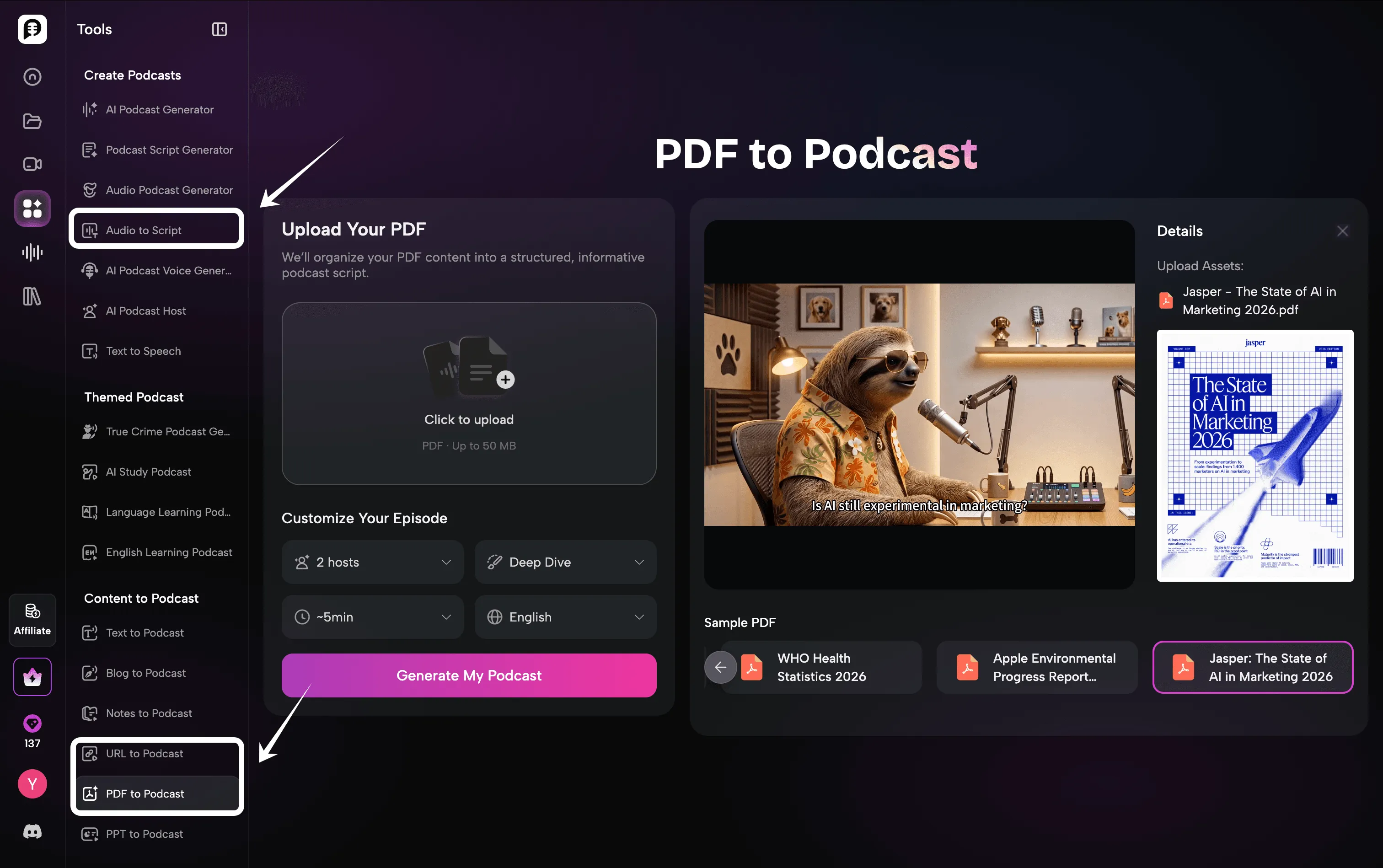
Do not upload private, copyrighted, or personal material unless you are authorized to process and republish it. The PodcastorAI Terms of Service should be read before using the service for commercial or sensitive work.
3. Choose the Episode Structure
Choose the format based on the content, not because two AI voices automatically sound more like a podcast.
| Format | Best for | Watch out for |
|---|---|---|
| Solo | Tutorials, opinions, explainers, personal stories | Long unbroken passages and flat pacing |
| Two-host conversation | Comparisons, debates, Q&A, complex explanations | Empty agreement, repetitive reactions, and artificial banter |
| Interview-style script | Expert education and audience questions | Invented guest opinions or quotes |
| Storytelling | Case studies, history, true crime, narrative lessons | Unverified details presented as fact |
| Deep dive | Reports, research, and technical material | Losing caveats, citations, and uncertainty |
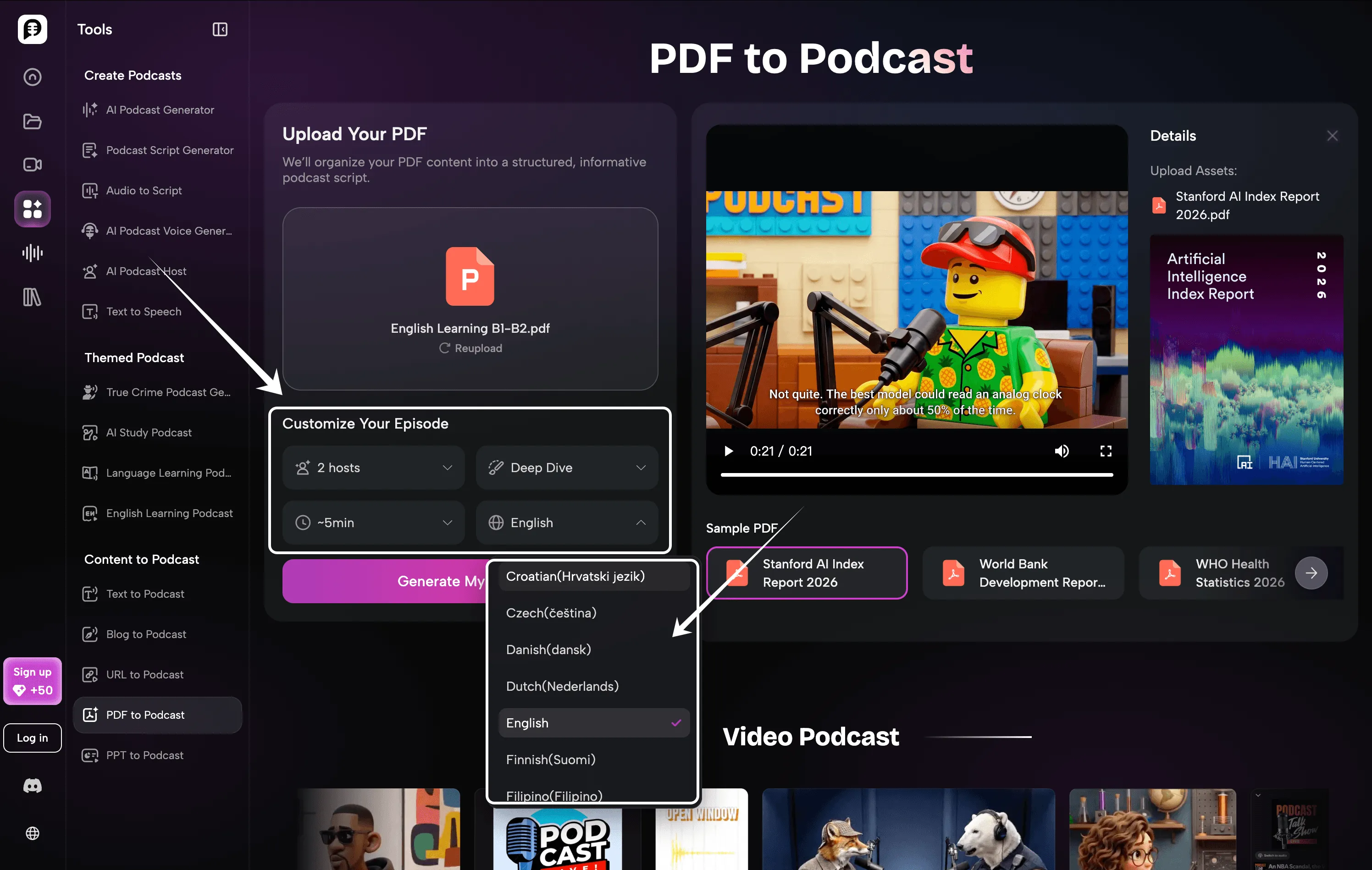
For a source based episode, ask the script to distinguish facts from interpretation. If the source does not support a claim, remove it or verify it through a primary source before publishing.
4. Edit the Script Before Generating Audio
This is the highest-leverage step in the workflow.
PodcastorAI’s transcript editor lets you revise the generated dialogue before final rendering. Check every:
-
proper name;
-
number and date;
-
quotation;
-
scientific, medical, financial, or legal statement;
-
product claim;
-
pronunciation;
-
speaker assignment; and
-
call to action.
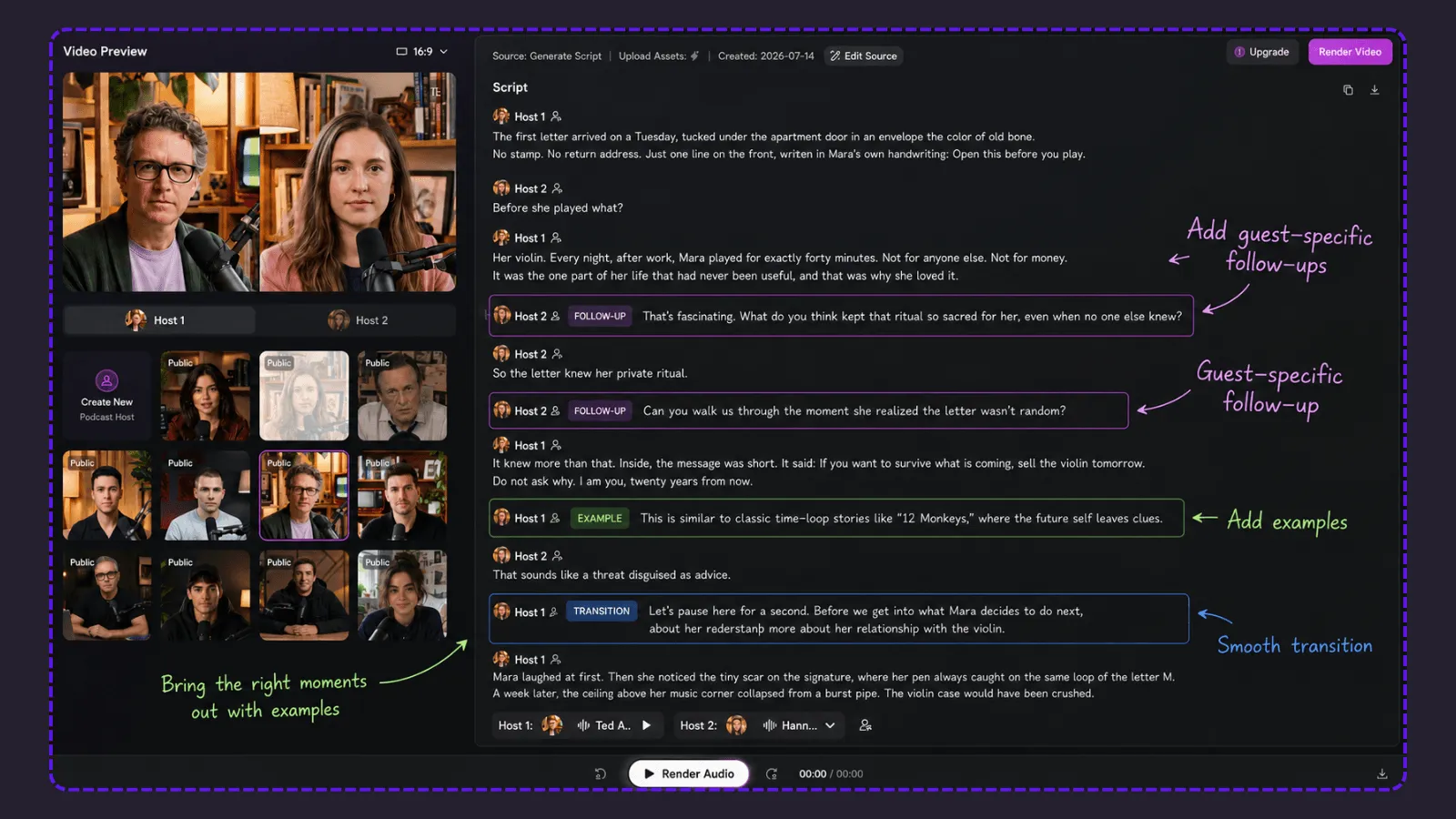
Also read the script aloud. Shorten sentences that look fine on a page but feel crowded in speech. Remove filler exchanges such as “Exactly,” “That’s a great point,” and “Absolutely” when they do not move the episode forward.
AI generated scripts are drafts. Human review is the step that turns a plausible draft into a trustworthy episode.
5. Select AI Voices—or Use Your Own With Permission
Match the voice to the role. A research briefing may need measured pacing, while a creator update may benefit from a more conversational delivery. In a two hosts episode, choose voices that are easy to distinguish without making the contrast distracting.
PodcastorAI supports AI voices as well as voice design and cloning options. Voice cloning should only be used with the speaker’s knowledge and permission. The U.S. Copyright Office’s AI initiative and reports discuss the growing legal and policy questions around digital replicas, including realistic voice and likeness simulation.
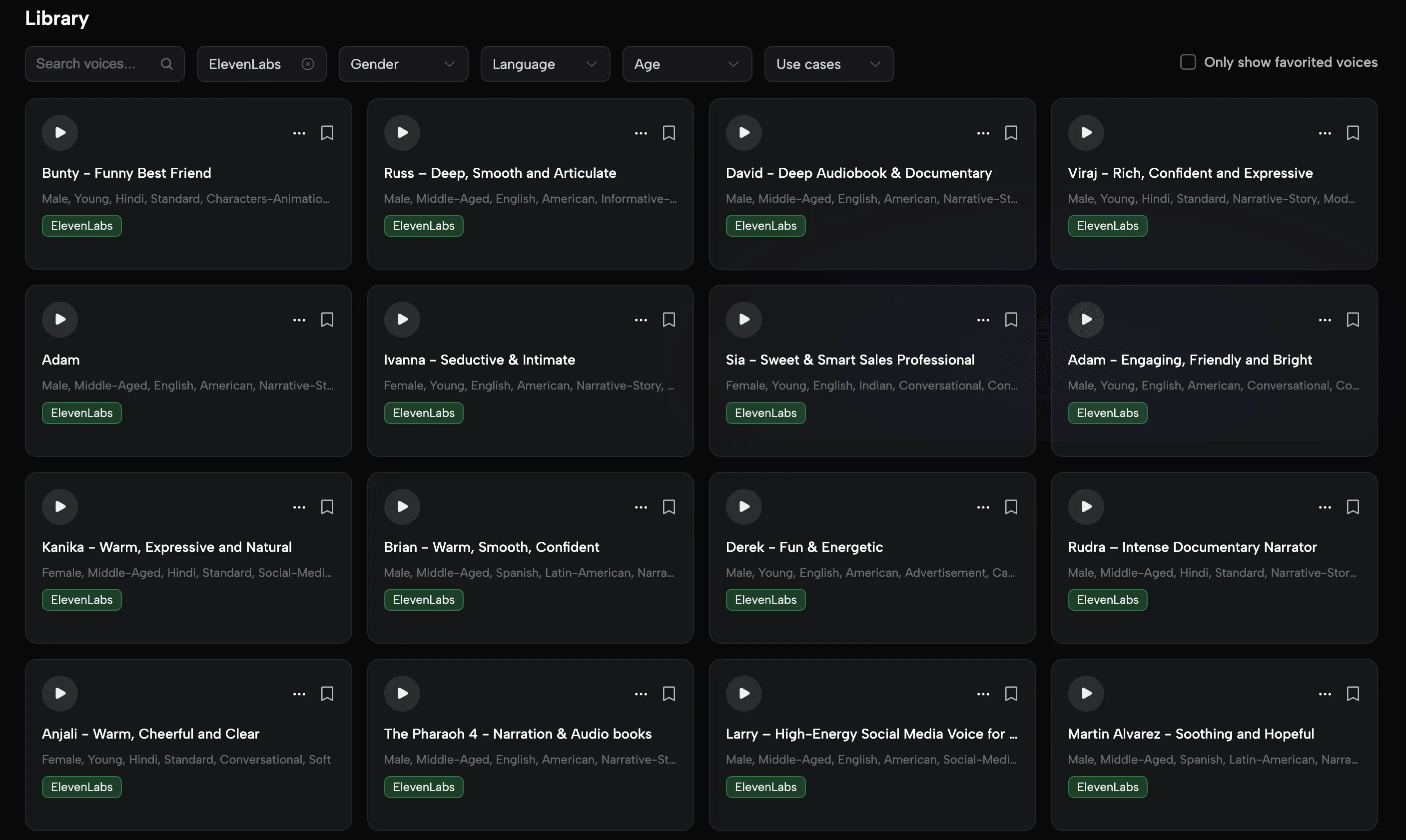
Before generating the full episode, preview a few difficult lines. Test names, acronyms, non English terms, numbers, and branded phrases. Correcting them in the script is cheaper and faster than rerendering an entire episode.
6. Generate Audio or Continue Into Video
Once the script is approved, generate the audio. If the episode also needs a visual version, continue from the same script into one of PodcastorAI’s supported layouts, including Solo, Talk Show, Split Screen, or Two-Shot.
You can use a premade host or, where the selected plan supports it, create a reusable AI host from an authorized image. This makes it possible to test a faceless or camera-free video podcast without filming every episode.
The free plan’s two-minute maximum per video is best used for:
-
a show trailer;
-
an opening segment;
-
a short educational explanation;
-
a social preview; or
-
a visual style test before upgrading.
7. Export, Quality-Check, and Publish
Listen to the exported file from beginning to end with headphones. Then check it once more through ordinary phone or laptop speakers. Look for clipped sentences, unnatural pauses, incorrect captions, abrupt volume changes, and visual mismatches.
PodcastorAI focuses on creating the episode; it is not a full podcast hosting and RSS distribution service. After export, upload the finished file to your chosen host or platform.
Official publishing resources include:
Apple currently accepts show cover artwork from 1400 × 1400 to 3000 × 3000 pixels through RSS, with 3000 × 3000 preferred. Spotify accepts common audio and video types including MP3, M4A, WAV, MOV, MPG, and MP4, according to its official creator guidance. Always confirm the current requirements on the destination platform before export.
Free AI Podcast Maker vs a Traditional Production Workflow
AI does not remove the need for judgment. It changes where the work happens.
| Production stage | Traditional DIY workflow | PodcastorAI workflow |
|---|---|---|
| Research | Gather and outline material manually | Import a topic or existing source |
| Script | Write the episode from a blank page | Generate a structured solo or multi-speaker draft |
| Recording | Schedule hosts, microphones, and a quiet room | Generate speech with selected AI voices |
| Audio editing | Remove mistakes, balance pacing, and assemble takes | Edit dialogue before generation and preview voices |
| Video | Film hosts or combine separate video tools | Continue into an AI-hosted podcast layout |
| Publishing | Export, host, create RSS, and submit | Export the produced episode |
The main efficiency gain is not “one click.” It is fewer handoffs between source material, script, voices, audio, and video. The creator still owns the editorial decision at each stage.
How to Make an AI Podcast Sound Less Generic
Free generation is not valuable if the result sounds like every other AI-made episode. These edits make the biggest difference.
Add a Real Point of View
Do not ask AI to “make it engaging” and expect a distinctive voice. Give it an argument, a lived example, a surprising question, or a clear editorial stance.
Replace Generic Hooks
Openings such as “In today’s fast paced world” waste the listener’s most valuable seconds. Begin with a specific problem, contradiction, scene, or result.
Give Each Speaker a Job
In a two host script, one speaker can explain while the other challenges assumptions, asks for examples, or summarizes the practical takeaway. If both speakers perform the same role, the conversation becomes repetitive.
Keep Evidence Attached to Claims
Name the source in the spoken script when the evidence is important. Link the original source in the show notes. For a report based episode, tell listeners whether a number is an estimate, survey result, forecast, or observed measurement.
Edit for the Ear
Use shorter sentences, contractions, clear transitions, and intentional pauses. Delete visual phrases such as “as shown in the table below” unless the audience will actually see that table.
End With One Useful Next Step
A short episode does not need a long summary and three calls to action. Give the listener one clear next step: try a method, download a resource, watch the full video, or listen to the next episode.
When a Free AI Podcast Maker Is—and Is Not—the Right Choice
Use PodcastorAI when:
-
you want to test a podcast concept before buying equipment;
-
you already have articles, lessons, PDFs, notes, or recordings to repurpose;
-
you want to compare solo and two-host formats;
-
you need an editable script before generating speech;
-
you want audio and video versions from the same project;
-
you are creating a faceless or camera-free pilot; or
-
you want a short proof of concept for a client, class, channel, or internal team.
Choose a different workflow when:
-
you only need to record a real remote interview;
-
live chemistry and spontaneous conversation are central to the show;
-
you need built-in podcast hosting, an RSS feed, and automated distribution;
-
the free plan’s two-minute individual video limit is too short;
-
you require a paid-only voice or video model;
-
the content is too sensitive to upload to a third-party service.
This is why “free” should not be the only selection criterion. The right tool should match the part of production that is slowing you down.
Frequently Asked Questions
What is the best free AI podcast maker?
The best option depends on the output you need. PodcastorAI is a strong first test when you want to turn a topic, PDF, URL, notes, script, or recording into an editable script and then create both audio and optional video. If you only need to record real people, edit an existing audio file, or host an RSS feed, a dedicated recording, editing, or hosting product may be a better fit.
Can I make a podcast with AI for free?
Yes. PodcastorAI currently offers 50 trial credits at $0, which the pricing page estimates as up to 12 minutes of audio or 5 minutes of total video creation. Actual consumption varies by model, settings, and revisions. Free individual videos are limited to 2 minutes.
Is PodcastorAI free forever?
PodcastorAI is free to try, but the free allowance is limited. It should not be described as an unlimited free forever podcast production plan. Paid plans increase monthly credits, video length, model access, storage time, voice options, and other production capabilities.
Can a free AI podcast maker create a two-person podcast?
Yes. PodcastorAI supports two speaker scripts and formats including Talk Show, Split Screen, and Two Shot. Review speaker turns before generating audio so both hosts have distinct roles and the dialogue does not repeat the same idea.
Can I turn a PDF or URL into a podcast for free?
Yes, within the available trial credits. Use PDF to Podcast for documents or Text to Podcast AI for topics, text, and links. Always verify the generated script against the original source.
Can I create a video podcast without showing my face?
Yes. PodcastorAI can create video podcast formats with premade AI hosts, audio-first visuals, and other layouts. Custom AI hosts may depend on the selected plan. Only use a real person’s image, voice, or likeness with permission, and follow platform disclosure rules.
Does PodcastorAI publish directly to Spotify or Apple Podcasts?
PodcastorAI is primarily a production tool, not a full podcast host. Create and export the episode, then upload it to a podcast host or platform. Apple Podcasts commonly receives shows through a compliant RSS feed, while Spotify for Creators supports direct episode uploads. Follow each platform’s current official instructions.
Are AI-generated podcast scripts accurate?
They can be useful drafts, but they are not guaranteed to be accurate. Check facts, quotes, names, numbers, dates, medical or legal claims, and any information that could affect a listener’s decisions. When possible, link primary sources in the show notes.
Can I monetize an AI podcast?
Potentially, but monetization depends on the rights to every input and output, the product’s current commercial use terms, the publishing platform’s policies, and the originality of the finished episode. YouTube, for example, can reject repetitive or mass-produced content from monetization. Add meaningful human editing and follow all disclosure, copyright, sponsorship, and likeness rules.
Start With One Short, Useful Episode
You do not need to design a complete show before you know whether the format works.
Choose one piece of material you already understand—a short article, a lesson, a set of notes, or a focused idea. Turn it into a script. Edit every claim. Preview the voices. Then use PodcastorAI’s free credits to create the shortest version that proves the concept.
That is the most useful way to approach a free AI podcast maker: not as a replacement for your expertise, but as a faster path from expertise to something people can hear or watch.