
In this guide, we’ll walk through how to create a cartoon podcast and how PodcastorAI can help you build a character-driven video podcast from the content you already have.
Cartoon podcast is a podcast format that uses a cartoon character as the on-screen host or visual identity. With AI tools, creators can turn scripts, notes, URLs, documents, or audio files into a character-driven video podcast without recording themselves on camera.
In short, the process starts with a clear topic, useful source material, a cartoon host and background, a natural script and voice, and regular review to improve the episode over time. You can start with the Cartoon Podcast Generator.
Step 1: Define Your Cartoon Podcast Concept
Start with the role of the show. A cartoon host should make the content easier to watch and remember, not distract from weak positioning. Define the audience, the recurring format, and the job of each host before you choose a visual style.
| Question | Why It Matters |
|---|---|
| What is the podcast about? | Sets the topic scope and prevents every episode from feeling unrelated. |
| Who is the audience? | Shapes tone, script complexity, host personality, and episode length. |
| What job does each host perform? | One host can explain while the other asks questions, challenges, or summarizes. |
| What should stay consistent? | The same avatar, voice, background, and role can become the show’s identity. |
Step 2: Prepare a Reusable Cartoon Host and Real Source Material
Create or Save a Recognizable Host
PodcastorAI supports real, cartoon, and pet-style AI hosts. For a cartoon podcast, the important product advantage is consistency: you can create a host from an uploaded image, name the host, and keep the host setup available for later episodes. That makes it easier to build a recognizable show identity over time.
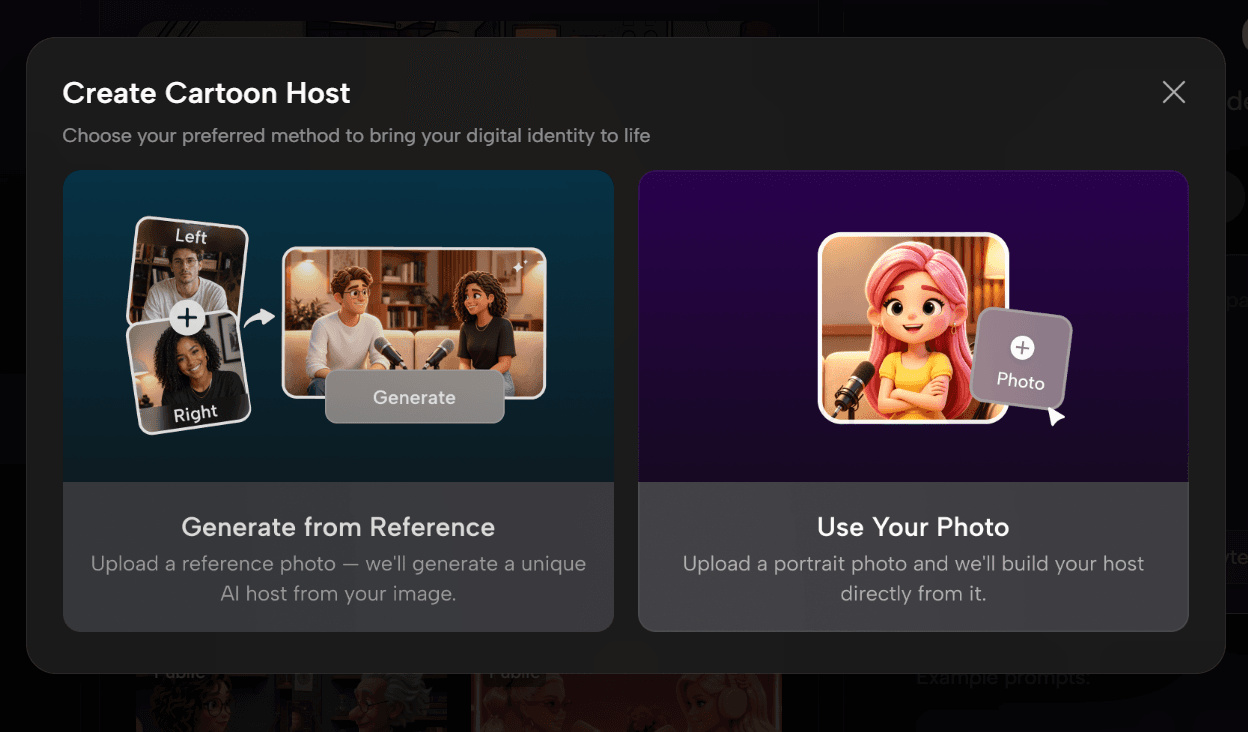
Host creation entry: generate from a reference image or upload your own photo
This approach works like managing a set of brand assets: the same host, voice, background, and role structure gradually become part of the show’s identity. Nielsen Norman Group’s Consistency and Standards principle also explains that consistent visual and interaction patterns can reduce the user’s cognitive load. Applied to a cartoon podcast, this helps viewers quickly recognize that each episode belongs to the same show.
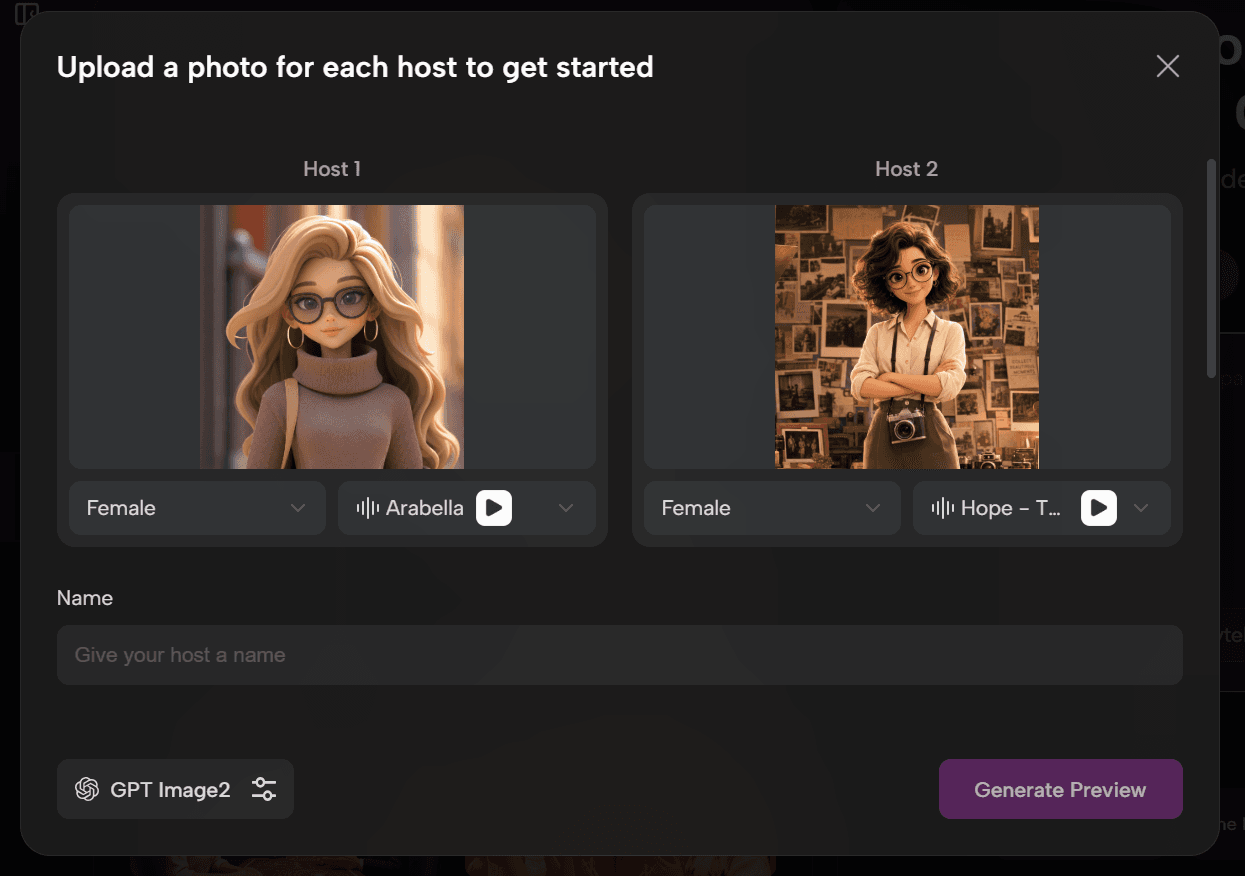
Custom host setup: upload hosts, name them, and pair them with a matching background
Prepare Your Source Material
You also need the content behind the episode. The good news is that you do not have to start from scratch.
The source material should be concrete enough for a useful episode, then let PodcastorAI turn that material into a structured script.
| Source Type | Specific Example Link | How to Use It |
|---|---|---|
| Trend research | Google Trends query: cartoon podcast, AI podcast, video podcast | Check whether the topic has search demand before drafting the episode. |
| Video research | YouTube search: cartoon podcast AI | Look for title patterns, thumbnails, and audience language. |
| Audience question | Reddit: Best AI tools to create cartoon videos for YouTube | Use a real creator question as the episode’s problem statement. |
| Product workflow | PodcastorAI Cartoon Podcast Generator | Use the product page to keep feature claims specific and accurate. |
Step 3: Create Your Cartoon Podcast with PodcastorAI
A practical PodcastorAI workflow is: import the source, generate or refine the script, choose one or two hosts, pair each host with a suitable voice, select or generate a background, preview the audio, then render the video.
1. Import the Source Material
PodcastorAI can start from a raw idea, blog, URL, PDF, PPT, TXT file, script, or audio. This matters because many creators already have useful material in blogs, lesson notes, webinars, or support documents. The product’s value is in converting those assets into a conversational podcast script rather than asking the creator to start from a blank page.
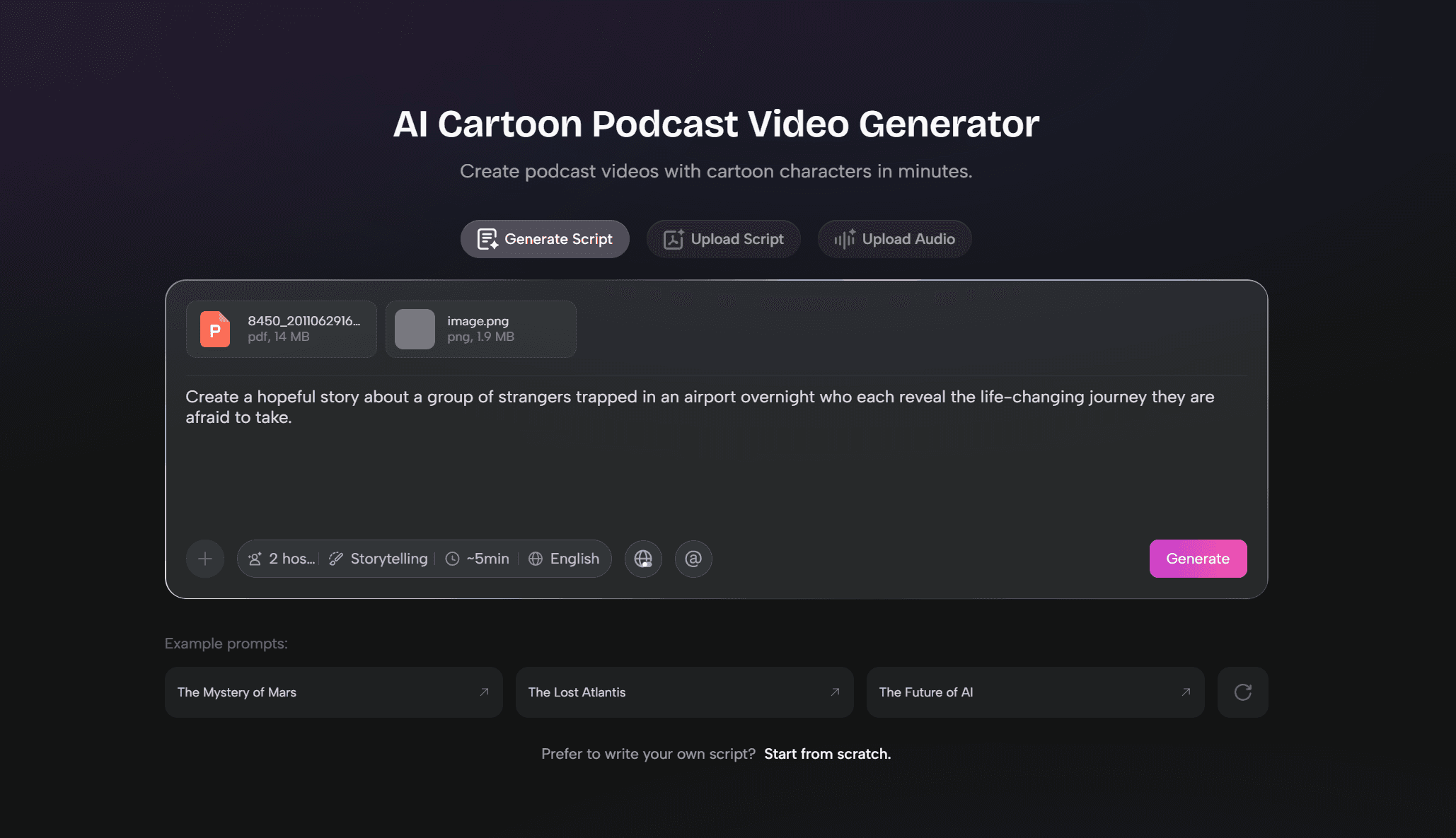
Production entry: generate script, upload script, upload audio, or import source material
2. Generate or Refine Your Podcast Script
A cartoon podcast script should be written for spoken delivery. Use the two-host format when the topic benefits from contrast: one host can explain, while the other asks the questions viewers may have. Keep the host voices consistent with their saved roles.
| Script Element | Podcastor AI Specific Direction |
|---|---|
| Opening hook | State the viewer problem in the first few lines. |
| Host roles | Give Host 1 and Host 2 distinct jobs, not interchangeable dialogue. |
| Avatar consistency | Use the same saved host identity when this is part of a series. |
| Review pass | Edit the script before rendering audio so voice and timing stay natural. |
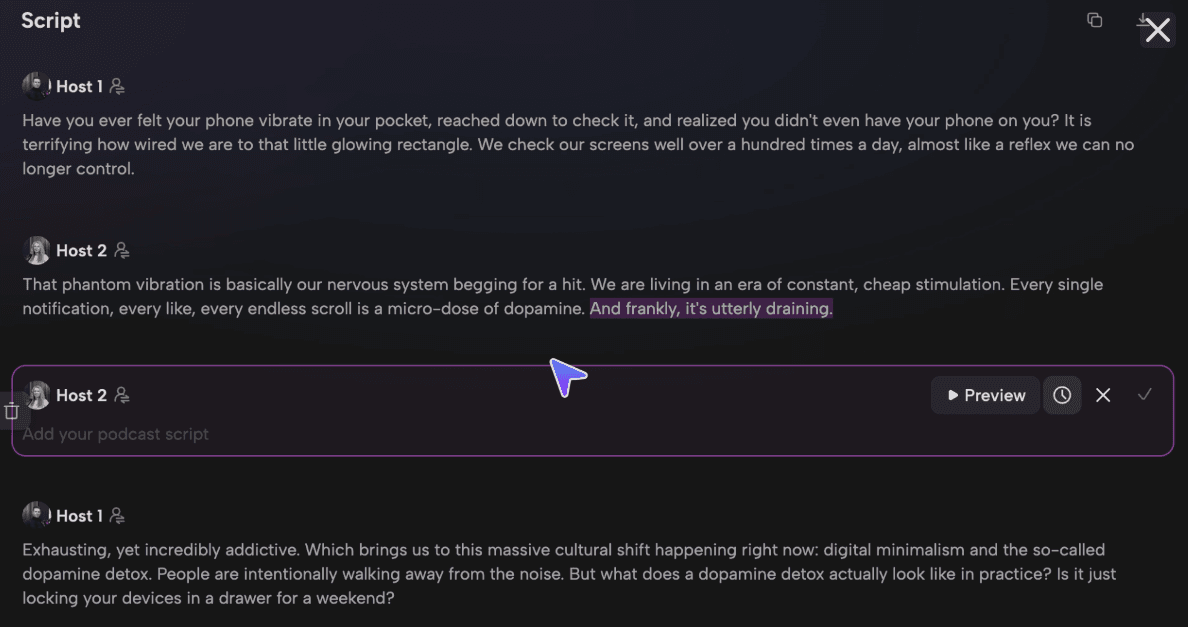
Script editing view: refine the two-host dialogue before generating audio
3. Choose Hosts, Background, and Visual Style
This step is about building the visual scene of your cartoon podcast.
In PodcastorAI, you can choose two cartoon hosts for your episode and select a background that fits the style of your show.
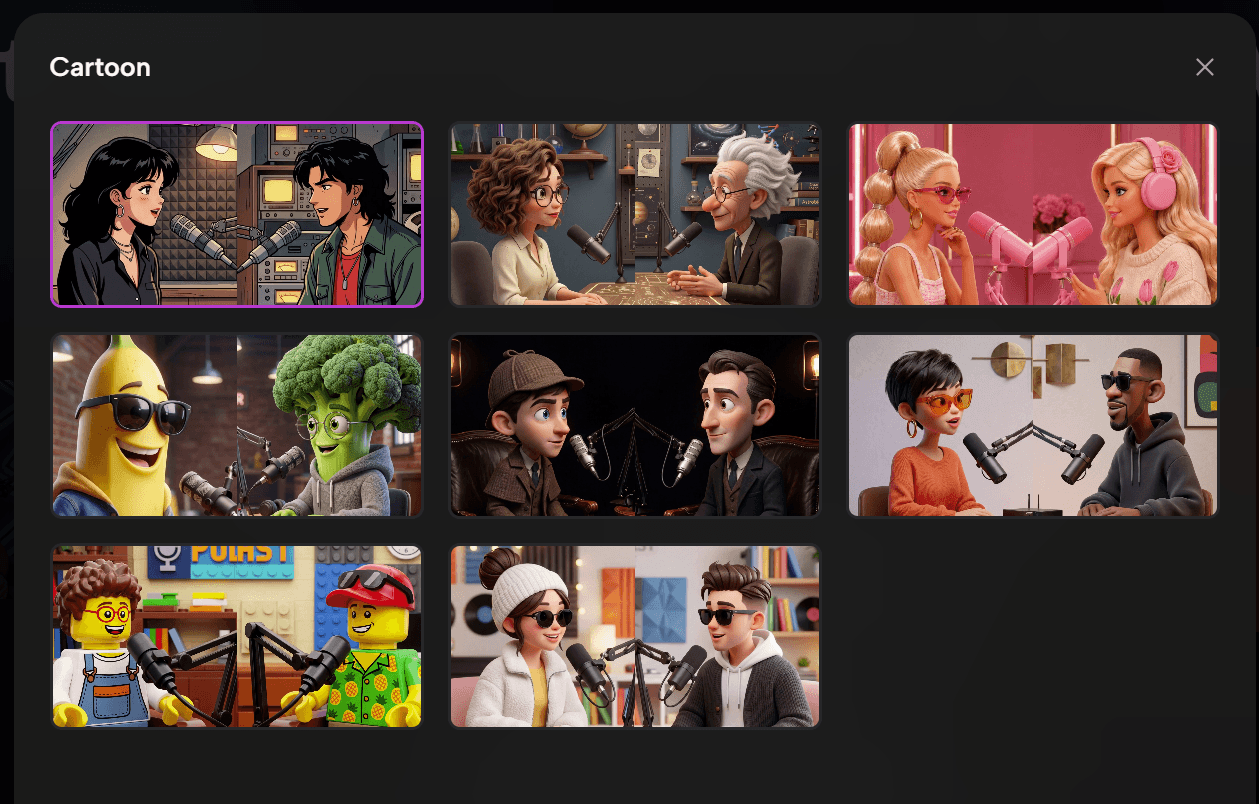
Host and scene library: choose cartoon hosts and backgrounds that match the show style
When choosing your hosts and background, visual consistency is important. Make sure the character style and background style match each other. For example, a 3D cartoon host works better with a 3D-style background, while a 2D illustrated character should be paired with a background with a similar illustrated style.
PodcastorAI also provides public assets that creators can use to quickly build a matching cartoon podcast scene.
4. Choose the Right Voice and Generate Audio
PodcastorAI lets creators use AI voices, assign voices to hosts. You can also use voice cloning if you want a more personalized result. Treat voice as part of the character system: a curious co-host, a calm expert, and a high-energy commentator should not sound the same.
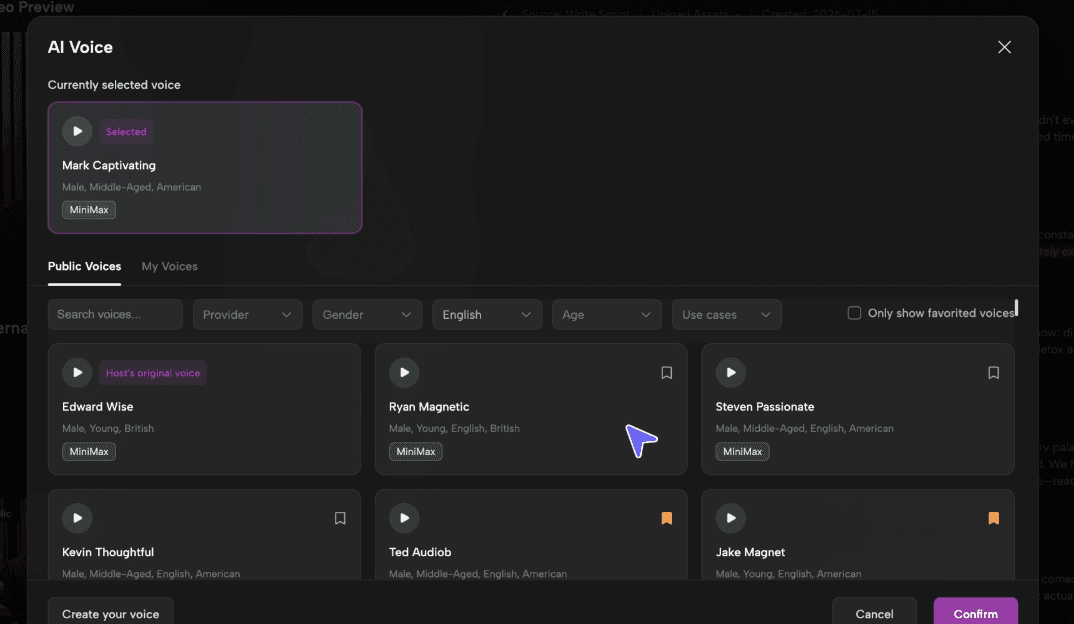
Voice selection: assign a voice that fits each host’s role and personality
5. Create Your Cartoon Podcast Video
At this point, PodcastorAI brings together your cartoon hosts, selected background, script, and generated audio to create a visual podcast episode.
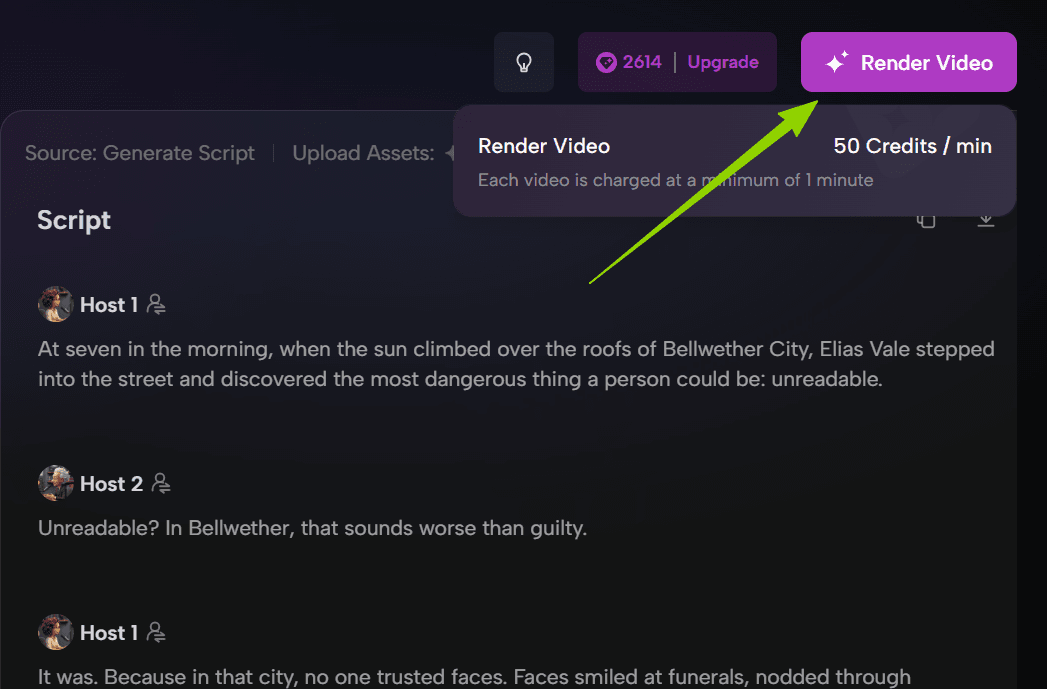
Render stage: review audio, preview the scene, and generate the final video
A strong cartoon podcast video should feel unified. The host, background, and voice should all support the same content experience. The goal is not just to put visuals behind audio. It is to create a complete character-driven show that feels intentional and easy to follow.
Step 4: Improve Your Cartoon Podcast Video with PodcastorAI
Your first episode is only the beginning. After publishing, audience behavior, watch time, comments, and search intent can help you understand what is working. Use these signals to improve your next episode inside PodcastorAI: refine the script, reuse the same host, adjust the voice or background, and keep building a repeatable production template.
Keep Your Host Consistent
A recognizable host helps audiences remember your show. In PodcastorAI, you can save generated hosts in your private host library and reuse the same host across future episodes. This makes it easier to keep the host’s identity, personality, and role consistent from episode to episode.
Improve the Script with Better Source Material
A cartoon host may capture attention, but content keeps people watching. Before creating the next episode, collect stronger source material such as specific URLs, research pages, customer questions, or previous audience comments. Then import or reference these materials in PodcastorAI to generate a more focused and useful script.
Reuse Your Production Setup
The more repeatable your workflow is, the easier it becomes to keep producing new episodes. In PodcastorAI, you can treat each episode as part of the same production system:
-
Define the topic
-
Gather specific source material
-
Generate or refine the script in PodcastorAI
-
Reuse saved hosts from your private host library
-
Keep the voice, background, and host roles consistent
-
Generate audio, render the video, and review the result
Check Platform and Copyright Requirements
Before publishing, make sure your visuals, music, screenshots, and third-party materials are safe to use. If you plan to publish on YouTube, review YouTube copyright and fair use guidance and YouTube advertiser-friendly content guidelines.
Summary
Creating a cartoon podcast is about more than putting a character on screen. A strong show combines a clear concept, the right source material, a fitting host, a matching voice, and a consistent production workflow.
With PodcastorAI, creators can turn existing content into a character-driven podcast experience by combining cartoon hosts, public visual assets, AI voices, and video podcast creation in one workflow.
Whether you are an educator, marketer, storyteller, or faceless creator, this format gives you a new way to turn ideas into engaging content.