

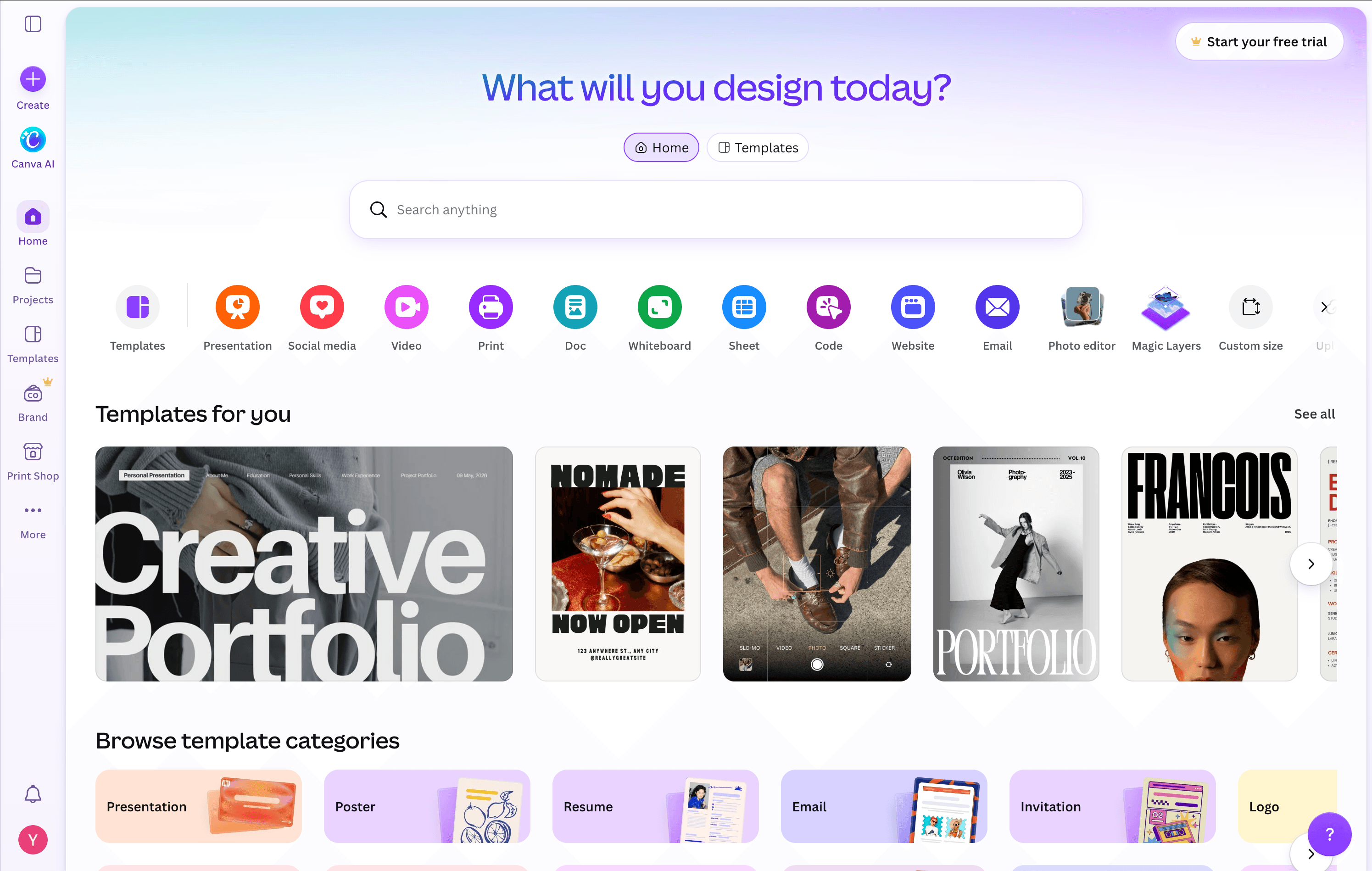
Canva is one of the easiest places to start when you need a YouTube thumbnail. It gives you thousands of thumbnail templates, drag-and-drop editing, stock assets, typography controls, and AI tools for generating or modifying images. Canva currently lists more than 20,000 YouTube thumbnail templates alone.
But sometimes the problem is not that you need more design options. You just want the thumbnail finished. For podcasters publishing episode after episode, choosing a template, finding the right image, arranging the layout, adjusting text, and repeating the process every week can become another production task.
That is where an AI first Canva Thumbnail Maker alternative can make sense.
PodcastorAI takes a more generation focused approach. Instead of building every podcast cover or episode thumbnail element by element, you can start with the episode idea, describe the visual you want, and generate the image with AI.
The practical difference is simple:
Canva gives you more control over the design.
PodcastorAI reduces how much of the design you need to build manually.
This comparison focuses specifically on podcast covers and episode thumbnails, rather than comparing Canva and PodcastorAI as complete platforms.
What Is the Canva Thumbnail Maker?
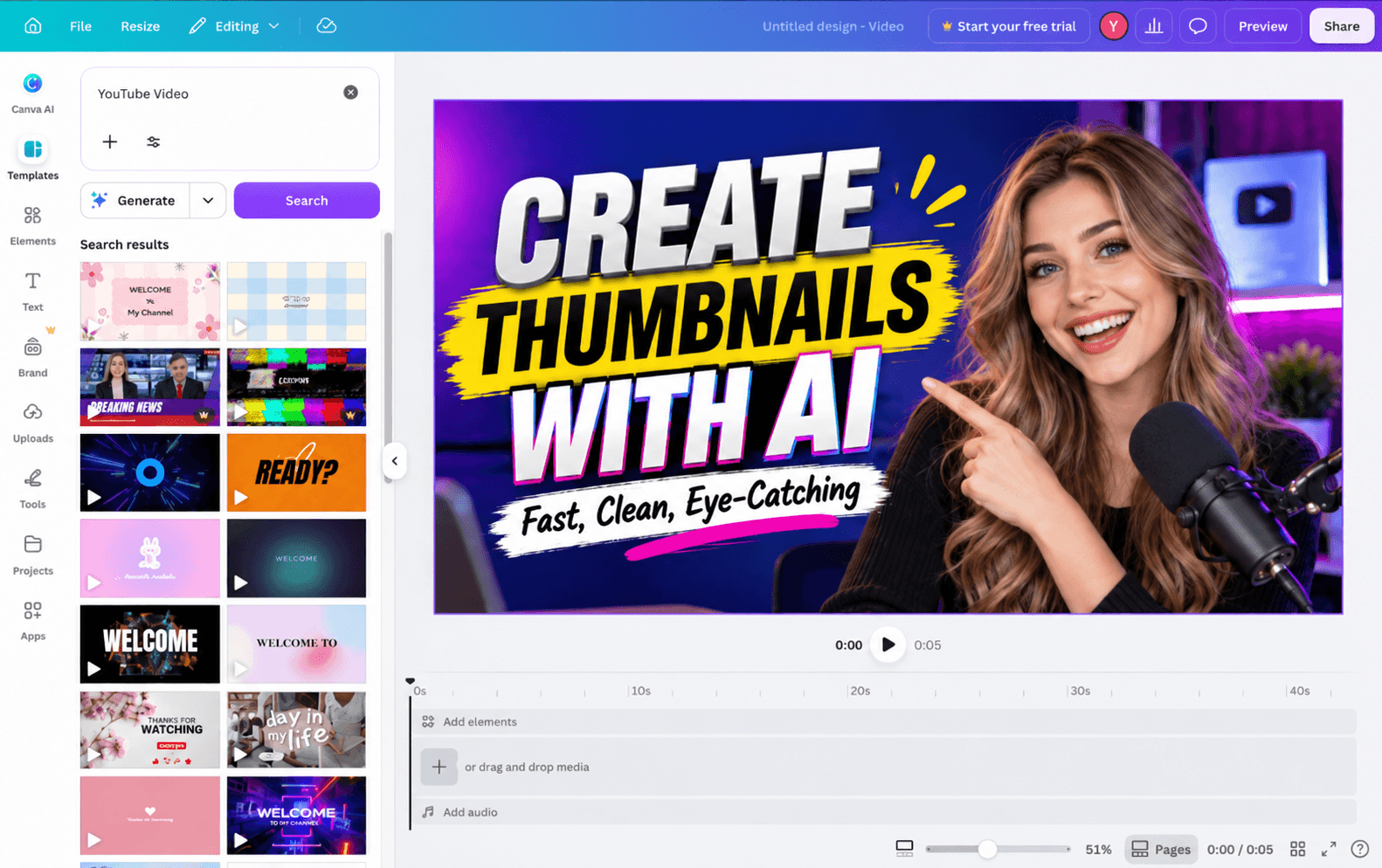
The Canva Thumbnail Maker is Canva’s workflow for creating custom YouTube thumbnails.
You can start with a blank canvas or choose from more than 20,000 YouTube thumbnail templates, then customize the design with photos, illustrations, text, fonts, colors, icons, and other visual elements.
Canva also goes beyond templates.
Its current Magic Studio tools include AI features such as Magic Edit, Magic Eraser, Magic Expand, Dream Lab, and Magic Media, so creators can generate new visuals or modify existing ones without leaving Canva.
That makes Canva particularly useful when you already know exactly how you want the thumbnail to look.
For example, you may want:
-
Your host on the right
-
A three-word headline on the left
-
A specific brand font
-
A logo in the corner
-
The same layout you used for the previous ten episodes
Canva gives you detailed control over each of those elements.
The tradeoff is that you are still making most of the design decisions yourself.
For some creators, that is exactly what they want.
For others, especially podcasters who mainly need a strong visual for each new episode, the goal may simply be to generate a useful starting point faster.
Why Look for a Canva Thumbnail Maker Alternative?
Canva can absolutely create good thumbnails.
The reason to look for an alternative is not that Canva lacks design features. It is that you may want to spend less time designing every thumbnail manually.
For podcasters, that usually comes down to a few very specific problems.
You Don’t Want to Build Every Thumbnail Element by Element
Templates make thumbnail design easier, but they do not remove the design process.
You still need to decide:
-
Which template fits the episode?
-
What image should you use?
-
Which words belong on the thumbnail?
-
How large should the text be?
-
Where should the subject sit?
-
What background works with the topic?
-
Which colors fit the show?
-
Is the final design readable at thumbnail size?
None of those decisions is especially difficult on its own.
The problem is repeating them for every new episode.
An AI thumbnail workflow changes the starting point.
Instead of assembling the image from individual components, you can describe the result you want.
For example:
Modern YouTube podcast thumbnail about whether AI will replace teachers. Show a teacher in a futuristic classroom, strong editorial lighting, subject on the right, clean space on the left for a headline, simple composition, 16:9.
The first step becomes describing the creative direction, rather than choosing and arranging every asset yourself.
Finding the Right Image Can Take Longer Than the Layout
Sometimes the most time-consuming part of creating a thumbnail is not moving text boxes around.
It is deciding:
What should this episode actually look like?
Imagine an episode titled:
Will AI Replace the Traditional Classroom?
In Canva, you could search through templates and assets for:
-
AI classroom
-
Future education
-
Teacher technology
-
Robot teacher
-
Digital learning
-
Students using AI
You may find the right visual immediately.
Or you may spend more time trying different images, removing backgrounds, generating new assets, and testing them inside your layout.
AI image generation gives you another option: generate the visual directly from the episode concept.
That can be especially useful for topics that are difficult to represent with a generic stock image, such as:
-
Is AI making us less creative?
-
Why can’t we stop scrolling?
-
Is college still worth it?
-
The psychology of procrastination
-
What happens after AGI?
-
Why are young people leaving big cities?
The topic becomes the starting point for the image.
You do not have to find an existing visual that approximately represents the idea.
Publishing Frequently Makes Thumbnail Design Repetitive
One thumbnail is not much work.
Fifty thumbnails are.
If you publish a weekly or twice-weekly podcast, the repeated steps begin to matter:
Template → image → headline → layout → color → export → repeat.
This is where AI generation becomes less about novelty and more about production efficiency.
You can generate a new direction for each episode, keep what works, and regenerate when the first result misses the idea.
For podcasters who do not want every episode to use exactly the same template, this also gives you more room to vary the visual without starting every design from scratch.
Canva vs. PodcastorAI for Podcast Thumbnails
Canva and PodcastorAI overlap in AI image creation, but the workflows are different.
| Feature | Canva Thumbnail Maker | PodcastorAI |
|---|---|---|
| Ready-made YouTube thumbnail templates | Extensive template library | Not the main workflow |
| Drag-and-drop design editing | Strong | Not the main focus |
| AI image generation | Yes | Yes |
| Prompt-based visual creation | Yes | Yes |
| Podcast-specific visual use cases | Available through general design tools | Built around podcast content |
| Best fit | Creators who want detailed visual control | Podcasters who want to generate visuals with fewer manual design steps |
Canva’s current thumbnail workflow combines templates, manual editing, and AI generation, so it would be inaccurate to describe it as a template-only tool.
The more useful distinction is what you want to do after you have the idea.
With Canva, you can continue designing the image in detail.
With PodcastorAI, the workflow is more useful when you want AI to do more of the initial visual composition for you.
How to Create a Podcast Thumbnail with PodcastorAI
PodcastorAI’s current AI model stack includes image-generation models such as GPT Image 2 and NanoBanana models for podcast hosts and visual storytelling scenes.
For thumbnail creation, the useful workflow is straightforward.
Step 1: Define the Episode Angle
Do not begin with only the episode title.
Start with what the episode is actually trying to say.
For example:
Episode title:
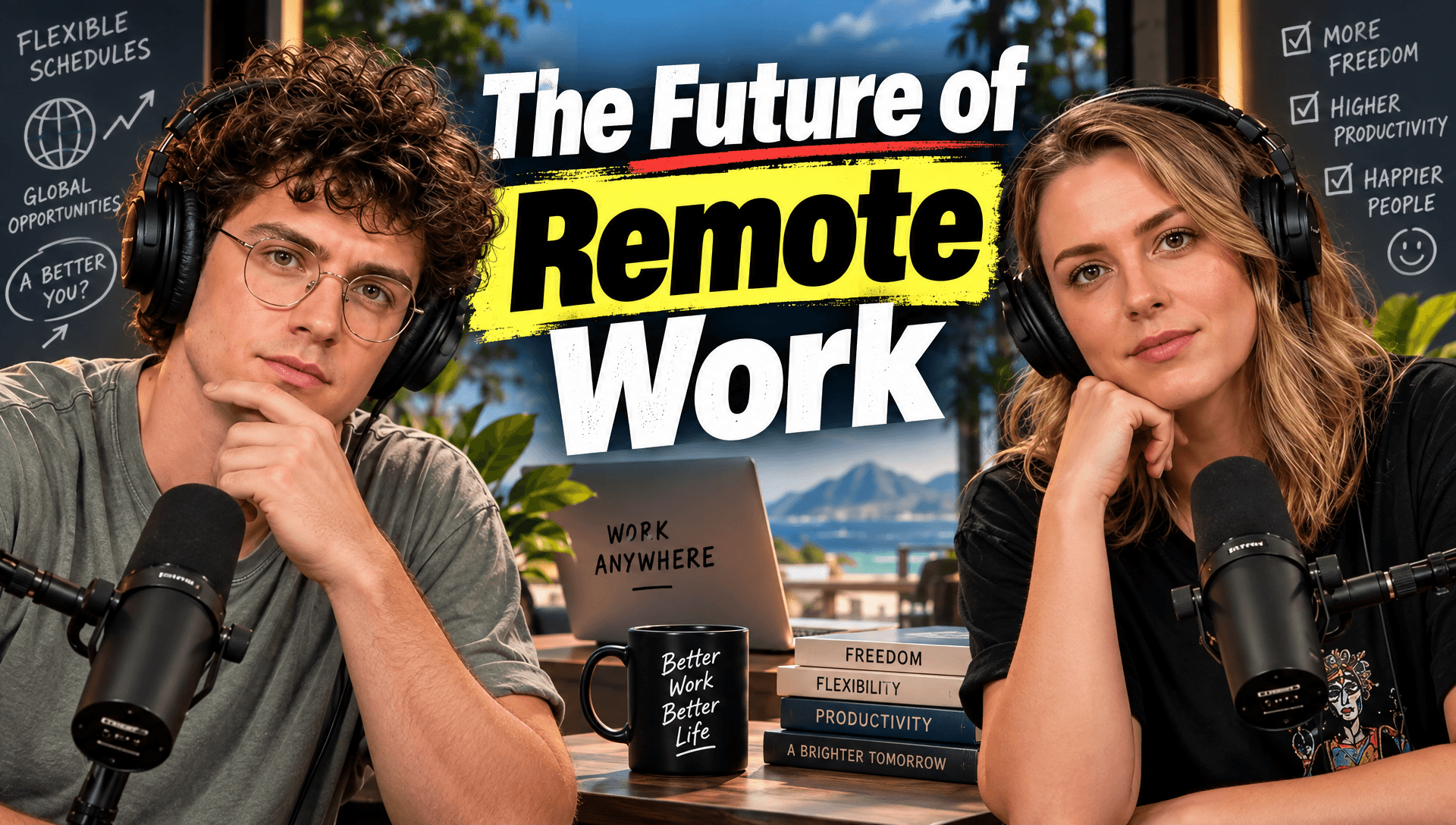
The Future of Remote Work
Episode angle:
Remote work gives people more flexibility, but it may also be making teams feel more isolated.
The second version contains much more visual information.
Step 2: Review the Auto-Generated Cover Brief
You do not need to write the thumbnail prompt from scratch.
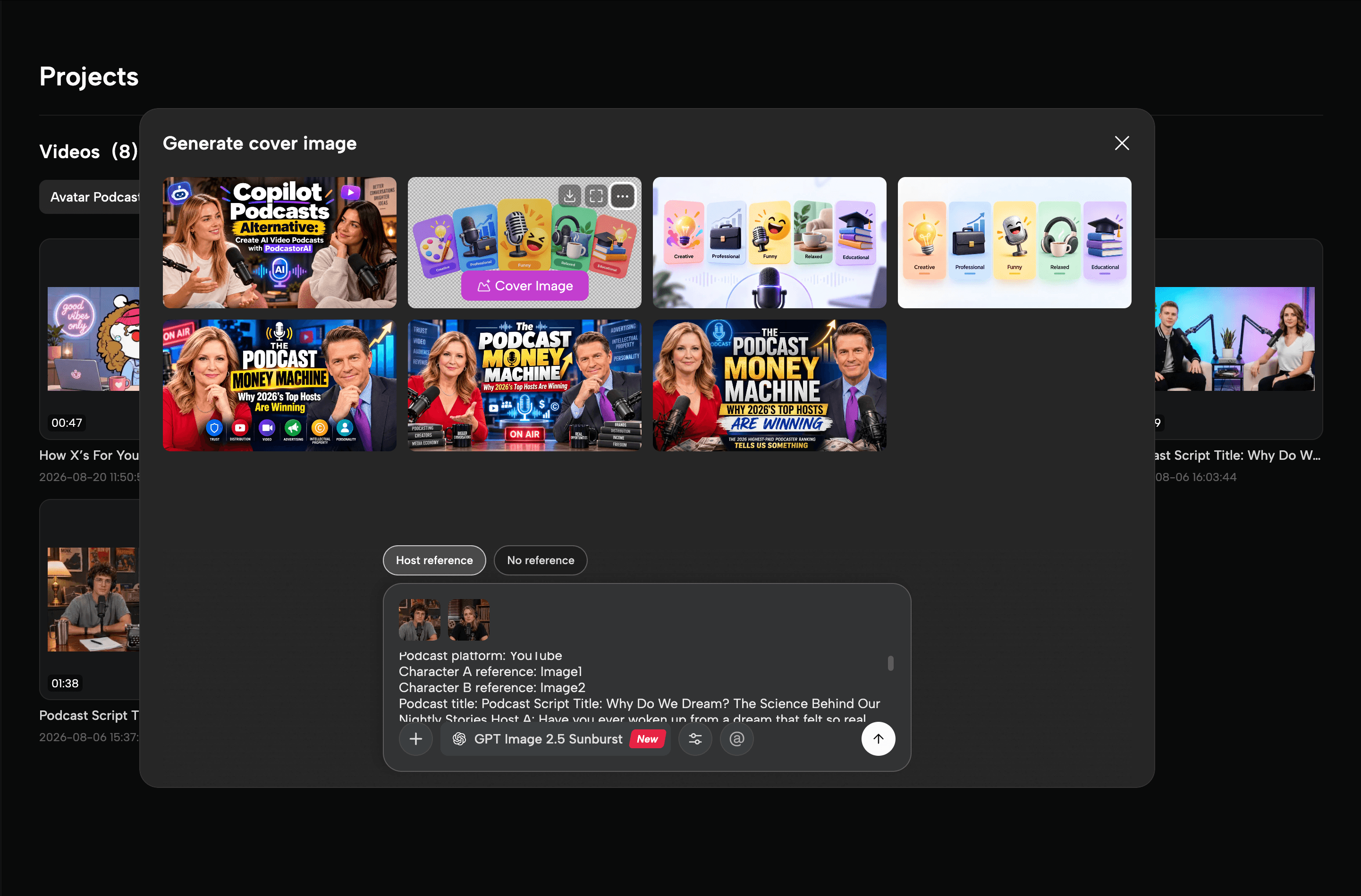
PodcastorAI automatically creates a cover image brief based on your YouTube channel and current podcast, using available context such as the podcast title, episode content, platform, and host references.
If you want the cover to feature your existing podcast hosts, choose Host reference and PodcastorAI can use the selected host images as visual references. You can also choose No reference when you want the AI to create a new visual direction without matching an existing host.
Before generating, review the automatically prepared description and adjust anything that matters to you, such as the mood, composition, visual style, or headline direction.
This means the workflow starts with context the project already has, rather than asking you to manually turn the episode into a detailed image prompt every time.
When PodcastorAI Makes More Sense
PodcastorAI becomes more useful when the problem sounds like this:
“I know what this episode is about. I just don’t want to manually design the cover.”
Or:
“I need a new visual direction for every episode.”
Or:
“Finding the right stock image takes longer than I want.”
Or:
“I would rather describe the image and refine the result than build it piece by piece.”
This is the narrower reason to consider PodcastorAI as a Canva Thumbnail Maker alternative.
Not because Canva cannot make the image.
Because you may prefer a different way of making it.
Final Thoughts
Canva remains a strong choice for creators who want templates, detailed editing tools, extensive visual assets, and precise control over every part of a thumbnail. For podcasters who already have a consistent design system or enjoy building each visual manually, that flexibility is difficult to replace.
PodcastorAI is designed for a different kind of workflow. If you already know what an episode is about and want to turn that idea into a relevant visual without spending as much time choosing templates, searching for assets, and arranging individual elements, AI-generated thumbnails can provide a faster starting point. Instead of beginning with a layout, you begin with the episode itself—its topic, mood, and visual direction—and use AI to turn that brief into a podcast cover or episode thumbnail.
Try PodcastorAI to create a visual direction for your next podcast cover or YouTube thumbnail with AI.