
Introduction
The most time-consuming part of video editing isn’t always adding complex effects. It’s often the repetitive tasks: finding the best moments, removing pauses, adding captions, adjusting aspect ratios, and exporting different versions for different platforms.
AI video editing tools can help automate these tasks, but they don’t all work the same way. Some specialize in turning long videos into Shorts, others let you edit videos by editing a transcript, and some offer a broader range of tools for creating polished social media content.
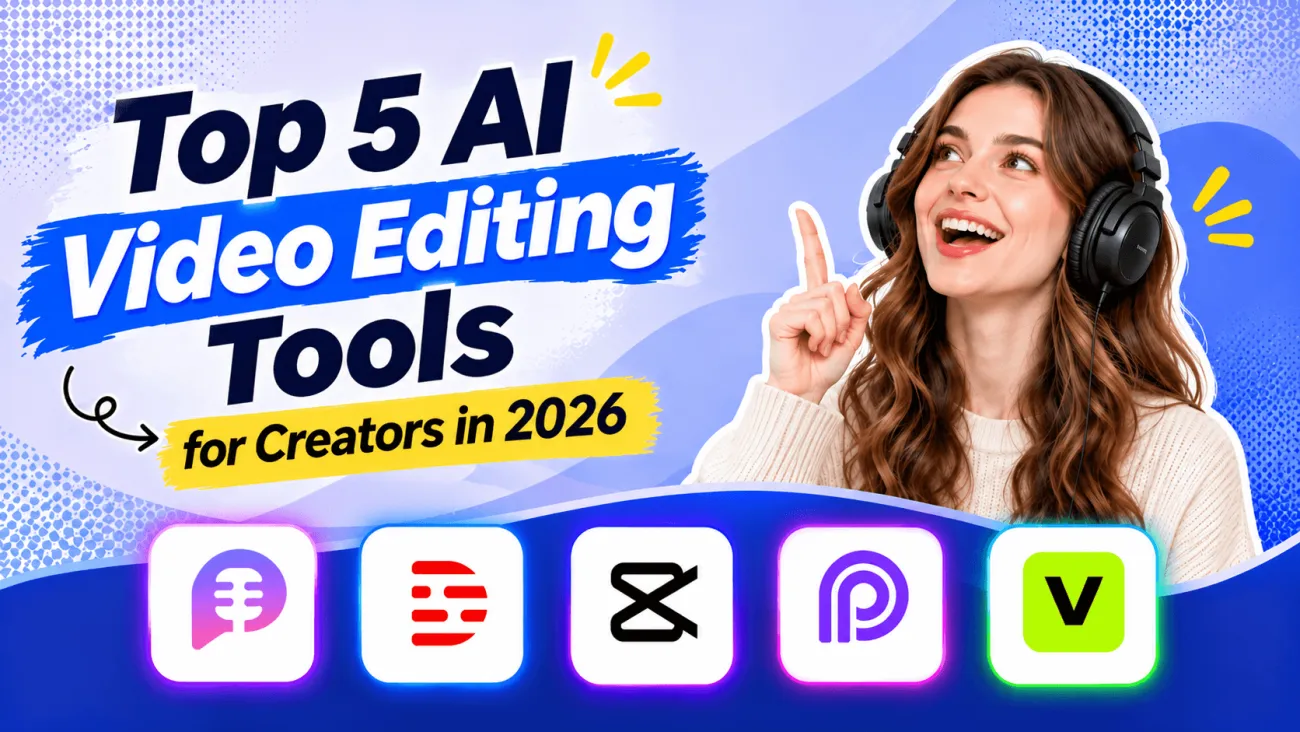
To help you find the best AI video editor for your needs, I compared five tools in 2026: PodcastorAI, Descript, CapCut, OpusClip, and VEED. I examined their editing workflows, AI features, pricing, and limitations to understand where each tool is most useful. Whether you’re editing a podcast, creating YouTube Shorts, or producing social media videos, this guide will help you compare your options and choose a tool that fits your workflow.
The Best AI Video Editing Tools at a Glance
| Tool | Best For | Free Option | Starting Price |
|---|---|---|---|
| PodcastorAI | Podcast video creation and long-form content repurposing | Free trial | $9.9/month |
| Descript | Editing interviews and talking-head videos through transcripts | Free plan | $16/month, billed annually |
| CapCut | Short-form videos, captions, and social media editing | Free version | $19.99/month, reference Pro price |
| OpusClip | Automatically turning long videos into short clips | Free plan | $15/month, Starter |
| VEED | Browser-based video editing and automatic captions | Free plan | From approximately $9/month, billed annually |
Pricing is based on publicly available product information referenced for this comparison in November 2026. Subscription costs may vary by region, billing cycle, AI credits, and available features.
For podcast creators who want to repurpose existing episodes, PodcastorAI offers an integrated workflow connecting podcast creation with short-form content production. Descript is particularly useful for dialogue-heavy videos, while CapCut provides more visual editing control for social media content. OpusClip focuses on automatically extracting clips from long videos, and VEED offers a flexible browser-based editing environment.
How I Compared These AI Video Editing Tools
To compare these five tools, I focused on how they simplify everyday video editing while giving creators control over the final result. A typical use case is turning a 30-minute, two-person podcast interview into a vertical YouTube Short, including selecting highlights, removing pauses, adding captions, and adjusting the framing.
I evaluated each tool across four key areas:
-
AI Automation: Highlight detection, automatic captions, filler-word removal, and time-saving features.
-
Editing Control: Flexibility to adjust clips, captions, framing, and AI-generated edits.
-
Workflow & Export: Support for podcasts, short-form videos, vertical formats, and social media publishing.
-
Pricing & Limitations: Free plans, subscription costs, usage limits, and premium features.
These criteria help identify which tools best suit different video editing needs.
1. PodcastorAI — Best for Podcast Video Editing and Content Repurposing
Website: PodcastorAI
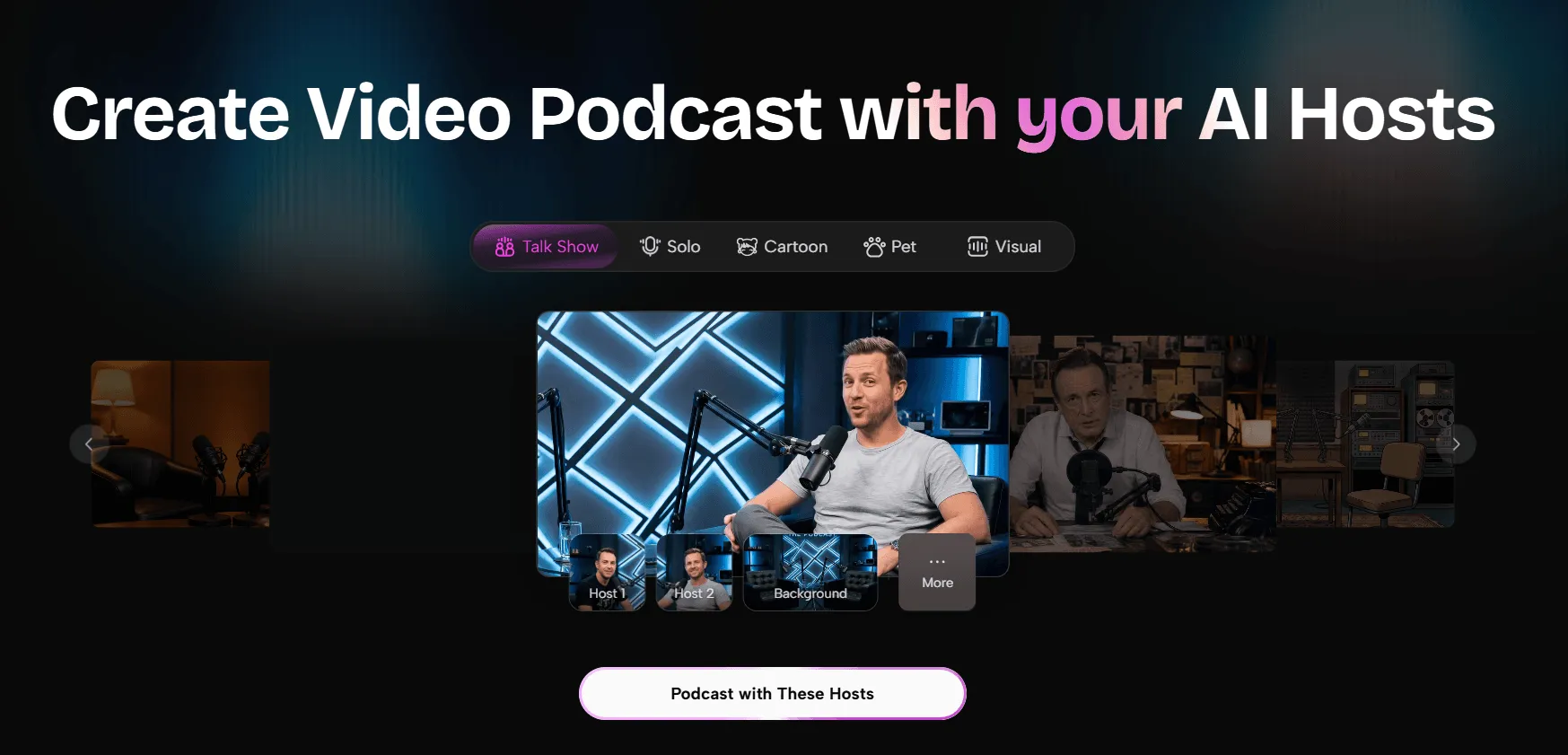
PodcastorAI is designed for creators who want to produce podcast content and repurpose longer recordings into shorter videos. Rather than treating podcast creation and short-form video editing as entirely separate tasks, it brings these activities into a connected content workflow.
For creators who already have a recorded interview or podcast episode, its AI Podcast Clip Generator is particularly relevant.
Editing Workflow and Experience
Suppose you’ve recorded a 30-minute interview about remote work. The conversation includes several useful discussions, but you only want to publish a few short highlights on YouTube Shorts, TikTok, and Instagram Reels.
According to PodcastorAI’s published workflow, you can upload an existing audio or video recording or import content through a YouTube URL. The AI analyzes the recording and suggests potential highlights that you can preview before selecting which clips to use.
Instead of manually reviewing the entire recording on a traditional editing timeline, you can start by examining the AI-generated suggestions. For example, the tool might identify segments about meeting fatigue, productivity, or communication challenges.
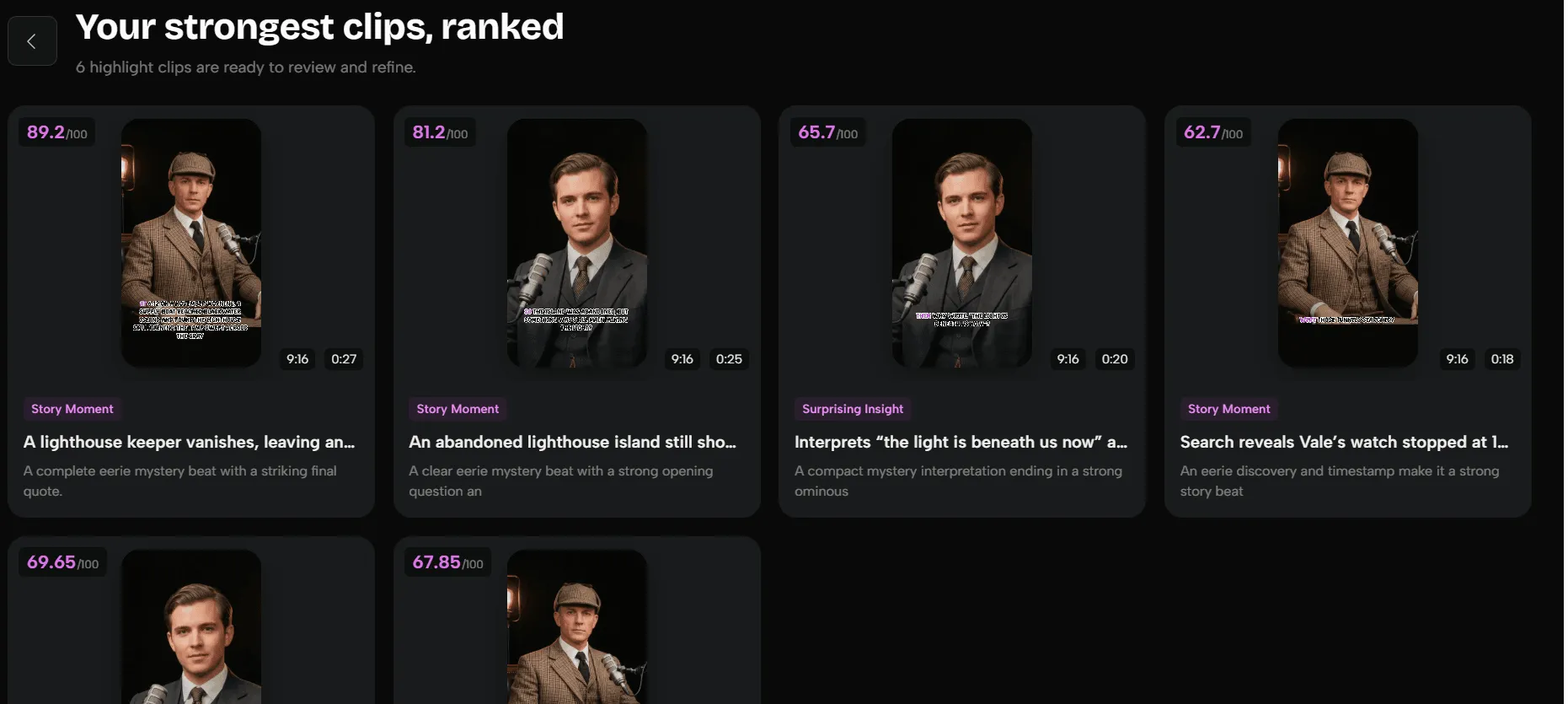
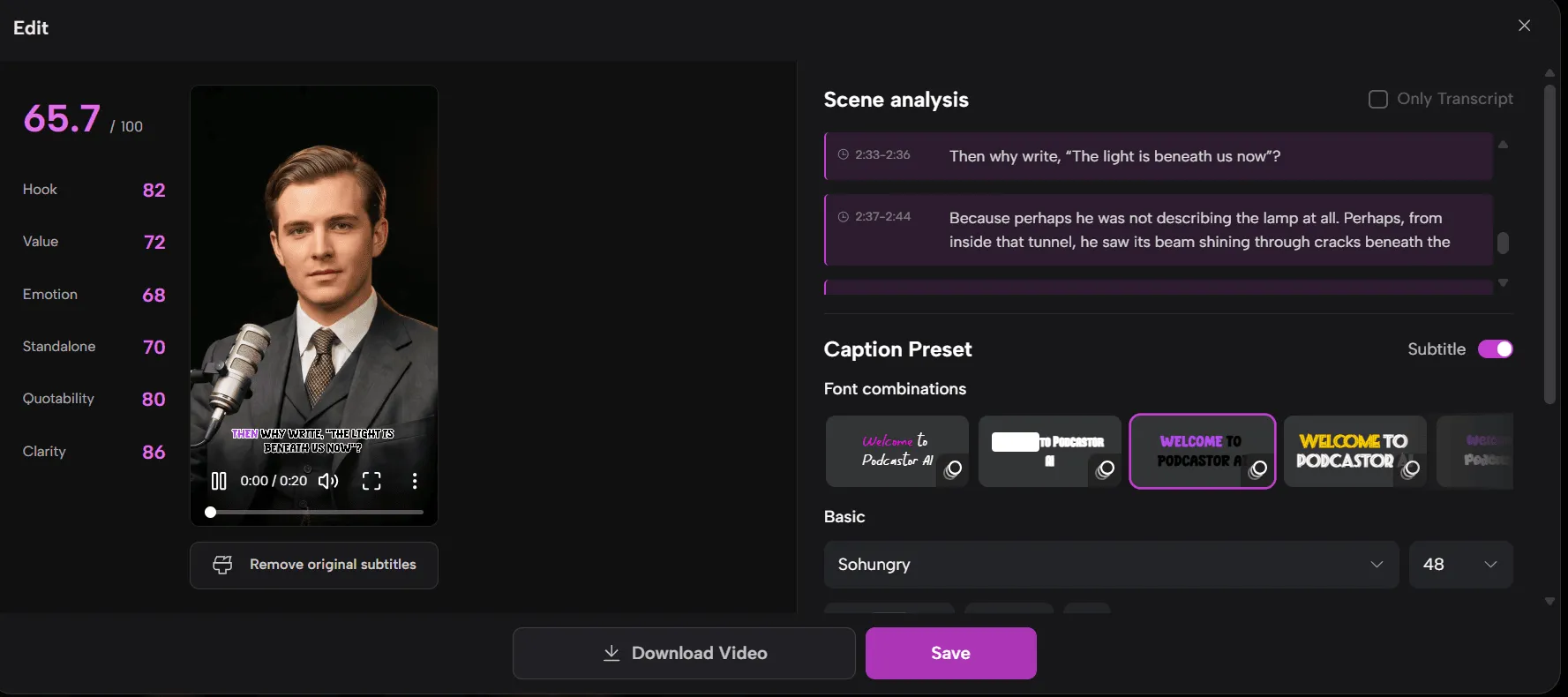
PodcastorAI automatically identifies highlights from long-form podcasts and assigns a score to each suggested clip, helping creators quickly evaluate and prioritize the most promising moments. Users can then refine their selections by adjusting clip boundaries, editing captions, and optimizing videos for vertical platforms like YouTube Shorts, TikTok, and Instagram Reels.
By combining AI-powered highlight detection, clip scoring, and flexible editing, PodcastorAI makes it easier to repurpose long podcast episodes into engaging short-form content. Instead of manually reviewing hours of footage, creators can use AI-generated scores as a reference, select their preferred highlights, and customize the final clips for different social media platforms.
Key AI Features
-
AI Highlight Extraction: Identify potential short-form clips from longer podcast recordings.
-
Clip Preview and Trimming: Review suggested highlights and adjust clip boundaries.
-
Vertical Video Editing: Adapt video layouts for short-form platforms.
-
Caption Editing: Review and refine captions before exporting.
-
Podcast Creation and Repurposing: Connect podcast production with video and short-form content workflows.
PodcastorAI also offers workflows for transforming audio-only podcast content into visual video formats, making it relevant to creators who don’t always record their episodes on camera.
What Could Be Better?
PodcastorAI focuses on podcast content and video repurposing rather than advanced professional post-production. It may not replace a dedicated editor for complex multitrack projects, precise keyframe animation, or extensive visual effects.
Creators should also review AI-selected highlights carefully, especially when editing interviews with nuanced arguments or conversations that depend heavily on context.
Pricing
PodcastorAI offers 50 free credits for new users. Processing a 20-minute podcast video with its AI Podcast Clip Generator costs approximately 21 credits, allowing users to process two 20-minute videos within the free trial. Creators can use these credits to generate AI-selected highlights, review clip scores, and turn long-form podcasts into short-form videos.
Paid plans start at $9.90/month for Audio Creator and $26/month for Video Starter.
Best for: Podcast creators, interviewers, and content teams who want to turn long-form recordings into reusable short-form video content while keeping podcast production and repurposing within a connected workflow.
2. Descript — Best for Editing Videos by Editing Text
Website: Descript
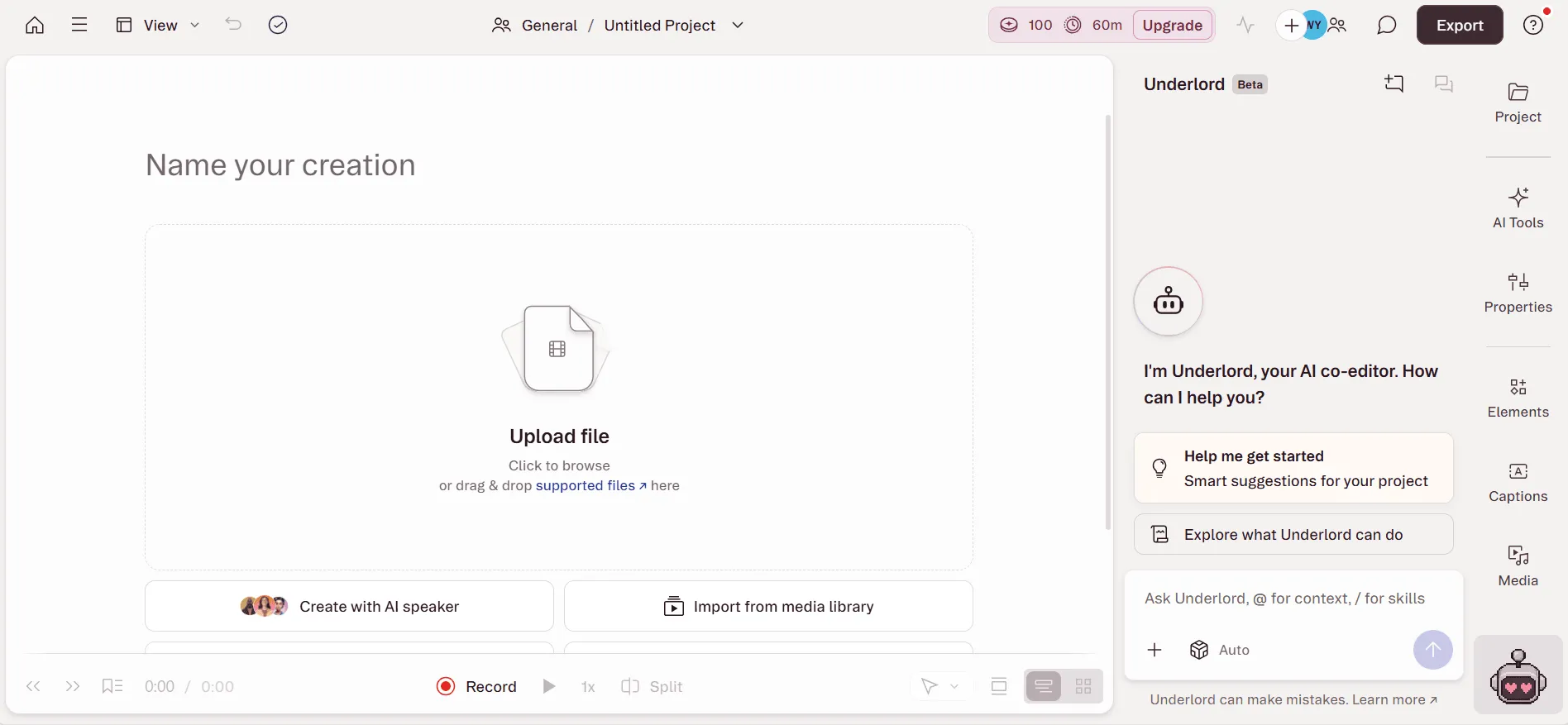
Descript’s standout feature is text-based video editing. It transcribes recorded content and allows creators to edit the corresponding video by editing the transcript.
For dialogue-heavy content, this offers a different approach from traditional timeline editing.
Editing Workflow and Experience
Imagine that one of the guests in your interview goes off-topic for a few sentences.
In a traditional editor, you’d need to locate the exact timestamps, split the footage, and remove the unwanted section. With Descript, you can find those sentences in the transcript and edit them directly.
This makes Descript particularly useful for interviews, tutorials, commentary videos, and podcasts where spoken content determines the structure of the edit.
Descript also provides AI features such as Studio Sound, Remove Filler Words, and Create Clips. These can help improve audio quality, remove unnecessary verbal fillers, and produce shorter content from longer recordings.
For creators who spend more time refining dialogue than adding visual effects, these features can make the editing process more manageable.
Key AI Features
-
Text-Based Editing: Edit recorded video and audio through the transcript.
-
Studio Sound: Improve the clarity of recorded speech.
-
Remove Filler Words: Identify and remove unnecessary verbal fillers.
-
Create Clips: Generate shorter clips from longer recordings.
What Could Be Better?
Text-based editing works best when spoken content is central to the video. For dance performances, music videos, or visual storytelling, the transcript alone won’t capture the pacing and visual rhythm needed for a polished edit.
Transcription accuracy can also vary depending on audio quality, accents, and overlapping speakers. Names and technical terminology may require manual corrections.
Pricing
Descript offers a free plan with limited media processing and AI credits. Its Hobbyist plan starts at $24/month with monthly billing, including 10 hours of monthly media processing, 400 AI credits, and watermark-free exports up to 1080p.
Best for: Creators who regularly edit interviews, educational videos, podcasts, and talking-head content through transcripts.
3. CapCut — Best for Social Media Video Editing
Website: CapCut
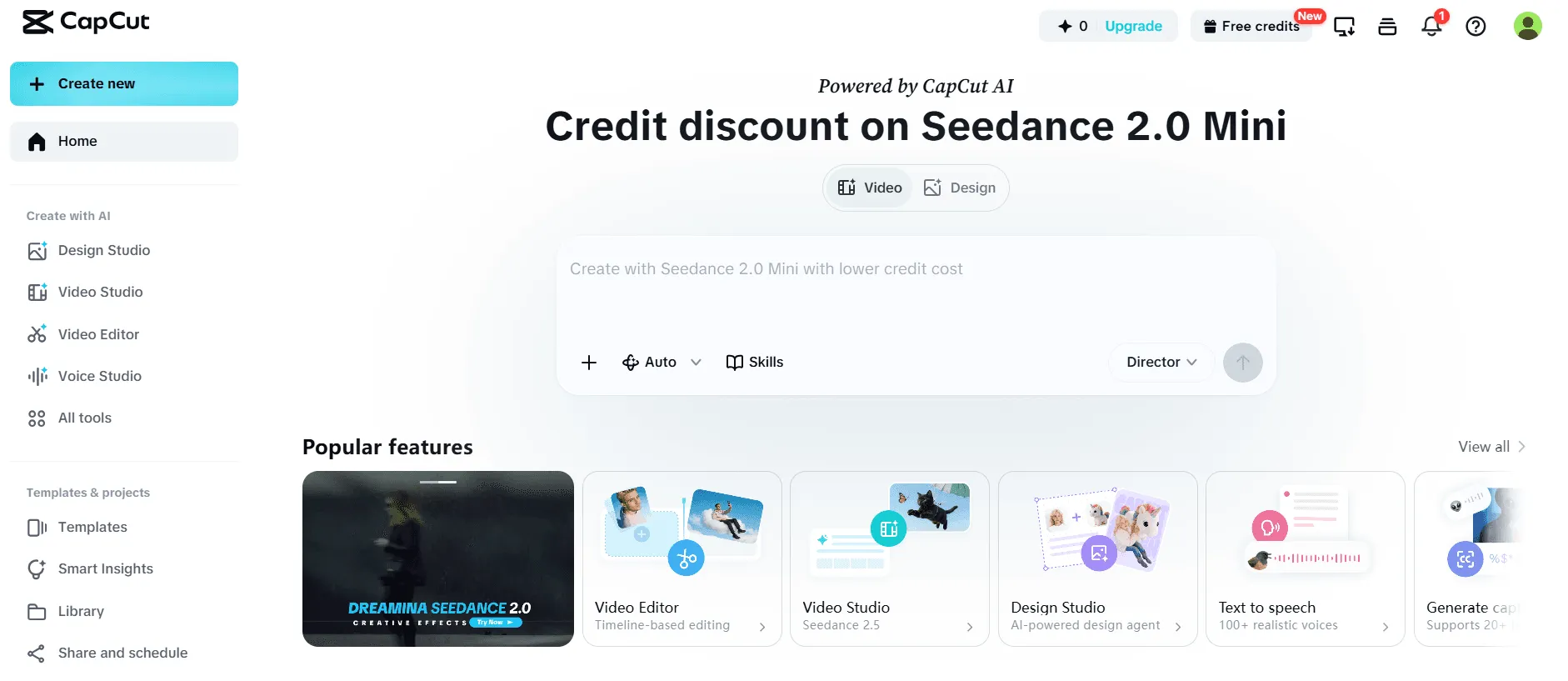
CapCut combines traditional timeline editing with AI-assisted features designed for social media content. It offers captions, templates, visual effects, music tools, and editing controls that make it useful for producing short videos.
Unlike tools primarily focused on extracting highlights from long recordings, CapCut is particularly useful when you already know which footage you want to edit.
Editing Workflow and Experience
Suppose you’ve already selected a 60-second interview clip and want to make it more engaging for TikTok or Instagram Reels.
With CapCut, you can arrange footage on a timeline, add animated captions, adjust the pacing, insert background music, and apply visual effects. AI-assisted features can reduce some repetitive work, while the timeline gives you control over the final presentation.
This makes CapCut a practical option for creators who care about the visual style of their videos. It can be especially useful when a clip needs more than basic trimming and subtitles.
For example, a creator might combine a short interview highlight with animated text, reaction shots, and background music to produce a more polished social media video.
Key AI Features
-
Automatic Captions: Generate subtitles for spoken content.
-
AI-Assisted Editing: Reduce repetitive editing work through supported AI features.
-
Templates and Effects: Apply social media-oriented visual styles.
-
Flexible Timeline Editing: Adjust clips, music, captions, and pacing.
What Could Be Better?
CapCut offers a broad range of features, but that flexibility can make it less direct for creators who only want to extract highlights from a long interview.
Some AI features, templates, and premium assets require a Pro subscription or additional credits. Pricing and feature access can also vary by region and platform.
Pricing
CapCut offers a free version with essential editing features. Its published pricing has included a reference price of $19.99/month for CapCut Pro, although the actual subscription cost may vary by location, platform, and account.
Best for: Social media creators who want hands-on control over captions, effects, music, and the visual presentation of short-form videos.
4. OpusClip — Best for Turning Long Videos into Shorts
Website: OpusClip
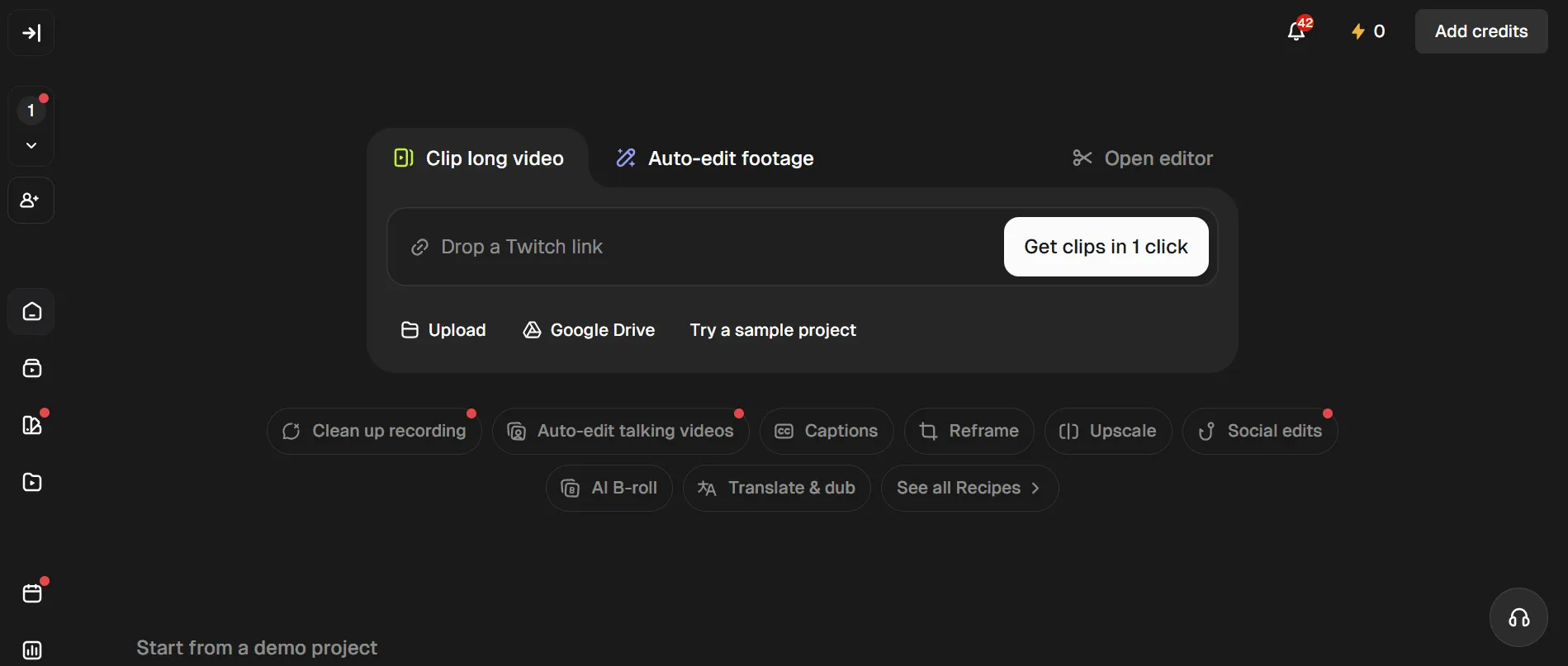
OpusClip specializes in transforming long-form videos into short clips. It is particularly relevant to creators who regularly repurpose interviews, webinars, livestreams, and podcasts for short-form platforms.
Editing Workflow and Experience
OpusClip’s core workflow starts with a long video. After importing the content, users can let AI identify potential highlights, generate captions, and adjust the framing for vertical video.
One of its distinctive features is Virality Score, which provides an estimate of how appealing an AI-generated clip might be as short-form content.
For a 30-minute interview about remote work, this could help a creator prioritize clips for review. However, a high score doesn’t necessarily mean a clip is accurate, complete, or suitable for the intended audience.
For example, a guest might make a surprising statement that attracts attention but requires additional explanation. Publishing only that statement could misrepresent the conversation.
OpusClip’s automated suggestions are therefore most useful as a starting point for selecting and refining clips, rather than a replacement for editorial judgment.
Key AI Features
-
AI Clipping: Extract potential short-form highlights from longer videos.
-
Virality Score: Help prioritize suggested clips for review.
-
Animated Captions: Add subtitles suited to short-form content.
-
Automatic Reframing: Adapt videos for vertical viewing.
-
Clip Editing: Refine generated clips before exporting.
What Could Be Better?
OpusClip is focused on repurposing existing long-form content. Creators who also need to generate podcasts from documents, produce AI-hosted episodes, or manage a broader podcast production workflow may need additional tools.
AI-generated clip boundaries and captions also require review, particularly when the original recording includes multiple speakers or context-dependent discussions.
Pricing
OpusClip offers a free plan. Its published Starter plan costs $15/month, with 150 monthly credits, AI Clipping, Virality Score, animated captions, and editing features. Pro provides additional credits and team-oriented capabilities, with pricing depending on the billing cycle.
Best for: Creators with a library of long-form videos who want to produce multiple short clips efficiently.
5. VEED — Best for Browser-Based Video Editing
Website: VEED
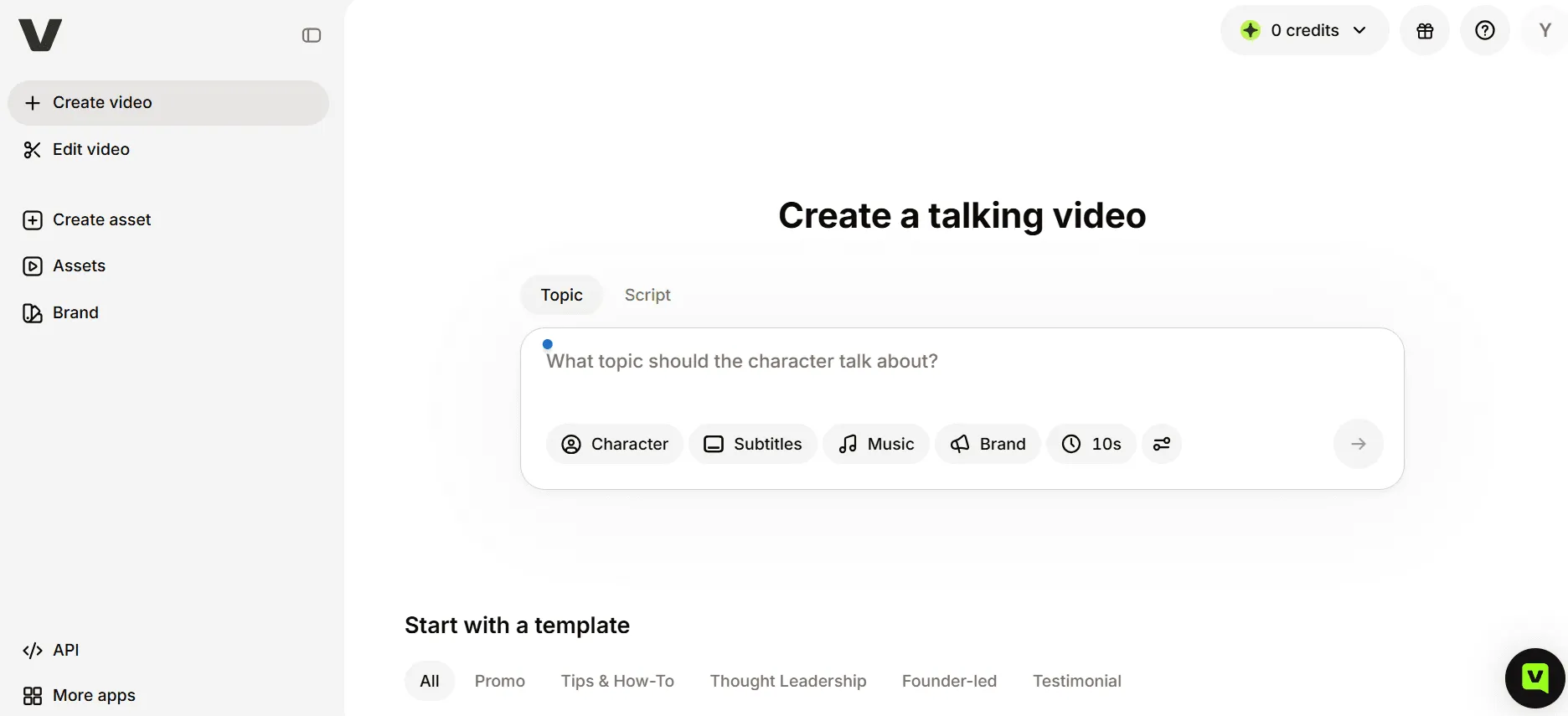
VEED is a browser-based video editor that combines conventional editing tools with AI-assisted features. It is designed for creators who want to trim footage, generate captions, clean up audio, and prepare videos for different platforms without installing a large desktop editing application.
Editing Workflow and Experience
Suppose you only need to make a few changes to an interview recording: remove the opening pause, add subtitles, change the aspect ratio, and export a finished video.
VEED’s online editing environment allows you to complete these tasks through a browser. This can be convenient for occasional editing or working across different devices.
The platform also offers AI-assisted features, including automatic subtitles, text-based editing, audio cleanup, and Auto Edits.
Rather than focusing exclusively on identifying podcast highlights, VEED provides a more flexible editing environment for a variety of everyday video tasks.
That flexibility can be useful for creators who produce different kinds of content. However, someone whose only goal is to generate a batch of short clips from a long podcast may prefer a more specialized workflow.
Key AI Features
-
Automatic Subtitles: Generate and edit captions.
-
Text-Based Editing: Make supported edits through transcribed speech.
-
Audio Cleanup: Improve recorded audio.
-
Auto Edits: Automate selected editing tasks.
-
Browser-Based Editing: Work without installing desktop software.
What Could Be Better?
VEED’s free plan has noticeable limitations. Published plan information indicates that free exports are limited to 720p and include a watermark.
Some AI features also have restricted free usage, while higher-resolution and watermark-free exports require a paid subscription.
Pricing
VEED offers a free plan. Paid subscriptions start at approximately $9/month with annual billing or $19/month with monthly billing. Export quality, watermark removal, and AI feature access depend on the plan.
Best for: Creators who want a flexible online video editor for captions, trimming, audio improvements, and everyday editing tasks.
AI Video Editing Tools: Feature Comparison
The five tools overlap in some areas, but their editing workflows are designed around different needs.
| Feature | PodcastorAI | Descript | CapCut | OpusClip | VEED |
|---|---|---|---|---|---|
| AI highlight extraction | Core clipping workflow | Create Clips | Feature-dependent | Core workflow | Feature-dependent |
| Transcript-based editing | Caption editing; broader support to verify | Core feature | Selected features | Clip editing tools | Supported |
| Automatic captions | Yes | Yes | Yes | Yes | Yes |
| Vertical video editing | Yes | Yes | Yes | Yes | Yes |
| AI podcast creation | Supported | Not its main focus | Not its main focus | Not its main focus | Not its main focus |
| Long-form to Shorts | Yes | Yes | Feature-dependent | Yes | Feature-dependent |
| Advanced visual editing | Limited compared with professional editors | Selected editing tools | Broad timeline controls | Focused on clips | General-purpose editor |
| Main workflow | Podcast creation and repurposing | Transcript-based editing | Social media video production | Automated short clips | Browser-based editing |
The main distinction is the starting point of the editing process. PodcastorAI and OpusClip focus on finding reusable content in longer recordings. Descript organizes editing around speech and transcripts, CapCut emphasizes visual editing, and VEED provides a broad range of browser-based tools.
Which AI Video Editing Tool Should You Choose?
The best choice depends on what kind of video editing work you need to complete most often.
-
Choose PodcastorAI for podcast-focused content creation and repurposing. It’s particularly relevant when your workflow involves producing podcast episodes and turning longer recordings into shorter videos for social media.
-
Choose Descript for dialogue-heavy editing. Its transcript-based approach is useful for interviews, tutorials, commentary, and talking-head videos where the spoken content drives the edit.
-
Choose CapCut for visually polished social media content. It offers timeline controls, captions, effects, and music tools suited to short-form videos.
-
Choose OpusClip for automated long-form video clipping. Its specialized workflow is useful when you have a collection of existing videos and want to produce multiple short clips.
-
Choose VEED for flexible browser-based editing. It’s a practical option when you want to handle everyday editing tasks online without installing dedicated software.
If you’re working with a limited budget, compare the free plans carefully. Free access doesn’t always include unlimited AI processing, high-resolution exports, or watermark removal.
Frequently Asked Questions
1. What is the best AI video editing tool for podcasts?
PodcastorAI is a strong choice for podcast creators who want to edit long-form recordings, identify highlights, and repurpose content into short videos.
2. Can AI automatically turn a podcast into YouTube Shorts?
Yes, PodcastorAI can automatically identify podcast highlights and help turn them into captioned, vertical videos for YouTube Shorts, TikTok, and Instagram Reels.
3. Can I create podcast videos without recording myself on camera?
Yes, PodcastorAI can transform audio-only podcasts into visual video content without requiring creators to appear on camera.
4. Is PodcastorAI better than OpusClip for podcast editing?
PodcastorAI is better suited to podcast creation and repurposing, while OpusClip focuses primarily on generating short clips from existing long-form videos.
5. Is there a free AI podcast video editor?
Yes, PodcastorAI offers new users 50 free creditsto explore its AI podcast creation and video editing features.
Choose the AI Editing Workflow That Fits Your Content
AI video editing tools can reduce repetitive work, but the right choice depends on what you’re trying to create.
If your work involves podcasts and interviews, PodcastorAI offers a workflow worth exploring, from podcast production to AI-assisted highlight extraction and short-form content repurposing.
Instead of manually searching through an entire recording for shareable moments, you can start with AI-suggested clips, review the most relevant segments, and refine them for your target platform.
For creators who regularly publish podcasts, this can make short-form video production a more manageable part of their content workflow.