
An Honest Guide for Students. By the PodcastorAI Editorial Team. Updated May 18, 2026
TL;DR
-
AI study podcasts work best for review and reinforcement, not for first-time learning of dense new material. Use them as a second-pass layer on top of active reading.
-
The 2026 shortlist is NotebookLM vs PodcastorAI. NotebookLM wins on speed, free access, and auto-slide Video Overviews. PodcastorAI wins on editable scripts, solo/two-host choice, 32+ language voice depth, and avatar (realistic / cartoon / pet) video — the format NotebookLM doesn’t have.
-
Solo vs two-host matters. Two-host for first exposure to new conceptual material. Solo for memorization and final-pass review.
-
The rule that beats every tool choice: edit the script before rendering, listen actively, and pair every podcast with one round of active recall within 24 hours.
Listening While Studying: When It Helps and When It Doesn’t
Before you commit hours of listening, it’s worth being honest about what audio learning is good at — and what it isn’t.
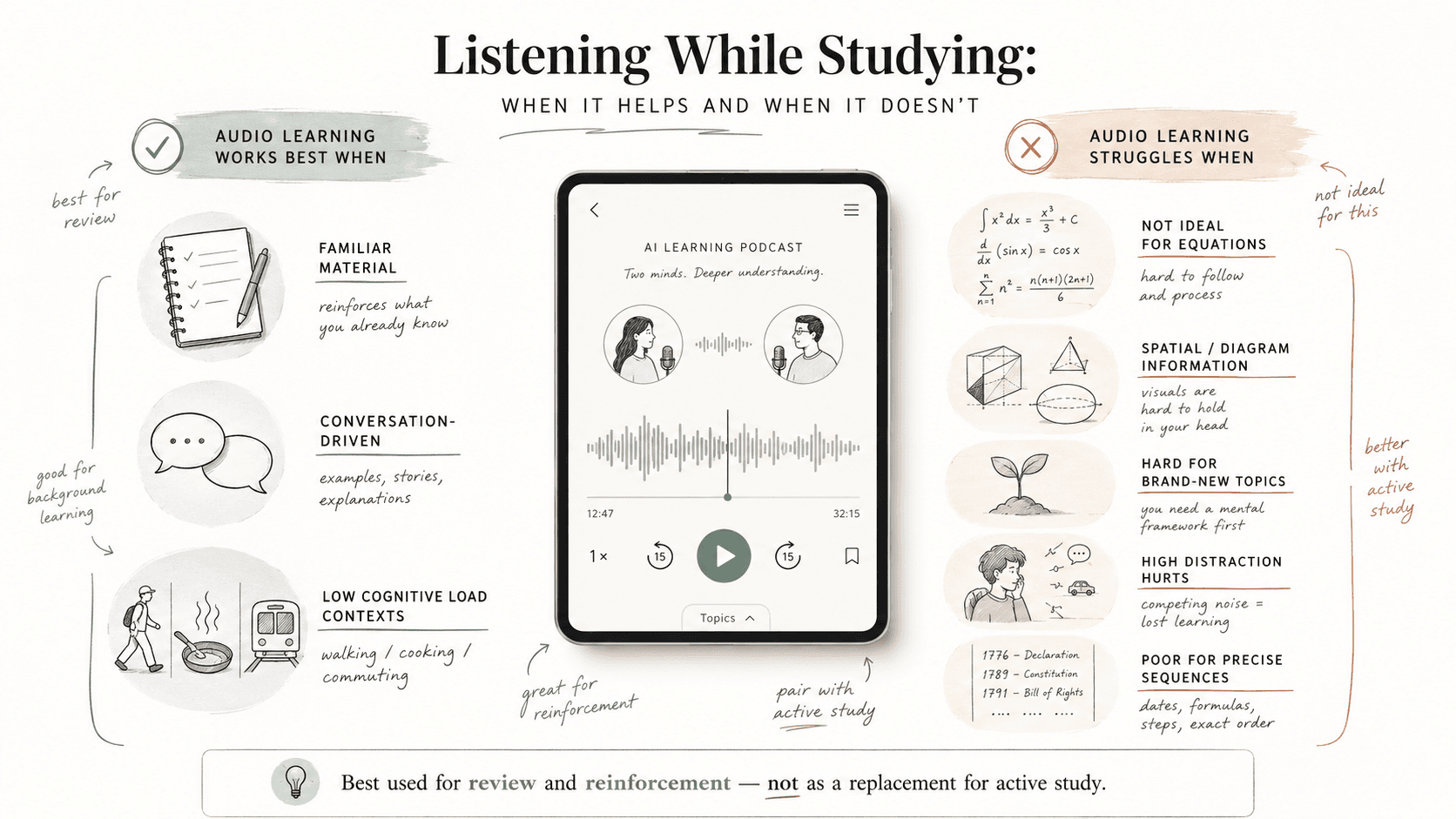
Audio learning works best when:
-
The material is already familiar and you’re reinforcing it.
-
You’re reviewing, not encoding for the first time.
-
The content is conversational, narrative, or example-driven.
-
You’re in a low-cognitive-load context (walking, cooking, commuting).
Audio learning struggles when:
-
The material is dense with equations, diagrams, or spatial information.
-
You’re learning a topic from scratch with zero prior context.
-
The environment is high-distraction (active driving, conversations nearby).
-
You need to memorize precise sequences (long lists of dates, formulas).
A 2022 EEG-based study published in PMC found that podcast learning produced comparable test performance to reading, but learner attention measured via EEG dropped when listening was paired with physical activity — useful, but not free of trade-offs. A separate scoping review of podcast use in medical education found that medical learners consistently valued podcasts for portability and efficiency, and that knowledge retention from podcasts was comparable to traditional formats in most studies reviewed.
The honest takeaway: AI study podcasts are a powerful review and reinforcement layer — not a replacement for active reading, problem-solving, or spaced retrieval practice. Used that way, they’re one of the most efficient additions you can make to a study routine.
The real-world demand is obvious if you spend any time in student communities. A recent r/medicalschool thread on long rotation commutes is filled with students looking for ways to convert 1.5–2 hour daily commutes into study time — and the top replies overwhelmingly recommend audio over video, precisely because audio survives a steering wheel and a metro tunnel.
Background music research points the same direction. A 2021 ScienceDirect study on background music and learning found that listeners tend to use less audio during difficult tasks and that audio’s effect depends heavily on familiarity and task type. Translation for AI study podcasts: use them for review and second passes, not for your first encounter with a hard topic.
Definition — AI study podcast: An AI study podcast is an audio file (usually 5–30 minutes) generated by an AI tool from your source material — a PDF, lecture transcript, set of notes, or URL — that turns the content into a conversational or narrated explanation designed for listening-based review.
Five Must-Have Features for Your AI Study Podcast Tool
Not every “AI podcast” tool is built for studying. Many are built for content marketers who want a podcast feed, not learners who want to remember chapter 7 of an immunology textbook. Use this checklist to filter.
| # | Feature | Why It Matters for Studying |
|---|---|---|
| 1 | PDF, slide, and URL ingestion | You shouldn’t have to retype your textbook. The tool must accept PDFs, PowerPoints, and web links directly. |
| 2 | One and two-host script modes | Solo narration suits dense memorization. Two-host dialogue suits conceptual understanding. You need both. |
| 3 | Editable script before audio render | AI hallucinates. You need to read the script and fix wrong claims before burning audio credits. |
| 4 | Multi-language, natural voices | If you study in Spanish, Mandarin, or Arabic, English-only TTS is a dealbreaker. Look for 20+ languages. |
| 5 | Adjustable length and depth | A 5-minute summary and a 25-minute deep dive serve different study phases. One-size-fits-all wastes your time. |
Bonus signals of a serious tool:
-
Voice cloning (record your professor’s intro and use it as the narrator — controversial, but powerful for familiarity).
-
Audio-to-script (turn an existing lecture recording back into editable text).
-
Built-in audio enhancement (denoising, vocal clarity).
-
Multiple output formats — pure audio, image podcast (audio + cover + waveform + subtitles), avatar video (lip-synced realistic/cartoon/pet host), and auto-slide video. Different formats fit different study and sharing needs.
If a tool misses three or more items on this list, it’s probably built for marketers, not students.
Top 4 AI Podcast Tools for Studying in 2026
The AI podcast space exploded in 2024–2025. By 2026, four tools stand out for studying specifically. Here’s an honest comparison.
| Tool | Best For | PDF Input | 1- & 2-Host | Editable Script | Output Formats | Languages | Free Tier |
|---|---|---|---|---|---|---|---|
| NotebookLM | Quick Audio + auto-slide Video Overviews from sources | Yes | 2-host only (default) | Limited | Audio / Auto-slide video | 80+ | Yes (rate-limited) |
| PodcastorAI | Full study workflow with editable script + avatar video | Yes (PDF/PPT/URL/text) | Yes (1 and 2-person) | Yes | Audio / Image podcast / Avatar video (realistic / cartoon / pet) | 32+ | Yes (3 free generations) |
| Jellypod | Recurring podcast-style feeds | Limited | Yes | Yes | Audio | ~20 | Trial-based |
| Podgen | Quick text-to-podcast clips | Yes | Yes | Partial | Audio | ~15 | Trial-based |
A few honest notes on each:
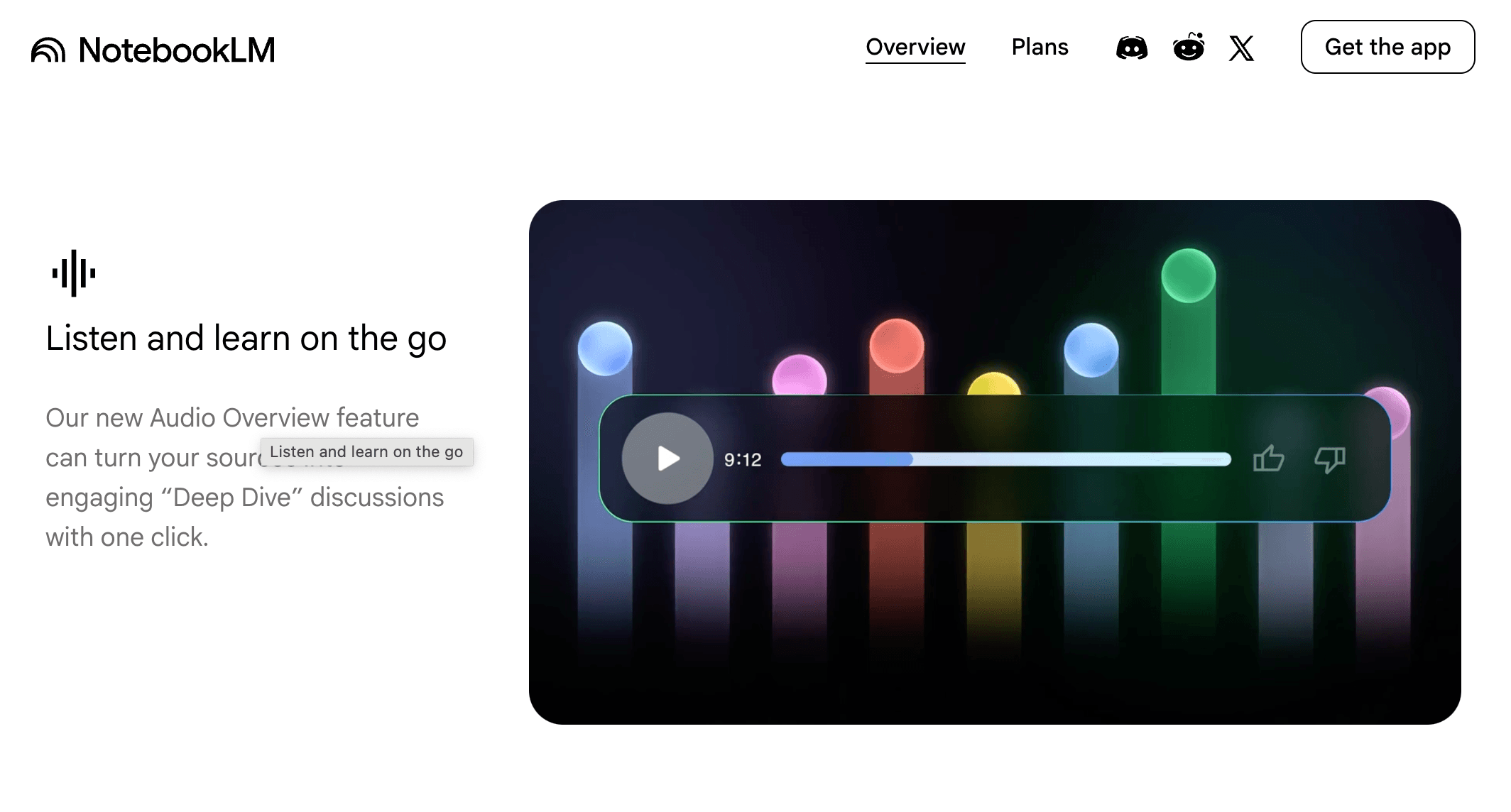
- NotebookLM is fast, free at a basic tier, and excellent at producing a single Audio Overview from a notebook of sources. Per Google’s own NotebookLM Help, Audio Overviews now support 80+ languages — impressive coverage. In July 2025 Google also launched Video Overviews, which auto-generate a narrated slide-style video from your sources (with images and diagrams pulled directly from the documents). The trade-off remains: limited control over script tone, host count, length, voice, and how the slides are composed.
-
PodcastorAI positions itself as a “zero-friction AI podcast workstation.” Its phase-one focus is the studying-and-creator workflow: ingest PDF/PPT/URL/text, generate a 1- or 2-person script you can edit, render audio in 32+ languages using MiniMax and ElevenLabs voices, and (optionally) generate a video podcast version using realistic, cartoon, or pet hosts.
-
Jellypod is strong for users who want a recurring AI-generated show, less optimized for one-off study sessions.
-
Podgen is lightweight and fast, but lacks the editing depth serious learners want.
For most students in 2026, the realistic shortlist is NotebookLM vs PodcastorAI
AI Study Podcast vs NotebookLM: Which Works Better for Studying?
Both tools take sources and produce study-friendly audio and video outputs. The differences show up in control, voice quality, and what the video format actually is.
Where NotebookLM Wins
-
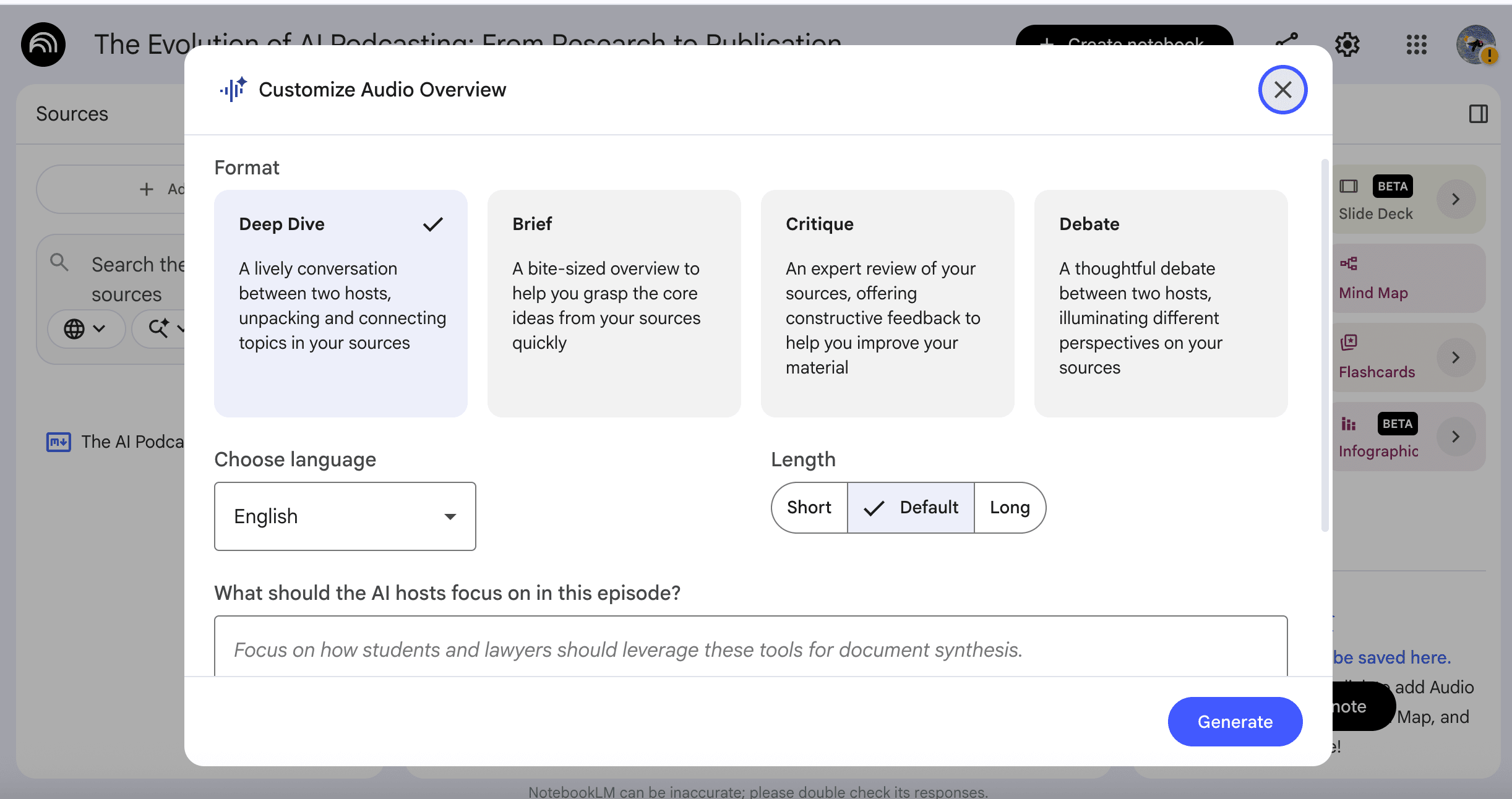
Speed to first listen. Drop sources, click Generate Audio Overview, get a usable two-host conversation in minutes.
-
Free tier coverage. Generous for casual learners.
-
Language breadth. 80+ languages supported for Audio and Video Overviews per Google’s official docs.
-
Source grounding. Citations back to your uploaded notebook are tight.
-
Auto-slide Video Overviews. Google’s Video Overviews feature automatically pulls images and diagrams from your sources and assembles them into a narrated slideshow — zero effort, and genuinely useful for visual material like textbook chapters with figures.
Where PodcastorAI Wins
-
Image podcast option. For lightweight cases where you just need an audio file wrapped with a static cover + waveform + subtitles (no slides, no avatar), PodcastorAI offers that as a separate output. It’s not a competitor to NotebookLM’s auto-slide format — it’s a simpler, faster alternative for when you don’t need slides at all.
-
Script editability before render. You can read the AI’s generated script, fix the parts that are wrong or boring, and only then spend credits on audio. NotebookLM’s script control is still limited by comparison.
-
Solo and two-host modes. NotebookLM defaults to a two-host conversation; PodcastorAI lets you pick a single narrator (better for memorization-heavy study) or a two-person dialogue (better for conceptual material).
-
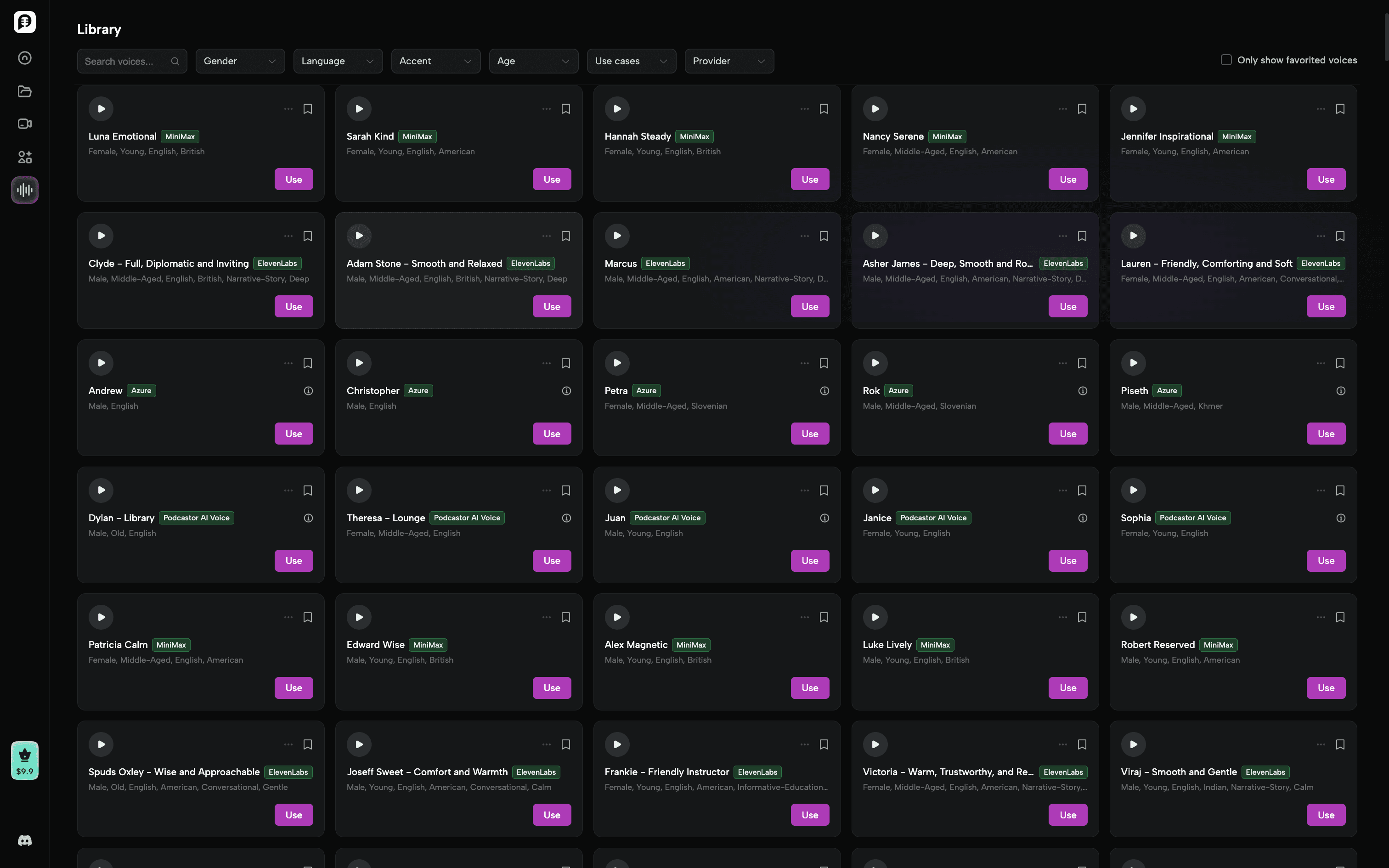
Voice library depth. MiniMax + ElevenLabs voices across 32+ languages, with 20 male/female voices per major language, plus voice cloning and voice design. NotebookLM uses Google’s internal TTS — fewer voice options, no cloning.
- Avatar video (realistic / cartoon / pet hosts). This is the format NotebookLM doesn’t have. NotebookLM Video Overviews are auto-slideshows; PodcastorAI can render a script as a lip-synced realistic host, a cartoon avatar, or a pet host (16:9 or 9:16). For creator-students or anyone who wants the podcast to feel like a real show, this is the meaningful video differentiator.
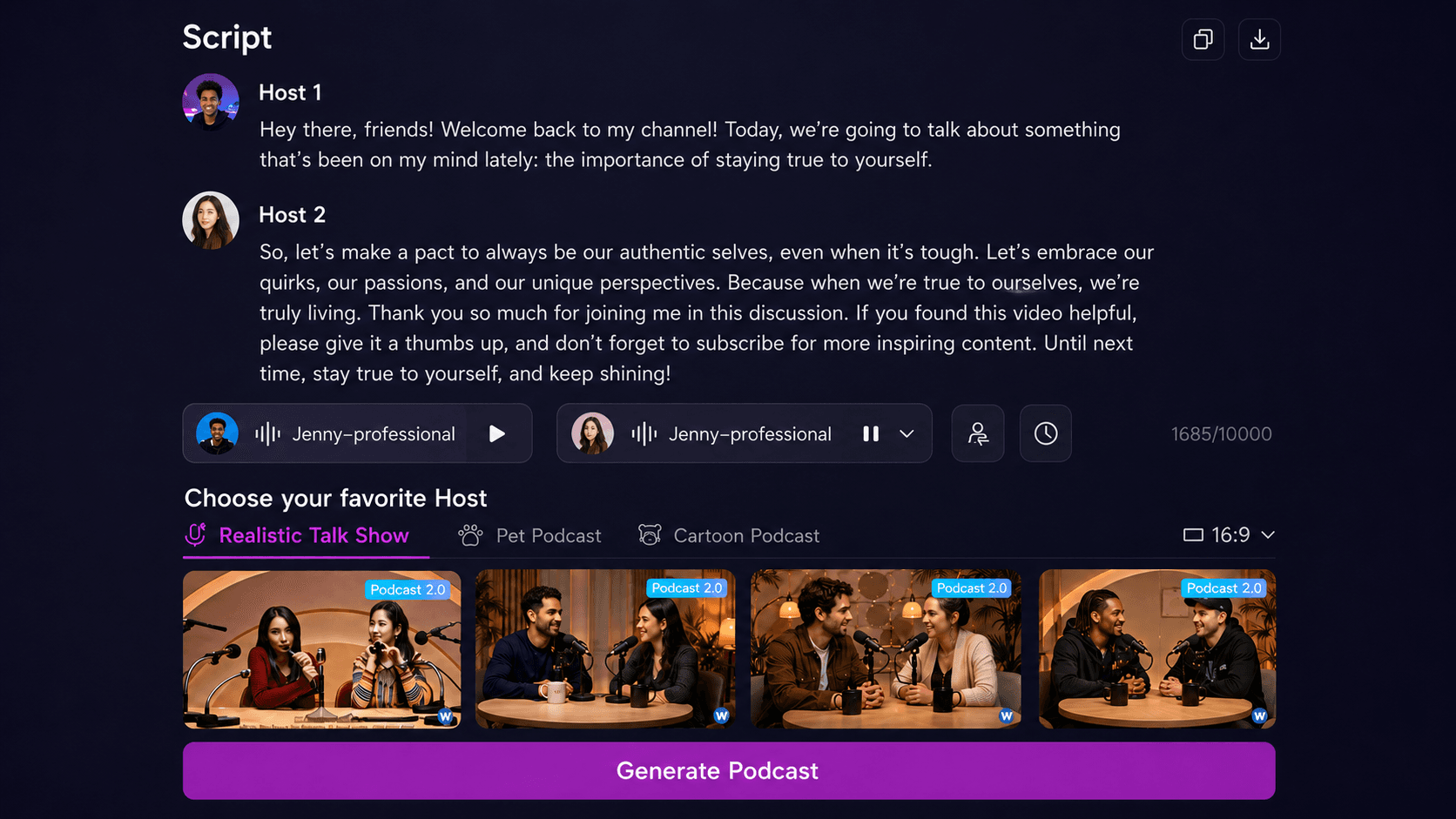
- Audio-to-script. Already have a recorded lecture? PodcastorAI will transcribe it into an editable script for review.
Where Real Users Are Frustrated With NotebookLM
For all its strengths, NotebookLM users have been vocal about three recurring pain points worth knowing before you commit:
-
Audio quality and depth regressions. In a widely-upvoted r/notebooklm thread, users report that recent Audio Overviews feel “very surface level and not actually ‘deep dive’” compared to earlier versions, with no transparency from Google about what changed.
-
Shrinking output length. A separate r/notebooklm discussion catalogues users finding their Audio Overviews suddenly shorter for the same input sources frustrating when you’re prepping for a long commute.
-
Hallucinations even with sources attached. One r/notebooklm post titled “BEWARE OF AUDIO OVERVIEWS” documents the host confidently misattributing authorship and inventing details — despite the source PDFs being right there in the notebook.
None of this makes NotebookLM unusable. It does mean: for high-stakes study material (medicine, law, exam prep), you cannot skip the verify-against-source step, regardless of which tool you use. And it makes the case for tools that let you edit the script before the audio is rendered.
Where Both Still Fall Short
Neither tool natively exports to Anki flashcards or generates comprehension quizzes from the source material. If quiz-driven recall is core to your study method (it should be), you still need a separate tool — Anki, Quizlet, or a dedicated AI quiz generator — alongside the podcast.
The 4 Step Workflow: Turning a PDF Into a Study Podcast
Once you’ve picked a tool and a host format, the workflow that actually produces a useful study podcast is short. This works in PodcastorAI; it’s adaptable to most tools above.
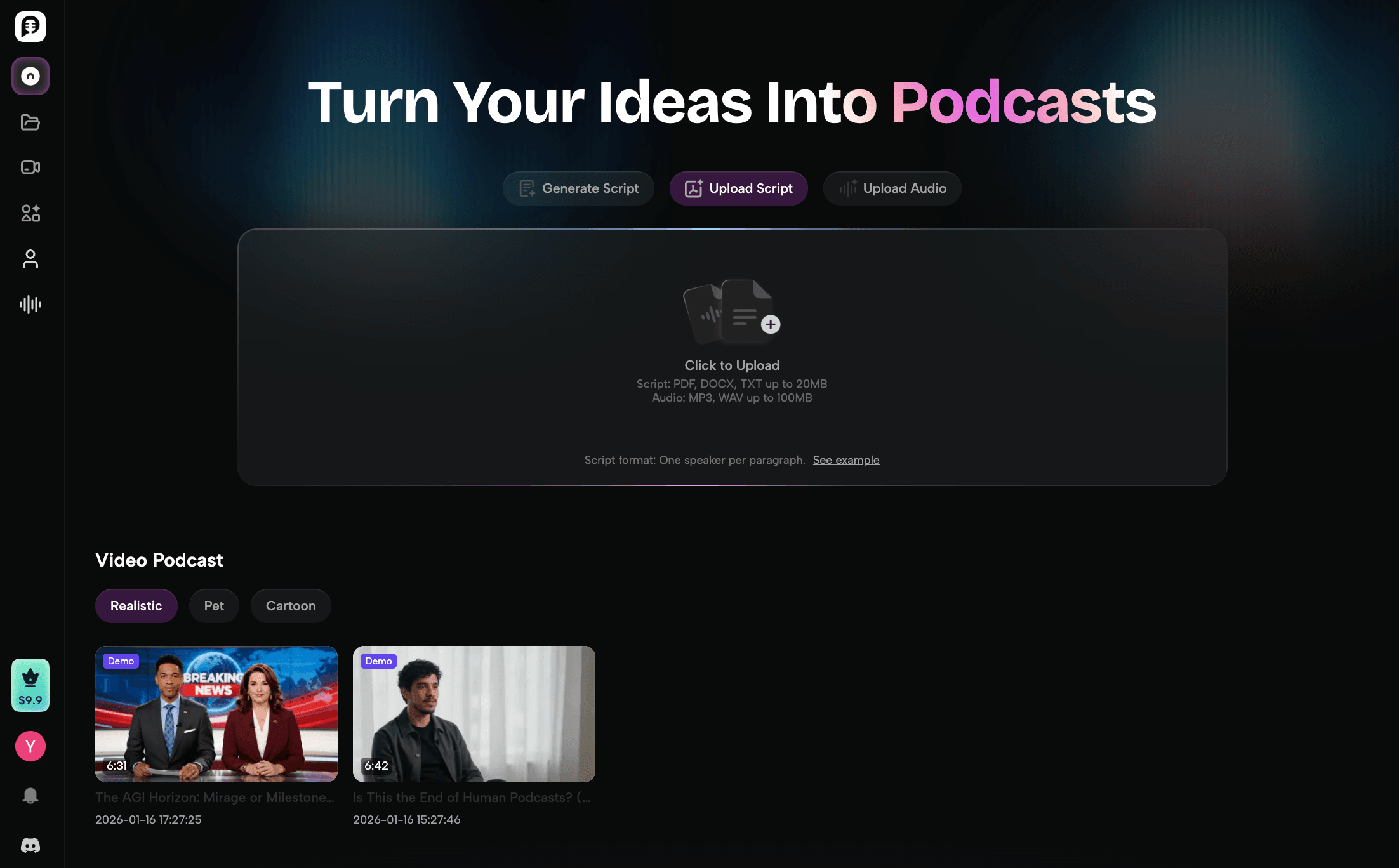
- Prepare the PDF. Delete cover pages, references, and appendices. Run scanned PDFs through OCR. For long PDFs (>80 pages), split into chapters
- Generate and edit the script. Pick 1-person for memorization or 2-person for concepts. Target 12–18 minutes for a chapter review. Then read the script and fix hallucinated numbers, dates, and dosages before spending audio credits. This is the highest-leverage step in the whole workflow.
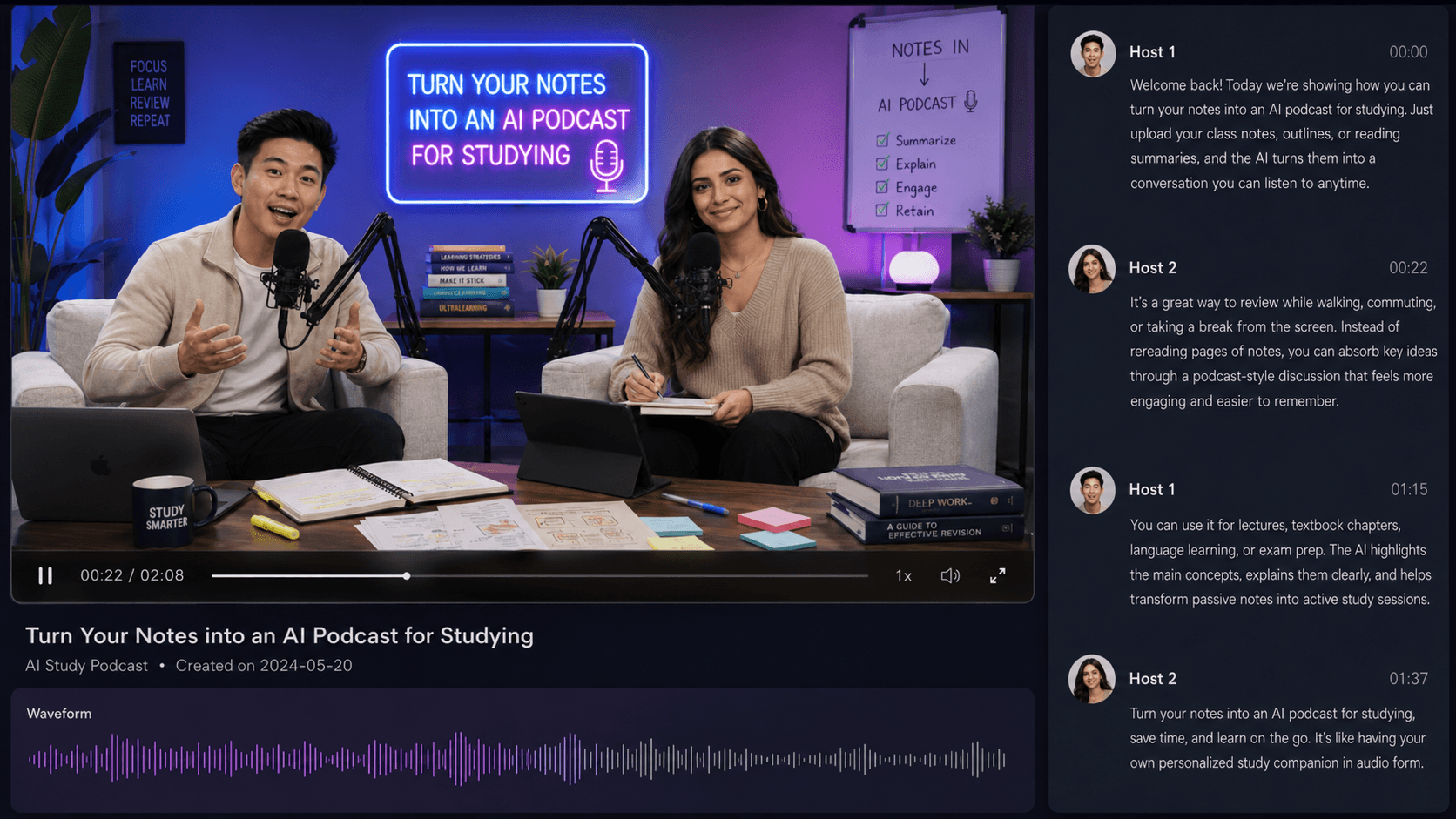
- Render with matched voices. Choose two distinct-pitch voices for a two-host setup; pick one mid-pitch, moderate-pace voice for solo. Match the voice language to your study material.
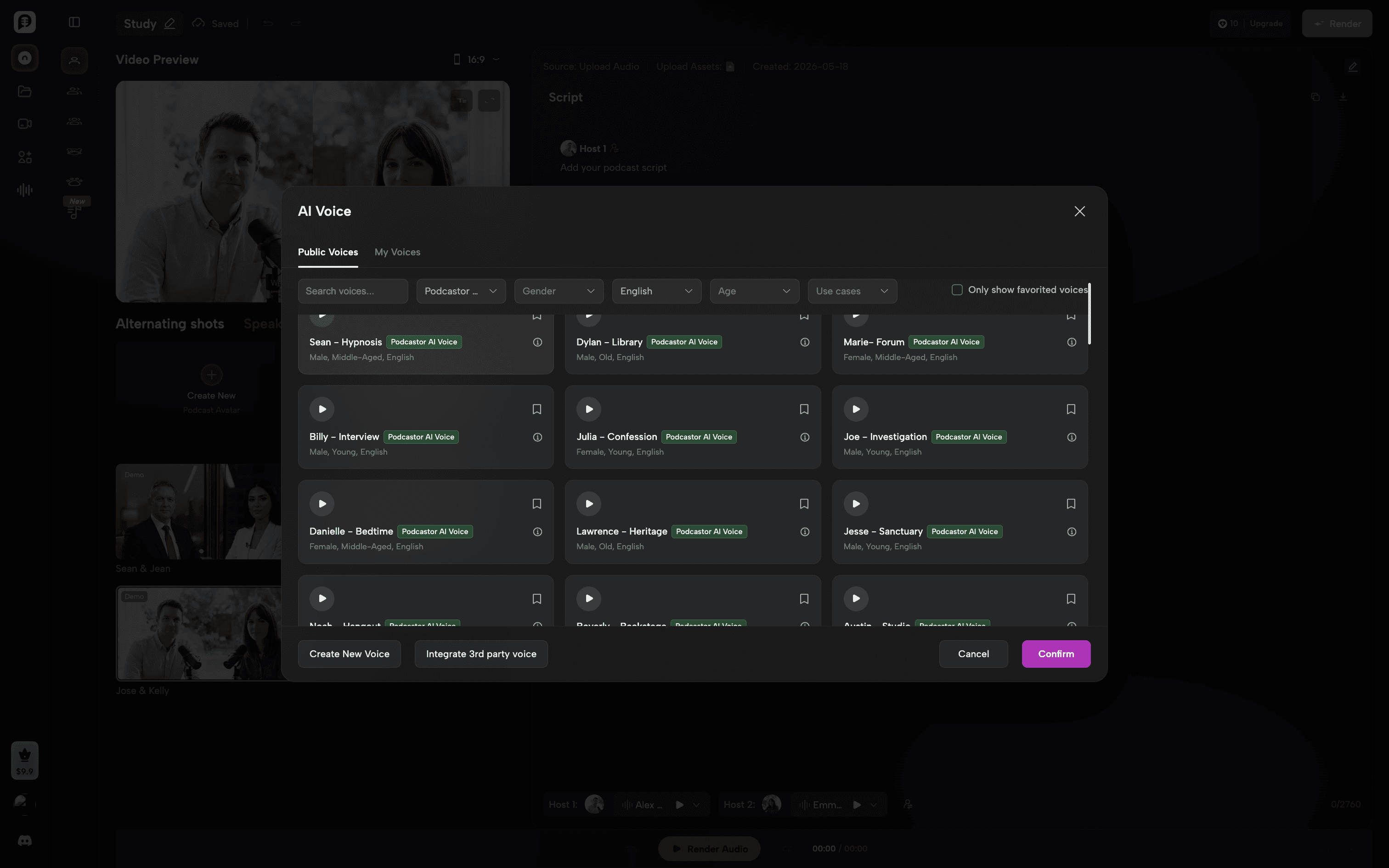
- Listen actively. Listen once at 1x with light notes, again at 1.25–1.5x to consolidate. Pause and self-explain at section breaks. Pair with one round of active recall (Anki, blank-page brain dump) within 24 hours — this is the difference between consuming and learning.
Solo vs Two-Person Study Podcasts: Which Boosts Your Memory?
Most AI study podcast tools default to a two-host format because it sounds engaging. But “engaging” and “memorable” aren’t the same thing.
When Solo (1-Host) Wins
-
Dense memorization (anatomy lists, vocabulary, legal definitions). One voice, clean delivery, no banter.
-
High information density per minute. A solo narrator covers ~15–20% more content in the same runtime than a two-host dialogue.
-
Late-stage review when you already know the material and just want efficient reinforcement.
When Two-Person (2-Host) Wins
-
Conceptual understanding. Hearing one host ask the question you’d ask, and the other answer, models the reasoning process.
-
First or second pass through a new topic. The dialogue format reduces cognitive load by chunking ideas into Q&A units.
-
Long-form material (>20 minutes). Two voices fight listener fatigue better than one.
What the Research Suggests
The PMC scoping review of podcasts in medical education noted that learners’ preferences vary widely but that conversational podcast formats tend to be rated higher on engagement, while retention scores depend more on the listener’s active engagement than on the host format itself.
In other words: the host count matters less than what you do during and after listening. Pick the format that keeps you focused — and don’t skip the recall step.
A useful rule of thumb:
-
First exposure to a topic → two-host.
-
Review and consolidation → solo.
-
Final pre-exam pass → solo at 1.5x speed.
PodcastorAI lets you toggle between the two modes per script; NotebookLM, at the time of writing, locks you into a two-host format by default.
Bonus Option: The Image Podcast (Lightweight Video Wrapper)
If you need a video file (for YouTube, in-app sharing, or burned-in subtitles) but you don’t need a full slideshow or an animated host, PodcastorAI also outputs an image podcast — audio plus a static cover image plus a waveform animation plus subtitles.
The image podcast is the simpler option: one cover image, one waveform, captions. Pick it when:
-
You want a captioned audio file in
.mp4form for YouTube or your study Notion page. -
You don’t want a slideshow visually competing with the narration (some learners find slides distracting on a small phone screen during commutes).
-
You want to render faster and use fewer credits than a full avatar or slide video.
Who Gets the Most Out of AI Study Podcasts
Two groups of learners get disproportionate value from this format. If you’re one of them, the workflow is worth building into your weekly routine.
Medical Students
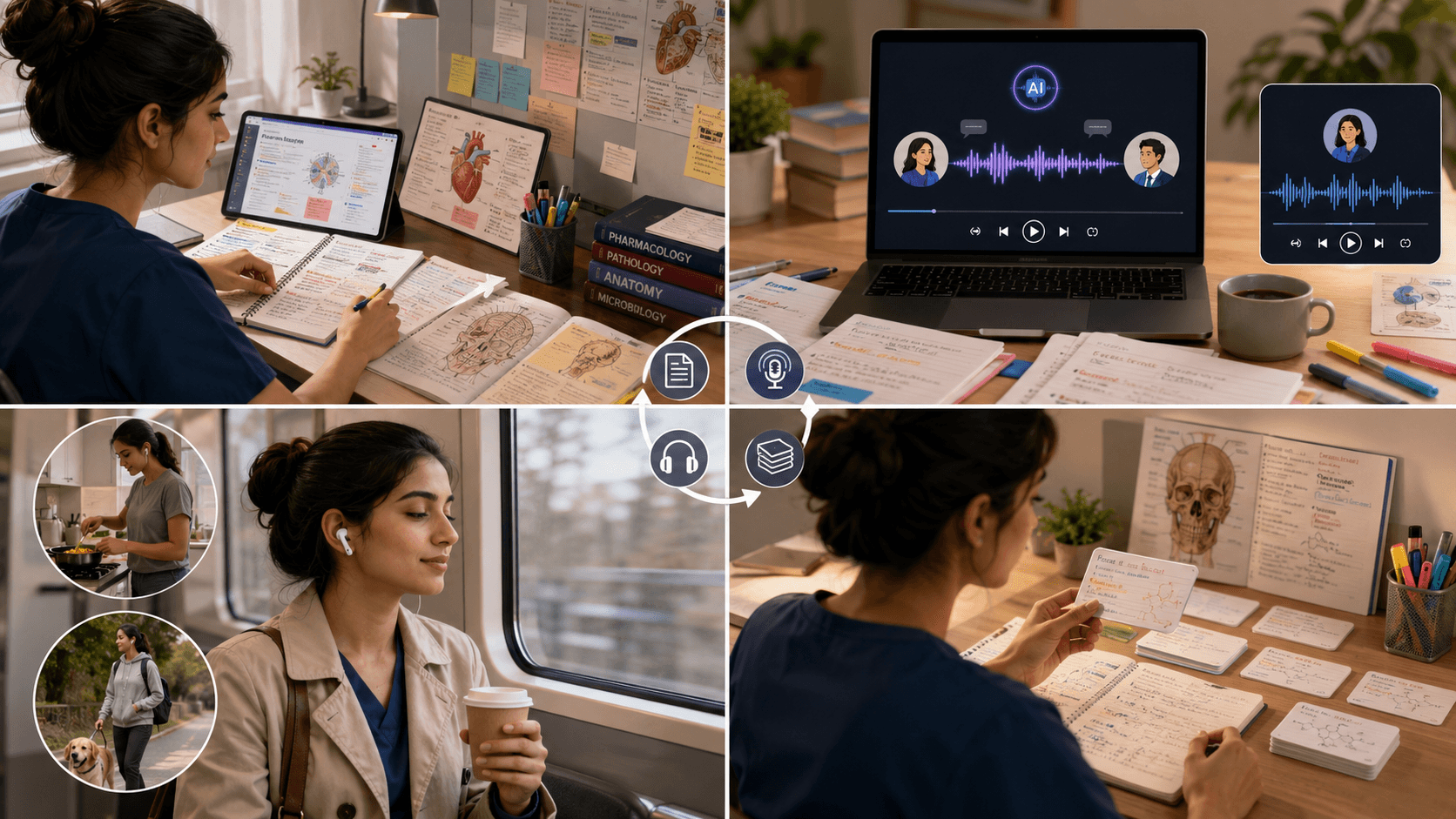
Medical curricula are infamous for dense, list-heavy material — pharmacology tables, pathology slides, differential diagnoses. Audio is a natural fit for the second and third pass through this content: read the slides actively first, then turn them into a 15-minute two-host podcast for the conceptual parts (mechanisms, pathophysiology) and a 10-minute solo podcast for the memorization-heavy parts (drug names, dosages, side effects). Listen during commute or chores, then pair with Anki the same week for active recall.
Language Learners
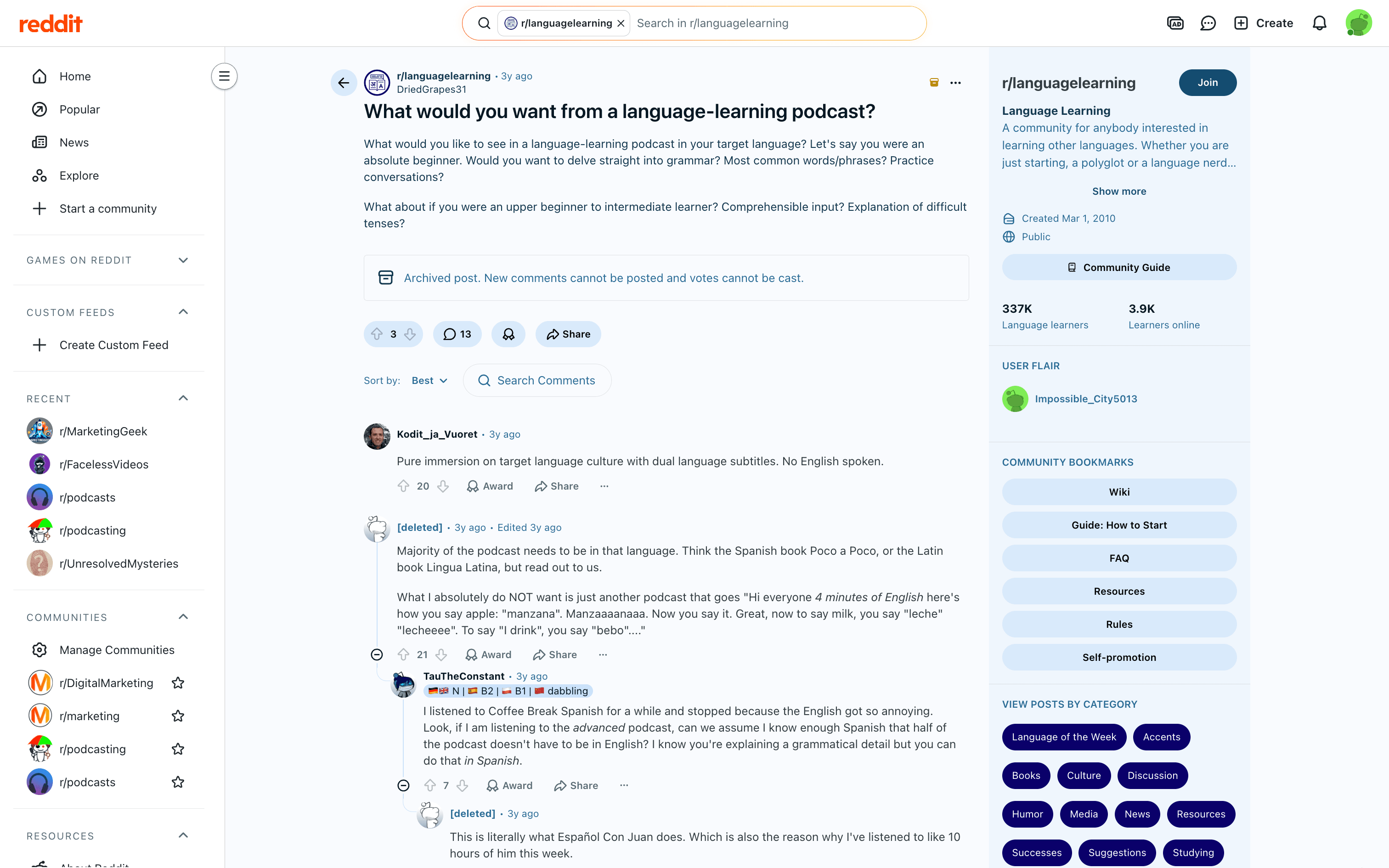
Language learners benefit in a different way: comprehensible input at adjustable difficulty. Pick a topic you already know in your native language, generate a two-host podcast in your target language at beginner-to-intermediate vocabulary level, listen first without the transcript and then with it, shadow the script aloud, and re-generate the same topic at a higher level a week later. That last point — adjustable difficulty in your target language — is exactly where AI podcasts beat most human-produced learning podcasts. In a popular r/languagelearning thread on what learners actually want from a language-learning podcast, advanced learners repeatedly complain that intermediate/advanced podcasts still spend half the runtime explaining grammar in English, defeating the immersion purpose. An AI-generated podcast you can configure to stay 100% in your target language at a chosen difficulty solves that pain point structurally. PodcastorAI supports 32+ languages with native-sounding TTS; NotebookLM’s 80+ language coverage is broader but offers less control over vocabulary range.
FAQ
Are AI study podcasts as effective as reading?
For review and reinforcement of material you’ve already read, the available evidence suggests audio learning produces comparable retention to reading — see this EEG-based comparison study. For first-time encoding of dense, unfamiliar material, reading still wins.
Can I use an AI study podcast tool for free?
Yes. NotebookLM has a free tier with daily generation limits. PodcastorAI offers 3 free generations after sign-up, with paid plans for higher usage and premium voices (including ElevenLabs).
Will AI hallucinate facts in my study podcast
Yes. This is the single biggest risk. Always read and edit the generated script before rendering audio, especially for high-stakes material (medicine, law, exams). Tools that let you edit the script (like PodcastorAI) reduce this risk; tools that go straight from source to audio (like NotebookLM’s default flow) require you to verify against the source after listening.
What’s the best length for a study podcast?
12-18 minutes for a standard chapter review. Shorter for quick refreshers, longer only when the material genuinely requires it. Attention drops noticeably past 25 minutes.
Can I turn a recorded lecture into a podcast?
Yes. PodcastorAI supports audio-to-script: upload the lecture recording, get an editable transcript, optionally clean it up and re-render with cleaner narration. NotebookLM accepts audio sources as well.
Does listening at 1.5x speed hurt retention
For familiar material, no — studies generally show retention holds up to about 1.5x for most listeners. For new or complex material, stay at 1x for the first pass.
With PodcastorAI’s launch features, you can export audio and video files and upload them anywhere manually. Direct one-click distribution to Spotify and Apple Podcasts is on the roadmap but not in the initial release. NotebookLM allows public sharing of notebooks but is not designed as a podcast publishing platform.
Solo or two-host — which should I pick?
Two-host for new and conceptual material. Solo for memorization and late-stage review. If your tool only supports one format, you’re working with a constraint, not a feature.
The Bottom Line
AI study podcasts are not magic. They won’t replace active reading, problem-solving, or spaced retrieval. But used as a review and reinforcement layer, they convert dead time — commutes, walks, chores — into compounding study time, and they do it in a format your brain can sustain longer than another silent reading session.
In 2026, the two tools worth seriously testing are NotebookLM and PodcastorAI. Pick based on which trade-off matches your study style, and remember the rule that beats every tool choice: listen actively, edit the script, and pair every podcast with one round of active recall within 24 hours.