Disclosure: This comparison is published by the PodcastorAI team. We tested all four competitors (NotebookLM, Wondercraft, ElevenLabs Studio, Descript) on identical 1,490-word source material on their free tiers in April 2026. PodcastorAI is one of the tools reviewed. We have done our best to report results fairly; readers should weigh this when comparing.
NotebookLM’s Audio Overview made AI podcasting popular, but it uses fixed voices, outputs audio only, and does not offer a real publishing workflow. For creators who want more control over voice, video, and distribution, PodcastorAI, Wondercraft, ElevenLabs Studio, and Descript are stronger alternatives in 2026.
NotebookLM’s Audio Overview turns your documents into a two-host conversation that sounds almost human, and millions of people use it weekly to digest dense PDFs, according to Google’s own product communications. But for creators, it quickly shows its limits. It outputs only audio, uses two fixed AI voices, and doesn’t export to YouTube, Spotify, or TikTok. It struggles with most languages, and Google’s product copy quietly avoids the word “publish” entirely. This matters because YouTube has now overtaken Spotify as the most used podcast platform in the United States. Without video export, creators can’t get their podcasts onto the platform where most listeners are.
This article isn’t about NotebookLM alternatives with more buttons. It’s about tools built for a different purpose: making podcasts you can actually distribute to YouTube, Spotify, TikTok, or wherever your audience listens—with your own voice, multilingual support, and formats made for real publishing.
The Best NotebookLM Alternatives at a Glance
For those who want a quick overview, here’s a summary of the best NotebookLM alternatives and what they excel at:
| Tool | Output | Best for | Starting Price |
|---|---|---|---|
| NotebookLM | Audio | Personal research | $7.99/mo |
| PodcastorAI | Video&Audio | Publishing creators | $9.99/mo |
| Wondercraft | Audio | Audio factories | $25/mo |
| ElevenLabs Studio | Audio | Voice purists | $6/mo |
| Descript | Video | Self-recorders | $16/mo |
All pricing reflects what we found during testing in May 2026.
How we tested
In April 2026, during our private beta, we rolled up our sleeves and tested each tool ourselves. For NotebookLM,PodcastorAI,Descript, ElevenLabs Studio, and Wondercraft, we built sample scripts, generated audio, and ran through full podcast workflows on their free tiers. We also dug into over 200 creator posts on r/podcasting, r/Podcasters, and Indie Hackers from January to April 2026, giving us a real-world view of how these tools perform in actual podcasting scenarios.
To keep the comparison fair, we judged every tool through the same three-step creator workflow: Source to Script, Script to Audio, and Audio to Video.
4 Best NotebookLM Alternatives
PodcastorAI
Tested on PodcastorAI, May 2026, using the same 1,490-word source as all tests.
How PodcastorAI handled our test
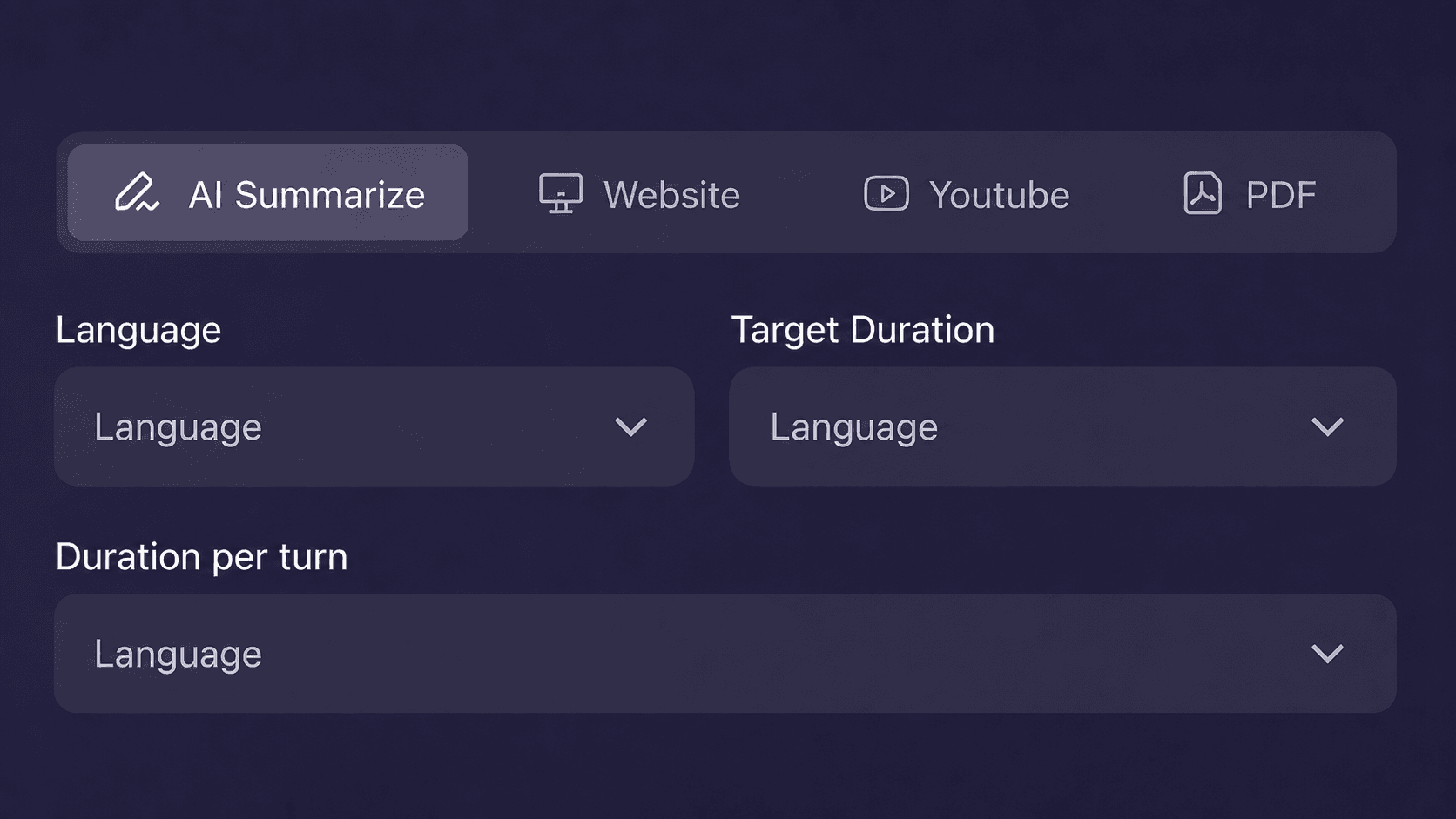
Source to Script: We first tested Podcast Script Generator with the same 1,490-word source. PodcastorAI turned the article into a usable two-host podcast script, with an opening setup, back-and-forth discussion, creator pain points, market context, and a clear takeaway. The draft still needed human review, but it felt like an episode script rather than a flat document summary.
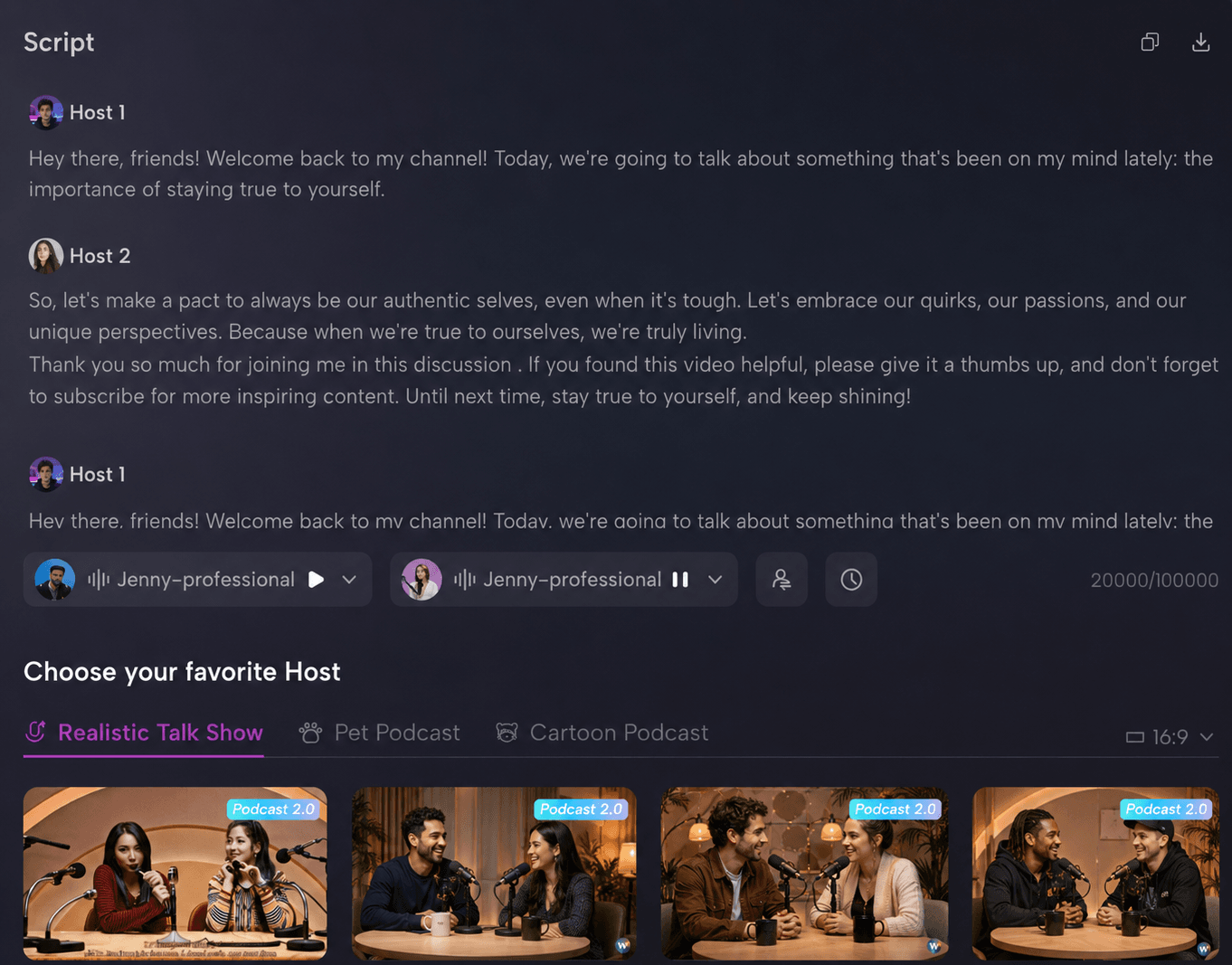
Script to Audio: After the script was generated, the workflow continue into AI Podcast Generator. You could use the script as the starting point for an AI-hosted podcast instead of copying it into a separate voice tool. This made the process feel more connected than tools that only generate scripts or only generate voices.
Audio to Video: PodcastorAI also supported the final step that NotebookLM misses: turning the episode into video. From the same workflow, You could choose whether the episode should become audio or video, add captions, select a visual format, and prepare the output for distribution. That made it the strongest fit for creators who want publishable podcast content, not just private audio summaries.
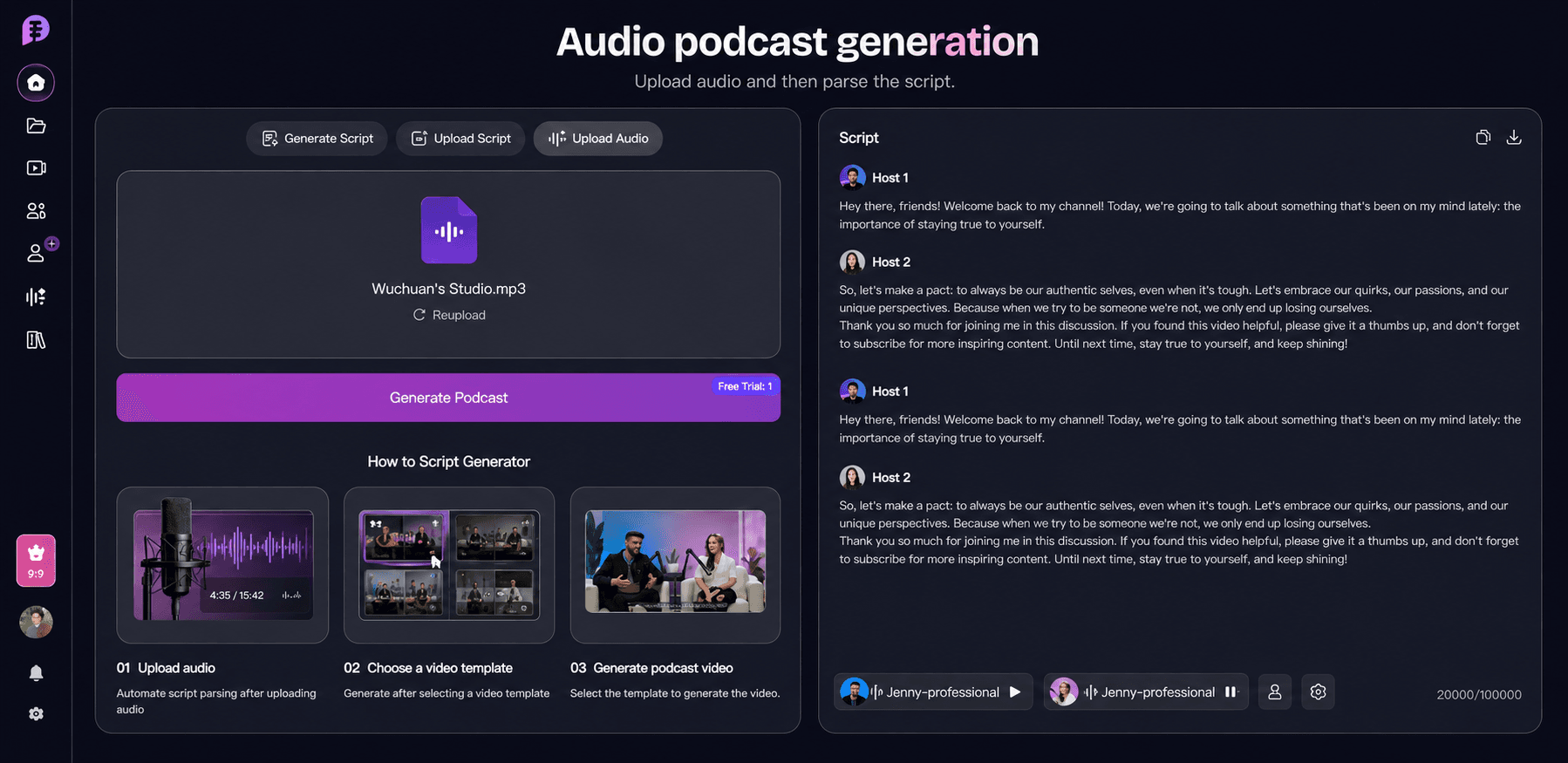
What makes PodcastorAI different is that it is not built around a single generation step. It is designed to keep the full podcast workflow connected, from script generation to audio podcast creation, video podcast production, captions, host-style delivery, and Audio to Script for turning existing recordings back into editable text.
This matters for creators who produce regularly. A new episode does not always start from a blank page. Sometimes it starts from an article, a URL, a script, an interview recording, or an older episode that needs to become clips, captions, or follow-up content. PodcastorAI is built for that loop: create, edit, repurpose, and keep producing without rebuilding the workflow across separate tools.
Honest tradeoff
-
It is more workflow-heavy than a simple one-click audio generator.
-
It works best when you want to create and publish, not just summarize a document for yourself.
-
Its strongest value depends on using multiple parts of the stack together: script, voice, host, audio, and video.
-
Advanced host customization, voice assets, and video formats may take a little setup before the workflow feels fully personal.
Use PodcastorAI if
Creators who want to turn articles, ideas, URLs, or documents into publishable audio and video podcasts, especially if they need two-host episodes, reusable voices or hosts, and a workflow that moves from script to audio to video in one place.
Pricing
-
Free: $0/month, includes 50 credits, up to 5 minutes of audio creation and 5 minutes of video creation.
-
Audio Creator: $9.99/month, includes 300 credits/month, up to 30 minutes of audio creation or 30 minutes of video creation.
-
Video Starter: $26/month, includes 600 credits/month, up to 60 minutes of audio creation and 60 minutes of video creation.
-
Creator Pro: $49.99/month, includes 1,500 credits/month, up to 150 minutes of audio creation and 150 minutes of video creation.
-
Waitlist perk: Join the PodcastorAI waitlist for a chance to get one free month of Video Starter. Everyone on the waitlist also gets 20% off permanently after launch.
Wondercraft
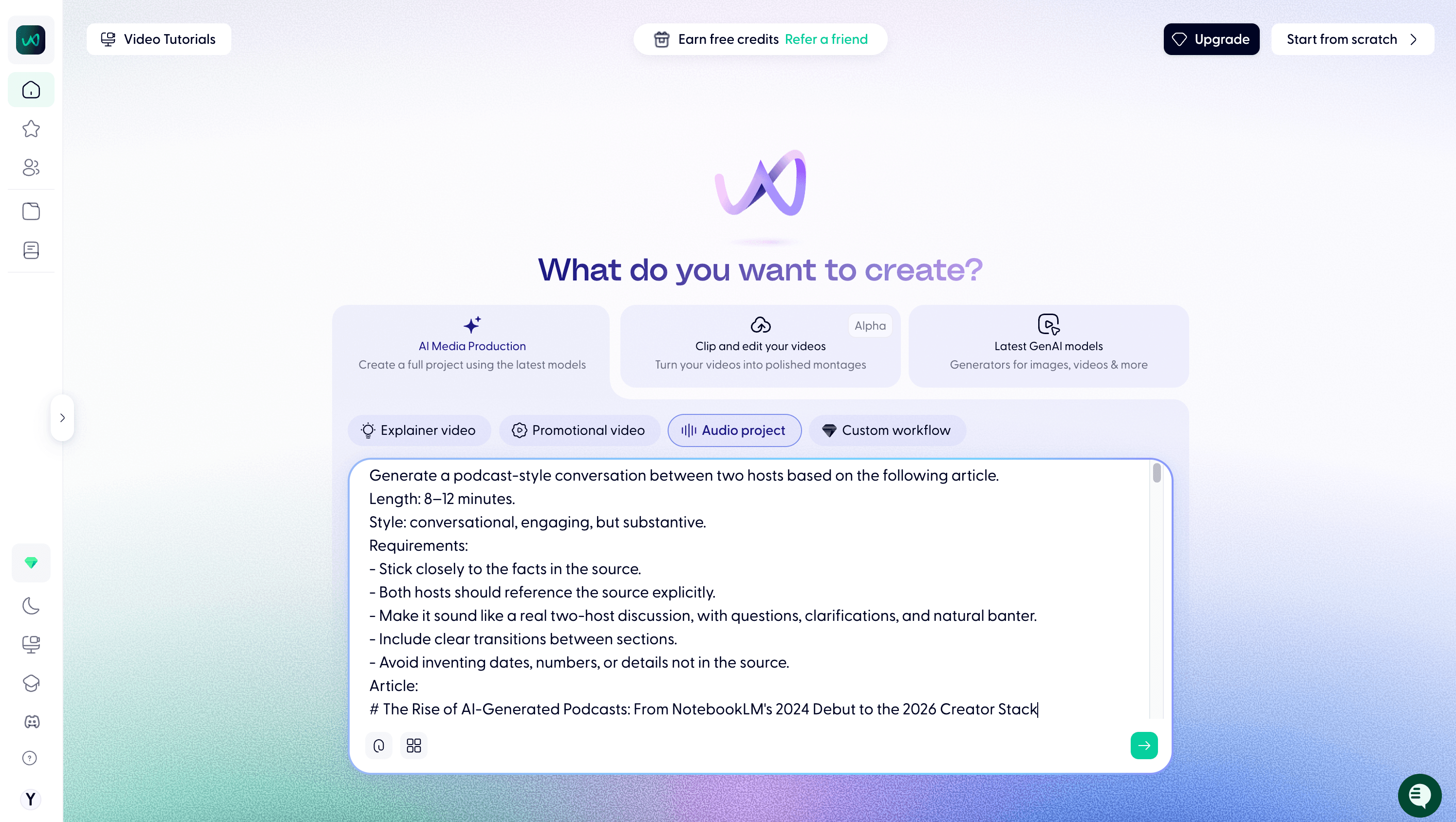
Tested on Wondercraft free plan, May 2026, using the same 1,490-word source as all test.
How Wondercraft handled our test
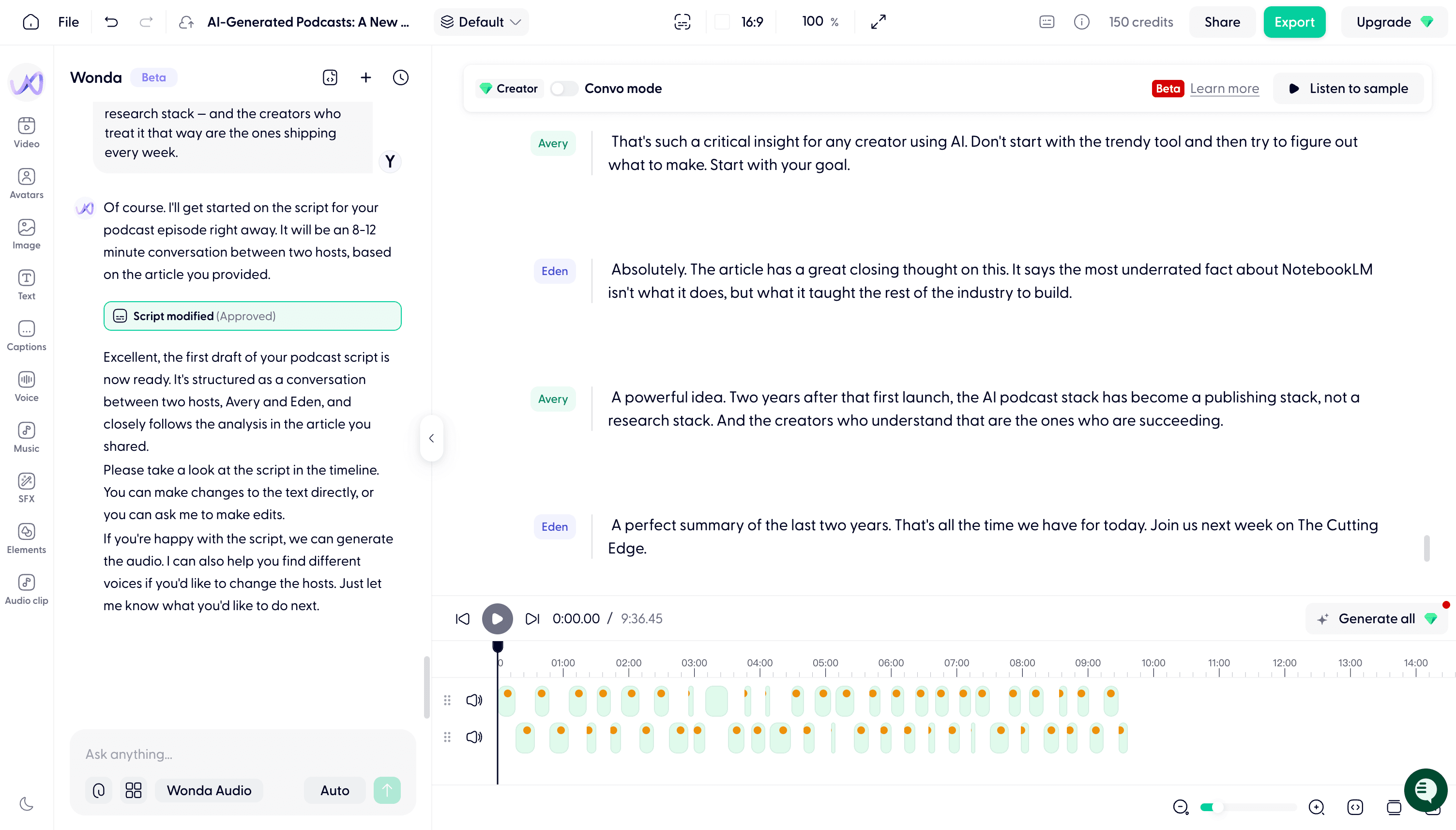
Source to Script: Wondercraft generated a 9:36 two-host conversation from the same source and stayed mostly faithful to the article, though it added a small outro that was not in the original.
Script to Audio: After the script was generated, I had to review and approve it before rendering the audio. The final audio sounded natural and production-ready, but the render used more than 150 credits, so the free plan may not be sufficient for the test podcast.
Audio to Video: Wondercraft supports optional video output, multilingual dubbing, voice cloning, music, SFX, and avatar-style visuals. It is more capable than NotebookLM for creators who want publishable assets, but it still feels more audio-production-first than a fully video-native podcast workflow.
Honest tradeoff
-
Workflow adds extra steps (approve script, then render audio).
-
Built-in voice library is somewhat limited.
-
Credit usage is high (free plan may not be sufficient for regular daily use)
Use Wondercraft if
Creators who want full control over podcast production — editable scripts, separate host tracks, layered music and sound effects, and optional video.
ElevenLabs Studio
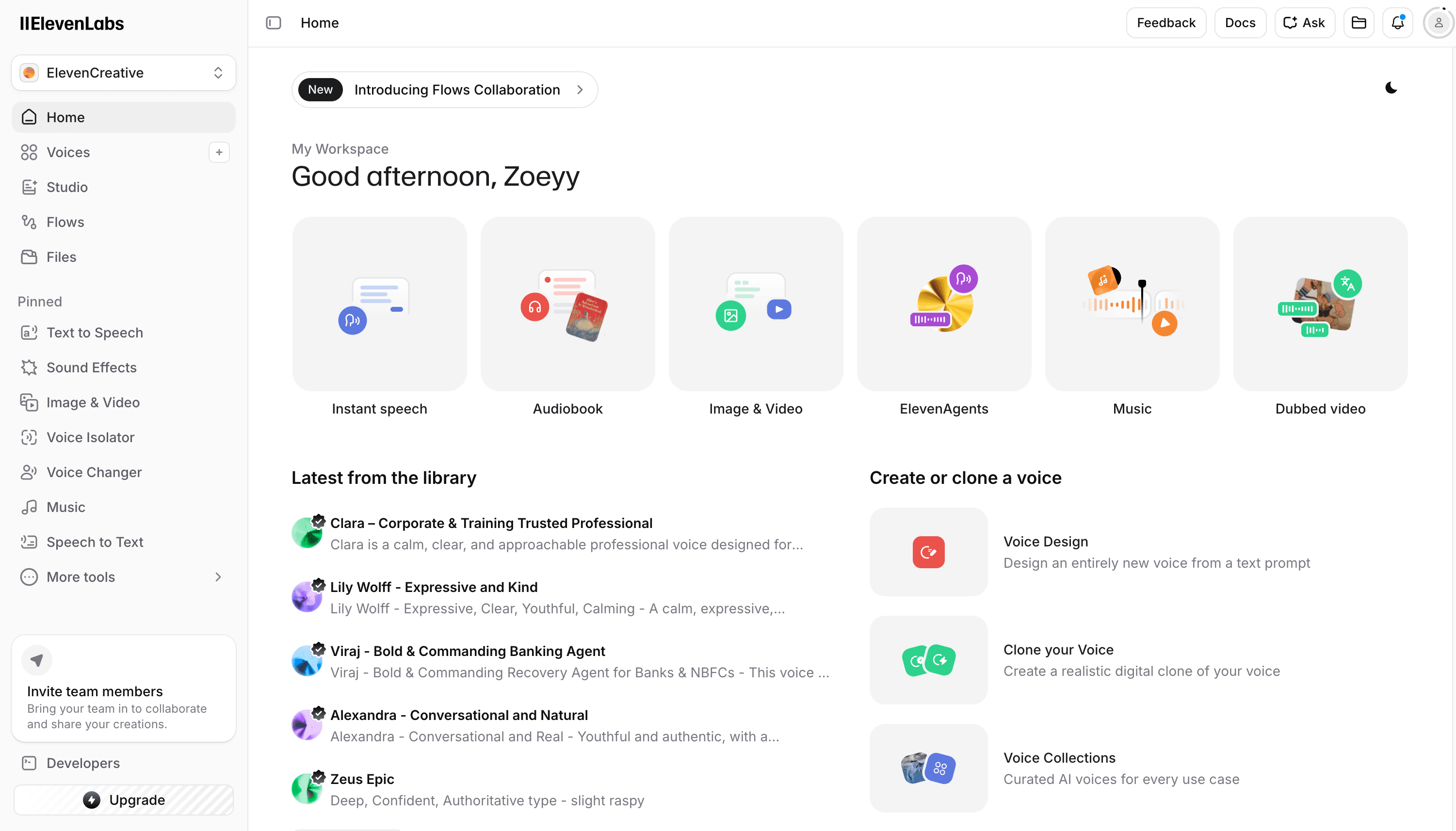
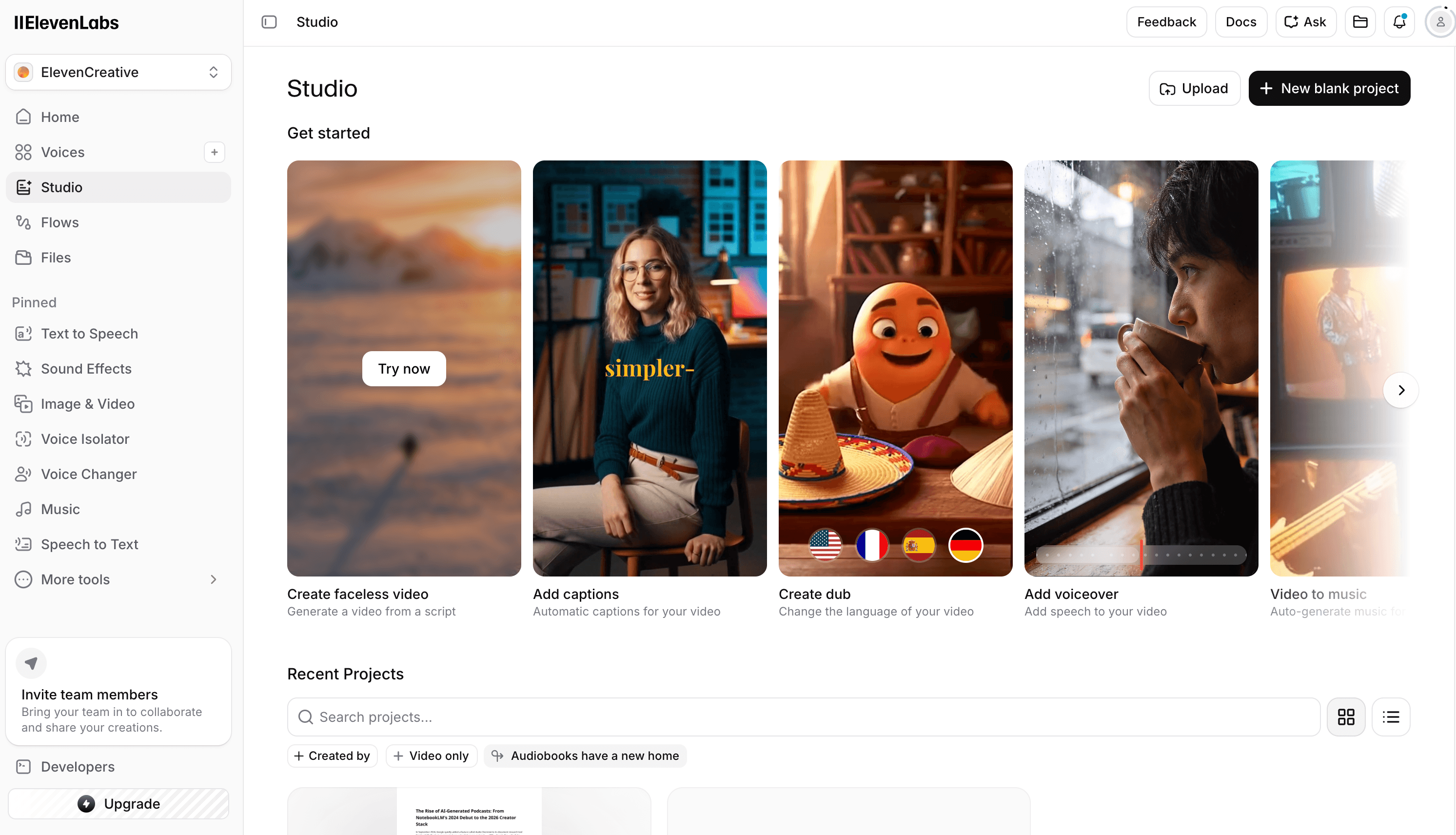
Tested on ElevenLabs Studio free plan, May 2026, using the same 1,490-word source as all test.
How ElevenLabs Studio handled our test
Source to Script: ElevenLabs did not turn my 1,490-word source into a two-host podcast script directly. I had to use the Text to Speech workflow and paste the article in sections, so the actual script planning still had to happen outside ElevenLabs.
Script to Audio: This was where ElevenLabs performed best. The voice quality was natural, and the platform offers voice design, voice cloning, voice collections, and a large multilingual voice library. For creators who already have a script, ElevenLabs is strong at turning text into polished AI speech.
Audio to Video: ElevenLabs does include Image & Video and Dubbing video entries in its workspace, but in this test it did not give me a complete video podcast workflow from script to hosted video episode. For a full video podcast, I would still need to combine the audio with visuals in another editor or use another production tool.
Honest tradeoff
-
Text must be pasted directly into the TTS box; PDF, Markdown, or URL ingestion is not supported.
-
Long-form content requires manual chunking and audio track assembly.
-
Studio Upload cannot generate audio; it only works on existing media.
-
No native video podcast output — full video podcasts require external video editing.
-
Free-tier output does not include a commercial license; public publishing requires a paid plan.
Use ElevenLabs Studio if
Creators with a finished script who want high-quality AI voices and precise control over pacing, emotion, and intonation, and are willing to assemble audio and video themselves.
Descript
Tested Descript, May 2026, using the same 1,490-word source as all test.
How Descript handled our test
Source to Script: When we tested Descript with the source article, we did not find a direct “paste this article and generate a two-host podcast script” workflow. To use Descript properly, you need to record the episode yourself, generate the audio somewhere else, or bring in an existing audio or video file first.
Script to Audio: Descript can work with voice and AI speech, but it could not directly turn this long source into a complete AI-hosted podcast audio file. In other words, it did not automatically handle the full process of breaking the article into a script, assigning lines to two hosts, and generating a back-and-forth conversation. To continue the workflow, I still needed to prepare the script or audio elsewhere before bringing it into Descript.
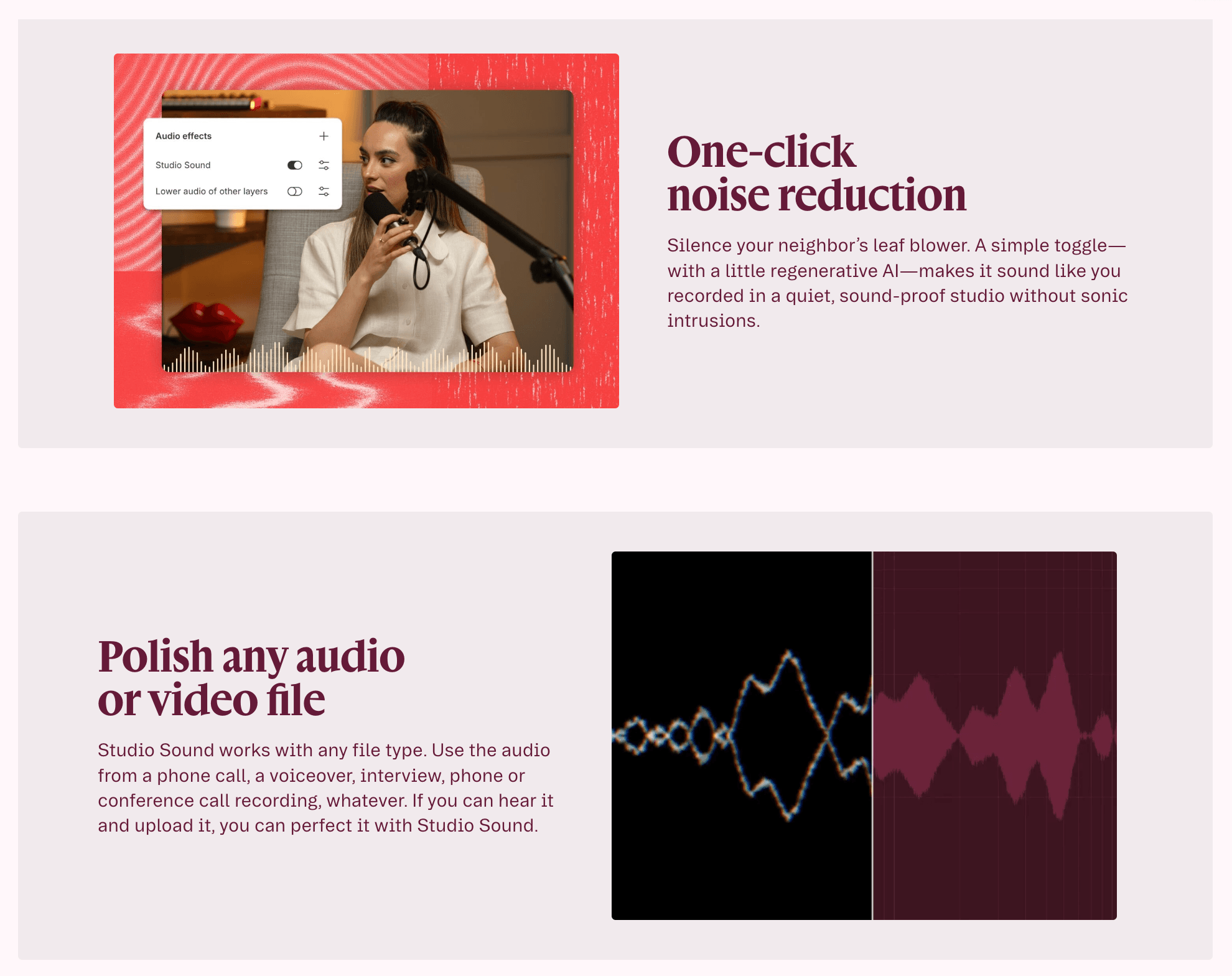
Audio to Video: This is where Descript became more useful. Once audio or video already exists, it can transcribe the media, let me edit by changing the text, improve sound with Studio Sound, remove filler words, add captions, and create clips. As a post-production tool, it is strong.
Honest tradeoff
-
Descript assumes you already have audio or video to edit.
-
There is no native “paste a source, generate a podcast” workflow.
-
It works well for cleanup, captions, clips, and transcript editing, but not for AI-first podcast creation.
-
Automated edits, especially filler-word removal, still need human review.
-
Video-heavy projects may feel slower than using a dedicated video editor.
Use Descript if
Creators who record their own podcasts and want to edit faster with transcripts, clean up audio, add captions, repurpose clips, or patch small mistakes. Descript is best as a post-production tool, not the main generator for an AI podcast workflow.
Why creators outgrow NotebookLM
NotebookLM was designed by Google as a learning tool. Audio Overview was a side feature added in September 2024 and went viral within weeks. It is optimized for “I want to understand this paper while walking the dog,” not “I want to publish 10 episodes a month.”
Three limits hit creators within the first week.
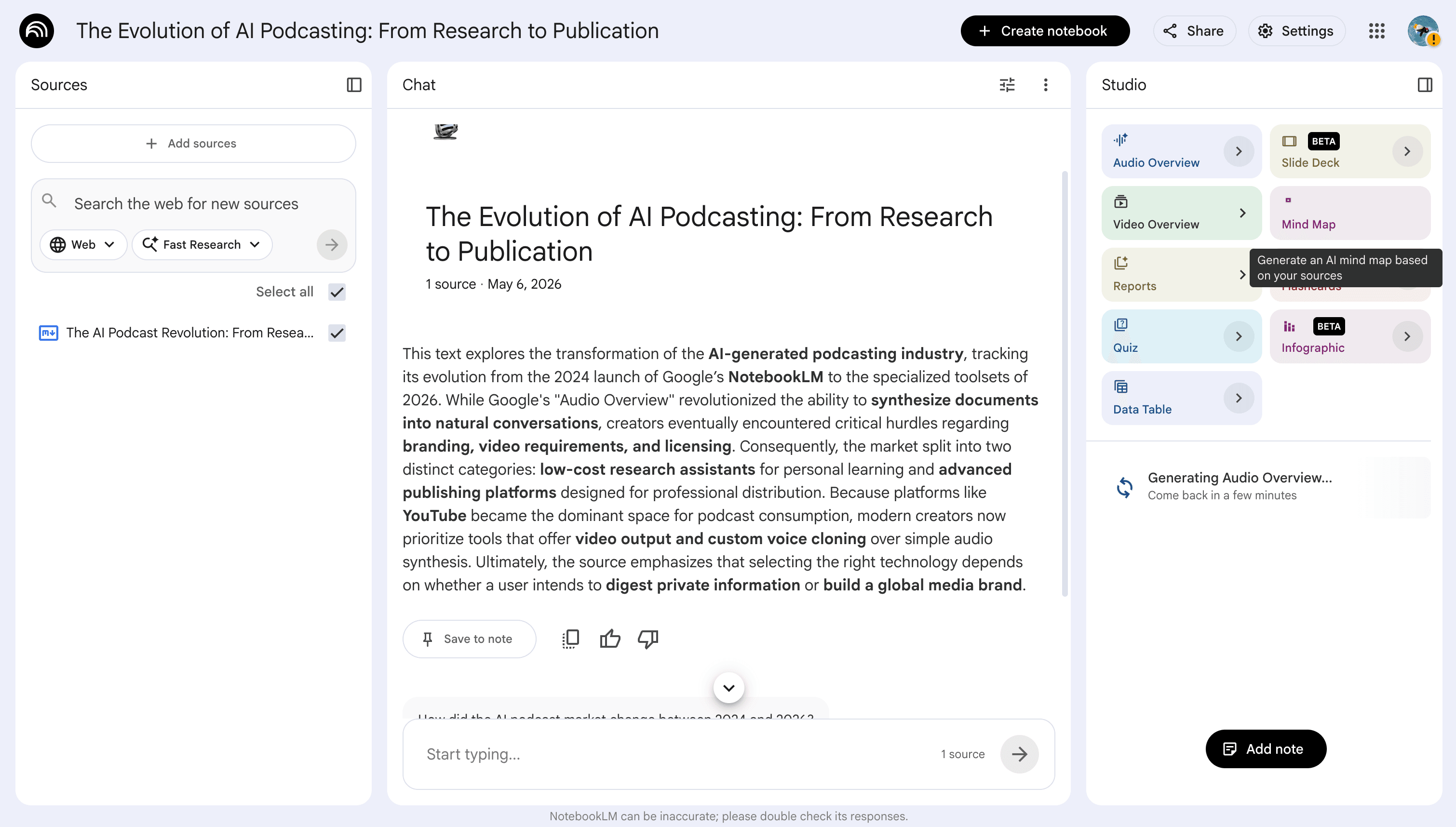
Audio-only kills your distribution math
According to the Podcast Download Fall 2024 report from Cumulus Media and Signal Hill Insights, YouTube is now the most-used platform for podcast consumption in the United States, ahead of Spotify and Apple Podcasts. In practice, this means video podcasts drive the majority of new podcast discovery in 2026. If your output is mp3, you are competing for the smaller slice of an already small market. NotebookLM has no video export. None.
Two fixed AI voices means zero brand identity
Every NotebookLM podcast sounds like the same two people. Your brand evaporates the moment your listener forgets which feed they are on. For a hobby project this is fine. For a publishing operation it is malpractice.
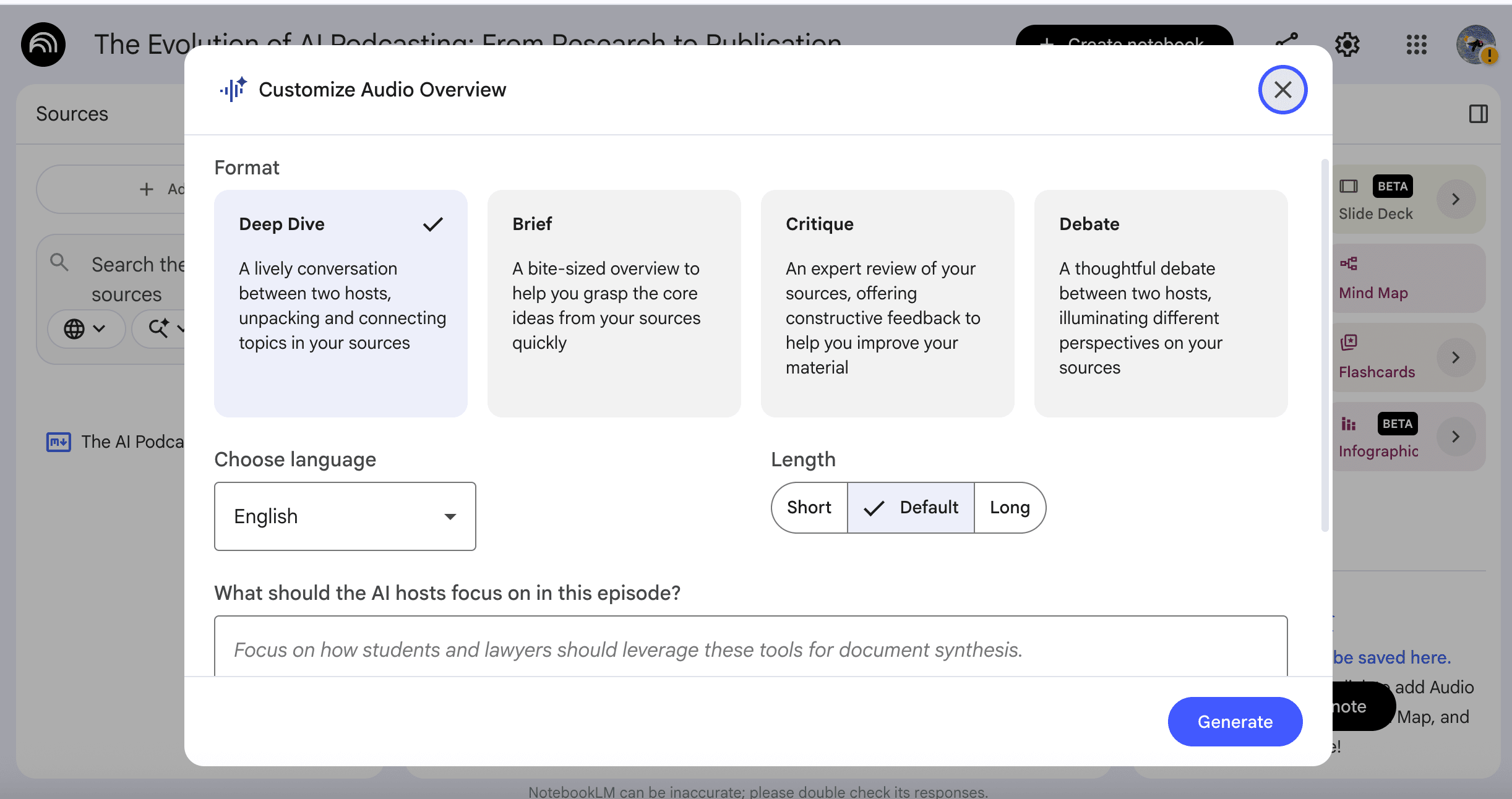
No multilingual, no custom voices, no characters
If your audience speaks Spanish, Mandarin, or Japanese, NotebookLM’s English-first output is a dealbreaker. If you want to clone your own voice, or build a recurring animated host audiences recognize across episodes, you are on the wrong tool.
NotebookLM pricing (as of May 2026)
Google restructured NotebookLM into four tiers in late 2025. None are sold as standalone products, each requires a Google AI or Workspace subscription:
-
Standard :(Free) 3 Audio Overviews per day
-
Plus: $7.99/month 6 Audio Overviews/day
-
Pro: $19.99/month 20 Audio Overviews/day
-
Ultra: $249.99/month. Heavy enterprise / research use.
The tradeoff: The Free tier works for low-volume users. Creators producing more than 3 Audio Overviews a day or working with over 50 sources per project must upgrade to Plus or Pro. At that point, you are paying $7.99–$19.99 per month for a tool that still cannot export video, clone your voice, or publish directly to YouTube.
What “alternative” actually means for creators
When people talk about a “NotebookLM alternative,” they usually mean “another tool that turns documents into AI conversations.” That’s the wrong frame if you’re a creator. For me, the real question is always: what do I want to ship, and where do I want to publish it? The tool should follow that question, not the other way around.
Honestly, trying to bend NotebookLM into a publishing workflow feels like using a microwave as a kiln. It’s great for research, but not built for producing content. So I always start with three things: do I need video or audio? Am I publishing publicly or just consuming privately? Do I need custom voices, multiple languages, or characters? These output-driven questions guide my choices far more than the default AI voices ever could.
How to choose your NotebookLM alternative:
When you’re picking a tool in 2026, start with three simple questions:
Video or audio?
If you’re publishing on YouTube, TikTok, or Instagram, video is non-negotiable. That means audio-only tools like NotebookLM, Wondercraft, or ElevenLabs Studio may not be enough. You’ll probably want to look at PodcastorAI or Descript instead.
Publish or consume?
If you’re only using a tool for yourself or a small team, NotebookLM is hard to beat on price. But if you’re creating for a public audience, you need something that treats your listeners as real users, not just research subjects. That changes which tools make sense.
Custom voice, languages, or characters?
These matter when you care about branding, audience engagement, or multi-platform content. PodcastorAI and ElevenLabs are the strongest options for serious voice cloning, while PodcastorAI also bundles character libraries and one-click multilingual generation into the same workflow.
For most creators, these three questions are more useful than simply asking, “Which tool sounds the most like a real podcast?” Instead, ask: What am I trying to ship, and where will it live?
What NotebookLM still does best
Based on our testing, NotebookLM still stands out in a few specific areas:
-
Document depth. NotebookLM handles long PDFs especially well, which makes it useful when pulling detailed context, facts, or structure from source materials. In our testing, it stayed reliable even when working across long documents and follow-up questions.
-
Default voice quality. Google’s built-in two-host audio remains one of NotebookLM’s strongest points. The voices sound surprisingly natural out of the box, which makes it useful for quickly prototyping audio content before moving into a more production-ready workflow.
In short, our testing team found that NotebookLM still works well as a free, research-oriented tool with strong source handling and solid default audio quality. But it is not designed for polished production, distribution, or a fully finished podcast workflow.
The Verdict
NotebookLM is still excellent for research, but its podcast feature is thin for creators. It can create a quick audio conversation, but it does not cover editing, custom voices, video formats, captions, reusable hosts, or publishing-ready output.
Wondercraft, ElevenLabs, and Descript each go deeper in one area: production control, voice quality, or editing. But if you want one podcast-focused workflow that connects script, audio, video, and repurposing, PodcastorAI is the strongest fit.
Choose the specialist for one deep feature. Choose PodcastorAI for a more complete all-in-one podcast workflow.
Join the waitlist to get early access!
FAQ
What is the best free NotebookLM alternative for video podcasts in 2026?
PodcastorAI is the only NotebookLM alternative that offers a free tier with both audio and video podcast generation. Its Free plan includes 50 credits, up to 5 minutes of audio, and 5 minutes of video creation per month. NotebookLM, Wondercraft, and ElevenLabs Studio free tiers are audio-only. Descript’s free tier requires you to bring your own recording.
Which NotebookLM alternative supports voice cloning and multilingual podcasts?
PodcastorAI and ElevenLabs Studio are the two tools tested that support both voice cloning and multilingual generation. PodcastorAI uniquely bundles a character/host library with one-click multilingual export, making it the strongest option for creators publishing across languages. ElevenLabs offers the highest raw voice quality but requires manual chunking for long-form content and external video editing for video podcasts. Wondercraft also supports voice cloning and multilingual dubbing but has a more limited built-in voice library.
Is NotebookLM still useful if I switch to a publishing-focused tool?
Yes. NotebookLM remains the strongest free tool for research and document analysis, even when your main podcast workflow lives elsewhere. It handles long PDFs (300+ pages) well, supports cross-section questioning, and its two default AI hosts sound surprisingly natural for quick audio prototyping. Use NotebookLM as a research and prototyping layer, then move final scripts into PodcastorAI, Wondercraft, ElevenLabs, or Descript for production and distribution.
How much does it cost to produce a video podcast with AI tools in 2026?
Entry-level video podcast production starts at $9.99/month with PodcastorAI’s Audio Creator plan, which includes 30 minutes of audio and 30 minutes of video per month. For higher volume, PodcastorAI Video Starter is $26/month (60 min) and Creator Pro is $49.99/month (150 min). Wondercraft starts at $25/month but credit usage is high. ElevenLabs Studio ($6/month) and Descript ($16/month) require external tools to assemble a finished video podcast.
Can NotebookLM export video podcasts to YouTube?
No. NotebookLM has no video export of any kind as of April 2026. It produces only audio (MP3) Audio Overviews and offers no direct integration with YouTube, Spotify, or TikTok. This is a significant limitation because YouTube has overtaken Spotify as the most-used podcast platform in the United States, according to the Cumulus Media and Signal Hill Insights Podcast Download Fall 2024 report. Creators who need video must use PodcastorAI, Wondercraft, or Descript.