
This guide shows you how to create an English learning podcast for your own level and goals. You will learn how to choose a source, write a listening friendly script, add vocabulary and comprehension practice, and turn the result into audio or video with PodcastorAI. After that, you will find a comparison of popular English learning podcast brands, including where each one is useful and where its format may not fit your needs.
Podcasts for learning English work best when they give you something specific to understand, notice, and say back. With PodcastorAI, you can turn a source into a listening friendly script and continue to audio or video, so the episode is ready to replay as part of a real study routine.
Why podcasts are useful for learning English
Podcasts give English learners access to speech outside a classroom. You can hear pronunciation, rhythm, connected speech, vocabulary, and conversation while walking, commuting, cooking, or taking a break from a screen. That flexibility makes podcasts easier to use often than a lesson that requires a desk and a fixed time.
But a podcast is not automatically an effective lesson. A fast conversation with no transcript may be frustrating for a beginner. A slow vocabulary lesson may feel too easy for an advanced learner. A long interview may provide rich input but no clear way to review new phrases.
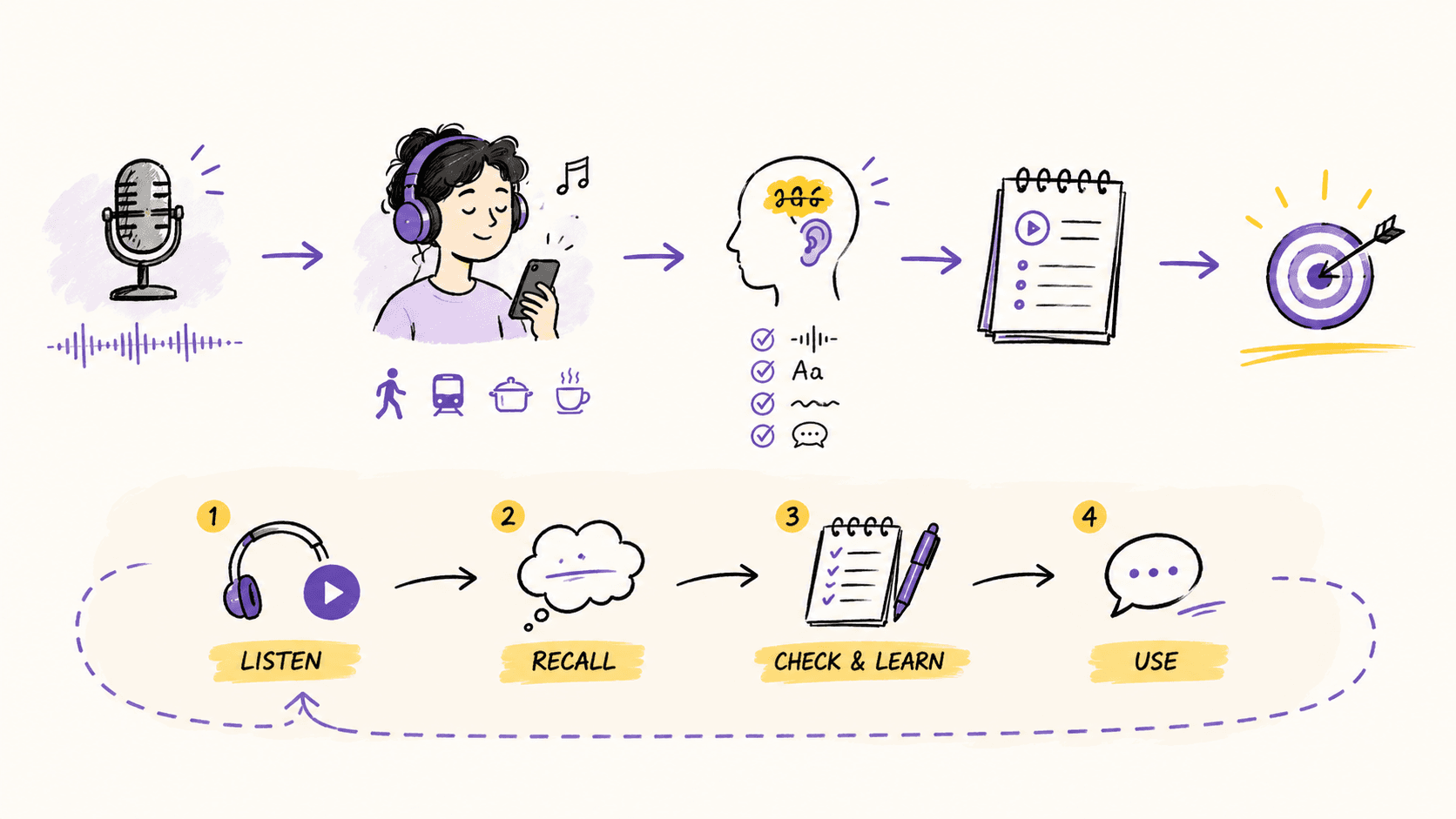
The learning value comes from the design around the audio. A useful episode should answer four questions:
-
What should the learner understand by the end?
-
Which words, phrases, or pronunciation patterns matter?
-
What support is available when the learner gets lost?
-
What should the learner do after listening?
Research on retrieval practice offers a helpful reason to build those steps into the episode. In a 2008 Science study, Jeffrey Karpicke and Henry Roediger found that repeatedly retrieving information was important for long-term retention. Listening again can help, but pausing to recall a phrase, explain an idea, or answer a question makes the practice more active. The podcast becomes a prompt for learning, not background noise.
How PodcastorAI turns your source into a learning podcast
These questions are difficult to answer when you start with a blank audio timeline. This is where PodcastorAI simplifies the work.
Upload a PDF, URL, note, transcript, or recording, and PodcastorAI can turn it into a structured learning podcast with a clear explanation, useful language, learner support, and an audio or video format you can replay. Instead of planning the lesson from scratch or manually rewriting the source into a script, you start with the material you already have and let PodcastorAI organize it for listening.
| Learning question | How PodcastorAI can help |
|---|---|
| What should the learner understand by the end? | After you upload the source, PodcastorAI can identify the main idea and organize it into an introduction, explanation, examples, and a focused takeaway instead of reading every section in order. |
| Which words, phrases, or pronunciation patterns matter? | PodcastorAI can surface useful words and phrases from the source, explain them in context, and place them into a listenable conversation or lesson. You can review and adjust the selections before the final episode. |
| What support is available when the learner gets lost? | PodcastorAI can turn the same material into audio or video with one or two speakers, plus transcript or caption support. Learners can listen first and then use the visual version to check spelling and speaker changes. |
| What should the learner do after listening? | PodcastorAI turns the source into a structured, replayable episode. For active practice, you can use the approved script, transcript, or captions to create your own comprehension questions, repetition prompts, or speaking tasks. |
The important point is that you do not need to build the lesson from a blank page. Upload the material you want to learn from, and PodcastorAI helps turn it into an organized, replayable learning asset.
Create Learning English Podcast with PodcastorAI
PodcastorAI is useful when you want to build a custom English learning podcast from material you already have. Instead of searching through a large library and hoping an scripts matches your level, you can start with a topic, article, PDF, URL, note, or recording and shape the result around a learning objective.
A practical PodcastorAI workflow
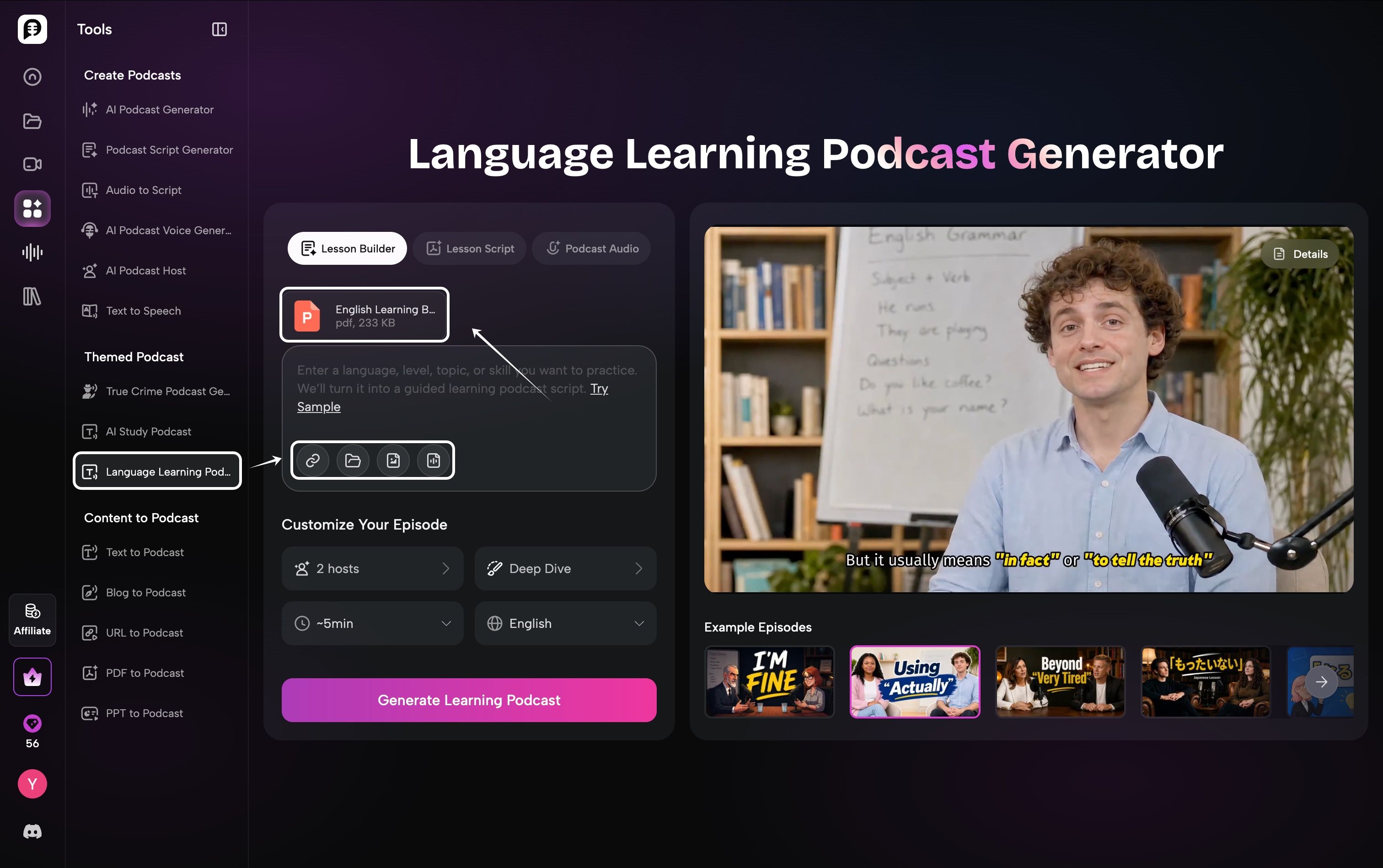
Choose the source
Start with a topic, notes, PDF, webpage, or existing script. Then choose your podcast format, length, language, and number of hosts.
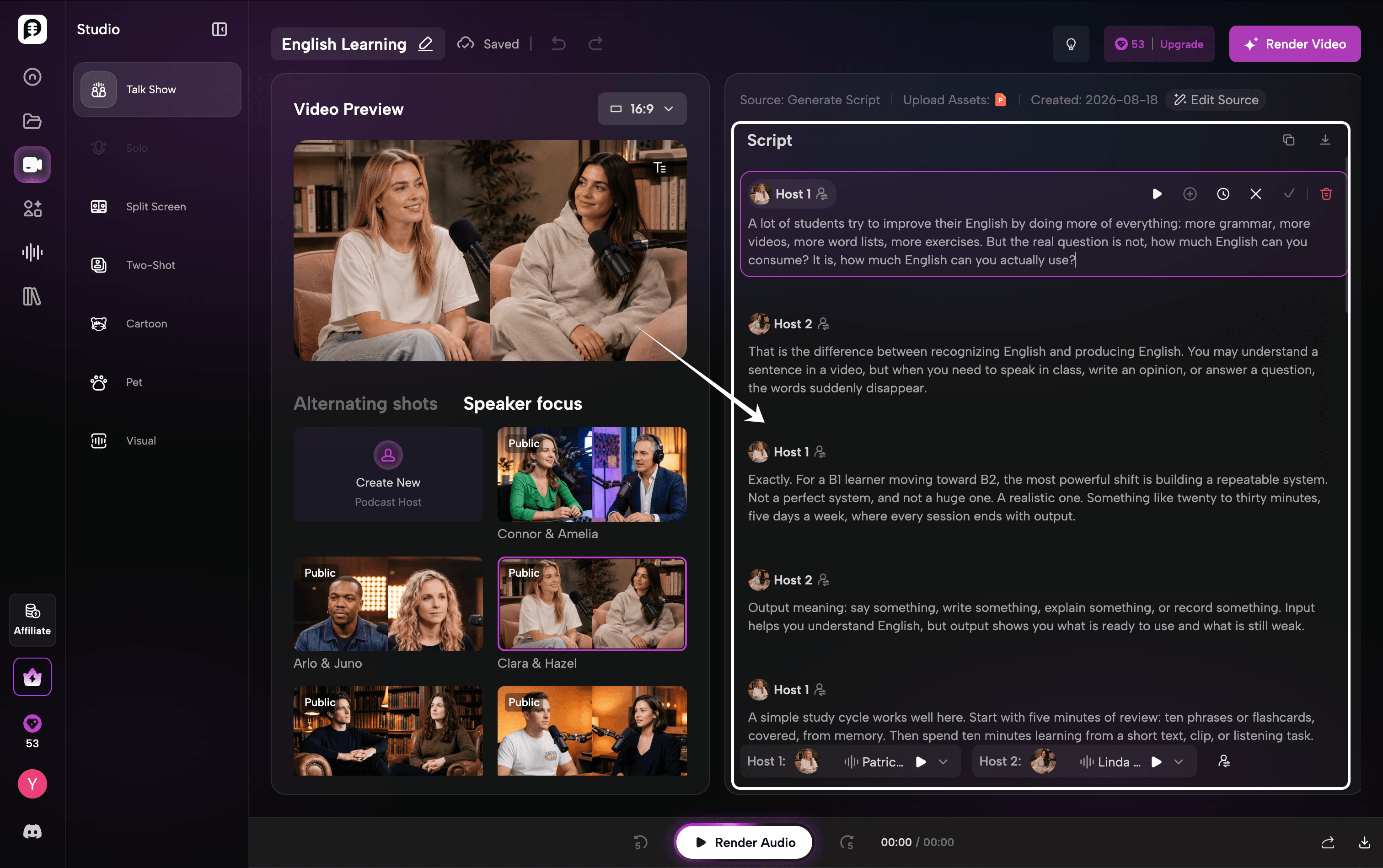
Generate the script
PodcastorAI turns your source into a structured, natural-sounding conversation, with clear talking points and dialogue for each host.
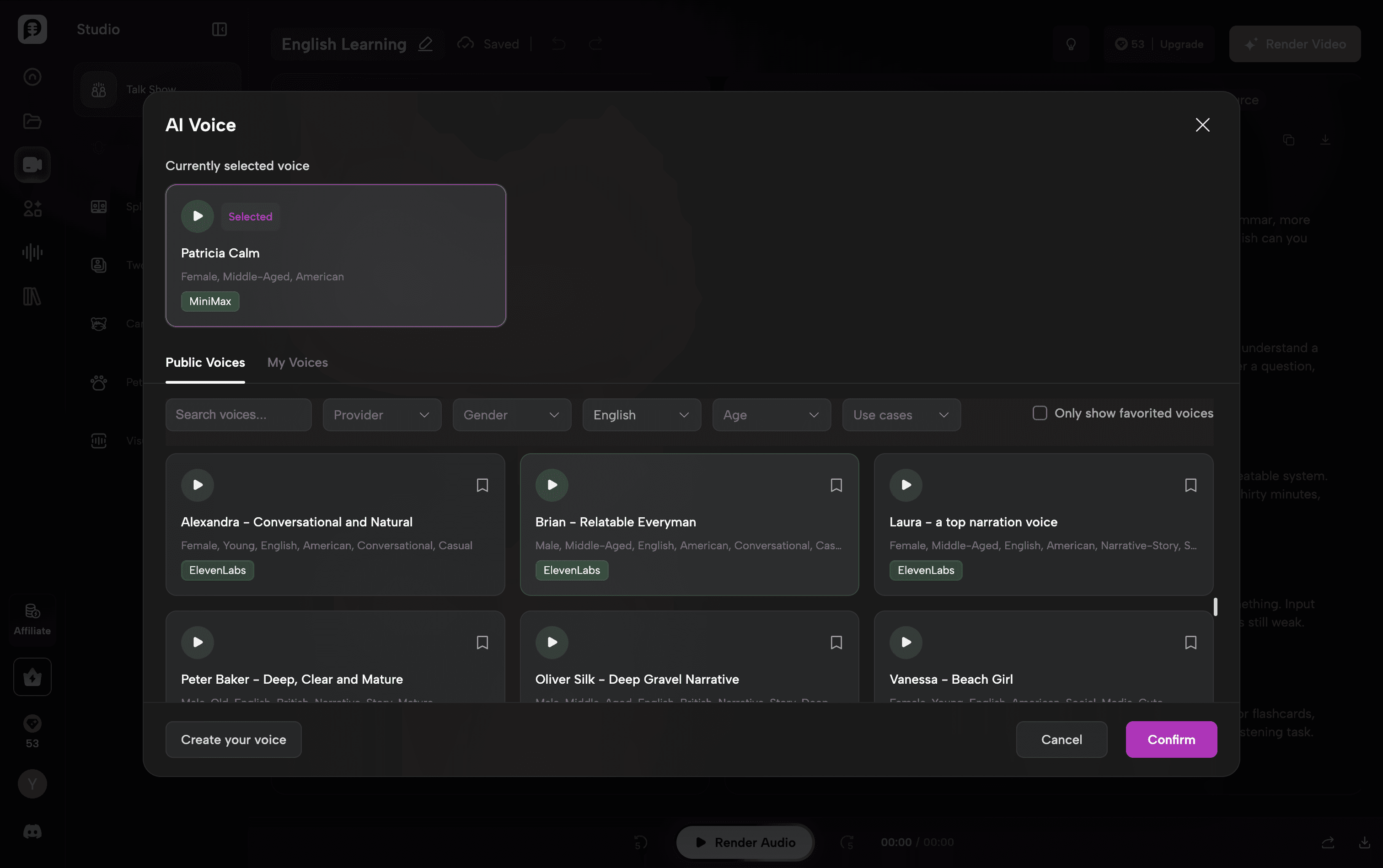
Choose a voice
Create the right voice for every host in your podcast. Clone your own voice for a more personal feel, design a new voice based on the style you want, or explore the public voice library with MiniMax and ElevenLabs options. This gives you more control over how each host sounds and helps the final conversation feel more natural and distinctive.
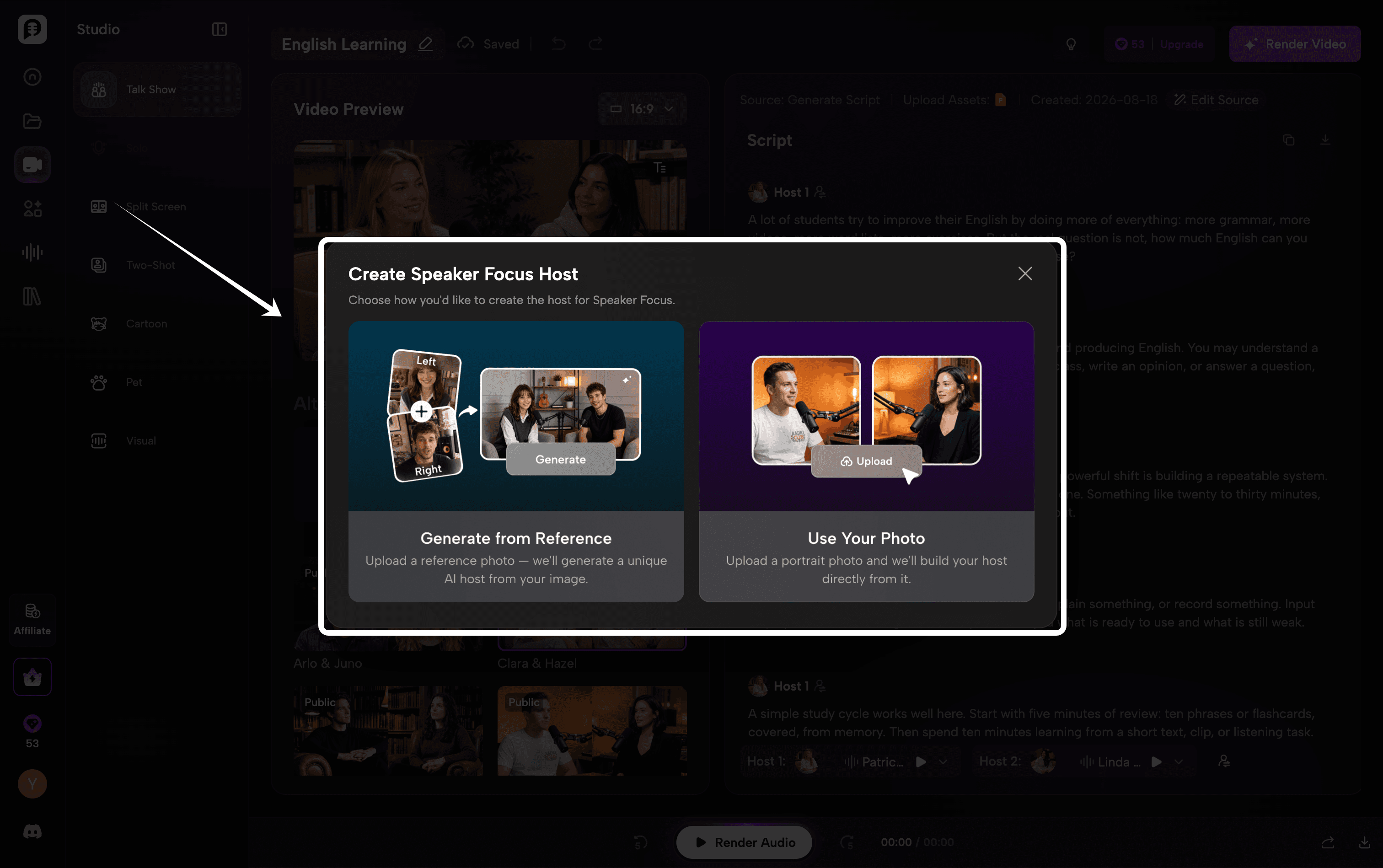
Choose an AI Host
Customize how each speaker appears in your podcast. You can upload your own photo to create a personalized AI host, generate a host from a reference image, or choose from the public host library. Assign different hosts to different speakers to create a more natural and visually distinct conversation.
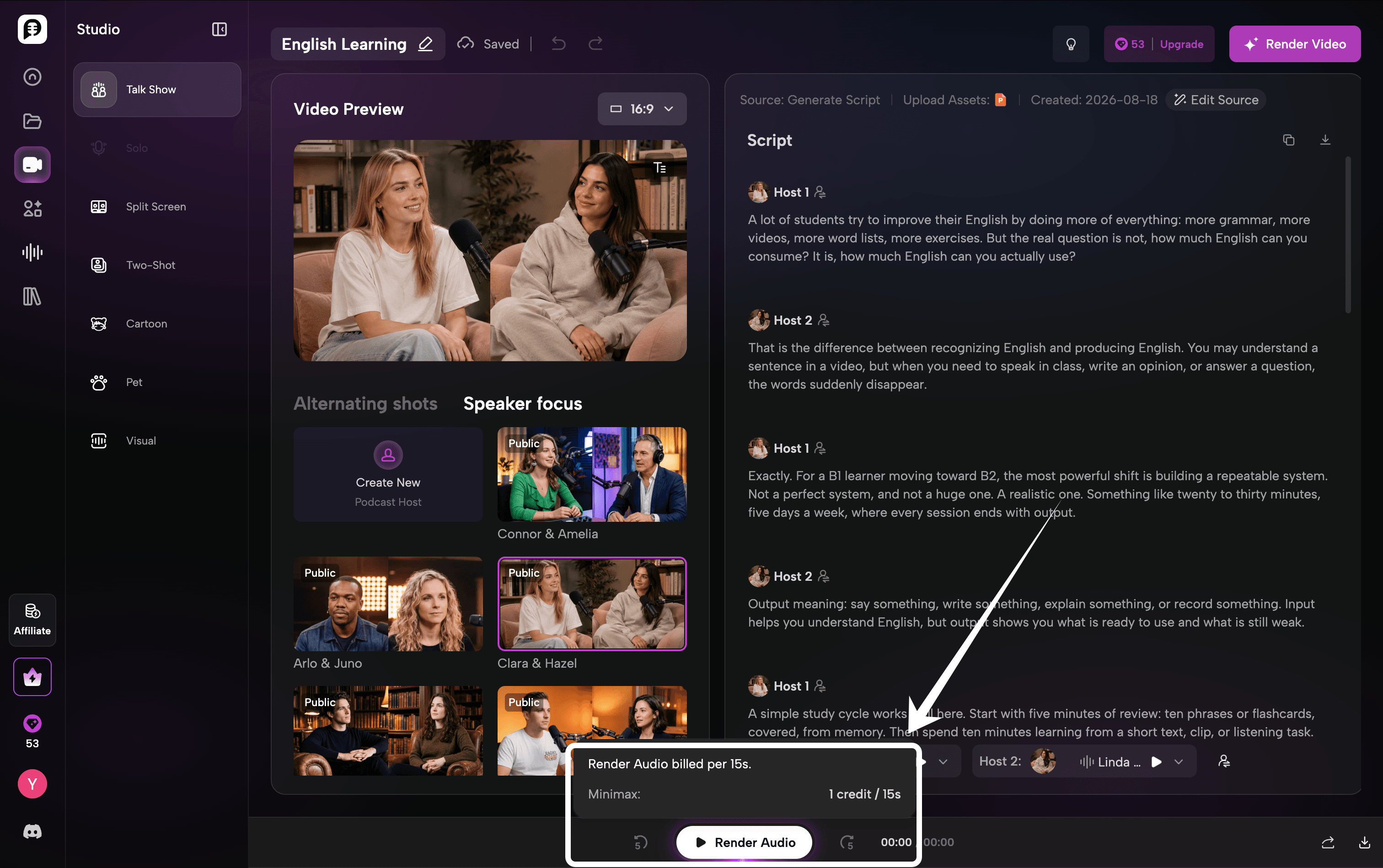
Generate audio
Turn your script into a complete podcast conversation and preview how each host sounds together. Listen for pacing, pronunciation, pauses, and speaker transitions, and catch any awkward phrasing or repeated explanations. You can refine the script or adjust the voices before moving on to the final video, helping the conversation sound more natural and polished.
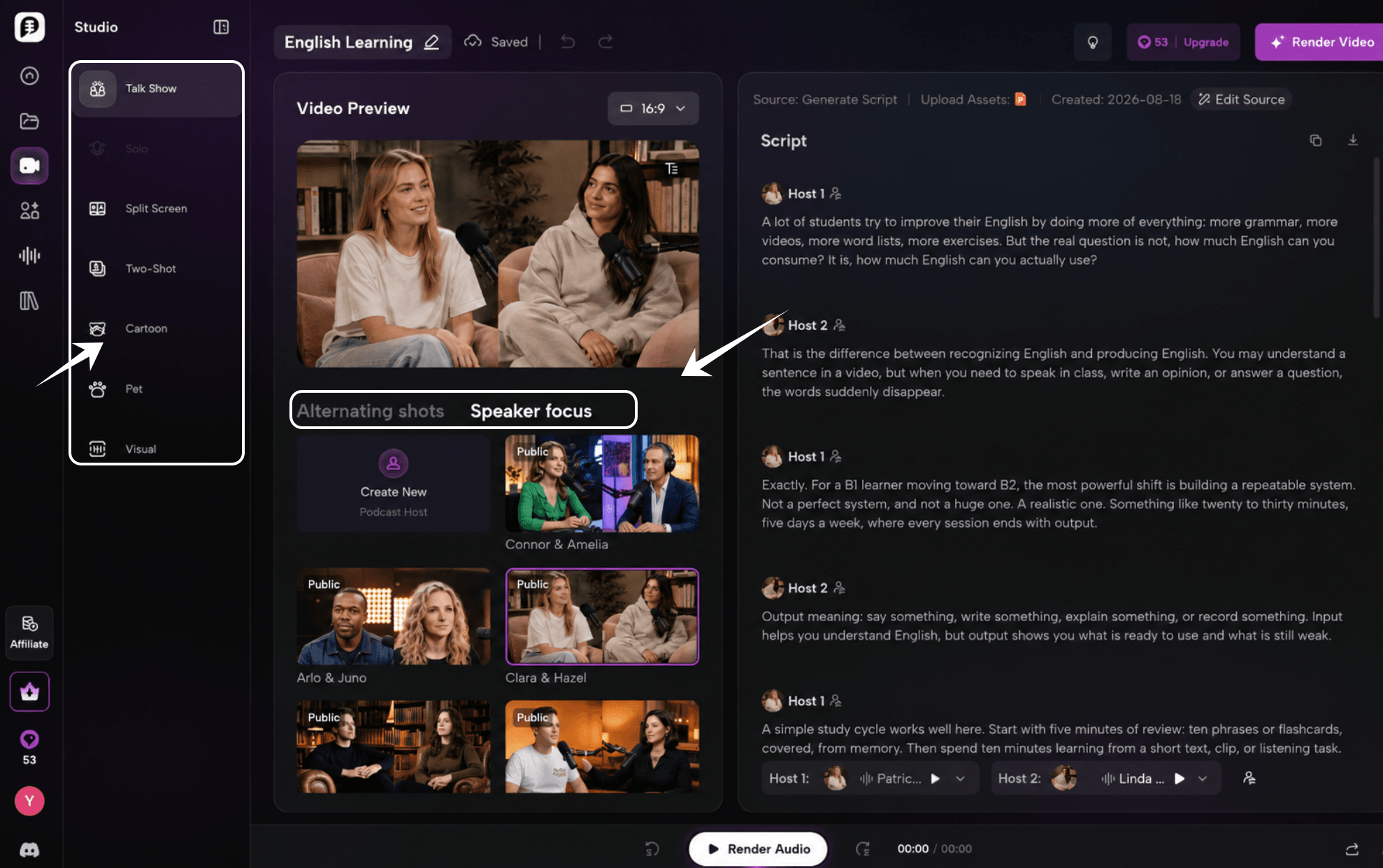
Create video
Turn the finished conversation into a complete video podcast. Choose the format that fits your content, from Solo, Split Screen, and Two-Shot to Cartoon, Pet, or other visual styles. For multi-speaker podcasts, you can also control how the camera behaves, using alternating shots to switch between hosts or speaker focus to highlight whoever is talking. Add captions to help learners follow the transcript, connect spoken and written language, and keep track of speaker changes more easily.
PodcastorAI supports a path from script to audio and video, so the same approved lesson can serve different study moments. A learner can listen to the audio during a commute, then open the captioned version later to inspect spelling and pronunciation. For creators, this also means one reviewed script can become a long-form episode, a short vertical video, a transcript, or a classroom resource.
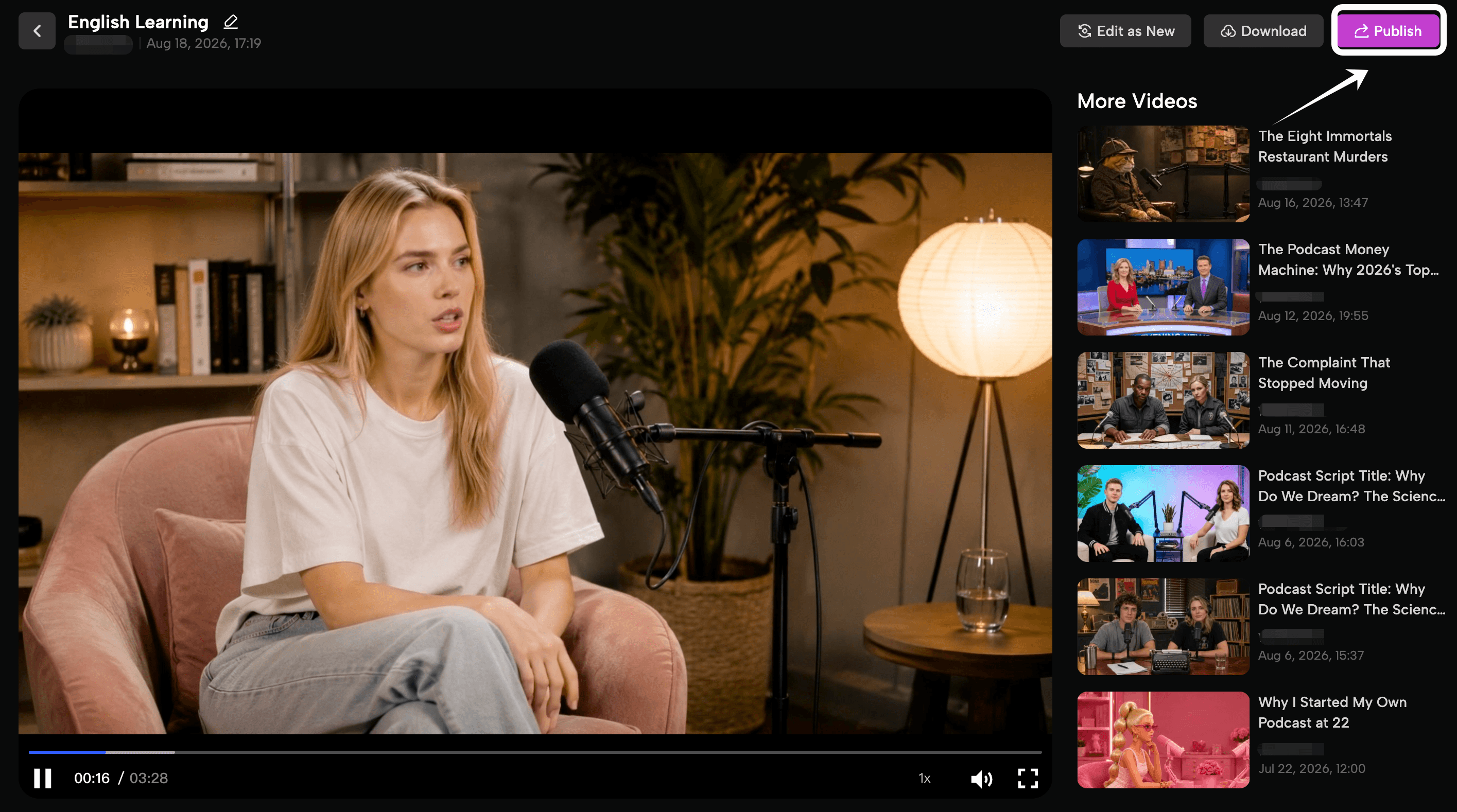
Choose a source that can become good listening material
The source controls the quality of the final episode. You can start with a short article, a lesson note, a conversation outline, a news story, a PDF, a URL, or your own notes. The source does not need to be written as a podcast, but it should have a clear idea and enough context for the listener to follow it.
Good source topics include:
-
How to introduce yourself in a professional setting
-
The difference between “say,” “tell,” “speak,” and “talk”
-
A short story about a travel problem
-
Five phrases for disagreeing politely
-
How to describe a chart or trend
-
A discussion of a familiar news topic
-
A workplace meeting with a decision and follow-up actions
When you choose an existing article or PDF, make sure the material is appropriate to reuse. Check copyright, permission, and the terms of any source before turning it into a public episode. For private study, keep the original file beside the audio so you can verify the meaning of difficult passages.
The PodcastorAI PDF to Podcast workflow can help turn a course handout, article, or reading document into a structured first-pass script. The URL to Podcast workflow is useful when the starting point is a web page. In both cases, the source should still be reviewed by a person before publication or formal study.
Match your PodcastorAI episode to the learner’s level
With PodcastorAI, the same source can become different episodes for different learners. Upload a short article, PDF, URL, note, transcript, or recording, then choose the format that suits the learner: a single AI voice for a focused explanation, two hosts for a conversational lesson, audio for screen-free listening, or video with captions for guided review.
Use this as a practical PodcastorAI starting guide:
| Learner level | A useful PodcastorAI starting point |
|---|---|
| Beginner | Start with a short, familiar source. Generate a focused episode with one host, clear explanations, and audio or captioned video. |
| Intermediate | Use an article, PDF, or URL to create a 6-12 minute conversation. Try two hosts and keep the transcript or captions available for review. |
| Advanced | Start with a longer article, interview, or research source. Use a two-host discussion or a more detailed single-host episode, then focus the script on nuance, idioms, and contrasting viewpoints. |
These levels are starting points, not fixed rules. A learner can be advanced in reading and intermediate in listening. In PodcastorAI, you can reuse the same source and change the script length, host format, and output type as the learner’s needs change.
English learning podcast tools compared
The table below compares well-known English learning podcast brands with PodcastorAI. “Limitation” means a tradeoff for a particular learner or workflow, not that the product is poor. The platforms change their catalogs and features over time, so check each official site for current details.
| Tool or brand | Best for | What it does well |
|---|---|---|
| PodcastorAI | Custom lessons from your own topics and sources | Creates structured podcast scripts, AI-hosted audio, and video formats from PDFs, URLs, notes, transcripts, or recordings |
| BBC Learning English | Short, structured British English lessons | Strong editorial format, recurring series, pronunciation and vocabulary practice, and clear lesson goals |
| VOA Learning English | Accessible American English and news-based listening | Useful level-based material, news topics, and controlled speech for learners who need a clearer starting point |
| British Council LearnEnglish Podcasts | General English with learner support | Podcast episodes are paired with learning materials such as transcripts or exercises |
| All Ears English | Natural American conversation and idioms | Conversation-focused episodes expose learners to informal phrases and real-life communication strategies |
Final takeaway
The best podcasts for learning English are designed around a learning action. Start with one clear goal, choose a source that fits the learner, build a natural script, and add the transcript, vocabulary, questions, and speaking practice that make the audio usable.
Use established shows when you want reliable, ready-made input. Use PodcastorAI when you need a custom lesson built around your own topic, level, document, or professional situation. Generate a first draft, review it carefully, and turn the final episode into a routine you will replay.
FAQ: Using PodcastorAI for English learning podcasts
What can I upload to PodcastorAI?
You can start with a topic, note, PDF, URL, existing script, transcript, or recording. PodcastorAI uses that source as the starting point for a structured podcast script, so you do not need to rewrite your material before beginning.
What languages can PodcastorAI support besides English?
PodcastorAI provide across 40+ languages AI voices. The available language selector includes examples such as French, German, Japanese, Korean, and Spanish, with more languages available in the library.You can check the current PodcastorAI Voice Generator before starting a multilingual podcast.
Can I choose or create the voice in PodcastorAI?
Yes. You can clone a voice, design a custom voice, or select a voice from the public library, including available voices from MiniMax and ElevenLabs. Review the final pronunciation and voice fit before publishing.
Can I create an AI Host with my own photo?
Yes. Upload a photo to create a personalized AI Host for your video podcast, or choose an AI Host from the available host library. This lets you create a host that matches your personal, educational, or brand identity.
Can I create both audio and video from the same podcast script?
Yes. After reviewing the script, you can generate an audio version for screen-free listening and a video version with an AI Host, captions, or other visual podcast formats. Keeping the same approved script makes it easier to reuse one lesson across different learning moments.